Buy anything from 5,000+ international stores. One checkout price. No surprise fees. Join 2M+ shoppers on Desertcart.
Desertcart purchases this item on your behalf and handles shipping, customs, and support to Vietnam.
🚀 Upgrade your speed game — don’t get left behind!
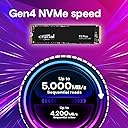
The Crucial P3 Plus 1TB PCIe Gen4 NVMe SSD delivers ultra-fast read speeds up to 5,000MB/s and write speeds up to 4,200MB/s in a compact M.2 2280 form factor. Designed for both laptops and desktops, it offers broad backward compatibility with PCIe Gen3 systems, making it an ideal upgrade for professionals seeking reliable, high-capacity storage. Built with Micron’s trusted 3D NAND technology, it boasts exceptional durability rated at over 1.5 million hours MTTF. The package also includes Acronis cloning software and a one-month Adobe Creative Cloud subscription, empowering users with seamless data migration and creative tools right out of the box.


| ASIN | B0B25NXWC7 |
| Additional Features | Compact |
| Best Sellers Rank | #30 in Internal Solid State Drives |
| Brand | Crucial |
| Built-In Media | P3 Plus PCIe 4.0 3D NAND NVMe M.2 SSD |
| Cache Memory Installed Size | 1 TB |
| Color | Black |
| Compatible Devices | This drive is compatible with desktops & laptops that accept PCIe NVMe Gen 4.0 drives |
| Connectivity Technology | NVMe |
| Customer Reviews | 4.8 out of 5 stars 24,549 Reviews |
| Data Transfer Rate | 6 Gigabits Per Second |
| Digital Storage Capacity | 1 TB |
| Enclosure Material | 3D Nand |
| Form Factor | M.2 (2280) |
| Global Trade Identification Number | 00649528918833 |
| Hard Disk Description | Solid State Drive |
| Hard Disk Form Factor | 2.5 Inches |
| Hard Disk Interface | NVMe |
| Hard-Drive Size | 1 TB |
| Hardware Connectivity | Solid State Drive |
| Hardware Platform | Linux, Mac, PC |
| Installation Type | Internal Hard Drive |
| Item Dimensions L x W x Thickness | 3.15"L x 0.87"W x 0.09"Th |
| Item Type Name | NVMe M.2 SSD |
| Item Weight | 0.01 Kilograms |
| Manufacturer | Crucial |
| Media Speed | 4200 Megabytes Per Second |
| Mfr Part Number | CT1000P3PSSD8 |
| Model Name | Crucial P3 Plus NVMe SSD |
| Model Number | CT1000P3PSSD8 |
| Number of Items | 1 |
| Read Speed | 5000 Megabytes Per Second |
| Special Feature | Compact |
| Specific Uses For Product | Business, Gaming, Personal |
| UPC | 649528918833 |
| Unit Count | 1.0 Count |
| Warranty Description | Limited 5-year Warranty |
S**.
A good, fast, 4 TB NVMe SSD that used to be available from a now defunct brand
At the time that I purchased the P3 Plus NVMe SSD, it was quite literally the lowest-priced 4 TB M.2 2280 NVMe SSD available. Which is really unfortunate since Micron decided that AI datacenters are what they truly want to support and 4 TB SSDs of all stripes and creeds are now close to $1,000 per unit! It's bad because this was actually a really affordable and quite fast SSD, with a very quick boot time and the high capacity makes it possible to have a few big virtual machines stored on it. Because it's an SSD, there's no risk of crashed disk platters or stuck heads like you have with hard disk drives and no noise since it's a non-mechanical storage device (which can be said for ANY brand of SSD, really). I'm not certain if the P3 Plus uses TLC or QLC NAND flash memory, so I can't give it a proper score as to lifespan or data retentivity, but I feel fairly confident that this drive will be reliable in the long term. It IS Crucial by Micron, after all. They were known for reliable and affordable drives, and memory kits, too. If Micron were still making these under their Crucial brand, I'd be recommending this SSD. It's fast, affordable and from a known brand that makes decent and reliable memory products.
M**T
Reasonable price, good M.2
I dropped this into my Mac mini docking station, tightened one screw, put the cover back on, plugged it into the Mac mini, and that was basically the whole story. macOS recognized it instantly, asked if I wanted to format it, I clicked yes, and it was ready to go in about thirty seconds. No drivers, no nonsense, no troubleshooting spiral. Easily the smoothest drive install and format I’ve ever done. Speeds are great for what I use this machine for. File transfers are fast, apps load instantly, and everything feels snappy. I’m not gaming on this system, so I can’t speak to how it performs there, but for normal desktop use it’s been rock solid with zero issues so far. It fits exactly into the m.2 slot, I didn't need the provided screw as my dock already had one. Bottom line: it just works, it’s fast, and it didn’t waste my time. That alone puts it ahead of half the tech crap on the market.
T**E
Awesome Crucial1TB NVMe M.2 SSD!
I purchased this Crucial1TB PCIe NVMe M.2 SSD to use as a secondary file storage drive in the new Beelink SER8 Mini PC that I recently bought. This is the same exact 1TB Crucial SSD that already comes installed in the Beelink SER8 Mini PC as the boot drive, so they match perfectly. Also, since I have seen this question asked many times now, and I don't actually see the M.2 SSD slot size specification in the Amazon listing anywhere. This Crucial SSD is the longest size 2280 M.2 form factor. However, the M.2 2280 specification is actually shown on the Crucial SSD in the listing photos several times, but product photos aren't always accurate. This should hopefully clear up any confusion about the actual SSD size. The Crucial line of products are all made by MICRON, one of the largest and highest quality memory manufacturers in the world, so they are all very high-quality computer memory and storage drive components. I usually either purchase Samsung or Crucial memory and storage drives when building or upgrading computers. However, Crucial components always seems to be "on-sale" for nearly half the price as the equivalent Samsung products (as was this Crucial SSD), so most of the time I wnd up going with Crucial just for that reason. This Crucial SSD installed easily into the second M.2 NVME drive slot on the Beelink SER8 Mini PC motherboard. It was also immediately recognized by Microsoft Windows 11 Professional on boot-up. This Crucial SSD initialized and formatted (GPT/NTFS) with no issues at all. Once up and running the file transfer read and write speeds are very fast, and the drive temperature stays relatively cool under burn-in stress tests. Also, for those reviewers complaining that the actual capacity of these Crucial (or any other brand) SSDs is lower than advertised, that is perfectly normal. Due to computer "math" and memory overhead in any type of storage drive, the actually capacity will always be a little less than the advertised capacity. I have been an I.T. professional for over 25 years, so I have a lot of experience dealing with this drive capacity "issue." Overall, I highly recommend these Crucial SSDs, as well as all other Crucial products. These Crucial SSDs are easy to install/configure, fast, inexpensive, and they run cool. In fact, I still have some older 2.5 inch Crucial SSDs that have been in service for over 12 years, and they are still running like they are brand new. Pick up one (or a few) of these Crucial SSDs today. Trust me when I say, they are a great product!
J**S
High speed and excellent value for money
The 1TB Crucial P3 Plus was a perfect upgrade for my PC. Installation in M.2 format was quick and easy, and I noticed the improvement from the very first use: faster boot times, large file transfers in seconds, and stable performance in demanding games and programs. The compact design fits perfectly and feels secure. It definitely offers a great balance of speed, capacity, and price, making it a very worthwhile purchase.
W**R
Instant Boot and Load Times
I upgraded my system with this Crucial P3 Plus 2TB PCIe Gen4 NVMe SSD and it’s been outstanding. Speeds are impressive, up to 5000 MB/s sequential reads, which makes booting and launching apps almost instantaneous Installation was seamless; my motherboard recognized it immediately, and it’s fully compatible with Gen4 as well as backward compatible with Gen3. Whether I’m loading large files or transferring data, performance remains ultra-smooth. The 2TB capacity gives me plenty of room for games, work files, and media, without compromising speed. Plus, the drive stays cool and reliable during extended use. Overall, this drive delivers premium Gen4 performance at a very fair price.
S**E
A Solid Upgrade for Speed and Value
I recently upgraded my PC with the Crucial P3 Plus 1TB SSD, and it's been a noticeable improvement over my previous SATA SSD. Here's a breakdown of my experience: Performance: The sequential read speeds of up to 5,000MB/s and write speeds of up to 3,600MB/s are impressive. While synthetic benchmarks show it trailing behind some competitors, real-world usage—like booting up Windows 11, loading games, and transferring large files—feels significantly faster. Installation: Installation was straightforward. I used Crucial's Storage Executive software to clone my old drive, and the process was seamless. Value: Considering its performance and price point, the P3 Plus offers excellent value. It's a great option for those looking to upgrade to PCIe Gen4 without breaking the bank. Considerations: One thing to note is that, like many modern SSDs, the P3 Plus uses QLC NAND, which can experience slower write speeds as the drive fills up. However, for typical users, this isn't a major concern. Final Thoughts: Overall, the Crucial P3 Plus 1TB SSD has been a reliable and cost-effective upgrade. It delivers solid performance for everyday tasks, gaming, and content creation.
B**1
Great value, brand and software package. Open box provided extra value beating out the competition.
I was looking for a somewhat fast modern NVMe drive to replace a quality Samsung 850 EVO 250gb boot drive in my secondary PC. Went with this due to the open item price being the best compared to lesser brand new items. Item came in a quality clear bag in good condition and no signs of wear/tear. Installed it first into a different PC to test it out a bit before cloning the boot drive over in the secondary PC. Installed the Crucial management software and checked the firmware which was already up to date. Short Smart Test passed but Extended gave me write errors and wouldn't let me run the secure erase option stating I needed the driver first. Installed the driver from the prompt in the software and that resolved both issues. I now was able to run the extended test and it passed. I then copy/pasted about 400GB of game folders over to the 500GB drive and speeds were great from another NVMe drive. Certainly faster than SSD transfer sustained speeds. Next I formatted it and installed it in the secondary PC. I used Acronis to clone the SSD over to it and worked perfectly. It's currently the boot drive on a 7600X/B650/3060ti secondary PC and running great. I've only had the drive 24hrs though so hopefully no longevity issues pop up. For the sub 30 I paid it was a great value for a mid ranged boot drive. The all black color of the drive certainly looks better than many cheap NVMe drives if you have a window on the case. Mine was an open box for a great price about 30% less than retail. It did take 16 days to finally arrive though which I was in no hurry. I wouldn't recommend 250gb/500gb drives for anything other then your Boot drive. Install 2TB or bigger for games and storage. That also allows you to keep your operating system drive smaller for faster back ups onto your storage drive. When the time comes to fix your boot drive due to corruption or a bug the back up image file is much smaller so it recovers quicker and also takes up less storage space. I haven't tried Crucial back up solutions but I'm sure there is something in their software. I prefer Acronis as it comes free with WD drives and works great.
F**O
Good drive. Beware of the data size limit of your nvme slots
Update as of February 2 - It turns out the drive is not faulty. I tried a 990 pro 4tb in the same nvme slot of my pc and it did the same thing. Thinking its not the drive, i pit this crucial into an enclosure and amazingly, the affected files from the same 1. Something write all copied over to this drive successfully. It turns out the problem with my Asus pn53 is that it seems to have a limit on the drive size. So for now, i have a 4tb in my main slot, the old 2tb 3.0 in the affected second slot, and my 4tb sata in the 2.5 slot. I'm keeping this drive. Due to the update, I upgraded the review to 5 stars. Old review: This is the second P3 4TB drive I bought. first one is in my laptop and is fine. When I bought this, I installed it in my second nvme slot of my desktop to replace the 2TB drive in there. As I started copying the data from my 2TB in an Asus enclosure to this drive, it stopped at some point and sat at 0kbps for hours. I hard rebooted and when I retried, it got to a file and said 0x800701B1: a device which does not exist was specified. I thought maybe it was the WD Blue nvme 2TB not working while in an enclosure. I reformatted the P3 4TB and tried the same data transfer, but from my NAS through my local network. It didnt finish and my PC Blue screened. I tried again and same error with files. I then retried the files from the same NAS to my main drive, and it copied with no issue. This rules out my 2TB drive and the enclosure as being the issue. I doubt the second slot NVME would be the problem as my 2TB worked fine in that slot. This leaves me to believe the Crucial 4TB drive I got is defective even if crystal disk reads it as healthy. I doubt its my OS or the desktop as this would have happened with the main drive too. Please dont avoid this completely just because of the experience i had with this drive. Again, my first one didnt have this issue. When getting this, make sure you dont use your only copy of data and make a backup before trying. If it copies 1TB+ of data successfully, you should be fine. Its normal for a drive like this to slow down from 900mbps to 20-100mbps because of its lack of DRAM. What is not normal is for it to stay stuck at 0mbps for hours and get an error like that when copying files to it.
F**A
Ótimo Produto
SSD rápido, de ótima qualidade e não esquenta, perfeito para jogos, para trabalho e qualquer coisa que deseja fazer!
A**A
Affordable high storage NVME
great performance and affordable NVME. it does not need any form of cooling plate so I was able to install it on the back of my motherboard. after observing for a few days during gaming and normal workload it does not seem to really heat up
A**X
Bien pour upgrader son pc
Acheter pour faire un upgrade de mon PC gamer portable, permet d’installer tous les jeux ainsi que le système d’exploitation La qualité cruciale n’est plus à démontrer Je recommande même si ça vaut cher, la qualité est présente
い**ご
パソコンが生き返った。
ハードディスクからの交換です。爆速になりました。
V**R
Great Value
I have acquired the remarkable SSD, and I must express my sheer elation with its astounding performance. This petite dynamo has catapulted my computer's velocity to unprecedented levels! With its remarkable swiftness in reading and writing, my applications materialize instantaneously, while file transfers flow seamlessly. This SSD not only delivers unparalleled rapidity but also exudes extraordinary dependability. Having employed it for numerous months, it has exhibited unwavering consistency. Its robust construction instills unwavering assurance, safeguarding my precious data. The installation process proved to be a breeze, courtesy of its M.2 form factor, flawlessly harmonizing with my system. Moreover, its compact design optimizes space utilization in my setup, making it all the more impressive. Should you seek to enhance your computer's capabilities through an SSD upgrade, the M.2 SSD is the epitome of a sound investment. Brace yourself for a performance enhancement like no other. I assure you, disappointment will not be a part of your experience!
Trustpilot
1 day ago
2 weeks ago