🔐 Unlock your digital world in a touch—because passwords are so last decade.
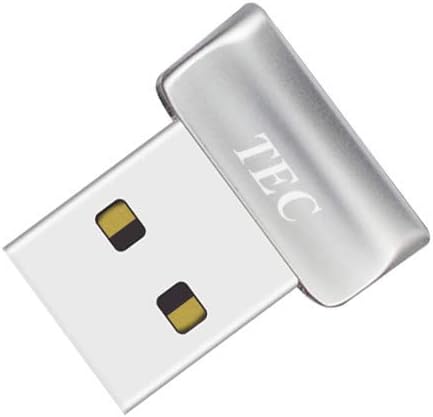
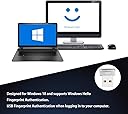
The TEC Mini USB Fingerprint Reader TE-FPA2 is a compact biometric security dongle designed for Windows 10 and 11. Featuring 360° fingerprint recognition and ultra-fast 1-2 second authentication, it supports password-free login via Windows Hello and file encryption. With up to 10 fingerprints registered per account and plug-and-play USB connectivity, it offers a seamless, portable security upgrade for professionals seeking quick, reliable access without compromising safety.
| ASIN | B08DCFMSLG |
| Batteries Included | No |
| Batteries Required | No |
| Best Sellers Rank | #247,719 in Home Improvement ( See Top 100 in Home Improvement ) #1,097 in Home Security & Surveillance Biometrics |
| Brand | TEC |
| Connector Type | Mini USB |
| Country of Origin | USA |
| Customer Reviews | 4.3 4.3 out of 5 stars (732) |
| Date First Available | 20 March 2021 |
| Item Dimensions LxWxH | 17 x 20.7 x 12 Centimeters |
| Item Weight | 5 g |
| Item model number | TE-FPA2 |
| Light Source Type | LED |
| Manufacturer | TEC |
| Media type | Fingerprint |
| Model | TE-FPA2 |
| Model Name | TE-FPA2 |
| Product Dimensions | 17 x 20.66 x 12 cm; 5 g |
| Resolution | 600 dpi |
S**T
I love this device! I don't know how I've gone so long without one. Installation on Windows 11 25H2 is quite easy! Here's how. * Plug in the TEC fingerprint reader and Windows plug-and-play quickly recognizes it and installs the driver. * Go to Settings -> Accounts -> Sign-in Options and under "Fingerprint recognition (Windows Hello)" you should see "Sign in with your fingerprint scanner (Recommended)". If it says "This option is currently unavailable", check Device Manager to see if the Biometric Devices -> ELAN WBF Fingerprint Sensor is there without a warning icon. * Open "Fingerprint recognition (Windows Hello)" and click the Set up button to register a finger to get you started. You can add registration of more fingers later if you like. * Lock screen, or sign out. * Simply put the registered finger on the fingerprint reader. Boom, you're logged in instantly! * If you're installing on a laptop or desktop that goes to sleep (my desktop isn't configured to go to sleep, so I didn't bother with this), you'll find that Windows may choose to turn off power to the fingerprint reader at times. You should change that behavior in Device Manager. Open Biometric Devices -> ELAN WBF Fingerprint Sensor properties, and on the Power Management tab uncheck "allow the computer to turn off this device to save power". Warning: Don't expect fingerprint to show as a sign-in option on the Lock or Login screens! Microsoft apparently chose to not show fingerprint as an option once "Fingerprint recognition" is enabled. Just go ahead and use the fingerprint reader. This behavior had me confused for quite a while, as I wrongly thought its absence on the Lock or Login screens sign-in option meant the fingerprint reader wasn't available. Note: In Windows 11 Microsoft got rid of the "Sign in with an external camera or fingerprint reader" Sign-in Option so there's no need to turn that option on as it's just enabled automatically. Some reviewers who installed on Windows 10 state that you must turn that option on, but don't worry because you can't find it any more.
4**5
指紋認証リーダー非搭載のWindows11搭載ノートパソコンでWindows Helloの認証を行うために購入。 問題なく認証/ログインができています。満足です。 ドライバー等も特に手動インストール無しでUSBに挿しただけで大丈夫でした。 製品パッケージの裏面にWindows11/10対応と記載があります。
T**Y
Tried Microsoft/Dell drivers, none of them worked with this fingerprint reader...
A**Z
El vendedor no hizo la tramitacion del IVA y me ha tocado pagar 5,92€ al cartero. Por otra parte el lector funfiona bien y Windows 11 lo reconoce sin ncesidad de instalar ningun driver.
B**M
Doet het niet op Windows 10 en ook niet op W11. Gedownloade drivers (van de originele site) werken ook niet. Zonde van het geld en de moeite.
Trustpilot
2 weeks ago
1 month ago