Buy anything from 5,000+ international stores. One checkout price. No surprise fees. Join 2M+ shoppers on Desertcart.
Desertcart purchases this item on your behalf and handles shipping, customs, and support to Vietnam.
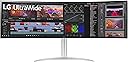
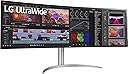
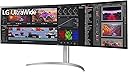
๐ Elevate your desk game with the LG 49WQ95C-W โ where productivity meets panoramic perfection!
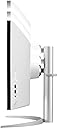
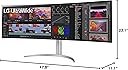
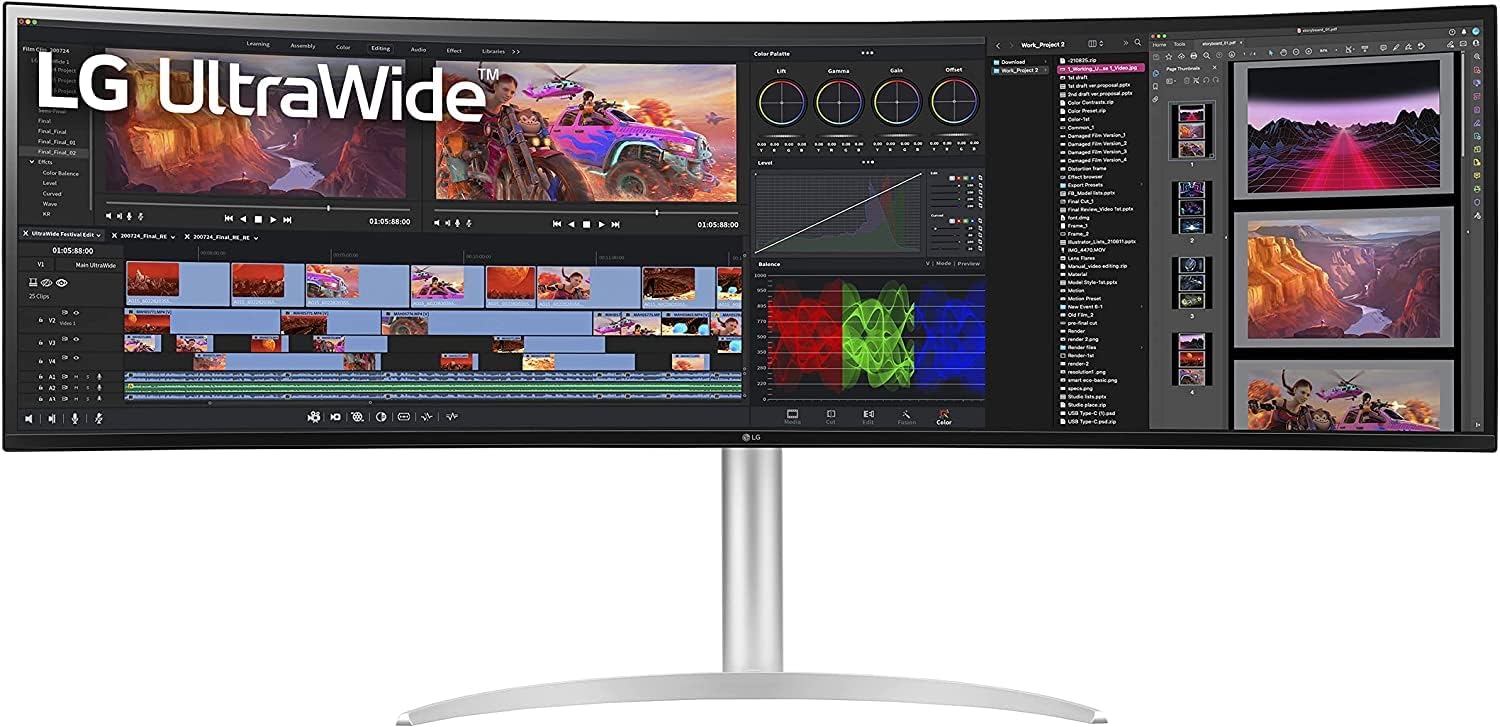
The LG 49WQ95C-W is a 49-inch curved UltraWide DQHD (5120x1440) Nano IPS monitor featuring a 32:9 aspect ratio, 144Hz refresh rate, and 5ms response time. It supports NVIDIA G-SYNC and AMD FreeSync Premium Pro for smooth visuals, includes HDMI 2.1 and USB Type-C with 90W power delivery for versatile connectivity, and offers ergonomic adjustments plus advanced multitasking features like Picture-by-Picture and built-in KVM. Ideal for professionals and gamers seeking a clutter-free, immersive workspace.
| ASIN | B0B5K851GV |
| Adaptive Sync | G-Sync |
| Additional Features | Auto Brightness, Black Stabilizer, Color Weakness, Crosshair, Dynamic Action Sync, Energy Efficient, Eye Care, Flicker-Free, FreeSync Premium Pro, NVIDIA G-SYNC Compatible |
| Aspect Ratio | 32:9 |
| Best Sellers Rank | #143,684 in Electronics ( See Top 100 in Electronics ) #3,205 in Computer Monitors |
| Brand | LG |
| Brightness | 400 Candela |
| Built-In Media | USB upstream,USB Type-C,Display port,HDMI x 2 |
| Color | White |
| Connectivity Technology | Bluetooth |
| Contrast Ratio | 1000:1 |
| Customer Reviews | 4.1 out of 5 stars 196 Reviews |
| Display Resolution Maximum | 5120x1440 |
| Display Technology | LCD |
| Display Type | LCD |
| Global Trade Identification Number | 00195174035139 |
| Hardware Connectivity | DisplayPort, HDMI, Headphone, USB Type C |
| Has Color Screen | Yes |
| Image Contrast Ratio | 1000:1 |
| Is Electric | Yes |
| Item Dimensions D x W x H | 21"D x 38"W x 49"H |
| Item Weight | 14.7 Kilograms |
| Manufacturer | LG |
| Model Name | 49WQ95C-W.AUS |
| Model Number | 49WQ95C-W |
| Mounting Type | Wall Mount |
| Native Resolution | 5120x1440 |
| Number of Component Outputs | 3 |
| Picture Quality Enhancement Technology | Nano IPS Technology, VESA DisplayHDR 400, and HDR10 support |
| Pixel Pitch | 0.234 |
| Power Consumption | 113 Watts |
| Refresh Rate | 144 Hz |
| Resolution | 5K QHD 1440p |
| Response Time | 5 Milliseconds |
| Screen Finish | Matte |
| Screen Size | 49 Inches |
| Screen Surface Description | Matte |
| Series Number | 95 |
| Shape | rectangular prism |
| Specific Uses For Product | Gaming |
| Total Number of HDMI Ports | 2 |
| Total USB 2.0 Ports | 1 |
| Total USB 3.0 Ports | 4 |
| Total Usb Ports | 4 |
| UPC | 195174035139 |
| Viewing Angle | 178 Degrees |
| Voltage | 240 Volts |
| Warranty Description | 1 Year Parts & Labor |
| Warranty Type | 1 Year Manufacturer Warranty |
K**.
Great Productivity Monitor
For my work I typically need to have 3-4 different documents open. I have been using 2 1080p 21" monitors. I also have my personal laptop connected to 2 monitors. So my desk has a total of 4 monitors sitting on it, but never require all 4 monitors at the same time. The set up seemed very cluttered. After purchasing this 49" ultrawide, I only require 1 monitor. My desk appears so much cleaner and clutter free. I love the picture by picture feature. I have my personal laptop and my work laptop connected. During normal work hours, my work laptop used 2/3 of the screen with my personal laptop taking up 1/3. When I am working on personal projects, I swith the mode and then my personal laptop takes up the entire screen. For me, it was a great purchase. The picture seems so much sharper and more vibrant than my previous VA panel monitors. The built in speakers are decent. They get the job done for Zoom calls and youtube videos. I wouldn't want to watch a movie with them.
I**S
No connection issues or screen problems.
I wanted to make a review on this specific product, I found a lot of bad reviews for this when I bought it, but I wanted something simple that will take my MacBook without all of the extra cables, it only uses a USBC cable to connect to the laptop and it charges it at the same time, I got it over a year ago, I moved houses and it survived everything, here it is working perfectly and no issues so far.
C**I
This monitor only lasted 7 months!
I got this LG 49โ monitor about 7 months ago. Initially, I was pretty happy with the purchase except for a few things such as not having a remote control, having very limited ports, and the screen being barely curved (kind of difficult to use for work because it is mostly flat). Other than those things, I was pretty satisfied with my purchaseโฆ up until now. Out of nowhere, the monitor just completely stopped working. I was just sitting at my desk doing work and โpoofโ the screen was completely out. At first it acted as if it was glitching but a few minutes later it completely fried. I contacted customer support from LG through Amazon and they said there is not really much they can do. They told me they can try to repair, and I will have to ship this massive 49โ inch back to them, but if the shipment gets damaged along the way they would not be able to help. Luckily, I had purchased additional coverage through Asurion (the team was fantastic) and they will cover this damage with a replacement since it is not fixable. If it wasnโt for them, I would be at a complete loss. If you are spending this much money on a monitor, go with another brand. LG is not a good option. A product at this price should not last 7 months. If you decide to purchase this product, keep the box. You might need it when your monitor goes out too.
C**A
Quality
Have had this monitor for 3 years, I work as an engineer, connect multiple MacBook pros, m1-m5 plus a pc through HDMI. The monitor is awesome, there nothing else to say. Take it from someone who lives in America, not sure what that โDubaiโ person is complaining about in the other reviews, but itโs clear we bought different monitors. If you have the money and even find this new, you canโt go wrong with this purchase.
S**L
Great display with a big screen, but low curvature, which may be uncomfortable.
In general, this is a fantastic screen. The picture is excellent, good response and can easily display two computers at once which was a must for me and the reason I bought it. I do not use the KVM function so I cannot comment on that. (I use Synergy to control 3 computers just in case you wondered) Unfortunately, the curvature of the screen is very small, and this causes the screen to look almost flat, that means that the side of the screen is harder to see and become a bit uncomfortable when using more than one computer simultaneously. Curvature may not be an issue if you only use it on one computer but when you use two, it is problematic as you want to see both screens together. I do not see why they would not use a more curved screen, like they have on the fantastic 35 in screens. That would help a lot when hooking up the two computers. If you use one computer, well you will typically keep stuff more towards the middle so you would not notice this. Now I ran a game on one of my computers and it was excellent even if it was rendered at 27" it was responsive and looked fantastic no delays no problems. I tried on the full display but this game is not compatible so it just rendered at the max resolution supported so I cannot judge on games that do support the full resolution of this display, I would think they will be great though. As for productivity, if you use one computer, great it will be fantastic. If you use two computers you will have some discomfort, but it is workable. This is the reason I gave 4 stars. I used to have two 35 in curved displays and that is not beatable by this display. I needed this because I cannot put 3 displays on my desk (I need 3 computers simultaneously) so I got this one to display 2 of them at lower size (27") and then one at 35". This fits in my desk but it is, as I mentioned a bit uncomfortable.
R**S
I love Pixel Real Estate! TRACTS of Pixeland!
Plugged this into may Mac Studio and my old Hackintosh. Works flawlessly in both full screen and Picture-by-Picture modes. It was instantly recognized and my Mac put out the full 5120x1440 @ 144Hz flawlessly! The only detractors I can think of, is that there are no options to adjust volume without going into a menu, accessed by the little joystick nub controller on the rear. I would have loved a few quick access buttons along the underside in the center. Even better if the functions could be assigned. I was considering installing a pair of "side wings" on either side of the monitor, in the form of 3840x1100 pixel 14" mini-ultrawide displays, in portrait mode. I just like the idea of a few eeeextra pixels to have apps like Discord, Messages, Mail, etc on. Placing the controls exclusively at the side means controlling this monitor will be significantly more awkward, if I follow through with this idea. Even ignoring my weird setup ideas... just having to reach AAAAAAALL the way around this GLORIOUS 4 FOOT WIDE BEHEMOTH, just to change settings is definitely the kind of first world problems I don't mind having. Honestly, is it so hard to have some easily accessible buttons though? Only the mot minor complaint against a bevy of satisfaction and excitement over my new monitor! Have not tried the KVM functionality yet. Maybe I can append this after I have my PC set up on it too.
M**W
Awesome, but not for gaming
I have always wanted the 49inch ultra wide monitor since I saw them back 2019 or so. Just got telework, so I thought I finally had a reason to upgrade the computer monitors. So for reference I was using two 27inch monitors on swivel arms (still using them on my older computer now). 1 was a 4k 60hz and the other was 1440p 144hz. Dual 27 inch monitors I think are somewhat better in a lot of ways, however, the other reason I wanted to upgrade was become if you have dual monitor setup like mine where you have a 4k monitor and another with a 1440p then when you move the mouse from one monitor to the next because the resolution is so much different the mouse will jump really high up or down on the other monitor when you move it over. This causes it to be very hard to find the mouse anytime you move between monitors. This drove me crazy for the past few years. This monitor is awesome for productivity, but for gaming on it that's another story. A 49 inch monitor in my opinion is really bad to game on for a few reasons. If you are playing first person shooters online then you know 144hz or higher is what you want because you want your frames per second(fps) to be at min be the same as your refresh rate or ideally higher to get the most out of your online first person shooter gaming. Because this monitor's resolution is so high it makes it harder to play games on your graphics card. For example, my old 1440p monitor I can get 150 fps on ultra setting in BF1 (graphics card is 6950xt) but when I switched to this ultrawide monitor even when I switch graphic quality to medium I still get about 110 fps or so on avg. Essentially, I am losing 40 frames per second just using this monitor. Another reason ultrawide is bad to play on is that some games it just stretches the image, or the game itself simply doesn't support the ultrawide resolution and you get black bars on both sides of the screen making it look like you are playing on a 27 inch monitor again. Which kind of defeats the purpose of spending $1k on a high quality monitor. You can use window mode on most games to help size down the game if you donโt like the stretched image look, but I still find it somewhat pointless since its basically like gaming on a smaller monitor. I am happy I didnโt buy the G9 when it was on sale for black Friday, because I think this monitor is just better for productivity and you can leave gaming behind and not even count it. Overall, gaming on an ultrawide is just disappointing. When it comes to productivity this monitor is awesome. The colors do pop a little more, not too much compared to my other two monitors. Not having a gap in the middle of the monitor is so nice and having my mouse go from one end to the next with no issue is so convenient. Now, the only kind of draw back that I find is something you have to get use to is snapping your windows to different zones. So for example, you will need to get third party software (I'm using microsoft power toys ) to help snap your programs to one side of the monitor. That way I just hold shift and drop my chrome browser to either side of my screen it will automatically snap to that zone and it will auto fit it /full screen to that zone (and you can do as many zones on your screen as you want which is kind of cool, havenโt found a use for that yet.) Great for if you want to surf the web on one side and have netflix or youtube up on the other side watching a video or whatever or for programming, on one side while looking stuff up on the other. Another feature of this monitor that I like that is worth mentioning is the curve or really the lack of curve and the primary reason I bought this monitor instead of the G9 49inch gaming ultra wide. Someone complained about how curved the G9 ultrawide was and how weird/hard it was to do normal work because of how curved it was. Now, this monitor basically has no curve and coming from a dual monitor setup that had swivel arms where I could make them flat or angle them to create a pseudo curve was nice. At first I didnโt like the fact this monitor has such little curve because I thought it was slightly annoying to have to move my head to look at the edges of the screen. However, if you are sitting in the middle of the monitor I find it is not really an issue anymore, you just kind of get use to it. I have slowed down on gaming since I got this monitor because of the reasons I listed above and I have increased my programming work, which I suppose you can put down as a perk for this monitor.
R**H
Absolutely love it
I bought this as a work and gaming monitor. I was able to replace all of my separate monitors with this one, and it's awesome. so much space to work in. I do some consulting and need to use a provided laptop, so have split screen for two inputs is amazing. 2 things to really note: 1) I have a new PC I built with a 12th gen i7 and a 3080ti, 64GB of RAM. I am able to play cyber punk 2077 at full res 5120x1440 and it never drops below 60 fps. Overwatch and Knockout city run at a crystal 144fps/hz 100% of the time 2) the combination of usb B and USB C ports allows me to plug in my mouse and keyboard to the monitor. I have the USB b run to my work laptop, and USB c toy personal. this means I no longer need 2 key boards and 2 mice. instead my keyboard and mouse follow the current input. I LOVE this feature, and needs to be standard in all monitors. this monitor is pricey, but if you are in the market you cant go wrong here. one more note, I mount.my monitors to the wall with an articulating arm. This sucker is 32 lbs, so I had to buy a new wall mounted arm, as the ones I had been using maxed.out at 18. just good to know. the stand it comes with is great, but hogs quite a bit of space as you'd expect.
L**S
Extremely satisfied - Perfect for work and occasional gaming
I am extremely satisfied with my purchase. I use this screen for my work. The screen quality is fantastic with no dead pixels. Connectivity via DisplayPort 1.4 provides high performance quality connectivity at 120Hz in my case with the graphics card I have (AMD Radeon RX 6700). I work with Windows 11 and MacOS with no problem. Make sure you have a recent MacBook pro to support the maximum resolution. I do casual gaming, which is perfect for me. The 1000r curvature ratio is a bit flat for an immersive experience (1800r curvature is more appropriate). Cons: When I start working in the morning, the screen cracks (top part that is in plastic) for 1-2 minutes under the effect of the heat. This crackling sound is only temporary when the screen is hot. Some people may not notice it, but I did.
A**M
Do not buy if you have an M1 Apple
The monitor in itself would be good quality...if it worked.... It's impossible to make this work at full resolution with Apple M1 despite many attempts with different cables, different input sources. Please check Mac forums. A lot of people complaining for the same issue. The only way to make it work has been through HDMI that does NOT support the maximum resolution (only DP does). Cherry on the cake today it completely stopped working (completely dead) and sending it back to service center. Service center is a third party small shop in Bur Dubai where LG won't even give you the exact pin on the map. So an adventure in itself just to have it repaired. Of course no pick up option even if it's a bulky heavy piece that you can't carry on your own. Horrible experience, no wonder LG is discontinuing this model (probably too many complaints). Do not buy.
D**E
Very good
Make my work more fun and convenient and comfortable
J**N
AVOID if you are a monitor snob like me, the smearing is unacceptable
PHOTOS: I've included two photos of the UFO test for comparison, the one is of this monitor and the other is a smaller ultragear model that I also have. These were only taken on an iPhone 15 but the differences are striking, and it's even more blatent in person. In short, don't buy this if you care about motion blur. I had high hopes for this monitor, I really wanted to like it because it lets me get rid of 2 of my ultragears. Sadly the pixel response times of this monitor are atrocious and there appeared to be nothing I could do or settings I could change that improved it, there are very obvious trails behind fast moving objects and there is no settings for blur reduction other than overdrive which didn't resolve anything even on the fastest setting. This is in comparison to my 27" ultragears which don't have these issues (tested them side by side using the UFO test). For almost 2 grand you don't expect to make compromises so unfortunately this is getting returned.
T**M
BAD QC
I had this monitor for a bit over 4 months. the picture quality and kvm works great but the issue I have with this is the bezels cracking due to ambient temperature change. It has gotten so bad that plastic on the top of the monitor has started to warp and come detached to the panel. Also due to the cracking of the bezels I have noticed that the screen is experiencing multiple splotches of bad pixels (surface of the panel) which I temporarily fixed with some toothpaste. For this price tag the QC makes the monitor not worth it. Will go through the manufacture's warranty process and hopefully LG will own up to their issues
Trustpilot
2 weeks ago
3 weeks ago