Buy anything from 5,000+ international stores. One checkout price. No surprise fees. Join 2M+ shoppers on Desertcart.
Desertcart purchases this item on your behalf and handles shipping, customs, and support to Vietnam.
🖋️ Elevate your digital creativity — don’t just write, make your mark!
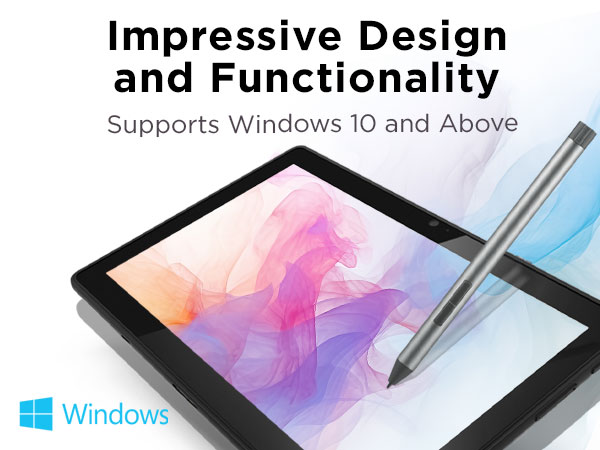
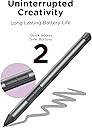
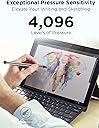
The Lenovo Digital Pen 2 is a premium stylus designed for Lenovo touchscreen laptops, featuring 4,096 levels of pressure sensitivity, an elastomer pen tip for natural precision, and customizable side buttons. Its extended battery life doubles usage time, wrapped in a sleek metal design for comfort and durability. Perfect for professionals and creatives seeking seamless, lag-free digital note-taking, drawing, and editing.



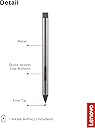


| ASIN | B0B1N5RVDQ |
| Are Batteries Included | Yes |
| Are Batteries Required | Yes |
| Battery Description | Lithium, Alkaline |
| Best Sellers Rank | #6 in Digital Pens |
| Brand | Lenovo |
| Color | Grey |
| Compatible Devices | Laptop |
| Customer Reviews | 4.4 out of 5 stars 1,781 Reviews |
| Enclosure Material | Plastic |
| Item Dimensions | 5.51 x 0.37 x 0.37 inches |
| Item Weight | 17.3 Grams |
| Manufacturer | Lenovo |
| Material | Plastic |
| Mfr Part Number | 4X81H95633 |
| Minimum Required Operating System Version | Windows 10 |
| Model Number | 4X81H95633 |
| Number of Batteries | 1 A batteries required. (included) |
| Pressure Sensitivity | 4096 Levels |
| UPC | 195892053262 |
| Unit Count | 1.0 Count |
| Warranty Description | 1 year Limited |
F**Y
Works with Lenovo IdeaPad Flex 5 14ARE05
Pen works perfectly with my Lenovo IdeaPad Flex 5 14ARE05. I had some doubts as amazon's rufus claimed it wasn't compatible-glad I actually did some more digging to make sure-this IdeaPad uses AES 1.0 to communicate with the pen, and from doing some searching around online and checking spec sheets on lenovo's site this pen is AES 1.0 compatible-and happily it worked right away with my Ideapad, no need for drivers or anything-on linux no less! Writes well, recognizes pressure sensitivity and both buttons work well. Wish it came with extra nibs, but other than that I have no complaints. I've heard some tell that some variants might not be compatible, so you're mileage may vary-find spec sheets for your tablet or whatever to figure out what communication protocol it uses, then find a pen that uses that protocol-just because a pen is the same brand as your tablet doesn't mean its compatible-unfortunately there's several different communication protocols for smart styluses out there, and amazon often doesn't list which protocol a pen uses-and their rufus ai is easily confused-it repeatedly told me this pen would not work with my tablet if i asked whether it was from this product page, however, on another pens product page I asked it the same question and it told me that pen wasn't compatible but this one was! Then I came back here and it told me it wasn't! Utterly useless-don't trust anything it tells you.
N**Z
Stop doubting/Searching and buy it
I got a cheap kind of pen because I thought it would do the job and the reviews seemed good, horrible idea. I bought this one and Istg it was a come to Jesus moment, it was so good like it literally makes me sooooo happy. I use it for school and like I can't even explain how well the tip just glides across the screen, so satisfying. I have an Ideapad flex 5, which made me want to cry, cause I didnt see any reviews for this laptop. Anyways, get it get it get it! It's been like 2months and the battery is still going strong after being used like 50% of the week and the buttons are not as horrible as some of the comments say, like it's helpful to me? So I have no complaints and I couldn press my whole hand against the screen but it only picks up the pen its literally a dream its def worth it.
J**E
Great pen for notes and drawing
I bought the used like new stylus, and it has been working amazing. It came in the original box and with a new battery. I recently dropped it in the snow and it still works! I recommend for anyone who may have previously broken their ThinkPad stylist. I need a quick replacement. It doesn’t have any lag and writes very well. It is much thicker than my previous pen but I think it’s just the right size. (the computer I am using this with is a Lenovo yoga)
A**S
Honest Opinion
I got the Lenovo Digital Pen 2, and I’m honestly really impressed with it so far. It was easy to set up and start using right away. The pen has two buttons that are actually very useful once you understand them. The front button works as an eraser, which feels natural. The second button acts like a cursor click, so you can select things without touching the screen if you prefer that setting. You can change the settings to the pen in the laptop to your preference. Placing the battery was simple. It uses a AAA battery (one came included), and all I had to do was unscrew the top to swap it out. I don't mind that it’s battery-powered instead of rechargeable because it’s quick and convenient. As for writing, it feels really smooth on the screen and very responsive. The pen itself is lightweight, so it’s comfortable to use for longer periods without your hand getting tired. The pen looks dull but oh well. Overall, it works really well for note-taking, writing, and general use. I definitely recommend it, especially since it cheaper online compared to buying it in stores. Would've gave it 5 stars but it doesn't have the ability to be tracked if lost only possibly found where it was last used cause it was connected I believe.
R**N
Works Lenovo yoga 7 12 inch
Works great on my yoga 7. Not rechargeable and weird battery size though.
C**Y
So very sad
I ordered my stylus directly from Lenovo because I wanted to avoid any complications with quality and compatibility. Unfortunately that wasn't the case. As soon as I opened the box I noticed that the stylus wasnt in great shape. & When I went to use it, it didn't work. Luckily I ordered a 2 pack of AAAA batteries with it and swapped out the old one. But even with the new battery, it would randomly stop working. I have to unscrew the back and jiggle the battery, then replace the back to get it to work again. The battery this pen comes with is a cheap off brand. It's very light and obviously didn't have much juice to start with. I'm disappointed by how slippery the writing experience is. I use my Lenovo in tablet mode to handwrite notes. It was like writing with an ice cube. I also have a Samsung tab6. The stylus has a fine tip that's made out of rubber or something that gives some traction while using it but is still very smooth. I expected this pen to be similar since it's more expensive. The nib of this pen is similar to cheap generic styluses. I really don't appreciate the bounce in the nib either. I'm assuming this is for the pressure sensitivity but my Samsung stylus has no problem doing the same job with a stationary nib. I'm overall just disappointed and now worry that I won't be able to have the best experience with my new Lenovo yoga laptop. I need a stylus with palm rejection that's compatible with onenote auto switching for hand writing. Will probably be returning this stylus but there's not many options for what I need /
I**A
Affordable and Easy to Use!
I absolutely love this stylus for my Lenovo Yoga. Its the cheapest good quality one I've found on the market and as a college student who loses her stuff (unfortunately) too easily, that is a life saver! Great for notetaking and it feels just like a pen and really easy to use. It works on touch screen and I use it for everything. 10/10 Would recommend.
M**O
NOT compatible with Lenovo Tab Plus
Maybe I’m dumb but I figured a Lenovo brand stylus would be compatible with my Lenovo Tab Plus. After already visiting Best Buy and discovering they had literally only the Amazon tablet styluses, I begrudgingly went online to buy a name brand Lenovo stylus (this one) only to discover upon delivery that it’s not compatible with my Lenovo Tab Plus. I don’t understand why these need to be specific to the actual device, I thought brand would be more than enough. It feels a bit like a money grab to make each device have a different stylus. Disappointed that I now need to return this and order one that’s $10 more. That being said, I’m giving it a good rating because I’m a reasonable human being, it arrived on time and is theoretically functional, just not with my Lenovo Tab Plus. Heed the warning. As long as I can return this for a full refund my rating will stay high. I will update if that’s not the case.
E**Y
Je recommande
Apres plusieurs mois d utilisation , je n ai remarqué aucun soucis et il est compatibe avec ma lenovo yoga 7 2 en 1
J**N
Very useful with my Lenovo laptop.
Really excellent product. Very useful with my laptop.
R**E
Ottima qualità e precisione
Penna Lenovo fantastica! Comprata insieme al Lenovo Ideapad Flex 5 non consapevole che il computer arrivava già con una penna. Penna di qualità, che necessita una sola batteria AAAA (già inclusa). Si svita la parte superiore della penna dove si inserisce la batteria. La penna ha un' ottima risposta ed è precisa, ha 2 tasti che si possono personalizzare attraverso l'app "Lenovo Pen Settings" scaricabile sul computer. La penna arriva anche con un "reggi-penna" di plastica che si può inserire in una porta USB per metterci la penna e averla a portata di mano.
C**.
Produto funciona é fácil de usar
Funcionou no meu Lenovo yoga 7i 16” Windows 11 não tenho como tirar foto.
の**あ
買ってよかった^ ^
使いやすいです
Trustpilot
1 month ago
1 month ago