🔐 Unlock effortless Toyota access — don’t get left behind!
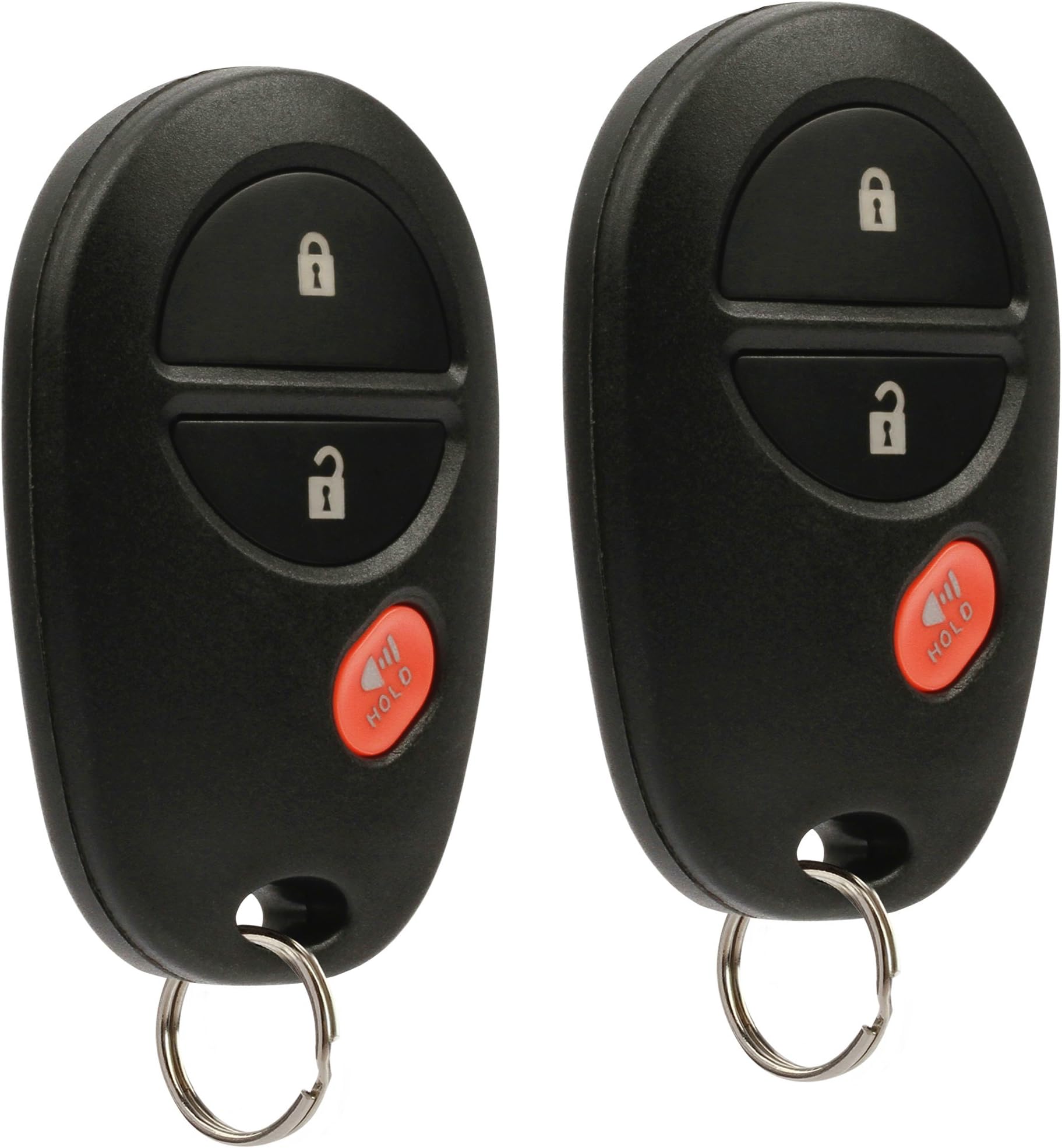
This set of 2 key fob remotes (model GQ43VT20T) is designed to perfectly replace factory keyless entry remotes for select Toyota models including Tacoma, Tundra, Sienna, Sequoia, and Highlander. Each fob comes fully equipped with electronics and battery, ensuring immediate readiness. Professional programming is required to sync with your vehicle, delivering secure, reliable, and seamless keyless entry. Compact and lightweight, these remotes match OEM quality and functionality, making them an essential upgrade or backup for Toyota owners.


| ASIN | B06XRK62CT |
| Best Sellers Rank | #86,968 in Automotive ( See Top 100 in Automotive ) #632 in Keyless Entry Systems |
| Customer Reviews | 3.9 3.9 out of 5 stars (3,461) |
| Date First Available | March 20, 2017 |
| Is Discontinued By Manufacturer | No |
| Item Weight | 1 ounces |
| Item model number | 8542135947 |
| Manufacturer | USARemote |
| Product Dimensions | 1.25 x 0.5 x 2 inches |
R**.
Works well
Works well. Good product. No problem programming to my Toyota.
L**R
Worked flawlessly
Fulfilled and shipped onshore by Amazon (got here in a couple of days). Followed instructions (best to read through a couple of times, you can find a video on youtube). Programmed my 2012 Toyota Tacoma flawlessly. Look and feel identical to factory originals. Couldn't be happier. Caveat: you need to go to their web site (www .remotesremotes. com), look up for your vehicle, print out, etc. Toyota made sure you could not enter programming mode accidentally; the instructions seem inane, you will think you need to dance in a circle, flap your wings, etc., but just follow the directions, and everything will work out). Instructions provided were a piece of paper directing me to the web site. Couldn't be happier. Another reviewer posted the instructions, but here they are again: 1. Begin with the key out of the ignition. 2. OPEN and UNLOCK the DRIVER'S side door. CLOSE all other doors including the trunk. 3. Within 5 seconds INSERT the key into the ignition and PULL it out TWICE. - insert, pull out - insert, pull out 4. CLOSE then OPEN the DRIVER's side door TWICE. - close, open - close, open 5. Insert key INTO the ignition then REMOVE it. - insert, pull out 6. CLOSE then OPEN the DRIVER's side door TWICE. - close, open - close, open 7. Insert the key INTO the ignition and LEAVE it in ignition. - insert 8. CLOSE the DRIVER's side door. - close 9. Switch the ignition to ON then OFF. - turn key to on - turn key off 10. REMOVE the key from ignition. - pull key out 11. The door locks will now cycle to confirm the vehicle has successfully entered programming mode. - door will lock, then unlock 12. PUSH and HOLD the LOCK and UNLOCK button for 1.5 seconds on the first remote being programmed. As soon as you let go PUSH the LOCK button and HOLD it for 2 seconds. - lock & unlock, together, 1.5s - lock, 2s - lock should cycle 13. The door locks will cycle to confirm successful programming of the remote. If you have any additional remotes to program repeat step 12 if you have no additional remotes proceed to step 14. 14. OPEN the DRIVER'S side door. Programming is now complete.
J**S
Ordered THREE TIMES and all failed within hours! No joke.
"USARemote" Brand: tried over and over but it is complete garbage that didn't last literally a day! I ordered two fobs from this brand through Amazon and they didn't work right away. Opened one up to find a broken button. Something back and reordered two different ones from the same company. They didn't work! Somehow with both the button would get out of sink and just become stiff and not work, and you reopen it and it would work for about 15 minutes and then become stiff and stop working. I ordered a replacement, and on the third try? Absolute garbage again! They would fall off the track or whatever is going on and become stiff and not work and you have to open them over and over and over and try to reset them just to have them only work for about three clicks in a row. Then after trying to use them four or five times I opened it up to see that the button had broken off just like in the first one I ordered. I'M DONE. Returning these and not ordering through this brand again. Stay away. This has been a multi-week round trip of wasted time and all the time doing the funny way that you set them up pulling out the key and opening and closing a door.
F**A
Worked like a charm on my 2005 Tacoma
I was quoted $120 for a replacement remote by a third party garage in my area, so I decided to do a little research. Saw this here on Amazon and figured I'd take the risk for $19 (for two remotes!!!). Worked like a charm! Turns out my Tacoma (and most Toyotas) can be "self programmed" to accept a remote (or 2, or 3...), and it's real easy. So for $19 and not even 10 minutes of "programming" I now have two functioning remotes!! Here's how it works (for my 2005 Tacoma): 1. Start with the key out of the ignition, drivers door is open all others closed and drivers door is unlocked. 2. Perform these steps within 5 seconds. A. Insert the key into the ignition(Do NOT Turn) Pull key out. B. Insert the key into the ignition(Do NOT Turn) Pull key out. 3. Perform these steps within 40 seconds. A. Close then open the drivers door. B. Close then open the drivers door. C. Insert the key into the ignition(Do NOT Turn) Pull key out. 4. Perform these steps within 40 seconds. A. Close then open the drivers door. B. Close then open the drivers door. C. Insert the key into ignition and leave it in ignition D. Close the drivers door. E. Turn the ignition to ON (Do NOT Start) then back to OFF. F. Remove the key from the ignition. 5. Within 3 seconds, the power door locks should lock then unlock automatically indicating successful entry into programming mode. Return to step 1 if the locks do not cycle at this point. 6. Perform these steps within 40 seconds. A. Press the lock and unlock buttons on the remote simultaneously for 1.5 seconds. B. Immediately after letting go of the lock and unlock buttons, Press the lock button by itself and hold for 2 seconds. Within 3 seconds, the door locks should lock and then unlock once indicating successful programming. If the door locks cycle twice, repeat steps A and B in step 6 as the remote was not accepted. C. Repeat steps A and B in step 6 for each new remote. 7. Open drivers door to exit programming mode. Happy driving!
T**E
Worth the $$$
While they work well once set up, the problem there is no written directions, we are directed to a web-site. While at the web site I was unable to program the key fobs. I left that website and googled program key fob. I was able to program all 4 key fobs in a matter of minutes. That is why I gave a 4 star rating, otherwise I would have given a 5 star rating. Good value for the money, I recommend and would buy again.
A**O
Uno de los dispositivos no le funciona de manera normal el botón de desbloqueo, detalles que se pudo notar hasta que fué programado.
A**S
Excellent 🤘 it may seem it doesn't work at first, but after your initial reprogramming to your tacoma. To unlock, one press u locks drivers door only, second push of the button unlocks all the doors, even the alarm safety will work 👍
P**O
Uno NO funcionó !!
E**Y
So I have to say, I’m super happy this worked! However, I did run into a couple hiccups. My car wouldn’t enter the programming mode. I tried 2 different methods, remoteremote.com and keylessentryremotefob.com. I chatted with someone on remoteremote.com help chat and they were SUPER HELPFUL. She ran me through a couple troubleshooting options. I ended up disconnecting my battery for 20 minutes to reset the system and then I tried remotes method and it didn’t work, but I tried the keylessentryfob way and it worked! Both remotes programmed successfully!!
R**Y
It feels cheap compare to a original toyota fob. Tried setting it up and it never worked. Don’t get this try looking for a better one.
Trustpilot
1 month ago
3 weeks ago