Buy anything from 5,000+ international stores. One checkout price. No surprise fees. Join 2M+ shoppers on Desertcart.
Desertcart purchases this item on your behalf and handles shipping, customs, and support to Vietnam.
📸 Elevate your analog archives to digital masterpieces — don’t let your memories fade!
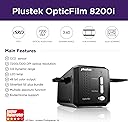
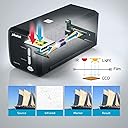
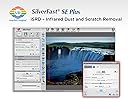
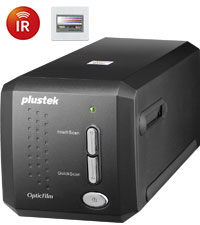
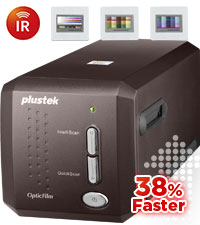
The Plustek OpticFilm 8200i SE is a premium 35mm film and slide scanner delivering ultra-high 7200 dpi resolution and 48-bit color depth. Featuring integrated infrared dust and scratch removal, it minimizes post-scan editing by automatically detecting and correcting defects. Compatible with both Mac and PC, it supports 64-bit systems and includes the SilverFast SE Plus 9 software bundle for advanced image processing. Ideal for professionals and enthusiasts aiming to preserve film with exceptional clarity and color fidelity.


| ASIN | B008ASJ2Z8 |
| Best Sellers Rank | #54,723 in Office Products ( See Top 100 in Office Products ) #29 in Slide & Negative Scanners |
| Brand | plustek |
| Color Depth | 48 Bits |
| Connection Type | USB |
| Connectivity Technology | USB |
| Customer Reviews | 4.1 out of 5 stars 861 Reviews |
| Global Trade Identification Number | 00808035087603 |
| Item Dimensions D x W x H | 4.72"D x 10.71"W x 4.69"H |
| Item Weight | 1.6 Kilograms |
| Manufacturer | Plustek |
| Media Type | Negatives, Photo, Slide |
| Minimum System Requirements | Windows 7 |
| Model Name | OpticFilm 8200i SE |
| Product Dimensions | 4.72"D x 10.71"W x 4.69"H |
| Resolution | 7200 |
| Scanner Type | Photo |
| UPC | 808035087603 736913891366 |
| Unit Count | 1.0 Count |
| Warranty Description | 1 Year Limited |
K**H
Excellent for the money, though a bit slow to scan
I've done a few hundred slides and negatives with this unit and the quality of the scans and the ease of use are really great. The SilverFast software is a nice bonus, but needs simpler documentation to use. First, there is no need to use most of these features if you have a photo editing software you like better, like Photoshop. The editing you can do in post (once scanned) should probably be some in some other software. Just use SilverFast to get the quality scan and do the rest elsewhere, IMO of course. 1 - Set the scan dimensions you want, name (SilverFast automatically increments the name, it will not overwrite), ppi, etc. The Format is a bit odd as it sometimes looks like it is giving you less resolution at a larger size, but it really isn't. My suggestion is to start at 3600ppi, unless you know you will need higher or lower resolution. Of course the speed changes a lot when you change the ppi. You also choose the file format here. I would have liked to see PNG format, but the JPEG quality options make this better than it would normally be. The other options (TIFF, etc) will make very large files, which is ok for a few scans, otherwise it would just be too much data. 2 - Set the proper Transparency/Negative options for what you are scanning. I would suggest setting the Frame to fullscreen. You can crop later. 3 - Turn iSRD and SRDx on, but turn off the 1:1 (Exact Preview). If you want to verify your SRDx settings, you can turn on the 1:1 after Prescan, or leave 1:1 on if you really want to adjust the SRDx settings for each scan. But normally a good setting can be found for all scans ( I set the detection to 1 and Tile Size to 3) and save this step. Also, "Bright Defects" is normally used for negatives and "Dark Defects" is normally set for slides. If you can get rid of 90% of defects without harming the image, consider it close enough. I leave iSRD set to Automatic, and it does a really great job in most cases. NOTE: iSRD can't seem to be used for B&W negatives or crazy things can happen. 4 - Turn all the other options (Densitometer, Picture Settings, NegaFix, and Unsharp Masking) to Auto. 5 - Put the film or slide in the middle position in the scanner, and Push Prescan at the top and wait for the prescan image to show up (30 seconds or so) If this part takes longer than 30 seconds, the magnifying glass is likely set to 100%, which is useful for some things but generally not necessary for the Prescan. Push the magnifying glass to change to full view or turn off 1:1 display on SRDx or iSRD. 6 - Picture Settings and NegaFix can be useful, but *only* in the cases where part of the image is overblown in a spotlight or some area is too bright or too dark. In these cases you can adjust the Midtone, Contrast, Exposure, and Tolerance. This can normally not be fixed afterward, which is why you'd want to do it prior to scanning. Generally SilverFast does a good job with auto brightness and I have only used these other options on a few occasions. 7 - Push the Scan button to do the final scan. If iSRD and SRDx functions are being used, the scan will take about 3 minutes. Otherwise it will take only 30 seconds, but the results will almost always be worse. It may seem like a lot but once you get going, you see that very few options need changing. It's mostly just the Prescan button, the Scan button, and sometimes the iSRD and SRDx buttons for dust/scratches. The results have been really impressive for both transparencies and negatives. Note: There is also a Multi-Exposure button that is either on or off. The idea is that it does a second scan (adding to the overall scan time) to get some details that could be lost in the darker background. However, I have seen little to no effect, at least on what I am scanning. YMMV. UPDATE REGARDING HDR: SilverFast includes the ability to do some sort of HDR or High Dynamic Range. The idea being, it takes multiple scans in different ways (multiple passes at different brightness levels, hard to explain) to get all available light information and store it all in 1 file. SilverFast calls this HDR RAW or HDRi RAW. An example would be a dark stage with a spotlight. Without HDR, there would simply be no way to get all the details in the spotlight, and also the details in the dark. If scanning time and disk space are not a concern, this is going to capture the most information from the scan, with 500MB per file. I'm not really sure the advantage or difference between HDR and HDRi, or why they have both options, maybe to save time/filesize. If you're going the HDR route, I would suggest the 64bit HDRi for color and 32bit HDRi for B&W, which are the maximums. You will then have a file with all information capturable by this scanner. Then the RAW TIFF files can be taken into Photoshop, and with the HDR Toning feature, you can literally extract the details from both the bright and dark areas, it is really amazing. However, the other thing you may notice as a downside (other than filesize and scanning time) is that iSRD and SRDx functions are off. Meaning you get all available information from the scans, but that includes the scratches and imperfections as well. These will have to be manually cleaned after scanning, which is not too hard to do with the Photoshop "Healing" tool. So if the original is in good shape, or has challenging lighting, and time/filesize are not issues, go with HDRi. If the original has lots of challenging damage, or you don't want to spend as much time scanning/cleaning after, go with the 7 steps above.
J**Z
Best bang for the buck for most users.
Setup was easy, I suggest downloading the driver from the Plustek site. The driver installation window didn't close or even say it was finished, but it was installed correctly. I opted for the SE package (rather than the AI) because I don't have a need for the additional calibration. I believe the hardware is the same for either bundle, so you're not sacrificing any specs by going with the SE. :) Most reviews say that the included SilverFast software is hard to use and may have installation problems. VueScan is one of the user-recommended programs, and I gave it a trial first. It's easy to use and as powerful as you'd like in terms of image adjustments when scanning (and will work with your other installed scanners.) I explored SilverFast further via its instruction booklet and online help videos, and while it's very capable, it's also very daunting. If you're scanning a few negatives and want to do a lot of fine-tuning up-front, it may be okay. But my intention is to capture 300+ rolls of film with a minimum of manipulation, and worry about retouching later as needed (knowing that only a small percentage would actually require revisiting.) So VueScan it is, and while it costs $90-100 on top of the scanner, it saves a lot of time and I feel is worth the investment. The Plustek's infrared dust/scratch removal is very helpful, but not perfect. It only gets you about 75% there (see photo comparison) but the little extra scanning time up-front will save a LOT of time (and frusration) retouching later. If you're not an absolute perfectionist, you will find the existing removal suitable, especially for the web or printing at home (home printer ink 'blurs' just a little bit and will disguise most remaining blems.) But if you're a perfectionist like I am, it's easy enough to spend an few minutes later to make each image 100%. :) Speed depends on the quality you demand. I am scanning color film with full 7200dpi resolution, using two "passes" and "heavy" infrared cleaning, and a strip of four frames takes just over 27 minutes from start (loading the negative strip into the carrier and scanning the frames) to finish (removing strip from carrier.) So it's easy to budget my time: a roll of 24 frames takes 2 hrs 45 min, and a roll of 36 frames takes about 4 hours. You can save a few minutes per frame by doing only one pass, and skipping the infrared cleaning, but I highly recommend the latter. When it comes to retouching them, you'll wish you'd spent that extra minute up-front. B&W film (one pass and no infrared cleaning available) scans considerably faster. Some reviews said the scanner is noisy or loud, but it's no louder than my Epson flatbed (which is quietish.) Other reviews suggested that the scanner sometimes crashes with full 7200dpi scanning, but with almost 20 rolls under my belt it hasn't happened yet using VueScan. The carrier was reoprted to break in a few cases, and it did start out hard to open and close, but it got a little easier over several rolls and no problems... yet. It might be smart to order an extra carrier or two, which covers you if one does break, and also improves your workflow as you load the next set of negs while the other set is in the scanner. I also saw a report of the frames always being skewed, and there's a little 'play' in the carrier, so it can happen. Easy to fix if needed, simply shift the strip. Same with the frame dividing slats that don't always match with the spacing on the film. That's a camera issue, and easily fixed by nudging the strip as needed. This scanner is manual feed - you advance each frame by sliding the carrier with click-stops, so there's no guesswork about lining-up the frames. I don't mind going frame-by-frame, since there's usually some adjustment that needs to be made to each frame anyway (density, crop, etc.) None of the scanners I compared in a wide price range got perfect reviews. The 8200i had the fewest objections, and I'm happy with it. It's not super-crisp... the film grain is a little soft without sharpening, but it can be sharpened afterwards and the grain 'pops' better. I would recommend it to 99% of the people who want to preserve their memories.
C**S
It is much better than my previous slide scanner
I was somewhat reluctant to spend this much $$ on a slide scanner, but I really wanted to get all my old slides scanned. And in addition to the price of the scanner, I also invested in 3rd party scanning software to achieve a better final result. This scanner not only had noticeably higher scanning resolution than my previous scanner, it also can use IR to detect scratches and other surface defects, Thus, my final product was much improved and worth the expense. It is not the fastest scanner in the world since it must scan twice to detect (and later correct) surface defects. However, I would rather spend additional time to do the job right. Having a good digital scan looks 100x better than using my old slide projector!
G**N
Don’t waste your time and money if you already have Silverfast AI or above
Received this today and installation has been a complete nightmare. I already owned Silverfast Ai but for some reason it forced me to use the downgraded se version to even recognize the scanner. At first I thought no big deal. Bit of a pain but I’ll do that and then just enter my serial number for my Ai version and everything will be fine. No such luck. I’ve tried everything and no matter what I do it won’t upgrade back to my Ai version which I already paid $300 for and the only way it’ll do it is if I pay again. No I don’t think I will. This has rendered this scanner useless to me and I will be sending it back and using Vuescan instead Update : I tried contacting plustek without success. I was able to contact Silverfast and explained to them I’m not longer using my old scanner because I upgraded to this one and asked them to transfer my AI version to this scanner. They flat out refused. Said I’d have to purchase again. Keep in mind I paid them $300 only a month ago. Customer service for both companies I have found to be non existent. Would never do business with either of them or recommend them
I**T
An excellent scanner with impressive software
I purchased the Plustek 8200i two months ago, and I have used it to scan hundreds of slides and negatives since. The scanner and included Silverfast software have made it possible for me to begin to create a digital archive of my analog slides and negatives from the pre-digital camera era. I have found this scanner to be an invaluable tool for unearthing my own past, and I recommend it highly to anyone with the time and inclination to embark on such a project. Installation and registration: I installed first on a Windows 8.1 machine, using the included disks. The supplied installation instructions are a bit confusing, but installation went smoothly, and I was quickly prompted to download and install an update. I also wanted to install the software on my Macbook Pro, and that was a little more complicated. First, I had to contact Silverfast for a download of the installation package, since my Mac doesn’t have an optical drive. But I also had to get a new serial number for the Mac installation. Silverfast allows you to use the software on multiple computers, but only with one scanner. Thus your software is tied to the scanner, and the tracking associated with this may seem a bit complex. Communication with Silverfast support was fast and efficient. The software has a myriad of options. Learning to scan slides and negatives effectively takes some time and experimentation. You will get surprisingly good results quickly and with little effort, but if you want to get the most out of your data, you will need to learn to exploit the many features available to you. You will also need to learn how to properly handle and mount slides and negatives on provided brackets. Also you’ll want to check the film brand, type, and ISO and set it for those parameters or the closest alternatives in the scanning software. As others have noted, many slides and negatives will have dust and scratches. You can try to clean them, and I would recommend using compressed air very carefully to remove visible particles before mounting the media. But this is where the 8200i really earns its keep. It has an infrared scanning option that detects and removes scratches and dust from the image. It really works! I’ve scanned images that on prescan looked horrible, but had no trace of dust or scratches when fully scanned with the IR. So experiment with this function early in your initial tests! Another important feature is the ME option. Selecting ME instructs the scanner to do two passes at two different exposures. The results of the two scans are averaged, and the results are generally noticeably better than single scans. I almost always use this feature, though often the difference between an ME scan and a non-ME scan is subtle. Each additional scan, the IR scan and the ME scan, adds time to the total scan time for each image. Increasing the resolution also increases scanning time. Because I’m interested mainly in viewing images on a monitor rather than in printing images, I usually set the resolution to 2400 ppi. Higher resolution will not be noticeable on today’s monitors. At this resolution, each tiff file is just over 20mb. Problems? The scanner has gotten confused once or twice, for example, when I’ve hibernated my Windows machine with the scanner powered on and connected. I agree with other reviewers that the video-based help system takes some getting used to, but it is particularly useful when one first tries to gain familiarity with the software interface. But overall, the 8200i has exceeded my expectations.
G**S
useful tools
I have used this device to scan four decades of 35mm Film & Slides to preserve our family history
K**N
Buggy software/driver
Since this is bundled with SilverFast9, I have to give it 2 stars. It scans fine, the problem is when using the bundled software that comes with the hardware, the software fails a lot with "unknown error" that requires a relaunch, sometimes multiple. Either SilverFast9 is to blame or the Windows driver. Either way, this product as packaged is to blame. Considering the time to scan when trying to get highest quality out of the scanner (5+ minutes per image), a random "unknown error" that kills a scan or requires extra minutes between each scan for a relaunch, it's a pretty awful issue.
M**R
NOT as good as the Epson D700 flatbed but it DOES cost less .
So while the quality is acceptable, the software is insanely hard to work with and the speed at the highest resolution with IR on takes around 25 minted pre scan on my Mac Pro with Xexon processors, Dual Video cards and 64GB RAM. I'ms ASSUMING the software is not written to take advantage of any of that. In the end, it's a fair scan, about equal to doing it with your Digital camera but much slower. The IR dust and scratch removal was the other only highlight as it was better than ever my Digital Ice hardware. If you dolt have a good Flatbed scanner and you only want to do 35mm this is not bad, as long as you don't have a lot of slides to do. Oh, it's a 1 at a time scan, then move to the next one. Rinse and Repeat as they say. So the user time if far more significant than with a bath scanner like my Epson V700. The software crashed several times, and to be rebooted a couple time to work and it saw my external DVD drive to install it but refused to use it to verify my serial number. I had to contact tech support. I returned it.
M**E
A sophisticated scanner which produces incredibly fine results.
Positives: 1. Scanner is rugged, well-made, sophisticated, and neat. 2. The SilverFast software is easy to learn with every step of the process has accompanying PDF and Movie files for help. The PILOT option automatically steps the user through each image processing step with the option of manually changing settings as you go. The infrared dust scan and intelligent dust removal features are outstanding. Dusty and dirty slides from 1987 produced beautiful scans. The software is easy to learn with help at every step. Negatives (sorry for the pun): 1. The 8200i came with only European plug options on the power pack. Why would an adapter for Australia not be included for an Australian customer? No matter, I found I had an adapter to convert the German plug to Aussie. 2. The final save window for choosing filename and file format is far too small and quite difficult for a 67 year old like me to see. Why do software developers seem unaware of this issue? 3. I was however most unhappy (in fact really angry) with the perfunctory manner in which the scanner was "repacked" and only partially resealed by the Australian Border Force after their Customs inspection. Fortunately, as yet, no damage appears to have resulted, but what a disgraceful way to treat someone's property! Overall, I am very happy with the 8200i and recommend it without reservation (and this comment is unsolicited and unpaid). Garry R Stone B.App.Sci.,Dip.Ed.,M.A. Melbourne
S**F
highly recommended if you look for a professional setup at reasonable cost
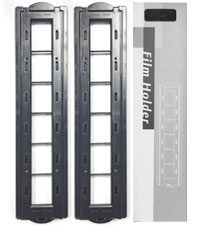
I waited a while to test it and write the comments. so in the beginning, I read reviews for many scanners and spent weeks on my decision. about this one, there were comments on the complexity of the software and some users claimed to have sent it back just because of that. It was my impression the first time I curiously started to use it. the software was indeed complicated and I couldn't get a good scan no matter how much I tried with different settings. I was about to send it back but then I decided to do a smarter thing and once read the software manual. Everything changed right after that. The software has an autopilot feature which helps you to decide on the settings step by step and the quality can be seen in the attached photos (negatives Ilford iso 125 and 400). Obviously, if you need to scan with higher dpi and resolution, it takes longer. but I feel satisfied with 1/4 of the max resolution and I can scan 1 roll of films (36 shots) in about 4 h while doing other stuff. the only hassle is that you need to change the negatives into the holder, adjust its frames and feed it intermittently (the holder has slots for a 6-piece cut of the negative). but if you want to have a high quality scan without spending so much money to outsource it (as I had done before ranging from 9-19 euros per roll), it is certainly worth it. I am very happy about this product and even started already to scan many old negatives that I had in order to have a better quality back up.
B**R
başarılı bir ürün değil
Kurulumu çok zor ve sıkıntılı. Beraberinde verilen yazılım Internet bağlantısı olmayan mekanlarda çalışmıyor. Optik performansı da fiyatına kıyasla düşük.
E**R
Magnífico escaner para 35mm
Buen escaner, la calidad de imagen obtenida es muy buena. Los tiempos de escaneo son aceptables para mi. Sin embargo siento que la tecnología es un poco obsoleta: el cable es USB tipo B a USB tipo A y SiverFast 8 viene… en un Disco Compacto en pleno 2023!! He tenido que comprar un Chablé adicional USB tipo B a USB C y descargar el software desde el sitio web de SilverFast, lo cual no es muy intuitivo que digamos y complica las cosas al usuario final. No obstante, estoy satisfecho con la compra y debo decir que he obtenido mejores escaneos que usando mi cámara de 25mpx y una lente macro para escanear. Este escaner ha logrado que la fotografía analógica me vuelva a motivar!
L**R
Potentially extremely competent hardware and software
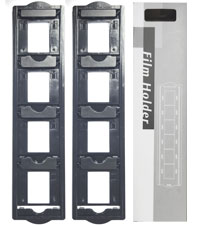
Owners of large archives of colour slides or negatives may be aware that they will eventually fade. Digitising them is practical means of preservation even if deterioration may have started but not drastic. Black and white films are effected more slowly. The "Plustek 8200I SE OpticFilm 8200iSE Film Scanner - Black" is a digitiser for 35mm colour and B&W films. SilverFast 8 SE for Windows is included although v9 is available. Carriers for 35mm strips (up to 6 frames) and four 2 x 2 mounted slides are included; those for formats such as half-frame 35mm, 126 and 110 are no longer available as optional extras. The scanner is about the size of two 1Kg bags of sugar placed end to end and quite lightweight. Space will be needed for the carriers' travel. It initially appeared that its power supply was missing. A report was made to the seller, Fuzion, who immediately responded and offered to replace it until they discovered the hiding place which they had twice missed! Excellent service from a UK company. Although the software is provided on CD for Mac and Windows, it can be downloaded or, when possible, copied to a flash drive via any computer with an optical drive. Silverfast should be installed first followed by the driver package. It is then possible to enter user details and the serial number from the CD case. Its many demo movies may be viewed pre-registration. Once fully installed, updates and upgrades are offered. Depending on the choices made, updates start at €49. Once registration is confirmed, there is an option within two months of purchase for a free like-for-like update (8 SE to 9 SE in this instance). Controls are limited to a power button and two mode selectors on the front panel. Power input (UK and Euro adapters are provided) is at the rear as is its USB output. Other than the mode buttons, all other functions are controlled in software. Series 8200i includes infra-red capabilities to identify and locate dust on the surface of the film or slide; with their locations noted, they can be later collectively removed. The alternative is to digitally retouch spot-by-spot, or use a 'healing brush' or equivalent within a photo-editing package although potentially time-consuming. Scanning a colour slide or negative is complex as there are numerous variables. There is a considerable learning curve needed to become familiar with the various settings and their effects for the best results. Although some scans may need minimal correction, others may need several changes to most settings; that takes time! Silverfast can take-on much of the work but scans can be saved as TIFF files (equivalent to RAW format) to maximise the saved data and detail for later correction in graphics software if desired; if initially saved as a JPG file, some of the detail will be lost and only recoverable if re-scanned. Post-correction, the images can then be saved to relatively small JPG files and the TIFF deleted when no longer needed. TIFF files can be 70 Gb each if scanned at 7200 dpi although 2400 dpi is ideal for high quality A4s printed at 300 dpi and the TIFF files then smaller. A faded slide can have a strong cast, often pink, blue or green. Changes to individual channels, curves, contrast and brightness with possible changes to black and white points may recover much of what was lost although it can take time as continuous reassessment and adjustment is likely. Experience may allow some settings to be roughly pre-set with expected approximation to ideals. While Silverfast offers a considerable variety of adjustability, most graphics software can do more with many supporting plug-ins for additional effects. Silverfast supports numerous scanners, flatbeds included, but those supported each need a dedicated version of Silverfast that will need to be purchased and that can prove expensive when several are used. There is an alternative software that claims to offer several advantages, not least internal drivers for all supported models, a Linux version and its low price for a Pro version which alone supports any combination of slide and flatbed scanners for those who cannot install or use Silverfast. A comparison chart for the versions of SilverFast 9 is available and lists all the new and improved functions where applicable. SE Plus may be a worthwhile and relatively inexpensive upgrade for many users while Ai offers considerably more but with the highest fee (up to €249!). Advanced users may gain considerable benefits if able to justify the greater outlay. The software/hardware combination is very competent and capable if the owner or user is prepared to put in the effort. Familiarisation with the software controls and awareness of the changes to settings and their effects will pay dividends. The package is not cheap but can pay for itself by preserving slides and negatives that may otherwise be eventually and permanently lost. Irreplaceable family photos (snaps, school photos etc) will need a suitable photo scanner to preserve them; some include a version of Silverfast.
Trustpilot
1 week ago
2 months ago