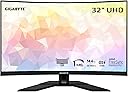
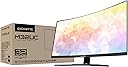
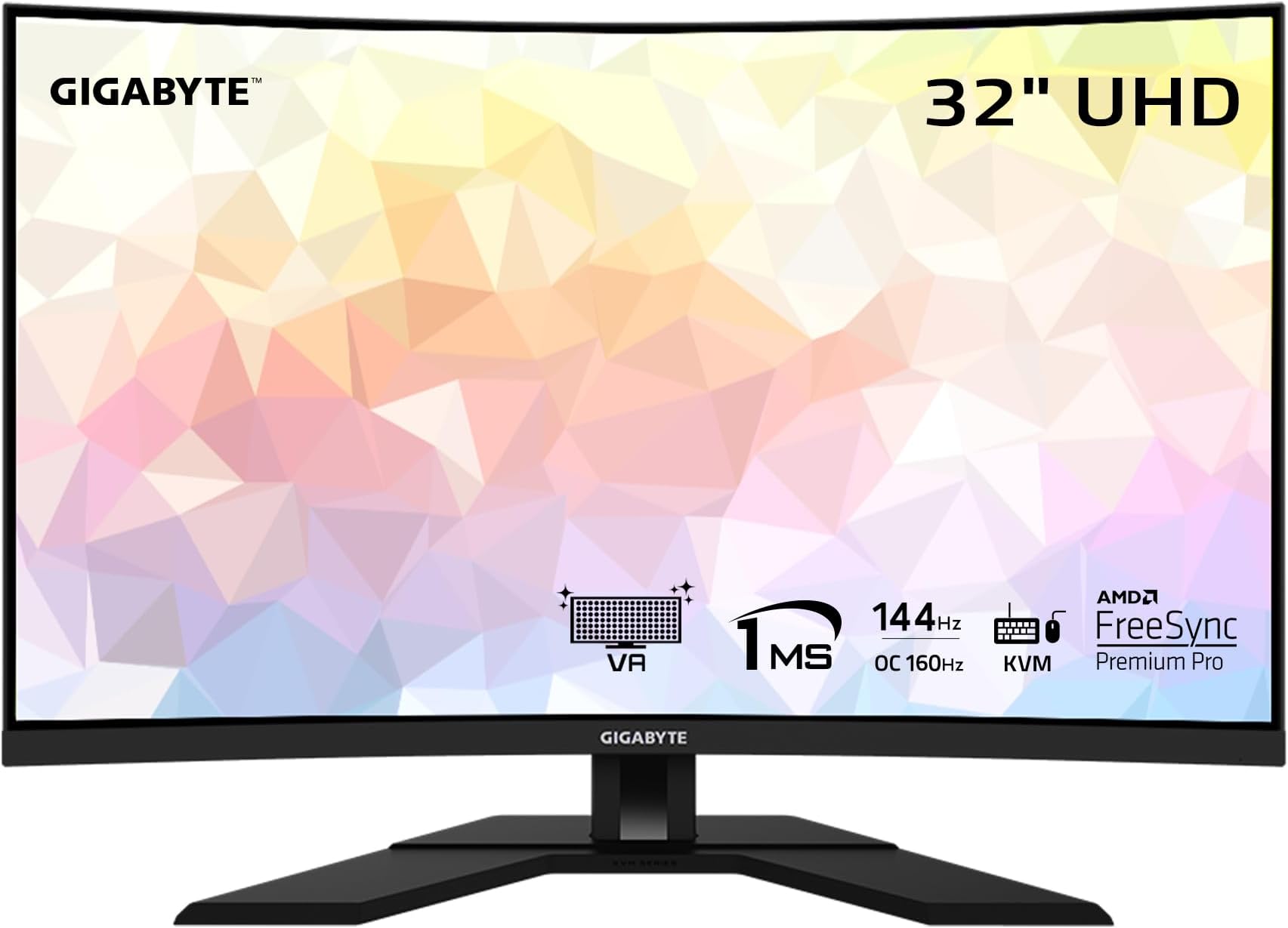
🔥 Level Up Your Visual Game with GIGABYTE M32UC!
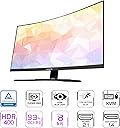
The GIGABYTE M32UC is a 31.5-inch curved gaming monitor featuring a 4K UHD (3840x2160) SS VA panel with a 178° viewing angle, 144Hz refresh rate (160Hz OC), and 1ms MPRT response time. It supports HDR400, covers 93% DCI-P3 and 123% sRGB color gamuts, and offers extensive connectivity including DisplayPort 1.4, HDMI 2.1, USB Type-C, and four USB 3.2 ports, making it a powerhouse for immersive gaming and multitasking.


| ASIN | B09WPTKDQY |
| Adaptive Sync | FreeSync |
| Additional Features | Curved, Flicker-Free |
| Aspect Ratio | 16:9 |
| Best Sellers Rank | #100,058 in Electronics ( See Top 100 in Electronics ) #2,410 in Computer Monitors |
| Brand | GIGABYTE |
| Brightness | 350 cd/m2(TYP) |
| Built-In Media | Power Cable, HDMI Cable, DP Cable, USB Cable, QSG, Warranty Card |
| Color | Black |
| Color Gamut | 123.0 |
| Compatible Devices | Gaming Console |
| Connectivity Technology | wired |
| Contrast Ratio | 3000:1 |
| Customer Reviews | 4.1 out of 5 stars 557 Reviews |
| Display Resolution Maximum | 3840 x 2160 Pixels |
| Display Technology | LCD |
| Display Type | SS VA |
| Hardware Connectivity | DisplayPort, HDMI, USB 3.0, USB 3.0 Type C |
| Has Color Screen | Yes |
| Image Contrast Ratio | 3000:1 |
| Item Dimensions D x W x H | 7.2"D x 28"W x 21.9"H |
| Manufacturer | GIGABYTE |
| Model Name | M32UC-SA |
| Model Number | M32UC-SA |
| Mounting Type | Wall Mount |
| Native Resolution | 3840x2160 |
| Number of Component Outputs | 4 |
| Picture Quality Enhancement Technology | [INFERRED] Black Equalizer, Game Assist, Dashboard, Six Axis Color Control, HDMI CEC |
| Power Consumption | 47 Watts |
| Refresh Rate | 144 Hz |
| Resolution | 4K UHD 2160p |
| Response Time | 1 Milliseconds |
| Screen Finish | MatteG |
| Screen Size | 31.5 Inches |
| Screen Surface Description | MatteG |
| Shape | Curved |
| Specific Uses For Product | Gaming |
| Total Number of HDMI Ports | 2 |
| Total USB 3.0 Ports | 4 |
| Total Usb Ports | 5 |
| UPC | 889523031681 |
| Viewing Angle | 178 Degrees |
| Voltage | 19 Volts (DC) |
| Warranty Description | 3 Year Manufacturer |
| Warranty Type | 3 Years Manufacturer Warranty |
N**.
In love with M32UC - Never going back to a Samsung
Edit: Be careful reading my review. It shows me as purchasing Curved|4K|IPS but this is an error on this listing's part, it's the VA Panel - M32UC which is in the actual product description. Update (7/29/23): Calibration I went to rtings site to get info on applying some small calibrations. Out of the box, the color accuracy is pretty good, but I noticed a blue tint on whites. The white balance was also off. I selected the "Custom 1" color setting and also applied rting's icc color profile. It made my eyes feel a million times better and whites looked "true". For most people this may suffice, but I am very sensitive and took the brightness down additionally (after doing these things) to 53. You can ONLY adjust the brightness when using the custom profile. This is NOT a Vesa-certified HDR. I know some people may knock a start off for this, but I didn't. If you need to make adjustments to the monitor (as I described), you cannot use HDR anyway. HDR will force you to view everything at higher brightness anyway. Understanding what a VA panel monitor is and isn't: If you don't know much about VA monitors, understand that this type of monitor tends to work better for people that game/work in dimlight settings. They also tend to have better colors. Otherwise, IPS panels may be better all around for most other settings and they have better viewing angels. I also see some reviews talking about ghosting and smearing. There is zero point in getting this monitor if you don't go 120hz or higher. Bad VA monitors will suffer the worst in this case, but the Gigabyte does not. I dare say, I find it better than a comparable Samsung VA. Reasons I threw out my Samsung G5 and decided to go with the M32UC: I was getting fed up with my fishbowl looking Samsung 32 in G5. The curvature of the M32UC is an inch deep from the center point while the Samsung is a whopping two inches. At a 32 in size, you do NOT need that type of radical curvature. Mounting the M32UC was also a breeze unlike the Samsung. I play action RPGs, MMOs, and a few FPS games. I have a decked out system that easily handles 4k, and I wanted to continue sticking with a VA panel type monitor. I wanted something that was good and balanced for all types of games. I can’t stand IPS panels (they hurt my eyes) and I’m not some competitive esport player - but I still want an edge where I can while enjoying onscreen graphics. If you want a VA monitor with immersive graphics while playing games like Diablo 4, deep beautiful contrast, this is the monitor to get. I shopped around for a long time before settling on this monitor. My Radeon 6950 xt handles it beautifully at 4k 144hz Make sure you use a VESA-certified DP cable with it!! It comes with a good one, but it was too short for mounting purposes. This is not the type of monitor you want to run in HDMI even though it has the ports for it (unless you attaching other monitors for the KVM capability). KVM Switch: While it was not the reason I bought this monitor, the KVM switch surprised me at how well it works. In fact, it helped me get rid of my dual office setup. There are people that have been ranting about it, but there is a specific way to use it. First off, I did not download/use the software. I can't even install it anyway on my work laptop (it's restricted). Part 1 - Plugging in the commonly shared peripherals to be used between two computers sharing the same monitor - Plug Mouse into one of the 3 USB 3.0 ports on the monitor - Plug Keyboard into one of the 3 USB 3.0 ports on the monitor Part 2 - Connecting my main desktop/gaming/personal rig for KVM use - Plug in the DP cable between the monitor on the desktop - Plug in (included with monitor purchase) the USB type B (square-looking end) into the monitor, and plug in the other end (USB type a) into the desktop computer - Note that this alone should allow you to use your peripheral devices attached to the monitor regardless if you choose to use the KVM switch or note Part 3 - Connecting my company laptop for KVM use - Plug in an HDMI cable between the laptop and the monitor - Use a type C to C connector (must be bought separately). Plug in one end into the type c port on the monitor, and plug in the other end to the type c port on the laptop - Note you will also need to plug in a separate ethernet cable to the laptop, unless you use WIFI or whatever Part 4 - Final step to switch between the two computer - Go into your main menu on the monitor and then to the KVM settings - Assign your main/desktop using the Displayport cable to one switch - Assign your laptop/whatever using the HDMI (port 1) cable to the other switch You can now use the KVM button to swap between the two computer. Note, it can take several seconds while you stare at a black screen.
J**R
The new 32" 4k king
Last year I was luck enough to get both a PS5 and an RTX 3070ti (paired with a Ryzen 9 5950X) at retail prices thanks to some lottery style selections. But my 27" 1080p MSI Optix G27C4, while a fine monitor, just didn't let my PS5 and PC flex their true muscles. I really wanted to go 4K and 32" and after some research it looked like the Gigabyte M32U was the best there currently is coming in at the top of many lists. Then I noticed the recently released M32UC was cheaper, but also had better specs, and since I'm the only one using it I didn't care that it's a curved VA panel. Even though there are very few reviews out there I decided to take a chance and go for it. I've only had the monitor for two days, but my first impressions are great! First off the assembly was easy, the base is very sturdy and the stand moves well, though it doesn't really have the down tilt I was looking for, but it does what it needs to. Happy to say there were no stuck/dead/bright pixels on my monitor. Also if you're buying this from outside of the US it does come with three different plug options coming out of the power brick so no worries of coming up with the right version with the right plug. Interestingly the power brick is flat so it's more of a power slab, never seen one of those before. Anyway, it comes with all of the cables you need including the USB, DP 1.4 and HDMI 2.1 cables, but they're only about 3 feet long, the DP just barely reached my PC just under the left corner of my desk. Actually using the monitor my first impression was that it was pretty dark, and I was starting to wonder if I had made a big mistake. Going through the settings I quickly realized the default display setting is the low power "green" setting. Changing to "standerd" brightened things up considerably even though the actual brightness setting is only at 65. I found higher than 65 to be too bright and hard on the eyes. I thought my old MSI monitor was bright at 100 so this is quite the upgrade. The M32UC is edge lit so when the screen is dark there is a noticeable brightness in the corners, but it's still pretty dark thanks to its 3000:1 contrast (the M32U has a worse 1000:1 contrast). As is I was only getting 8bit color from this monitor which is what the specs say it's capable of, but once I turned HDR on in windows I actually got 10bit which is not listed in the specs so that's nice. Also it does 144Hz pretty easy, but it will overclock to 160Hz in the screen settings. Only PC game I've tried so far is WWE 2K22 which isn't all that well optimized on PC and the graphics are locked to the FPS so anything over 60FPS is sped up so it isn't a great test game but it did look fantastic! On PS5 it recognized the monitor as HDR capable immediately and ran me through some special setups. Tested it out with Horizon Forbidden West and what little I messed around with looked incredible. There was some ghosting with movement, but turning off Overdrive in the monitor settings cleared that right up. I look forward to playing a lot more AAA titles with this monitor! Overall it's just an amazing monitor that does everything I was looking for. I doubt I'll ever use the KVM function, I don't even know if I'll use the USB and I don't care, this monitor does everything I need it to, well worth the money! Side note, it's pretty light weight and the box has a single carrying handle on the top, and yet UPS plastered "heavy" and "team lift" stickers all over the box. :D
S**C
Loving this BIG monitor
I was surprised by the size of this. First to note, this 32inch screen is not a wide screen like the Alienware and LG one. It is wide and supports good resolution but it is also tall. I keep thinking it is bigger than it is and have to remind myself it is 32inch. Haven't used the KVM switch part, but have played with the other stuff and have it currently hooked up to 2 laptops using the HDMI and Display-Port connections. I have no problems switching between the two. Things to note, this will connect to NVIDIA G-Sync without a problem. You just need to have the AMD version turned on and have had no problems with my 2 NVIDIA laptops. They also have the G-Sync enabled. Also HDR works, seems a bit better than normal but to my normal eyes it is hard to tell difference. I use this for gaming and have no problems, though i am sure i am not pushing the monitor to its limits due to graphics card (not everyone can afford the latest and greatest). Specs and other stuff can be found else were, I just love this BIG screen. Problems: 1. Loss of connection to PC. Some reason if the connection is lost to PC and it is on display port it will just stay blacked out. You cannot even get the OSD back up to switch back. You have to unplug the monitor then plug it back in. 2. Power off can only be done via OSD joystick. There is no otherway to turn this monitor off without unplugging it, even holding the joystick button in does not do the job. 3. Monitor hardware updates. While this is a good item, it requires the middle USB connection to one of the PC's and requires an app from Gigabyte (app is free). The middle USB connection is not really explained in the manual and it is not mentioned that it is required to use the OSD Sidekick app. While these are issuess, they are minor and be lived with. Otherwise I am enjoying this massive monitor (did I mentioned it seems bigger than 32inch?) for work and gaming.
D**B
100% Failure rate on 2 displays, now "repaired" display failed in the same way
The concept of this monitor is great,144Hz 4k HDR, curved, with built-in KVM, but the software and quality control leave much to be desired. I bought 2 of these (M32UC) displays because I needed to swap between 2 computers, a Windows PC and a Mac. LOL "Repaired" display is doing it again! Same problem! The really bad about this display: I bought 2 of these displays and both had to go back to Gigabyte for repair. The backlight failed on both leaving a yellow streak down the center of the displays. Both displays also very quickly developed burn-in (within a month). To get these displays serviced under warranty, I was required to ship them at my own expense $236 for the first, and $116 for the second (cheaper due to the lower cost of insurance because of price reduction of the display). Gigabyte does not offer advanced replacement, nor will they pay for shipping. I had to ship it from Central Florida to Southern California. My first display sat at the FedEx warehouse for a week until they went and picked it up, then sat in their warehouse for a few more days. When they finally fixed it and sent it back, a month later mind you, it was covered in sticky tape residue. The second display came back a little faster, but also with sticky residue as well. Sadly, these displays have traveled more than I have since I bought them. The bad about this display: The software leaves a LOT to be desired. First problem is that the software only runs on Windows, no MacOS, no Linux. Second problem with the software is that it can only handle one display *rolls eyes* There is software that Gigabyte makes for their motherboards that can see both, but it only works 2 out of 3 reboots. There is no way to swap both displays at the same time. Oh and don’t swap them in the wrong order, otherwise you will be stuck and have to get up to hit the button on the back of the monitor to swap it. The HDR on this display is meh, and the blacks are not consistent, leaving patterns on the display. The one good thing about this display: The KVM works and properly passes HDCP, unlike many other KVMs that I have tried. TL;DR Don’t buy this display.
J**A
Great Monitor for the $$$
Love it. I was originally looking at another monitor that had been at the top of the display game-another curved 4K UHD. Man, am I glad I waited. Half the price of the other, but you can't beat this quality. This monitor was built for gaming. Love the response time, the Color palette is astounding, multiple modes, KVM input for USB expansions (if you need it), All the current cabling tech. What can I say other than this monitor literally changed my gaming. I'm still a bot, but it's MUCH more enjoyable now. I can actually see the people I'm losing to. Don't give it a second thought. I've seen some of the other reviews, and the smallest voices are often the loudest. Dead pixels tend to happen on monitors on rare occasions. Don't let a couple bad reviews stop you. Go through the setup for this screen. Take the time and tune it to your PC/Console. You won't regret this. Best monitor you can buy for under $500.
J**H
Wow - this is "the" one!
EDIT: 9/27/23 Update - Sadly there is now a bright pixel visible. Amazon won't replace it but at least it's still returnable. Since the price has since increased, I'm hesitant to order another. Having a bright pixel after just a few weeks makes me questions the quality... I'll wait for now and look at other options. Any photos that I can take will be useless, due to the curvature of the screen, it looks best in person and through human eyes. I've been through three screens before this. Searching for the best option with a long list of wants/needs. - High Resolution - Large & Fast enough to play Xbox Series X (up to full 120fps with 4k) - Compatible with macOS, my work laptop on Windows, and Xbox (as above), in the future a PC gaming rig - High Contrast & Screen Uniformity - Usable in bright light & low light at night - Relatively Affordable First I tried two UltraWides, one the equivalent of UltraWide-FHD 1080p, and another UltraWide-QHD 1440p. Both by LG, 34WQ500-B and 35WN75CN-B.AUS Whose were decent monitors, but the resolution was far too low. And gaming was a pain as it often resulted in black bars on the sides (due to the UltraWide resolution). I can say that the speakers were really very good on both, especially the 35" model. After realizing I needed something with more power, I tried the INNOCN 27M2V. This is a 27" 4k monitor with some outrageous specs. Problem is it's from a no-name brand, with zero track record on warranty. It also cost nearly $700. On top of that, screen uniformity issues, a poor OSD control setup, and local dimming was too much of a pain to enable and disable. Also had a few times where the screen wen't multicolored and distorted briefly. At that price point it should be exceptional, and it just wasn't. After much research, I came to this model. Highly rated at many review websites. The sister models of this with some top-tier specs on rtings.com. I chose this model which is a VA panel compared to its sisters which are all IPS. I like the curve. It feels more immersive. This model has nearly everything I want, at a price I'm willing to pay. - 4K at up to 144hz, which is the max of anything I can throw at it for the next 3-5 years minimum. I don't consider it's 160hz OC usable since VRR is turned off. - HDR is an option, though it's not as mind-blowing as the INNOCN (which may be the best HDR you can find without going to OLED). - KVM switch. WOW, until you have it, you don't realize you need it. It works very well (I use with two unifying receivers) - Deep blacks, naturally and without local dimming being needed, thanks to a quality VA panel. - OSD menu is the best out of all monitors I've ever used. - 3 year warranty, from a company I trust to back it up Primary negatives: - The speakers suck. Seriously suck. Which is fine, I don't have to see them. - On macOS, the resolution takes more tweaking than the previously tried monitors, however there are far more options available and macOS seems to properly recognize the monitor capabilities (which is good). - 8-bit color. It says in the RTings review that it uses dithering, but at least in macOS this is not visible.
M**A
3rd monitor was acceptable
I want see so much potential in this monitor. Lots a rave reviews here and else where and I have glimpses of why. Unfortunately for me, I have received 2 defective units. Unit 1 had terrible backlight bleed. So bad, it could be seen through images on screen, gaming, and movies. It also had a small group of dead pixels. Unit 2: only has one backlight glow in the upper right corner. I was going to live with it but then I just so happen to check the back of the monitor and the top of the frame is misaligned with the back case allowing the backlight to shine out the top, corners, and some spots on the sides. I was crushed as I had hoped this was the one. I wanted to give up but decided to try one more time. I will update my post when I get the third one tested. Here is why I keep trying: the picture will be fantastic if I get a fully working one. I can see the potential. The size and pixel density is just right for my set up and the curve is immersive. Update: I received and decided to keep the third one. It had the least edge bleed and best black screen uniformity of the all. Still, I do like the monitor when not in dark scenes. It’s got great response and good color for what I do. The color can be a bit muted compared to more vibrant monitors but I find it good. Gaming is its strength. I have it paired with a 3080 GPU and G-Sync does work. All in all, if it is on sale for 550 or lower, and you are reading this, it’s a good buy at that price.
J**W
Great monitor!
Purchased this 4k monitor after returning a 2k monitor that looked great during gaming but looked pretty crappy for social media and office type use - This 4k Gigabyte monitor was the clear winner. Could clearly see the difference between the two - highly recommend sticking to a 4k when upgrading to a 32" monitor from a 27". I also had a bit of trouble deciding between purchasing an OLED or this VA monitor. The OLED monitor looked great (tested it out), but was more than twice the cost and didn't have the curved screen the Gigabyte had. After some back and forth I decided I preferred the curved screen, saving $500+ and not worrying about screen burn in which is common on OLED monitors. The Gigabyte monitor also didn't consume as much desk space as the OLED monitor - it sat back about 3" more, even with the curved screen. Picture quality is A+. This monitor works perfectly with my Macbook Pro M3 pro. The mac recognizes the monitor right when you plug in and all the resolutions are available in the display settings.
C**N
Excelente para jugar y trabajar
Es un excelente monitor a pesar de la gama comercial de Gigabyte, tiene excelente calidad, resolución y la facilidad de conectar dos equipos sin necesidad de dispositivos terceros. La única observación que tengo, es que no tiene el cable USB de tipo C
S**T
Amazing
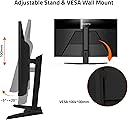
I've been using this monitor with my M2 Mac mini for just over a month, mostly for work and watching YT and movies. I'm using it at 3008 x 1692 resolution for work—spreadsheets, word processors and some coding, and at 4K for watching movies and playing Call of Duty. Text is sharp and clear. Videos, movies and games are clear and smooth, the screen is at ~23 inches from my face when working but I usually sit a few inches further out when watching vids or gaming. I use it every day for at least 9 hours, including weekends. I'm now using a Silkland USB C to DisplayPort 1.4 Cable 3.3 FT (great cable, btw) and there's nothing negative I can point out so far concerning the resolution, motion or brightness. There's no flickering or any other defect. I used the HDMI cable that comes with the monitor for a couple of weeks and although the refresh rate only goes up to 60 Hz, text and 4K videos are still great, sharp and clear. I didn't play games with the HDMI though, so I can't confirm or deny the rumours. I set the monitor up with the stand that gives a few inches of up and down and a few degrees of tilt—as conveyed in the product description, which is fine for my everyday use. The curve is smooth and nice to have, nothing bad to say about it, but you have to be aware of the fact that many light bars that clip on to the monitor will not work properly with curved screens. I opted for a desk light big enough that it clamps on the desk right behind the monitor and comes up above the screen, works great. I'm using all the ports at the back, which is also big plus. Haven't tried the KVM feature yet. Speakers are awful, as in most monitors, so you definitely need decent speakers if you're going to watch movies. The monitor itself looks good, thin bezels, the stand is solid but not huge and looks good altogether. Verdict: Assuming it will last at least 4 years without a problem at its current use, it's really worth it.
M**7
Perfection!
This monitor works perfectly and its amazing! Except for colour vibrancy, I think the M32UC is better in every way than the M32U. It has deeper blacks, its much brighter, its curved, and it was cheaper for me. I bought the M32U first: it had flickering issues when using PS5 VRR, so I returned it and bought the M32UC. This monitor has no flickering issues for me! Perfect!
E**Z
Gran monitor
Muy buen monitor calidad precio, es un poco grande entonces cuidado con el espacio
R**S
Amazing product and deal from Amazon
It was on sale and with Amazon warehouse deals this was $716 + tax (very good condition) which was a bargain price! And I must say I am impressed! Even though it is a VA Panel (IPS price difference was $140) I couldn't care less about the ghosting/viewing angles/smearing or whatever. The contrast ratio blows IPS out of the water and at 4k with good peak SDR brightness at 500nits this completely changed my workstation. This is fully compatible with PS5 for VRR and ALLM at 4K/120hz. Amazon Warehouse has changed my opinion, you can pick great deals there. Also, if you pick this up new right now the price is $849+tax, so look out for good warehouse deals to save some cash.
Trustpilot
2 months ago
4 days ago