Buy anything from 5,000+ international stores. One checkout price. No surprise fees. Join 2M+ shoppers on Desertcart.
Desertcart purchases this item on your behalf and handles shipping, customs, and support to Vietnam.
๐ Upgrade your rig with speed and style โ donโt get left behind!
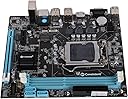
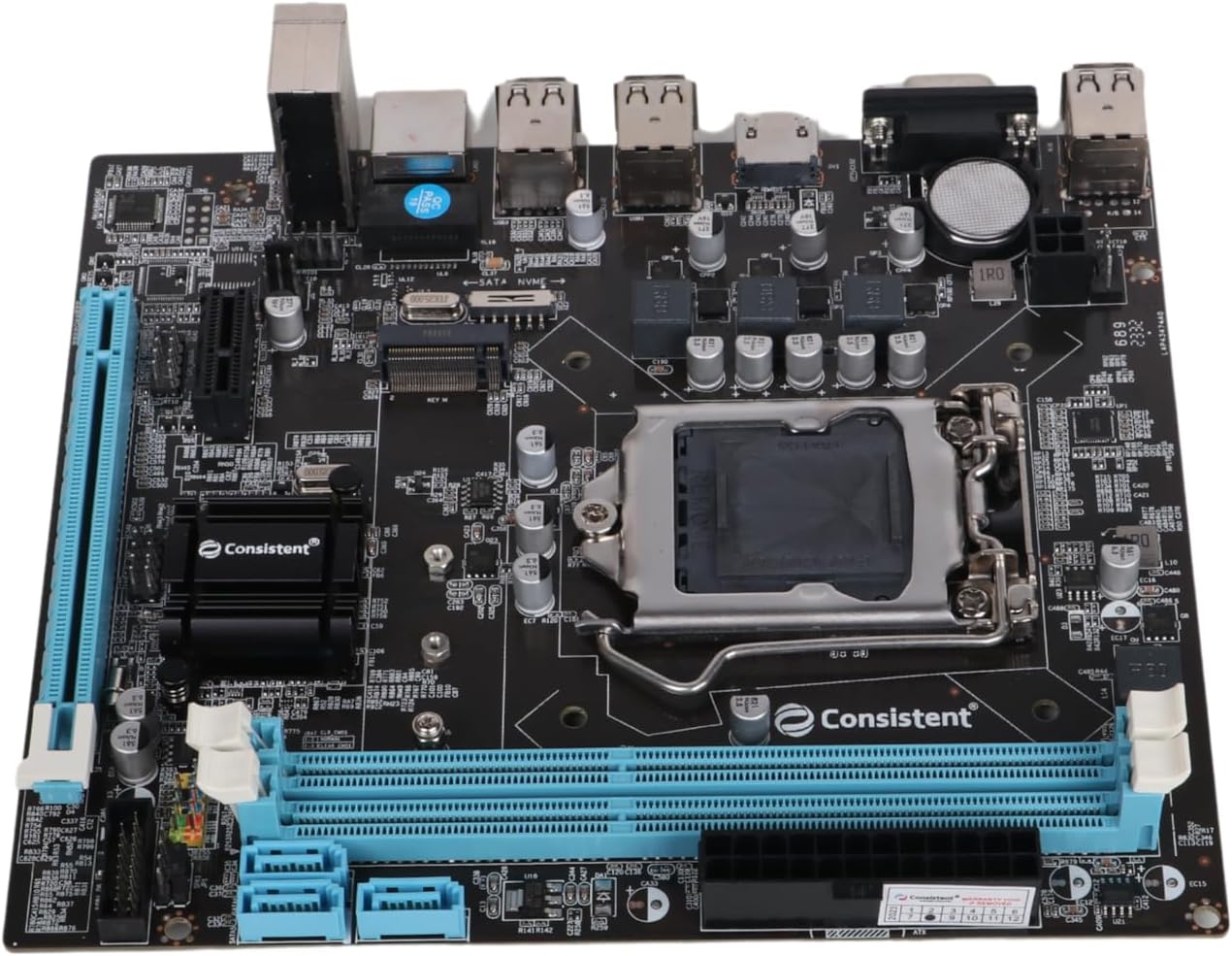
The DDR3 Motherboard CMB H61 with NVMe slot is a budget-friendly powerhouse featuring Intel H61 chipset and LGA 1155 socket compatibility. It supports up to 16GB DDR3 RAM and integrates an NVMe slot for ultra-fast storage options. Designed for broad compatibility with Intel 2nd and 3rd generation Core processors, it offers multiple USB ports, HDMI output, and a 3-year replacement warranty, making it an ideal choice for professionals seeking reliable performance without overspending.
| ASIN | B078QZ1X25 |
| Brand | Consistent |
| CPU Model | Intel Pentium G2020 |
| Chipset Family | Intel H61 |
| Chipset Type | Intel H61 Express |
| Compatible Devices | Keyboard mouse |
| Compatible Processors | Intel Core i3-3220, Intel Core i5-3450, Intel Core i7-3770, Intel Core i5-3330, Intel Core i7-3820, Intel Core i5-3470, Intel Core i7-3930K, Intel Core i5-3570K, Intel Core i7-3770K, Intel Core i5-3350P, Intel Core i7-3820/3930K/3960X (Haswell), Intel Core i5-4460, Intel Core i7-4770, Intel Core i5-4670K, Intel Core i7-4770K, Intel Core i5-4570, Intel Core i7-4790K (Haswell Refresh) |
| Customer Reviews | 3.7 3.7 out of 5 stars (873) |
| Graphics Card Interface | PCI |
| Item Dimensions L x W x H | 26L x 20.6W x 5.4H centimeters |
| Item Weight | 500 Grams |
| Main Power Connector Type | 24-Pin |
| Manufacturer | Consistent |
| Memory Clock Speed | 667 MHz |
| Memory Slots Available | 2 |
| Memory Storage Capacity | 16 GB |
| Mfr Part Number | CMB-H61 |
| Model Name | CMB H61 |
| Model Number | H61 |
| Number of Ethernet Ports | 1 |
| Number of Ports | 4 |
| Platform | Linux, Windows 10, Windows 7, Windows 8, Windows 8.1 |
| Processor Socket | LGA 1155 |
| RAM Memory Technology | DDR3 |
| Ram Memory Maximum Size | 16 GB |
| S/PDIF Connector Type | Optical |
| System Bus Standard Supported | SATA 2 |
| Total Number of HDMI Ports | 1 |
| Total Usb Ports | 4 |
| Unit Count | 1 Count |
A**H
Sharing this update after 28 days of full fledged working of consistent motherboard ,few days almost 24/7 operation. Had purchased this to support my 3 rd generation processor as my old asus H61 motherboard was at its end of life. Was searching a board which has nvme support with 2 pci express slots ,one for wifi card and other for graphics card. Plan was earlier to go for zebrionics H61 but since latest updated motherboard from them only features 1 pci express slot and one nvme ,I had to drop it as it didn't suit my build. After many searching and seeing YouTube videos finally closed on this consistent H61 motherboard. Pros: Built quality similar to old asus board. All solid capacitors used. HDMI slot,which old asus board didn't have Main issue I faced while building this pc was only 1 ram slot was getting detected out of two.Tried many ram options but same issue.Then finally complained to amazon team , Initially their response was as this is not returnable they have to take up with their higher ups and will come back with the best feasible solution within 8 days. In the mean time I was just checking through some YouTube videos on issue on new motherboards if only 1 ram was getting selected . In one of the videos this was the advice given.This I'm sharing to all the people who have similar issues while purchasing this mother board from Amazon site(pls try yourself issue should get resolved). # There are only 2 reasons ,either CPU or the ram slot has some issues with the component burnt otherwise there should be none. # Check clearly both the areas. In my case ram slot checked no issues but while checking the back of processor few of the contact points were fully black or burnt ,tried cleaning but no luck. It so happened I had old core i5 3 rd generation processor with me,which I put in this new board and voila the issue fully resolved. Basis on my experience ,written reply mail to Amazon team on the resolution of the issue to avoid any further wastage of their time. System build: Core i5 3 rd generation Ram 12 gb,8+4 ,DDR3,1600mhz Nvme SSD:256 gb samsung 970 Evo plus GPU:Gtx960 Os:Windows 11 23 H2 Till date no issues ,booting time hardly 5 secs with nvme. No lag in opening chrome or any software. Only gap which all will find is understanding the bios ,we may have to select bootmanager manually if windows is installed in nvme.This happened to me when moving from HDD to Nvme SSD. Final conclusion :Go for consistent brand 1) Good built quality 2) Good pricing 3) 2 pci express slots ,one you can use for wifi card and other for GPU card. 4) Boot time,very best with old 3rd gen processor and nvme.
H**A
If you have a very high end still working processor like i7 of 2nd or 3rd generation, then only you buy this CMB-H61 motherboard. All available H61 chipset motherboards are more or less have the same configuration. None of the H61 chipset motherboard including this Consistent's CMB-H61 have support for USB 3.0 which is really difficult to digest. Although all available H61 chipset motherboards in the market are providing support for NVME, your high end NVME will only be using 2 lanes that mean NVME 4x4 or 3x4 SSDs will run at 2x2 because of inherent chipset limitations. but still you will get better speed than SATA SSD. You will not be able to utilize full potential of NVME SSD. There is 20 pin header which is supposed to be for USB 3.0 adapter and bios also says that USB 3.0 is enabled, however here again this motherboard does not support USB 3.0 adapter. That 20 pin header is for additional USB 2.0 ports only. For some people their old desktop system will be rejuvenated and for some it will be waste of money, that is why I said in the subject that this one is difficult to review. However most of the old motherboards were having electrolytic capacitors which bulge after certain period of time, they degrade and by now most of them would have failed. But this motherboard has all solid state capacitor which is good part. Pl, note rejuvenating old processor system using this kind of motherboards will still draw more power as compared to next generation processors. But again you need less power as compared to old HDD because you might be using NVME SSD. Do not try to build i5 processor based system using this motherboard unless you want to use PC for document editing and web browsing. In fact nowadays there are much better and cheaper options available which uses ITX motherboards and need DC power adapter and entire unit can be attached to monitor. Otherwise you can say that it is only 1200 INR and if that is the case go ahead and try. It is Chinese product but let me emphasize that this is not a garbage product. If your old motherboard is still working fine, I would suggest using PCI express expansion cards for NVME and USB3.0
K**A
LIKED : I install this Mother Board successfully and it is working Fast ! All USB port and other parts are working properly. While, installing Windows 10, i got the error as Windows cannot be installed to this Disk. This computer hardware not support booting to this disk. Ensure that the Disk's controller is enabled in the computer's BIOS menu. THANKS TO GOOGLE & YANDEX search engine. After searching, i found the solution that I would need to change the BIOS menu in UEFI and need to Disable CSM in BIOS. Apart from this, i would need to burn the ISO file using GPT Boot. Earlier i had done the USB boot option in legacy method. So, the above error came. After burn the ISO in GPT, with the help of Rufus, the above error Solved. Windows 10 Pro installed successfully and now i am typing this review using the said Consistent Board PC. Today, I have also placed another one Consistent Board for the purpose to assemble the PC and I would need to GIFT the PC to one Poor needed person. I have all other accessory as Backup for this new one. Thanks to Amazon and Seller ! DISLIKED : 1)Windows 10 Drivers are not available in Given CD (Photo is attached). 2) Received the Outer Pack in 30% Opened Condition in one side. Due to this, i hesitate to received the pack from Delivery Man. However, Based on my TRUST with amazon, i accepted it and informed the OTP. The inner Consistent Box Board is just open condition. However, the Last Inner Plastic Pack was sealed condition. They need to pack in professional manner as like as Gigabyte / Asus Boards. 3) Front Panel pin is not printing the details suchas POWERSW, PLED-, PLED+, RESET, HDD-, HDD+. 4) Power Plug was not included. 5) Mother Board SCREWS are not available in the Box ? VERDICT : Because of Competitive Price, it is worth to buy this product. While comparing all other "local company" product(s), this Consistent H61 Board is some more Better and therefore, Recommend to Buy. While checking other web, i found that, Amazon Price is Rs.100 less than others. Thanks to Consistent and Amazon.in
V**L
Motherboard is of good quality, working smoothly. But i've faced an issue with nvme m2 ssd. The solution was very simple but consistent company and amazon technical team lack in providing solution. I've used nvme ssd but it didn't worked or detected by motherboard. So i contacted consistent and asked them for solution. Funny thing, the service provider girl had poor or no knowledge about the products. She said the motherboard works with nvme not nvme m.2 ssd, rather than arguing i said ok so what should i do to make it work? She said motherboard didn't detect it so motherboards is defective, ask amazon to exchange or send motherboard to local consistent store for replacement. Contacted amazon, they asked me to take pic of motherboard with current date and my name and submit it to amazon & wait for 3 days for solution. Did the same but no response. Tried contacting them and they asked me to submit the pic again and wait for 3 days again, followed the process and did the same but still no response from amazon. Than i was ready to send motherboard to consistent store for replacement as it was the only option but I don't know from where i got the idea, i just felt what if i have to turn nvme on or off may be? so i opened the motherboard packing and checked it there and boom!! There was a switching right/left button to nvme or sata just above the nvme slot. It was set to sata so I switched to nvme and done. It detected the nvme m.2 ssd and worked. So consistent product may or may not have good quality but the customer service is definitely not good to resolve the issue rather than asking to send your device for repair.
M**R
The motherboard refuses to accept more thant 4GB RAM. when I put 4 GB idential 1333 RAM in the Second slot, the PC will not boot up. It begins with a 4 Beep error and stays there.
Trustpilot
3 days ago
1 month ago