Buy anything from 5,000+ international stores. One checkout price. No surprise fees. Join 2M+ shoppers on Desertcart.
Desertcart purchases this item on your behalf and handles shipping, customs, and support to Vietnam.
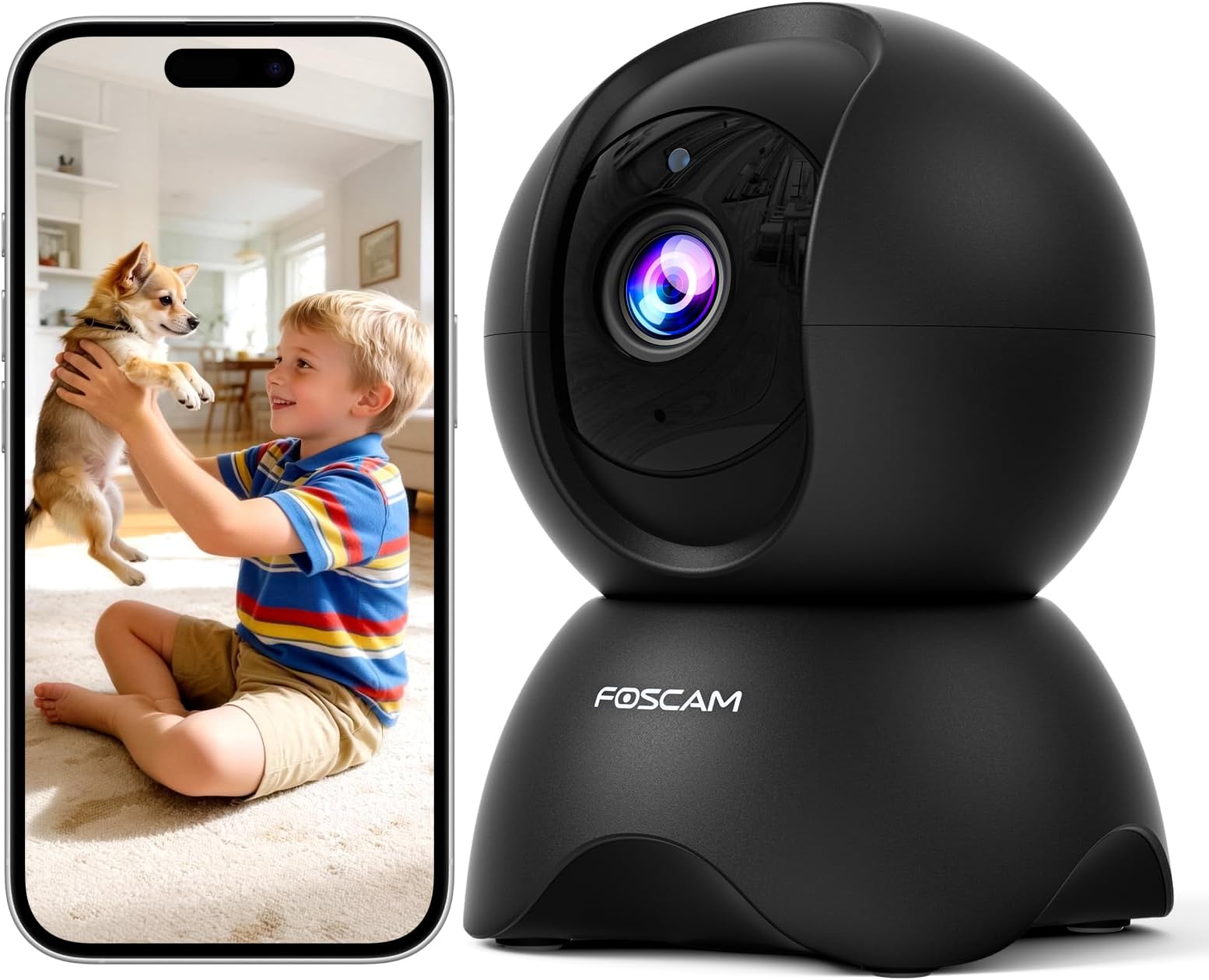
๐ Watch smarter, live safer โ your 360ยฐ home guardian in stunning 3K clarity!
The FOSCAM R5 Indoor Security Camera delivers crystal-clear 3K UHD video with a 5MP sensor and wide-angle lens, featuring 360ยฐ pan-tilt-zoom coverage to monitor every corner of your home. Equipped with AI-driven human and pet motion tracking, plus sound alerts, it ensures you never miss a moment. Night color vision extends up to 26 feet, while 24/7 continuous recording supports up to 512GB microSD or cloud storage. Easy 2.4GHz Wi-Fi setup and compatibility with Alexa and Google Assistant make it a seamless addition to any smart home environment.


| ASIN | B09QW2TGC9 |
| Antenna Location | Baby Monitoring, Home Security, Indoor Security, Pet Monitoring |
| Are Batteries Required | No |
| Best Sellers Rank | #398 in Dome Surveillance Cameras |
| Brand | FOSCAM |
| Built-In Media | 1 x FOSCAM 3K Indoor Camera(Black), 1 x Mounting Plate, 1 x USB-C Cable, Instruction Manual, Power Adapter |
| Color | Grey |
| Compatible Devices | Smartphone |
| Connectivity Protocol | Wi-Fi |
| Connectivity Technology | Wireless |
| Controller Type | Amazon Alexa, Google Assistant |
| Customer Reviews | 4.2 out of 5 stars 2,650 Reviews |
| Effective Still Resolution | 5 MP |
| Effective Video Resolution | 5 MP |
| Field Of View | 360 Degrees |
| Flash Memory Supported Size Maximum | 512 GB |
| Form Factor | Dome |
| Frame Rate | 15 frames per second |
| Indoor Outdoor Usage | Indoor |
| Indoor/Outdoor Usage | Indoor |
| Installation Type | Freestanding |
| Item Dimensions | 3.27 x 3 x 4.48 inches |
| Manufacturer | FOSCAM |
| Model Name | FOS-R5 |
| Model Number | R5 |
| Mount Type | Wall Mount |
| Night Vision Range | 26 Feet |
| Number of Channels | 2 |
| Number of Items | 1 |
| Other Special Features of the Product | 3K UHD Resolution, Local Recording, Motion Sensor, Night Vision, PTZ Technology |
| Photo Sensor Resolution | 5 MP |
| Power Source | Corded Electric |
| Recommended Uses For Product | Baby Monitoring, Home Security, Indoor Security, Pet Monitoring |
| Room Type | Bedroom, Kitchen, Living Room, Nursery, Office |
| Shape | Dome |
| Special Feature | 3K UHD Resolution, Local Recording, Motion Sensor, Night Vision, PTZ Technology |
| Specific Uses For Product | 360 Degree Coverage, Surveillance |
| Unit Count | 1.0 Count |
| Upper Temperature Rating | 50 Degrees Celsius |
| Video Capture Format | MPEG-4 |
| Video Capture Resolution | 5MP |
| Voltage | 5 Volts |
| Waterproof Rating | IP65 |
| Wattage | 7.5 watts |
| Zoom Type | Digital Zoom |
S**L
Great cameras and customer support
We used to have a Foscam camera over 10 years ago that we used as a baby monitor for the nursery. Then we moved and switched to another brand that had cheap, stationary cameras that we could install all over the house for a very modest investment. That worked for a number of years until they started forcing users to view ads before the camera feeds could be viewed, and upselling cloud and other services. So we took another look at Foscam and very happy we did. We have replaced all the cameras in our home with several pan and tilt cameras indoors R5, a stationary outdoor camera V5P, and an auto tracking model SD8P that we installed by the garage that gets a bunch of traffic since our house is at the entrance to our neighborhood. One of the R5 cameras would not work so we emailed support and Nora handled our case. There were a few back and forth exchanges to diagnose the problem, and there was a slight delay due to what I believe were time zone differences. But this wasnโt urgent or any hassle for us. I sent some videos of how the camera was behaving and eventually got on a zoom call with Nora who ran some live tests and concluded that there was an issue that required a replacement. So they sent another camera and it arrived within a few days. The replacement worked flawlessly and couldnโt be happier with the response and handling of the issue. Stuff happens and their customer support made it right. It canโt be overstated the peace of mind we have with this Foscam system covering our home and capturing any activity outside our house. Everything is stored on the SD card we installed and can be saved/downloaded if we need to access it without any ads or subscriptions. This is true for all the Foscam cameras we bought and so far pleased with the cost, convenience, ease of use and security. And if there should be any issues in the future, we believe the support will be able to help us out. Thanks Nora!
F**I
Very Nice Indoor Camera
It's an indoor camera. Would be great for baby monitor as well as security inside the home. It's easy as can possibly be to setup as I had no issues at all setting it up. Connects easily to your network. Night vision looks good! Video quality is great and has 3 levels of quality, FHD QHD and HD. The Foscam app is easy to use though some options need explained as to what they do. The only con is that the audio from the video recordings is out of sync. It's better cam than those light bulb cams for the same money. That makes it a good deal for the money.
D**S
This is a real upgrade over my old FOSCAM cameras
Iโve been using Foscam cameras for years. When my kids were very young, I would keep them in their rooms as a monitor. Now I use them throughout my house as security cameras. They still work, but there are many limitations given their age โ close to 10 years old in some cases. But they do, indeed, still work. With this mind, I reached out to Foscam support to see if there were some firmware upgrades now which might overcome some of the limitations like modern browser support and platform support other then Windows (eg, Mac). Because I was a long time customer and agreed to write this review, they provided me a free unit to test. So here it is. I will be comparing the current (Aug 2020) model, R2C 1080P to the older models I have, the FI8910W and FI8918W. The new model offers the following improvements: โข Higher resolution (1080p v 480p) โข No dependence on ActiveX controls โข Full control from Windows and Mac using browser other than Internet Explorer โข Control via mobile app โข Ability to record without application running on PC โข Improved interface for scheduling motion detection โข Better color reproduction โข Slightly smaller and more sleek I am using the new model to record on a schedule and using motion detection. Both work well. The ability to schedule is much improved in the browser app as you can just drag the mouse across a series of time blocks to activate. The old camera allowed you to active a full hour at a time, but if you wanted it on the half hour, youโd have to click to deselect. So, setting a schedule at 1230a means I activated 12a to 1a, but then Id have to click 7 days of blocks representing 1200a and 1215a. With the new camera, the mobile app just uses a slider to set the time, and the browser interface allows you to drag to deselect. Nice. I never used the email settings or the FTP settings on the old cameras. I tried setting up the FTP today on the old camera, and I never got it to work. With the new camera, I wasnโt going to use FTP or mail, either, but then I thought about this: why do I need an app running all the time to capture motion detection? The old models required Internet Explorer open to capture the video. Shouldnโt the camera just capture it and store it or send it somewhere? Well, in fact, the new one does. Thereโs no storage built into the camera that a user has access to, but it does have the ability to either use a micro SD Card or FTP. With the SD Card, the file is stored on the card. With FTP, itโs sent to an FTP server. Since I donโt have a spare Micro SD card laying around, I decided to use the FTP server. Windows 10 has an FTP server built in, but itโs not turned on by default. There are numerous places you can find on how to setup the FTP server. Once you have it setup such that you can access from another computer on your local network, you just use the same parameters for the camera. Put in the IP address (or hostname), the user name and password, and youโre good to go. You donโ t NEED to buy cloud service if you can setup the FTP server. If you canโt, then perhaps you should look into buying the cloud service to store your images and videos. In the end, itโs nice to know I can turn on the camera and have it FTP over my files to my PC (which is on all the time) without having to keep an app running on my PC. You may think Iโm splitting hairs since leaving my PC on 24x7 with an FTP server is the same thing, and perhaps I am. But if you have storage connected to and an FTP server running on your router, which stays on all the time, you wonโt need your PC left on 24x7. I already leave my PC on 24x7 so itโs a no brainer for me. I was wondering how well the IR light would work since the old camera had a ring of IR lights around the camera, and I canโt see any on the new one. The new camera has a better picture, of course, and the IR lights are not as obvious, but theyโre there. Picture quality at night is very good. The color reproduction is clearer and more accurate on the new camera. The video produced is really nice and not as grainy as the old ones. It will never replace your DSLR for video quality, but in terms of security it works. I can use Chrome now to access any feature I want. The old cameras required I use Internet Explorer utilizing ActiveX if I wanted to record videos or use voice function. ActiveX is 25 year old technology full of security risks, so itโs nice to see I donโt need it any more. ActiveX only runs on Windows, so Mac was out. Now itโs not. Yay! There are lots of feature Iโm sure Iโm missing, but this covers whatโs important to me. I have the old cameras which do what I know, and now I have the new one which has improved on the old ones in many ways. If it lasts as long as the other ones, this is going to be an excellent camera!
E**.
Good Camera and Great Support
I have been used the Foscam cameras since 2014 and purchased more than 10 devices. I tried other company's security cameras also but I returned those cams and purchased the Foscam cameras again at the end . R2C is one of my favorite model - Reasonable price, many features you can customize, excellent picture quality, integrated with 3rd party app well but some reason it stopped working right after a year. I contacted the Foscam Customer service to get support and got response from Frank Shao within couple of hours. Based on my explanation, he sent me a replacement unit immediately and took care of my previous order of cloud service linked to the broken camera. This is the first time I contacted this company and I am surprised that their response time is much quicker than I expected. (I used the email communication) Thanks for the quick response and great support. Foscam security camera is my number one and It was 5 out of 5 all the time but this time I will give 4 star since I had to get a replacement. I will update my review if the new unit working well.
D**S
Good WHILE they last, plan on keeping a spare or two around for swap out
I've used Foscam cameras for over 10 years, back since the 640/SD cams, and have had about 10 of the HD cams (indoor and outdoor) to date. Image quality is good, but it is not uncommon for these to fail after just a **couple years** and sometimes even less. They fail in different ways, if you're lucky (rarely anymore it seems) it will be just the power cord adapter ($10 or less to replace.) But more frequently it's the cameras themselves. No, factory resets don't fix it either. Sometimes you'll get blinking leds on the back and no picture at all permanently, other times like my latest 1.5 year R2C failure it will run fine a short time, then mysteriously drop out, then perhaps come back on later, and do this again and again. I used a brand new power supply from a brand new spare R2C and the problem still occurs, so without a doubt the apparent *QUALITY CONTROL ISSUE* that has frankly long plagued Foscam to one degree or another, still remains. Note I have EXCELLENT WIFI signal all over the house with 4 Google WIFI points so WIFI signal is NOT the issue. In fact this cam is literally 2 feet from one of the points. Additionally, auto LED (night vision) can be buggy. I have at least one, but I believe a previous one as well, that when setting to AUTO, it INSISTS on keeping the image black and white whenever there IS light in the room. So in other words, if you ever want to see color video on it, you have to turn nightvision LED to OFF, but of course doing that will keep you from seeing anything in the dark. So you have to choose, do you want to see activity in the dark, or do you want to see color video when there is light? As these R2C's are INDOOR cameras, and this particular one is in the basement to watch the kids, I've decided the night vision is not as big a deal to let go and opted with color video. (Break-ins in to my basement are extremely unlikely given the nature of the very tiny windows and Bilco door setup.)
D**.
Cameras that are easy to set up and simply work. Excellent customer service too.
I have used Foscam cameras for several years, now I'm up to about 10 over three different locations. They work great. The software also works great ... as long as you don't get too annoyed at the constant nags to sign up for their paid cloud service. Thankfully, Fo0scam cameras work great with just the free Foscam viewing app. The price and the quality of Foscam models just keeps getting better with every iteration. I had one minor issue with one camera and Foscam resolved the issue immediately (Thank you Nora at Foscam!). Their QR code setup is quick and foolproof, unlike so many competitors. I can highly recommend Foscam for simple IP cameras that simply work.
L**R
Excellent customer service and a great product overall
Quick to set up, great pictures and customer service. This is the third Foscam camera I have purchased. While all my cameras were easy to set up right out of the box, this one gave me some connectivity issues. I got in contact with Foscam Customer Service. Nora Chau, the Customer Service Representative contacted me right away. We walked through all the possible issues. It was decided that she would just send a new replacement. The new one came in a couple of weeks (I live in a very remote location so a couple of weeks was actually pretty quick). I have not had any issues with this new camera or with my older Foscams. I have one that is an outdoor camera with night vision and motion detection watching our chicken coop. It is pretty exposed to the elements, and is working great!
A**X
challenging, but well supported by manufacturer
second update March 2020 after receiving replacement from Foscam ~~~~~~~~~~~~~~~~~~~~~~~~~~~~~~~~~~~~~~~~~~~~~~~~~~~~~~ Having had an excellent experience with the Foscam support (kudos to *Yiko* who proved very helpful and professional) I am reporting back that at least the manufacturer stands behind their one-year warranty and will replace a defective R2C. I did incur the shipping cost to send back the broken camera. But through some fortunate mishap I was sent TWO refurbished cameras in exchange for the broken one, and was told to keep them both. They seem to be working fine (at least for the past 24 hours). While I do stand by my original review from May 2019 (below), I again want to commend the support person Yiko for their above and beyond efforts to answer all my emails in a very timely manner and accommodate my need for a warranty replacement. update march 2020 after just over 10 months of use ~~~~~~~~~~~~~~~~~~~~~~~~~~~~~~~~~~~~~~~~~ about 2-3 months ago the camera started recording weird colors and resetting orientation several times a day. today it completely died, dropping off the wireless network, and being inaccessible by wired ethernet. if I am patient it comes back on while on ethernet for a few minutes at a time but only in black an white. i can conclude that some chip inside has reached its end of life. which is really bad. I don't want to buy a new camera every 6 months. so all my efforts documented below to get to understand it and code a proper interface for my setup are going to waste. old review (may 2019 after ~1 month of use): ~~~~~~~~~~~~~~~~~~~~~~~~~~~~~~~~~~~ mixed feelings I have operated several IP cameras from a different manufacturer for many years. Have not had many issues configuring them and ultimately bending them to my will. But this Foscam is a completely different beast. Image quality is unbeatable. But besides that the camera and its software are fighting me at every turn. Pros: - good image quality - multiple good features and great functionality - good documentation of URL-based command and control functions (like stream and format selection, snapshot download, pan/tilt control, etc). Though the English leaves a bit to be desired. - relatively well supported by LiveCams Pro iOS app - relatively good support through Foscam VMS MacOS app - relatively good support information on the Foscam website, though the poor English sometimes produces ambiguous instructions in how to configure or troubleshoot the camera Cons: - impossible to configure via browser without installing a suspicious "plugin" that embeds itself deep inside the computer's system dirs, all for no obvious reason. Ain't gonna happen. To this date, although the camera does have a web interface, I can't use it because it refuses to proceed without those "plugins". - mobile app requires subscription and setting up a cloud service which in the end sends unspecified sensitive information, like my WiFi SSID and password, to an unspecified physical location (like, China?). Ain't gonna happen either. In fact, I am blocking any internet communication to/from this camera at the firewall. - it *forces* you to set up a "complex" password with symbols and such that you will then have trouble passing through URL-based commands - many many instances of unexpected or inconsistent behavior: Inconsistencies: -URL-based pan/tilt won't rotate incrementally but rather all the way to the max; -SD card not recognized though it is well installed in the back of the camera; may be FAT formatting related, will need to troubleshoot further (why should that be needed though?); -FTP upload won't work off-the-shelf. And even after significant fiddling with, stills leaves a lot to be desired: FTP mess: - First it had me reconfigure my FTP server because inetd/tcpd frontending did not even let the Foscam FTP test complete. No other application or appliance ever had any issues with that ftp server configuration, and I confirmed multiple times manually that my FTP configuration was functional. Even after changing that and successfully running a Foscam FTP test, no "alarm" (motion sensing) upload ever worked--not for stills nor for video footage. The camera does make connections every second but it then drops the connections. - I had to configure my FTP server with full logging to figure out that Foscam R2C needs a directory named R2C_<device ID> be present in the configured FTP path; i.e., it won't create that folder itself even if it does have the permissions. Then you need to manually create a subdir called snap and one called record, otherwise it will silently fail. - Oh, and I couldn't get it to upload motion detection snapshots, just video. Those snapshots are sent however by email. - And the video is in a weird format called MKV, not the standard mp4 or mov. Seriously??? Conclusions: - If you are an off-the-shelf user who just needs 1-2 security cameras set up, then go ahead and follow whatever the printed guide tell you. The caveat us that your footage and some wifi network information will end up somewhere in the Internet, possibly outside US soil, and possibly also with some pieces of code, or "add-ons" deeply embedded in your computer's OS that shouldn't be there. - For DYIers, there will be a steep learning curve and many, many moments of frustration. Expect straight-forward things that should work from first trial (like web based config or FTP upload) to cause significant headaches before they budge and even then do expect an unpleasant surprise or two.
P**T
This is an excellent camera
I own many Foscam cameras. I have to say that this camera tops all the others I have so far.. The IR is very clear and wirfi I had a problem with my cam's wifi connectivity so I opened a suport ticket @foscam.com. The support was very helpful- many thanks Yiko Deng who found out that the camera was the problem on the start and offered a replacement right away.
P**A
Nearly perfect!
As per Foscam usual: Reset... Then connection to the network at the first attempt. Everything works as promised. The only gripe I've got this time is, that the USB power supply doesn't have a UK plug and that the cable is nowhere nearly as long as the one from the same camera I ordered in Germany a few weeks back. The price is about the same, though. So why the short cable?
C**R
Great value
Needed another Foscam for my basement. Works perfectly
S**G
Useless
It came with very short usb cable and US plug. No warning, no information. What is the point? I don't know if it works - I returned it
Trustpilot
3 days ago
2 weeks ago