Description
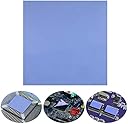
- Good Heat DissipationPerfect To Filled Contact Surfaces Gap, effectively improve the heat transfer efficiency, improve the heat transfer between the CPU / chipset / motherboard / module and the heat sink, and also serve as insulation, shock absorption and sealing Equal effect.
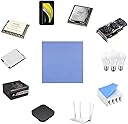
- ApplicationThermal Pad used in the control board of electronic and electrical products;Pads and foot pads inside and outside the motor; Appliances, automotive machinery, computer hosts, notebook computers, DVDs, VCDs, and any materials that require filling and cooling modules.
- Good Cooling, Insulation, Thermal Conductivity, Wear Resistant, Non Conductive, Antistatic,Fire Retardant, Heat Resistance, High Temperature Resistance, Compression, Buffering, Etc.
- Thermal Silicone Pad Has A Thermal Conductivity Of 6 W/mk, It Is The Most Conductive Thermal Pad On The Market,Thickness Is Widely Used, But It Is Not Very Sticky, It Can Be Glued With Thermal Double Sided Tape, Please Search (B075FR45DV), This Is The Thermal Adhesive Tape We Sell, You Can Apply These Two Different Products Together To Your Electronic Device, Realize The Best Thermal Conductivity.
- International products have separate terms, are sold from abroad and may differ from local products, including fit, age ratings, and language of product, labeling or instructions.
Main Features: thermal pad has 6.0 W/m K Thermal Conductivity, High temperature performance in -40 ℃ - 200 ℃ will not melt, Used to fill the gap between the heating element and the Heatsink, Achieve the best cooling effect, thermal pad with good Insulation,Non-conductive, anti-static, wear-resistant, compression, buffering, fire-retardant, anti-corrosion,Non-toxic, odorless, no damage to metal materials, etc effect. Widely application for: ☆Electronic products, motherboard, motor, external pad and foot pad, electronic, appliances, high power LED lighting, Car machine. ☆Power devices, automotive electronic modules (engine scrubber) Power modules, high power power supplies. ☆Computer host (CPU, GPU, USICS, RDRAMTM, CD-ROM, IGPT module, hard drives), laptop and any electronic equipment needing to be filled with heat dissipation. Why use thermal silicone Pad ? 1) The main purpose of the choice of Thermal Pad is to reduce the heat source surface and the heat dissipation device contact surface between the contact thermal resistance, Thermal conductivity of silicone Pad can be good filling the gap between the contact surface; 2) because the air is hot bad conductor, will seriously hinder the heat transfer between the contact surface, And in the heat source and the radiator between the installation of thermal silica Pad can be out of the air contact surface; 3) with thermal silicone Pad supplement, you can make the heat source and the heat sink between the contact surface better full contact, Truly face to face contact in the temperature of the reaction can be achieved as small as possible temperature difference. Package included: 1* 200x200x2.5 mm Thermal Pad
Review: I used these pads and some noctua thermal paste on my brand new DJI Mavic Air 2 drone. They were recommended by a DJI forum member. The drone was new but just kept overheating constantly during flight and even while doing firmware updates. I knew something was wrong with it and it turns out that it's a fairly common problem with these drones because DJI has NO heat transfer material between their cpu/ram/interal memory chips and the metal heat spreaders. So you get an uneven heat tramsfer area, or worse, the chips might not contact those metal heat spreaders at all. So I opened up the drone ajd disconnected all the camera and sensor wires, and then gently took off the metal heat spreaders and put some of these thermal pads over the cpu/ram/internally memory chips. I then snapped the metal heat spreaders in place. They had a bit of resistance, which is good because that tells me the metal heat spreaders are making good contact with these thermal pads, and the thermal pads in turn have a good collection with the chips. Between that and the thermal paste I put in between the metal heat spreads and the heatsink and fan, the drone runs nice and cool even in hot Florida sun.
Review: I replaced the 💩 in my Aorus Master 3080 with this and the minus pad 8 at 1mm. and 2mm. The end result was a success. I only bought these because the Minus pad 3mm wasn't in stock anywhere. What I can say, is that these are definitely better than the big fat nothing that Aorus put between the PCB and GPU Backplate.