💽 Clone, store, and speed through your data like a pro!
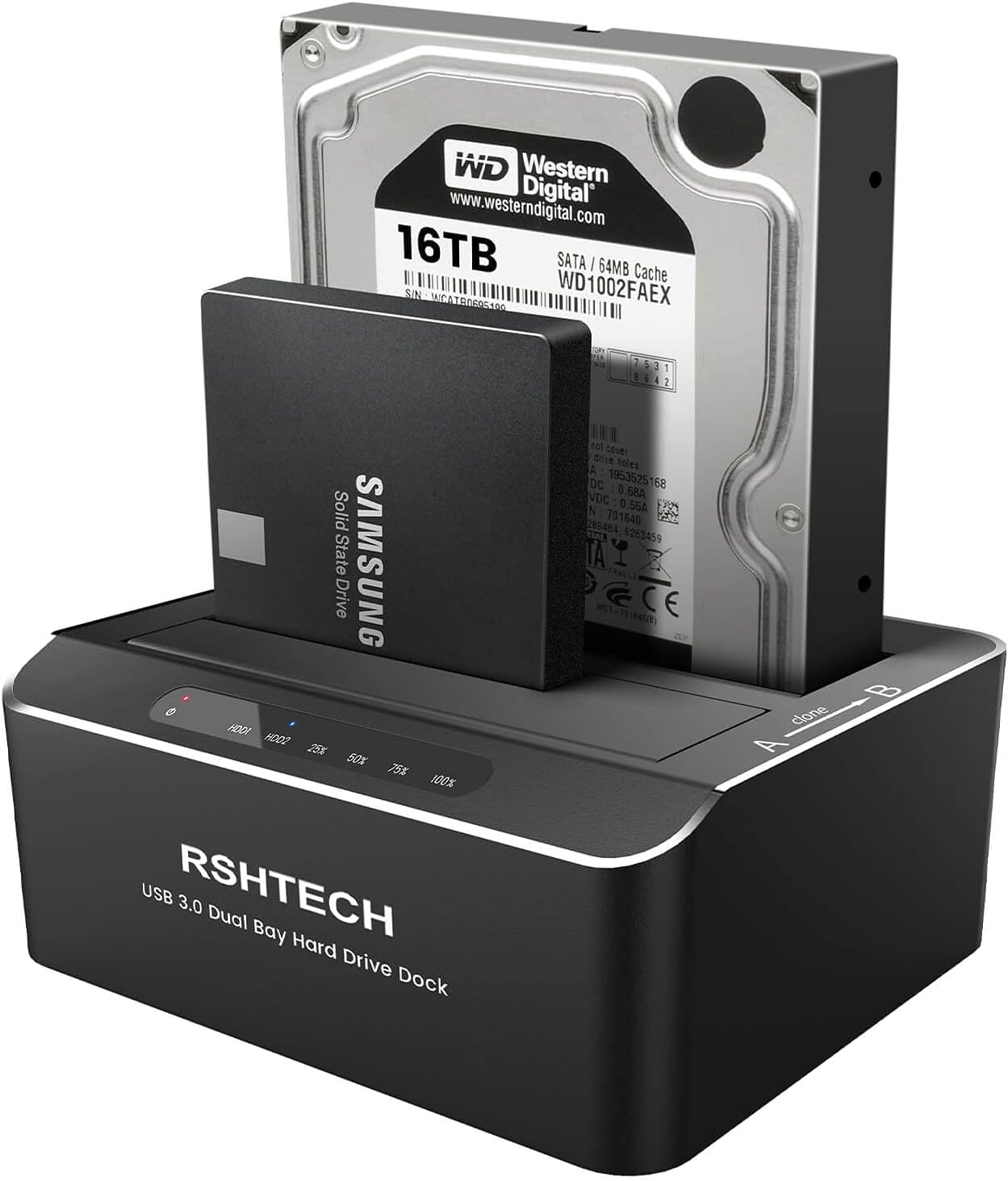
The RSHTECH Hard Drive Dock is a dual-bay external SATA docking station supporting 2.5" and 3.5" HDDs/SSDs up to 16TB each. Featuring USB 3.0 with UASP for up to 6Gbps transfer speeds, it enables offline cloning without a PC and includes an energy-saving sleep mode. Its robust aluminum build and broad OS and console compatibility make it an essential tool for professionals managing large data sets or backups.


| ASIN | B09NNJQKDJ |
| Best Sellers Rank | #51 in Hard Drive Docking Stations |
| Compatible Devices | Desktop, Gaming Console, Laptop, PS4 , PS4 Pro, Xbox 360, Xbox one |
| Connectivity Technology | USB,SATA |
| Customer Reviews | 4.3 4.3 out of 5 stars (125) |
| Data Transfer Rate | 5 Gigabits Per Second |
| Date First Available | December 15, 2021 |
| Hard Disk Form Factor | 3.5 Inches |
| Item Weight | 1.46 pounds |
| Item model number | RSH-DS01 |
| Manufacturer | RSHTECH |
| Max Number of Supported Devices | 2 |
| Memory Storage Capacity | 20 TB |
| Product Dimensions | 5.2 x 4.3 x 2 inches |
V**Z
Great product and easy to use
Working perfectly
J**E
Quality product!
Work well, easy to use; plug and play. Sturdy build and heavy enough so two HDDs don't tip it over. But I keep mine on the floor so the HDDs won't freeze if knocked off my desk. Been there, done that, lost 1GB of photos. Useing cloud backup now and wish I had spent the few bucks before the crash.. Have a readout showing % full the drives are. Handy extra!
J**E
This product is very helpful
I use this item mainly for backing up my internal drives then I turn it off by always unmounting the device from my computer and it works perfect every time using windows 11 or 10 and backing up 2 four terabyte fast Seagate sata drives
S**8
Noisy but great device
I like the dock functionality. It works well. My only complaint is it is very noisy. I had to Place foam under it to quiet the noise from the hard drives. That is annoying. It’s in a cabinet so it doesn’t really matter to me but buyer be warned if you have a tight space.
I**R
You need to enable "write caching" in Control Panel on your PC for this to work.
Very slow unless you manually enable "Write Caching" on each disc that you install, each time you use the device. I almost returned this because it was so slow. I realized that Windows shuts off "Write Caching" on this USB external drive as a safety mechanism to prevent accidental power loss. But if you go into your Windows Control Panel and click on the drive properties and you can "enable" "Write Caching" and also make sure all the boxes that offer "Disk Caching" are enabled. Once you do that, the drive is at least 500% faster, both reading and writing. When you enable "Write Caching" it also enables the read caching, although I'm not sure why. Reading and writing without changing the Windows settings will result in super low speed, basically non-functional speeds. Note, if you are using an SSD, you do not need to enable the "Write Caching" because it works fine out of the box, and does about 60MBps on USB 3.0.
T**A
Lasted 32 days
It started out great. It did what it was supposed to do. I backed up my important data to Drive A and then added an additional drive for cloning. I ran the clone job and it created an exact clone of Drive A to B. Windows could not tell them apart. I did 3 clone operations over the course of the 32 days that I had the product. Most of the time, when it was not in use, I turned it off. So it wasn't on very much. Today on third clone operation, it died at some point. The hard drive dock no longer powers on. It seems that it was doing fine for basic reading and writing from the OS but the clone operation was too intense for it.
A**R
It works as it should.
W I really like a charm.
D**N
So great I ordered an additional one
Plugged it in, and it worked! Great, quick, and easy!! Loved it so much I ordered an additional one !!
J**Z
Excelente calidad y precio
Trustpilot
2 months ago
1 day ago