Buy anything from 5,000+ international stores. One checkout price. No surprise fees. Join 2M+ shoppers on Desertcart.
Desertcart purchases this item on your behalf and handles shipping, customs, and support to Vietnam.
๐ Recharge your Galaxy, reclaim your day!
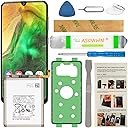
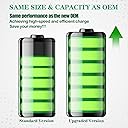
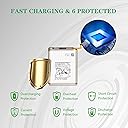
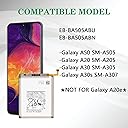
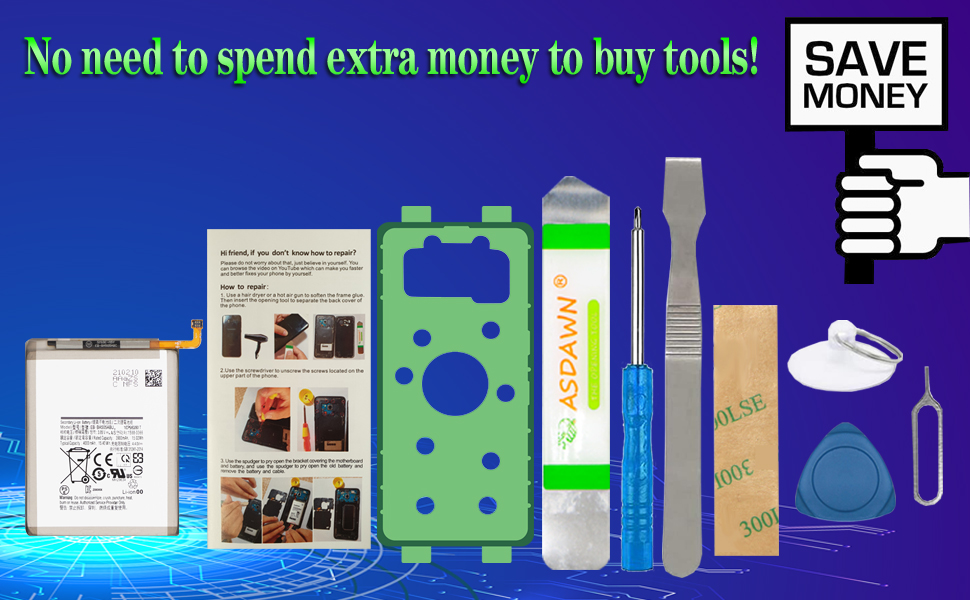
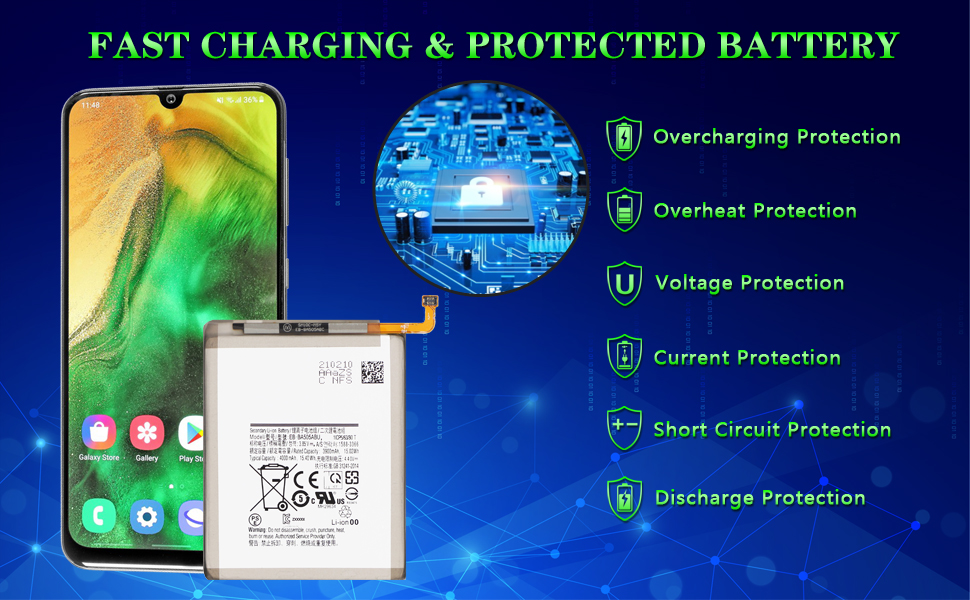
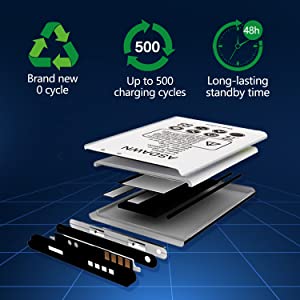
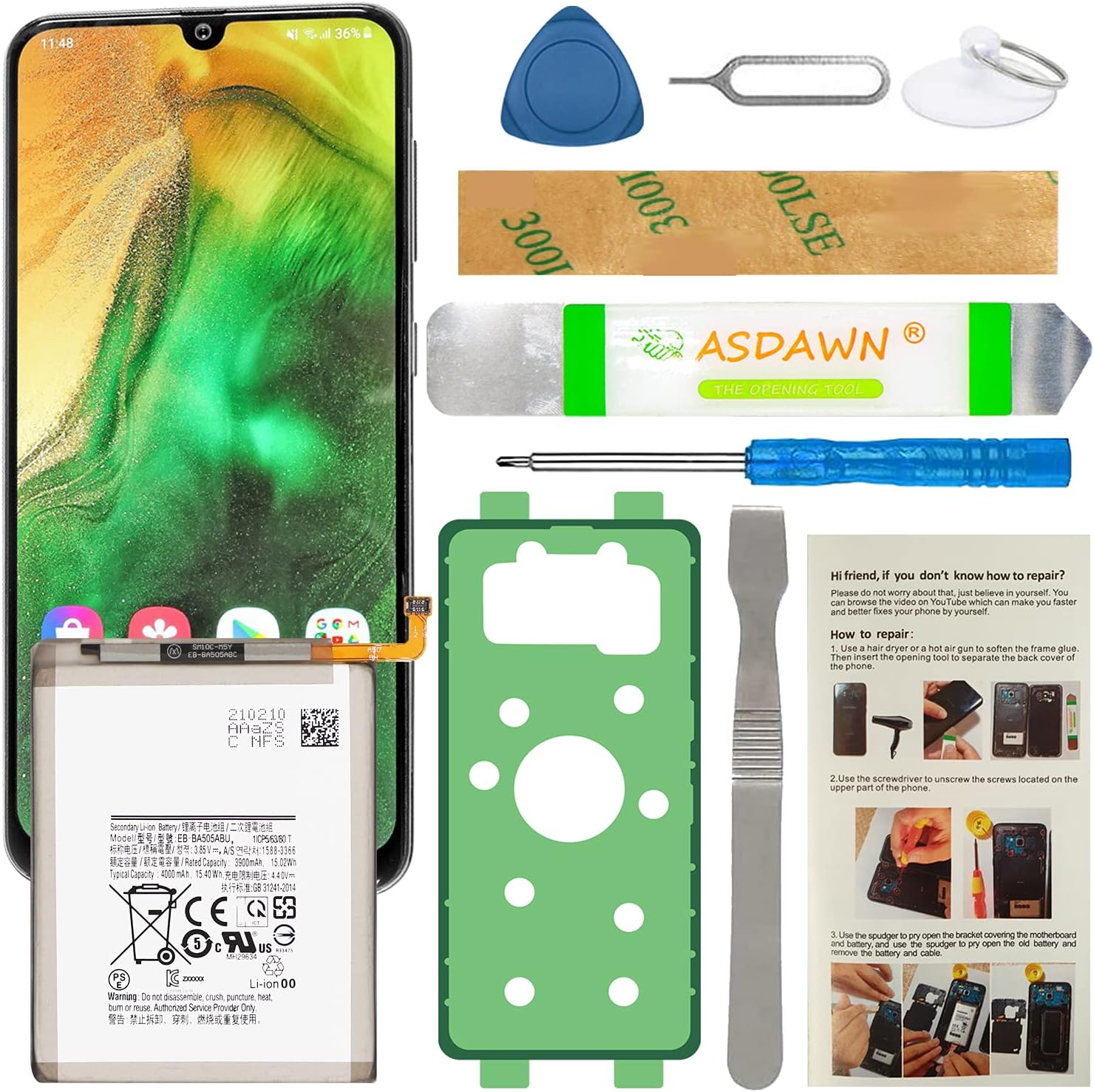
The ASDAWN Galaxy A50 Battery is a premium 4000mAh Li-ion replacement battery compatible with Samsung Galaxy A50, A20, A30, and A30s models. Engineered with Grade A cells and advanced safety microchips, it offers up to 48 hours of long-lasting power and fast charging efficiency. Backed by rigorous quality control and professional support, this battery restores your phoneโs performance to near-new levels, making it the smart, cost-effective upgrade for busy professionals who demand reliability and safety.


| ASIN | B09CTV5XXN |
| Best Sellers Rank | #14,323 in Cell Phones & Accessories ( See Top 100 in Cell Phones & Accessories ) #26 in Cell Phone Replacement Batteries |
| Brand | ASDAWN |
| Color | Green |
| Compatible Cellular Phone Models | Samsung Galaxy A30s |
| Compatible Devices | Samsung Galaxy A50 SM-A505, A20 SM-A205, A30 SM-A305, A30s SM-A307 |
| Compatible Phone Models | Galaxy A50 SM-A505 |
| Customer Reviews | 4.2 out of 5 stars 1,293 Reviews |
| Finish | Smooth |
| Form Factor | Battery |
| Is Autographed | No |
| Item Dimensions | 0.59 x 3.69 x 7.59 inches |
| Item dimensions L x W x H | 0.59 x 3.69 x 7.59 inches |
| Manufacturer | ASDAWN |
| Mfr Part Number | BSA505-2 |
| Model Name | EB-BA505ABU |
| Model Number | EB-BA505ABU |
| Number of Items | 1 |
| Theme | Number |
| UPC | 755559777445 |
| Unit Count | 1.0 Count |
| Water Resistance Level | Not Water Resistant |
A**R
Not much available but it seems to work very well.
Everything worked out it's the disassembly that's a difficult part. You really should use over 90% isopropyl alcohol to soften up the glue on everything. I don't think I would have got it apart without using it. Also don't use that metal tool around the battery I punctured my battery during disassembly almost caught it on fire. I basically did a hail Mary soak the battery with 99% alcohol loosened up the adhesive and got it out of there before it caught fire. I will say the battery works perfectly so far. I still haven't went through the three full charge cycles but compared to the battery that was in it it's like a new phone. We'll have to see you long-term if it has some kind of trickery in it where you hit a certain point like 50% or 40% and then basically the battery is flat. But it's acting normal so far. I was to the point where I was constantly having to keep the phone on the charger and just having my phone in the pocket for an hour was losing 20% battery. I just use the adhesives with the kit which works but I don't think they'll be as watertight as the liquid drops but I don't plan on getting it in the water. My phone was already refurbished once so chances are the screen's already been off so it's probably not watertight already. It was either this or buy a new phone so basically for $25 if it worked it was going to be worth it. On a side note I already had a cheaper backup phone cloned in case this went wrong until I could get another one. I consider myself pretty good taking stuff apart and reassembling it was fairly difficult and the harnesses are very small. They all went back everything's working. You should also purchase a different screwdriver the one with a kit is not hardened enough and rounds out the screws I had to drill two screws out. That's kind of a nightmare. Dremeling flat spots trying to use a flat screwdriver on screws. All the factory screws have blue loctite on them so they don't come out that easy. I was basically pushing as hard as I could with that little screwdriver and with a pair of vice grips to turn it to try to keep them from stripping. Also I will bought this kit because it come with written battery instructions removal. I think it left out the part where you have to remove the speaker at the bottom so I almost damaged my phone trying to remove the battery before that point. This is a Note 20 ultra maybe the instructions are more generic. But the speaker at the bottom definitely had to come out to get the cables out of the way and you had a detach more cables at the bottom just one set. The battery seems excellent though so far.
R**E
Works as intended
Works as intended. A couple of items to note: 1. This is a direct replacement battery with the same mAh rating, so though new, it will not have the charge capacity (read hours of use) as a newer phone. 2. This kit comes with the gasket, necessary if you want to keep the water-resistance of the phone, as the old one will be torn off in the process of dis-assembly.
S**S
Battery is OK after 1 day, but you'll want some better tools.
The Battery: You can't review the battery life after 1 day, accurately, because the problem with cheap batteries is more frequently the lifespan. They start out fine but after 6 months they have a noticeable decrease in capacity. That said, after about 16h, I charged my battery fully, let it drain until the phone died, by leaving a game open overnight, and I'm recharging now. Whereas before I could play that game for about an hour and go from 100 to 60 percent, and it would just drop faster from there, this lasted closer to 11 hours. Tips about the tools: The suction cup is pretty small, but eventually worked. I used a hot air soldering station, not a hair dryer. Try positioning it in the middle as close to the right edge as you can and see if you get a gap at all. The middle of the bottom is another option people recommend, but mine absolutely would not move at all. In theory, alcohol should help dissolve the glue slightly, but in my tests using a needle syringe to precisely deploy tiny drops, it didn't seem to help any noticeable amount, but keep it as a last resort, just don't get crazy with it. The opener (like a thick guitar pick) is great and worked well, however you really need a few more. Actual guitar picks would likely work just to hold the back from re-sealing as you work around the edges. For the top, near the camera, I had to VERY carefully use some additional plastic pry tools that were wedged. I could hear the adhesive slowly pulling apart, so I'd wait for that to stop before continuing. Check out iFixit for better pictures of where the adhesive is - there's a lot and it's strong. If I'd not had another set of phone tools with additional plastic tools, it would have taken me far longer. Metal tools are just asking to damage or short something, even though MOST contacts are covered. I also found that an old credit/membership card worked great to keep the bottom from re-attaching. I just carefully slid it up from the bottom - BE CAREFUL OF THE NFC AND WI-FI ANTENNAE. If you feel any resistance, stop and look under. My card caught them and would have damaged them if I'd persisted without repositioning on top of that piece. Have patience. And absolutely do not use metal tools to disconnect or pry the battery out. If you puncture the pack, you may quickly find yourself with a fireball. Keeping a fire-resistant container (like a glass baking dish) nearby, that you could quickly toss the phone into and take it outside is always good when working with lithium cells, as is a chemical fire extinguisher. You likely won't need either, but if you do, you'd certainly regret not having them more than not needing them. I also recommend charging the first few times in that fire-resistant container or a safe place, like a concrete garage floor, away from anything, just to make sure there are no immediate defects that could cause a fire. I did not need to use either glue strip, my phone held together, and going in a case helps bind it until it's really solid again from heating up due to use/charging. Don't forget to test BEFORE you glue the back on, but after you've carefully reconnected the fingerprint reader, in case you forgot a step or something isn't aligned correctly.
K**Z
Best product
Battery work excellent and keeping up so far no problem its easy to replace and comes with tools
T**S
5 star kit..
I would have only taken away 1 star for all the little things, but the big one cost 3 more. It's not all bad, like I said it should be a 4 star review with some warnings. Value for money will depend on how well this battery works. Considering I was at the point where 100-25% was fine, 20-5% was 90 seconds, and 5% meant "I'm going to shut off now," the bar is pretty low. Update: I have not worried about my battery after the first 10 charges. It suggests 5 full time from dead to 100%, I did 3 perfectly and then got tired of the angst so just charged around 5%. It's a good battery. Def not an "upgrade" if your phone is new though. Update done: Give yourself 2 hours to get this done properly (I am including research and watching videos). From the top: I don't have a "man-station" with heat guns or hot plates. I built my own PC and had a good ph000 screwdriver. Based off the reviews - I felt if that was the worst part of the kit, then the rest of the people sounded unqualified anyway. But the hair dryer was clearly not enough to loosen the glue. I heated it for as long as I could stomach considering the inner components. They said 1-2 minutes for a hot gun or hot plate at 110 degrees. I went with maybe 8 or 9 with a hair dryer on high. I got no separation so I heated for 5 more. At that point I could get the separator tool under the cover and start to scrape. I already didn't like this kit at that point, but I stuck with it. How hot is too hot? Was I really that far off? Is it easy to heat the components too much if the glue isn't quite ready yet? Info we could have been given. Sure enough, right around the top of the case I got a catastrophic crunch. What do you do then? Stop? Since it was already cracked it just got worse, and then spread down to the bottom of the phone by the time I was done. (PICTURE 1) There's 9 screws up top, not 8 like it says in the instructions. I was VERY close to breaking my motherboard cover and ruining my phone forever since it wont charge if all the screws aren't in and I imagine with solid pressure. The motherboard cover is also stuck the edge of the battery housing (PICTURE 2). This kit really comes with everything you need, even a sim card remover just in case you don't feel like getting up and going through boxes in the basement. That said, it's less than 20 bucks, so when the tab designed to remove the plastic off of the glue for the battery tears off like wet toilet paper... (PICTURE 3) I might opt for a 30 dollar kit that was that much better made - FYI. Again, mine was already trashed, but it didn't help that you have to scrape all of the old glue off the case now (per the instructions) after it has all cooled. Especially galaxies with the curved glass edges. SPLINTERS. everywhere. Yes, I was impatient, so this was my fault and would have been reflected in a 4 star review, but how hard would it have been to make instruction 9 number 3? Right after a set of warnings for what you're about to do. HEY, WHILE IT'S STILL MELTED < YOU SHOULD SCRAPE ALL THAT GLUE OFF THE BACK SINCE IT JUST LOST ALL OF ITS STRUCTURE. The worst part, Why I'm giving this review 1 star, is the instructions. Number SEVEN! I double checked.. Instruction number SEVEN warns you about extra glue around the fingerprint sensor at the top of your phone. After SIX that tells you to put the screws back on to the motherboard AFTER you installed your new battery. I don't know how this could be overlooked. On top of truly not giving you enough warning for what's going on. If you go and look, the replacement glue is THIN layer around the edge of the case, once you get inside the case, THERE'S WAAAYYY more around the camera and down the sides. 1 star for a 5 star kit. I mean come on - I hate the McDonalds Hot Coffee lady as much as the next guy, but could you not be a little bit more clear on where the glue is... what you should be careful to avoid when you're scraping a metal file around the back of your phone... warn us that if your phone is old there is a high chance your old battery will disintegrate on its way out, "but don't worry, you'd rather destroy the bad battery than scrape the housing"? It just says nothing. I understand this practice is somewhat frowned upon, but so should trickling out 1/10th of an upgrade every year and locking our battery inside our phones. Why so shy as the third party?
A**R
Great product
Item was exactly as described by the seller. Shipped fast and arrived in perfect condition.
R**A
Best to use your own tools
Took me less than 10 mins, used my own HQ PH0 screw driver to takeout & reinstall all 19 screws. I wouldn't count on the screw driver the kit comes with, even with 6.00 reading glasses I couldn't see that it was a philips head. I used my larger PH0 philips screw driver that fit perfectly, the kit has a PH000, that would have been to small, by the way my own a PH000 & I can easily tell it has a philips tip without needing to wear any reading glasses. Remember do not over torque the screws, they're only hold tiny bits of plastic. You could use Purple (the weakest) liquid locknut if you have it, but it's not necessary unless when you opened your phone & the screws were already falling out lose. My battery swelled & popped off the back panel, so I didn't need to take my S10+ back cover off, & the battery released from the phone without the need of a solvent, & I am sure it saved me from taking more then double the time to do this battery replacement. If your battery is also swelled be super careful not to damage it, it could burst into flames, & when you're done, do not leave it inside your home, & do not keep any swelled battery in your house. If you can, let your battery drain to zero before working with your phone. Before you glue the back cover back on, plug your phone into a charger to test if it is seeing the battery by seeing the charging message & tone. After I reinstalled my S10+ I couldn't tell that it was opened.
A**N
Battery Okay.., But....,
I first purchased this to replace a swollen battery on Sept 3 2021. It worked quite fine as a replacement..... Well this week, (8/24/2023) it swollen up as well, so I replaced it again. It seems the more you use the fast wireless charging, the worse it got. I would leave it off and on the charger at night. In the morning.., turn it on, and use it for the day. It was until this week, I noticed that the power button on the phone would not work. SO I removed the case, and sure enough, the case had swollen up enough to pop the back cover off of my Galaxy note 9. The first time it did this was the original battery..., I bought this phone used.., and have had it over several years. I am proud that both times it did this, the rear cover was NOT broken when it separated from the phone. Now My Issues with this kit.... 1) The battery tape/glue .... there is NO way I know of to get it to stick to the battery in the kit without screwing it up.., so Plan on buying a separate one to replace the one you screwed up on..... 2) Battery...., I an pretty sure these are very cheap made batteries. I can't complain. I got 2 years of use out of the first one I ever did. But Fast charging .., they do not likey at all...not for longevity that is... 3) the rear case glue/adhesive..., better plan on buying some extras on it as well.......If the adhesive comes loose during the install.., get prepared to remove the deal and start over...., the same goes for the battery glue as well..... All in all.., I'd give it a 6 out of 10 stars for the kit they include with the battery..., The battery gets 3-5 stars..., the glue kits, they get 2 stars.... The instructions get 0 stars...,(not even close to my Galaxy note 9) (I used the ifixit.com tutorial to get close and more correct....) ..The shipping was fast... 9 out of 10 stars..... Lastly.., no where in the instructions does it state the fact that you GOT TO make your phone relearn the battery......When you get the battery installed.., make sure phone works..., turn OFF fast charging...., then slow charge the phone...., THEN run an app on the phone till it dies...(This will take anywhere from 1-2 days depending on the app and the charge...).., You must make sure the phone is dead and won't turn back on anymore...., then Finally, you slow charge it back to full 100%.....This will take about a day to do.... Then the battery should last you for a long while after doing this.... ( I didn't do this the first time.., hence the only a 2 year life span...)
Trustpilot
1 day ago
4 days ago