Buy anything from 5,000+ international stores. One checkout price. No surprise fees. Join 2M+ shoppers on Desertcart.
Desertcart purchases this item on your behalf and handles shipping, customs, and support to Vietnam.
🚀 Elevate your workspace anywhere — portable power meets pro-grade clarity!
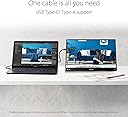
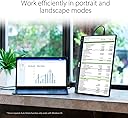
The ASUS ZenScreen MB16ACV is a 15.6-inch Full HD portable monitor featuring an ultra-slim IPS display with anti-glare technology. It supports hybrid USB-C connectivity for simultaneous power and video transmission, making it compatible with laptops, phones, and consoles. Designed for professionals on the move, it includes a versatile kickstand for portrait or landscape use, TÜV Rheinland-certified eye care features, and an antibacterial surface for hygiene. Weighing just 830 grams, it’s the perfect lightweight companion for business trips and remote work.


| ASIN | B0966YYP65 |
| Adaptive Sync | FreeSync |
| Aspect Ratio | 16:9 |
| Aspect ratio | 16:9 |
| Best Sellers Rank | 132,334 in Computers & Accessories ( See Top 100 in Computers & Accessories ) 2,211 in Monitors |
| Box Contents | MB16ACV Monitor, USB-C cable, USB-C to A cable, Warranty card, ZenScreen Sleeve |
| Brand | ASUS |
| Brand Name | ASUS |
| Colour | BLACK |
| Compatible Devices | Laptops, PCs, Phones, Consoles |
| Contrast Ratio | 1000:1 to 3000:1 |
| Customer Reviews | 4.4 out of 5 stars 878 Reviews |
| Display Technology | LED |
| Display Type | IPS |
| EU Spare Part Availability Duration | 3 Years |
| Hardware Connectivity | USB, USB Type C |
| Has Color Screen | Yes |
| Image Brightness | 250 candela_per_square_meter |
| Image contrast ratio | 1000:1 to 3000:1 |
| Item Weight | 1.83 Pounds |
| Manufacturer | ASUS |
| Maximum Display Resolution | 1920 x 1080 Pixels |
| Model Name | MB16ACV |
| Model Number | MB16ACV |
| Mounting Type | Tripod |
| Native Resolution | 1920x1080 |
| Network Connectivity Technology | USB Type A, USB Type C |
| Picture Quality Enhancement Technology | Flicker-free, Low Blue Light |
| Pixel Pitch | 0.181 |
| Power Consumption Size | 6.64 Watts |
| Product Features | Anti Glare Screen,Blue Light Filter,Flicker-Free,Portable,Touchscreen,Ultraslim,USB Port |
| Refresh Rate | 60 Hz |
| Resolution | FHD 1080p |
| Response Time | 5 Milliseconds |
| Screen Finish Type | Glossy |
| Screen Size | 16 Inches |
| Screen size | 16 Inches |
| Screen surface description | Glossy |
| Shape | rectangular |
| Specific Uses For Product | Business |
| Total HDMI Port | 1 |
| Total USB 2.0 Ports | 2 |
| Total USB Ports | 2 |
| Total Video Out Ports | 1 |
| UPC | 192876978498 |
| Unit Count | 1.0 count |
| Viewing Angle | 178 Degrees |
J**O
Practico
Facil y rapido de utilizar
C**I
Using it straight out of the box!
It does exactly as stated. Clear high quality screen that helps with portability straight plug and play and easy to use. Definitely a great product. Hope it last!
B**N
I am happy with it.
Notice - I do not game or watch movies, or TV. I only use YouTube for watching fix it videos. So, I have no idea what quality some people are looking for. What I do know is that this little monitor is a dynamite little screen for my purposes. The picture is excellent! The size is astonishingly small and it is as light as a feather. As always, I am satisfied with Asus. They have never let me down yet, and I have been with them for a long time. The price is one of those things that must be considered. I feel it could be a little cheaper, but I am not feeling this is a jip either. For me, it is good value and a solid product. It even comes with a nice little protective case that is leagues better than the one I ordered just for this. It hooks up easy and just works. My phone can even run it too, though it drains the battery pretty quick (Samsung Galaxy S9 and Note 8). The USB C feature is just what I needed and adapting a charing brick in-line with the phone was simple. Just needed an adapter ($10) but now it all runs smoothly. I think most people will be very happy with it too. I am hoping that in the future a wireless, touchscreen model with its own battery pack will become available. Even if wireless isn't an option, a touchscreen with battery would be game changing. Overall, I say go for it. I am pleased and glad I did.
S**E
Dream come true for minimalists
This monitor has exactly one input connection - USB C. It powers the monitor, and does the double duty of accepting the video signal. I absolutely love that it requires no separate power cable. It weighs less than 3 pounds, comes with a slick protective case, outputs 1080p 60hz, and has a ton of display options to boot. As an amazing bonus, the back of the monitor has a 1/4" threaded mounting hole compatible with tripod style stands/arms. It's a dream come true for the minimalist who likes to travel light and keep cables to a minimum. Some caveats you'll have to accept about this monitor: 1) It's a USB display, and accepts 2 different modes: DP alt mode (USB-C to USB-C from a compatible source like thunderbolt), or USB-A to USB-C using a DisplayLink driver. It's not exactly plug and play, unless you're using the right source devices. For example, ChromeOS is fully compatible with both video modes out of the box, no driver downloads required. Base Linux only works with DP alt mode (supposedly there are DisplayLink drivers for Linux, but I was never able to get them working). Windows works with both modes, but requires a driver download if using USB-A to USB-C with DisplayLink. 2) Not every USB-C output port is the same!! This is a lesson I learned specifically from owning this monitor. Thunderbolt ports, and most laptop USB-C ports, will output the native DP alt mode signal required by this monitor. However, a basic USB-C output from your desktop PC is not a thunderbolt port, and will not work with this monitor. In the case of most desktop PCs you'll need to use the 2nd option I described above with DisplayLink drivers. 3) Using multiple of these monitors simultaneously is very finnicky. Especially if using DisplayLink driver mode. I spent more time than I'd like to admit attempting to get 2 of these working from a powered USB hub on my monitor which then connects to my desktop through USB-A and laptop through USB-C. It was a nightmare. One of them would always either turn on and off (not enough power for 2 monitors), or if I got it working the mouse movement was super janky. I ended up changing my goals and using only 1 of these, which works great. 4) Do not buy these for gaming. They are simply not intended for that usage, and you'll notice input lag. These are really intended as "productivity monitors", and not as your MAIN monitor. All of that being said, even with the major troubleshooting issues I described above, I absolutely love these and would recommend 100% for people looking for a minimalist, portable, productivity monitor. There aren't many on the market which are fully powered by USB, and in that niche market you won't find a better solution than this one. I've had 2 of these for a couple years now, and they're still going strong even after travelling on flights with me multiple times. Great little monitors.
J**I
Not compatible as a 2nd monitor
To be honest, I was disappointed in this. I thought it’s gonna be the perfect choice as a 2nd monitor for my gaming PC. The monitor will not connect to the PC if you have a monitor plugged into your graphics card. The monitor can only be plugged in the motherboard. I have bought another cable to transfer the type-C into HDMI but the monitor will not connect at all. Trust me fellas, I have tried every possible way to connect but didn’t succeed.
Trustpilot
1 month ago
2 months ago