Buy anything from 5,000+ international stores. One checkout price. No surprise fees. Join 2M+ shoppers on Desertcart.
Desertcart purchases this item on your behalf and handles shipping, customs, and support to Vietnam.
🚀 Elevate your network game with pro-level speed and control—no tech headaches required!
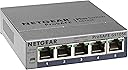
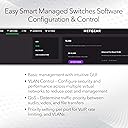
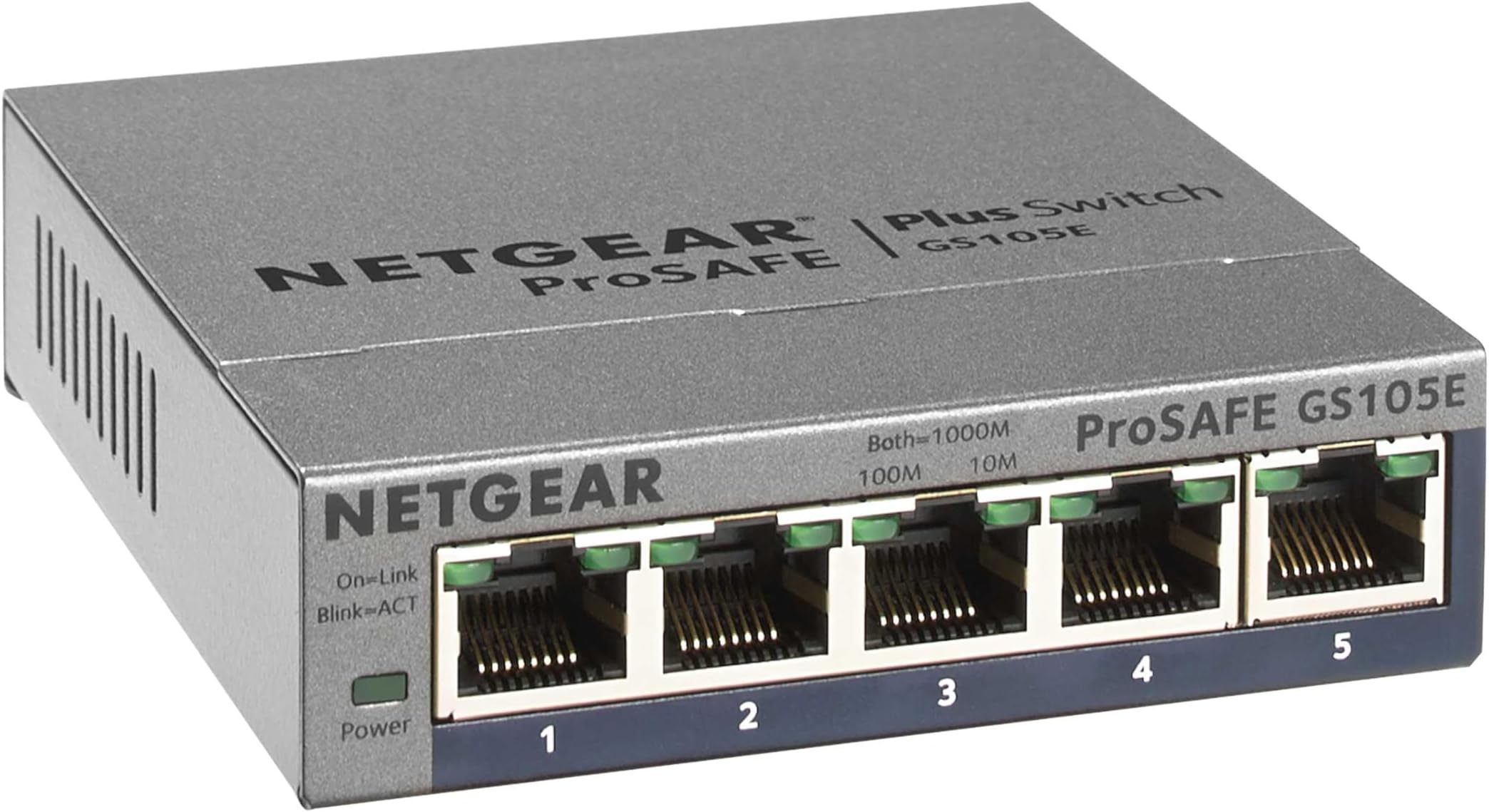
The NETGEAR GS105Ev2 is a 5-port Gigabit Ethernet smart managed switch designed for professionals and savvy home users alike. It offers advanced VLAN configuration options, plug-and-play ease, and a robust metal chassis. With ProSAFE lifetime protection and silent, reliable operation, it’s perfect for expanding and segmenting your network with confidence and speed.


| ASIN | B00HGLVZLY |
| Best Sellers Rank | #47 in Computer Networking Switches |
| Brand | NETGEAR |
| Built-In Media | Item |
| Case Material Type | Plastic |
| Color | 5 port |
| Compatible Devices | Monitor |
| Customer Reviews | 4.7 out of 5 stars 1,374 Reviews |
| Data Transfer Rate | 1000 Megabits Per Second |
| Global Trade Identification Number | 10606449101512 |
| Included Components | Item |
| Interface | RJ45 |
| Item Dimensions L x W x H | 3.7"L x 3.9"W x 1.06"H |
| Item Weight | 0.56 Pounds |
| Manufacturer | NETGEAR |
| Mfr Part Number | GS105E-200NAS |
| Model Number | GS105E-200NAS |
| Number of Ports | 5 |
| Platform | Not Machine Specific |
| Product Dimensions | 3.7"L x 3.9"W x 1.06"H |
| Switch Type | Managed |
| UPC | 606449101515 |
| Unit Count | 1.0 Count |
| Upper Temperature Rating | 122 Degrees Fahrenheit |
| Voltage | 12 Volts |
| Warranty Description | Lifetime |
P**Y
Great switch for a simple network or VLAN environment
Great little switch. I bought the five-port model, and it's a nice small size that tucks behind keyboards and monitors no problem. I bought it specifically because I needed VLAN support, so while you can use it as a single-network switch, it also functions great in a multi-VLAN environment. Configuration is through a web GUI. The switch comes up at IP 192.168.0.239 by default, and I had trouble getting to the web GUI at this address until I downloaded Netgear's ProSAFE utility (free from their web site) and used it to connect to the switch and upgrade to firmware 1.4.0.6. Since upgrading firmware, I've had no trouble connecting to the switch. (If you don't need VLAN support or don't know what it is, you can skip this paragraph). In my network, I deployed over 20, with 5-7 VLANs untagged and tagged (802.1Q) depending on location. For example, we have port 1 configured with VLAN 1 (default) untagged and as PVID, and VLANs 20-70 tagged on an uplink to a larger distribution switch; ports 2-4 offer the needed VLANs untagged, and port 5 offers a subset of the VLANs tagged to a Ubiquiti wireless access point (for multiple wireless network access). You can configure VLANs four different ways, but as a Cisco/Juniper guy, I found the 802.1Q/Advanced path most familiar and capable for the project. With 20+ deployed, no DOAs, and no problems after several weeks. Solid little switch.
N**E
Works like a commercial switch in a small package
The NETGEAR 5-Port Gigabit Ethernet Plus Switch (GS105Ev2) is an excellent addition to my home setup. It’s compact, easy to install, and works flawlessly right out of the box. All five ports offer lightning-fast gigabit speeds, which has significantly improved my network's performance for gaming and streaming. The managed features are a bonus for those who want more control over their network. If you need a reliable and affordable switch to expand your home or small office network, this is a great choice!
B**Y
NETGEAR 5-Port Gigabit Ethernet
"I'm extremely satisfied with the NETGEAR 5-Port Gigabit Ethernet Plus Switch! This managed switch has significantly enhanced my network performance and control. Whether it's for home or office use, this switch is versatile and reliable. The desktop or wall mount options provide flexibility in installation, while the gigabit speeds ensure lightning-fast connectivity for all my devices. Setting up and managing the switch is a breeze thanks to its user-friendly interface. Plus, the compact design makes it perfect for any space. If you're in need of a reliable and efficient networking solution, I highly recommend the NETGEAR GS105Ev2!
C**A
A Low-Priced, Fantastic VLAN capable switch
I first purchased a TP-Link TL-SG105E and had some very strange VLAN ARP issues with it (see my review). I replaced with this Netgear and all my problems went away instantly. As a plus, there IS a web GUI on any firmware version above 1.3.0.3, currently at 1.4.0.6. I used the Windows software provided only to upgrade the firmware and locate it on my network. Once that was done I assigned all my VLANs, a static IP for the switch and was off to the races. Just to clarify you DO NOT need the CD or the software. All functionality is in the web GUI, providing you can check your DHCP table to ascertain the switch address. I'm using this switch to trunk two 802.1q VLANs into my EdgeRouter on the other side of the house. My cable modem and solar equipment live in my garage, so I needed both LAN and WAN VLANs over the same physical circuit. Port 1 is my trunk carrying two tagged VLANs, with one port untagged feeding my cable modem (VLAN 100), and the other ports untagged to my LAN VLAN (VLAN 101). While you cannot disable VLAN 1, you CAN simply not use it and not tag or untag any ports so it just sits there doing nothing. One word of note, if using an EdgeRouter and are seeing lots of dropped Rx packets, it's due to enabling loop detection on this switch (RRCP packets). The EdgeRouter doesn't understand these packets so it drops them. You'll see several pile up every few seconds. I turned this feature off and haven't had any drops since. Paint me impressed! It's currently only $25ish after the mail in rebate.
S**Y
Take a peek!
This isn’t the homecoming king or queen. Port 5 can be used to monitor one port 1-4. A must for multiple home networks. Appliances, cameras, kids, all at the touch of a finger. Works best on I/O to / from the firewall/router.
I**D
You need to understand how to set it up and the manufacturer instructions are not very good on this
We bought this Netgear GS105Ev2, firmware version 1.6.0.3, to work as an inline packet sniffer. It was cheaper than the purpose built inline sniffers, which were running about $100. It does work as a sniffer, but there are some non-obvious setup steps. It does work as a span port or mirror port device. You need an inline packet sniffer when you need to see the network traffic to troubleshoot, but can not, or should not, install a packet sniffer on the device you are trying to troubleshoot. IoT things are a prime example. To start, you need to get into the switch’s management interface. I used the web interface. Assuming the switch is in it’s default configuration, plug your computer into any port and configure your network card with an IP of 192.168.0.238 and a subnet mask of 255.255.255.0. None of the other settings need be set. Go to http://192.168.0.239 in any web browser. Enter the password (default: password). Please change the password if you plan on using this as a normal switch. These instructions assume the device whose traffic you want to capture is plugged into port 1 and the sniffing device, such as a laptop, will be plugged into port 5. I highly advise you label these. Because most laptops can’t capture more than about 80Mbps, under System → Management → Port Status, sent port 1 to 10M Full. Apply. Failure to do this can result in missing some traffic. Second, go to VLAN → Port Based → Advanced. Enable it. Apply. Create a VLAN 1 with ports 1, 2, 3, and 4 as members. Leave out port 5. Apply. This will reduce the broadcast traffic, which is mostly noise, sent to port 5. You will still see all the broadcast traffic that is sent to port 1. Finally, go to System → Monitoring → Mirroring. Set Mirroring to enable and Destination Port to 5. In the port check boxes, check only port 1. Apply. From now on, you plug the device whose traffic you want to capture into port 1, plug the cable from your main switch/router into port 2, 3, or 4, and plug your sniffer laptop into port 5. The laptop does not require an IP address (and won’t be able to talk on the network either). The switch will retain the settings if power cycled. You will also need two additional network cables to run this as a packet sniffer (not supplied). Update: It seems a modern laptop, not running much else, and using tshark to capture the packets can handle 1 Gbps rate. If these conditions are true, skip lowering port 1’s speed and leave it at auto. In testing, if you do lower port 1’s speed, you will get some “bad tcp” (tcp.analysis.flags filter in wireshark; the black lines). This is due to the lower speed. Leaving the speed at auto seems to almost completely eliminate that problem.
G**H
Great for the office - recommend for heavy duty work environment.
Simple to use - just plug in and it works. We use these all over the office. I like the PRO series, as they are managed, and work great with the office PC's and PHONE systems. You connect them right into the network, they link up and work. Built to last!
M**L
This device may save you from a scorpion sting! It's amazing!!
These are the best little switches! I've used some other brands that are okay as well but whenever I have an application that I want to make sure they're going to get a good piece of network equipment, this is my go-to device! I just installed one of these today. They had a desk setup for two workstation. They had one CAT5 jack on the wall for one computer at a desk for two. Matt, can you crawl up in the attic with the scorpions and run a CAT5 cable for us? Heck no!! I'm not getting bit up there! My whole body would swell up like a marshmellow over a campfire and I'd never get out through the attic opening! I could totally see it now. But Netgear was there to save me from a scorpion sting. I just unplugged the CAT5 cable from the little Dell computer who was waiting for a new neighbor. Then I plugged the CAT5 cable into port 1 on the switch (it actually doesn't matter which port you plug it into...I just always do port 1 when I'm coming from the wall because I'm anal). Then I plug another CAT5 cable into port 2 and plug the other end into the existing Dell. Then I plug the new Dell into port 3 and VOILA! It works after I plugged the power into it. Thank you Netgear from saving me from a scorpion sting!
A**.
Decent experience, don't like the UI
User interface is too simplified. Don't like having to set a secure password for a LAN only device
T**Y
Buena relación precio calidad
Hace bien su trabajo
A**E
Unvollständige Artikelbeschreibung
Unbrauchbar. Wird mit amerikanischem Netzteil für 110 Volt Steckdose geliefert.
E**G
I am old fashion
I use mine to connect my TV and other such device to my Internet router. Call me old age but I always prefer cable to wifi. More secure and faster. This unit work great.
R**Z
Excelente
Llego a tiempo y sin complicaciones y cumple con las especificaciones solicitadas el producto, y por supuesto que recomiendo este servicio.
Trustpilot
1 month ago
2 weeks ago