We remain fully operational. Our teams are working around the clock to ensure your deliveries continue safely.

DOWNLOAD THE APP


Copyright © 2025 Desertcart Holdings Limited
DOWNLOAD THE APP




Buy anything from 5,000+ international stores. One checkout price. No surprise fees. Join 2M+ shoppers on Desertcart.
Desertcart purchases this item on your behalf and handles shipping, customs, and support to Vietnam.
🎨 Elevate your craft with precision and freedom — don’t just create, dominate your digital canvas!
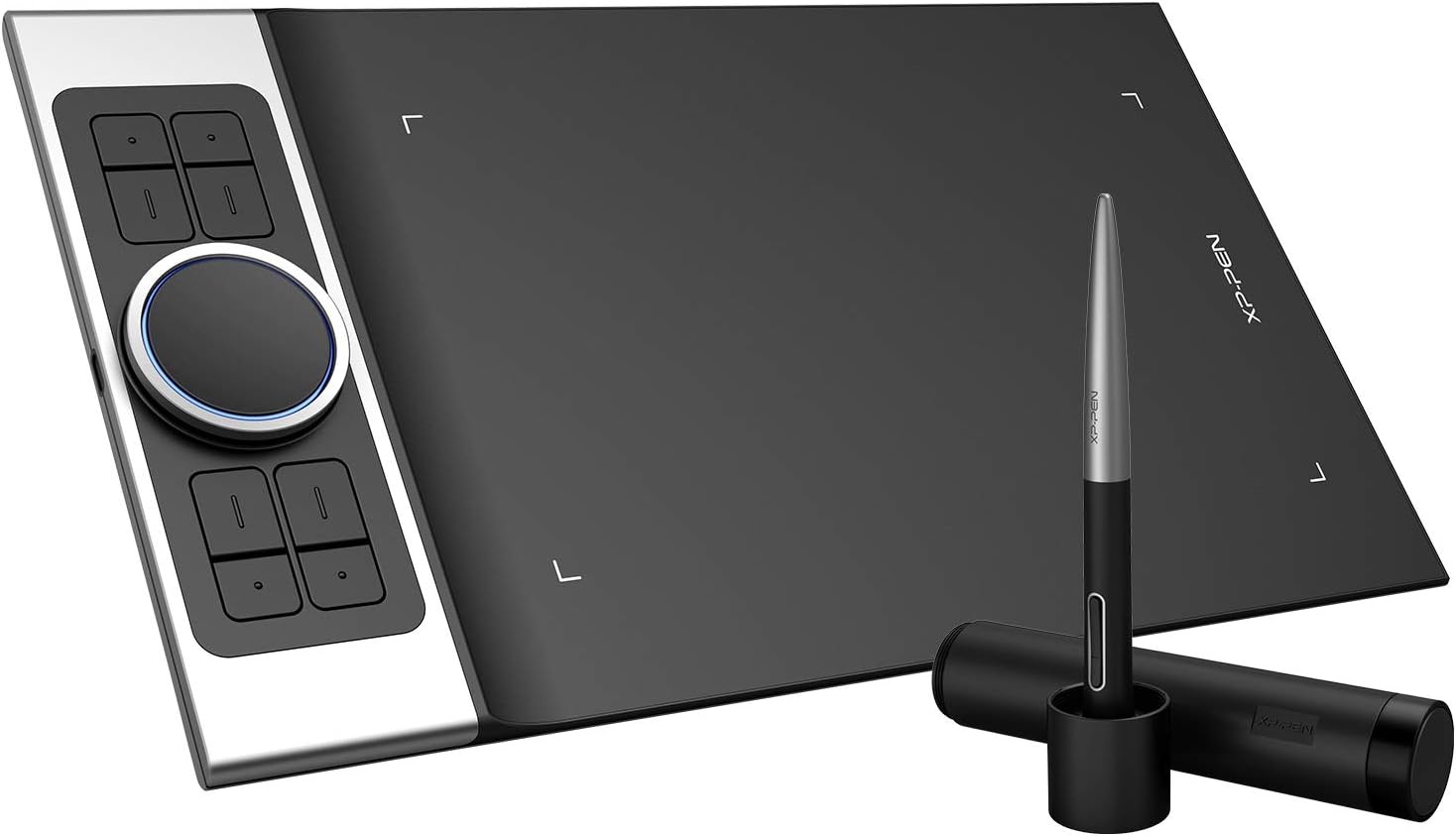
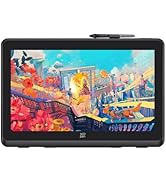
The XPPen Deco Pro MW is an 11-inch wireless drawing tablet featuring Bluetooth 5.0 connectivity, 8192 levels of pen pressure sensitivity with tilt support, and dual customizable dial wheels. Designed for professionals and creatives, it offers 8 programmable shortcut keys, a slim 7mm profile, and broad OS compatibility including Windows, Mac, Android, Linux, and Chrome OS. Its long-lasting battery and versatile connectivity options make it ideal for seamless remote work, digital art, and design workflows.













| ASIN | B07RQLFN8C |
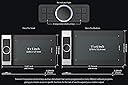
| Active Surface Area | 9 inches x 5 inches |
| Additional Features | Online Education,Digital Drawing,Professional Design, Video Edition |
| Best Sellers Rank | #177 in Computer Graphics Tablets |
| Brand | XPPen |
| Built-In Media | 1x Tablet ,1x Battery-Free Stylus, 1x Pen Holder, 8x Replacement Pen Nibs, 1x USB-C to USBCable,1x USB to USB-Cadapter ,1x USB to micro USB adapter, 1x Drawing Glove, 1x Quick Guide |
| Color | Balck |
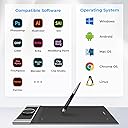
| Compatible Devices | Windows 7/8/10/11, Mac OS X 10.10 (or later),Android (USB3.1 DP1.2), Chrome OS 88 (or later), Linu |
| Connectivity Technology | USB |
| Customer Reviews | 4.5 4.5 out of 5 stars (1,833) |
| Display Type | Drawing Tablet |
| Item Dimensions L x W | 7.85"L x 13.81"W |
| Item Weight | 1.3 Kilograms |
| Manufacturer | XP-PEN |
| Mfr Part Number | Deco pro S |
| Model Name | Deco Pro Small |
| Model Number | Deco pro S |
| Native Resolution | 5080x5080 |
| Operating System | Windows, Android, Linux, Chrome OS, Mac |
| Pressure Sensitivity | 1024 Levels |
| Screen Size | 9 Inches |
| Specific Uses For Product | Online Education,Digital Drawing,Professional Design, Video Edition |
| Target Audience | Teacher |
| UPC | 783347035392 654913039673 |
A**S
Great Tablet! Even better Customer Service!
I initially purchased this back in July for my bday. I was super exited because of all the functionality of the quick keys. It worked great at first but then the pen buttons didn’t work at all which was SO inconvenient because I use this as my mouse for work (I’m a UX Designer). Anyway, I was going to return it and just go back to a simple Wacom tablet but it was past the 30 days so I decided I’d just deal with it. But I found myself not using it at all because not have the right click on my pen was so annoying. I finally decided to reach out to their customer service. Unfortunately you can only email them but don’t worry, they answer SO quick. Like within an hour and sometimes quicker for a good back and forth. Anyway, they had me send detail of what was not working and I tested my tablet and pen using some of their troubleshooting software. After doing that and sending a video they saw my pen was defective and sent me a new one free of charge! The new one works perfectly and I LOVE this tablet. It’s the perfect size, I love having so many buttons to customize. It helps with my workflow since I don’t even have to use my keyboard when making designs. And the pen buttons (now that they work) are perfect. I recommend trying this tablet out if you’re iffy and just know that customer service will make it right if you’re having any technical issues.
S**S
Well made, sleek, and tons of useful features
This is the FIFTH tablet I have purchased through Amazon. I have bought one of every company but Wacom - they are cost prohibitive for anything I want to use.( Huion Inspiroy ink-no drive that worked, and the drawing screen on the back you could barely see. A gimmick. Huion New 1060 Plus - as soon as I took it out of the package I felt the back bend under my fingers, flimsier than the $30 monoprice, and the EXACT SAME button/soft button/drawing surface! for twice the price! I didnt even plug it in. Veikk a-30 - touch buttons glitchy, and drive not consistently working. Monoprice - great little cheap tablet,durable, still working after 18 months just fine, working driver. but not sensitive enough. only 2048 levels) I finally decided to bite the bullet and spend an entire 100 to get something that worked. I hoped at least that I would get a drive that worked consistently, and didnt keep changing the button programming on me. What I got with the XP-PEN Pro (small) was FAR beyond my expectations, even if i had not had issues before. The body is aluminum on the back, and the dial is too, making it more durable than ANY of the other tablets I tried. And even though it says 'small' I can barely tell a difference in the drawing area. (My monoprice was 10x6.25,this is 9x5'') The cable is built to sit alongside the tablet, so I dont really notice it. wireless is a small sacrifice for the abilities of this tablet, IMO. The drawing area has V-shaped lights built into the corners, that you can adjust the brightness to, that highlight the drawing area so you can draw in low light. The dial has a light, too. All blue, non changing color. VERY useful feature. there are also TWO dials, not just one, both programmable to 5 different settings. You can then proram two of the express keys to cycle through each dial's usage, giving you 20 other shortcuts you can use in addition to the 8 express keys, and the 2 on the pen. That's 28 total, if you program 2 for the dials. Then there is another setting that ou can use, called detail mode. If you press a button, it will center in on a small area of the artwork, and zoom in your tablet as well, giving you the entire surface area to draw in the tiny art area. Meaning you can draw tons of detail in a tiny spot. It is very light as well, super thin, and still feels durable. And I have barely used it yet. Oh, did i mention that it also has tilt function? all these functions, in a tablet under 100, and it works well? I think im keeping this one. I'll update if things change.
G**G
i needed this.
love this drawing tablet. i'm poor and an amateur artist. i was never able to afford a drawing tablet since ive only really thought that wacom was the only choice for a good drawing tablet. but they charge an arm and your first born just for the cheapest one they sell. very glad i was able to discover XP-PEN. i was delighted from the moment i opened the box. first of all, this "small" version is way bigger than i had imagined and very light. Second, it came with a what i thought was a cheesy 2 finger glove, but now i wont draw without it, that glove allows for long strokes with zero palm friction. more helpful than you think. Third, the pen itself is lovely. i feel like it is lighter than your standard number 2 pencil. it has a great pen case with 8 extra nibs and the pens button placement is perfect. close enough to my finger placement to find easily but just far enough away that im not hitting them on accident. Fourth, the precision of the on screen cursor is perfect. no jitter or lag, no off setting to the side or any of the garbage i hate. i know exactly where my brush stroke is going to be. Finally, set up is so easy. i just downloaded the drivers from XP-PEN, opened their little pen app, set the sensitivity and quick keys and done. this drawing tablet just works very well, with no headaches. if you love drawing or painting digitaly and dont have an endless supply of cash. this is the drawing tablet you should try to get. sure, i would love one of the more expensive screened drawing tablets, but when you add a screen the price goes up considerably. if you have the money, or absolutely need a screen on your drawing tablet. consider supporting XP-PEN and getting the artist 22 or something like it.
J**A
This tablet is fantastic to use! The pen pressure and alignment is very accurate (even the tilt picks up whilst I'm drawing whilst lying in bed) , the materials feel very high quality. The touch-sensitive pad is so handy! I didn't think I would end up using it, but it's so much easier to use than my actual laptop's trackpad/mouse. The aluminium base makes it very sturdy and there is little to no flex on the product, even though the product is so compact! (Fits perfectly alongside my laptop in my laptop bag). The pen not only feels very high quality and sturdy, but is also really comfortable! All express buttons are customize-able, and can even be set PER program -- which really helps when I'm jumping across Photoshop and PaintTool Sai. Overall, the product is great! I would recommend this product to any inspiring artists, of any level! It has really helped improved my artistic skill.
M**C
Me encantó!! Es fácil de usar, versátil y muy funcional. Realmente me gustó, el único detalle es el embalaje por parte de amazon pues no viene protejida como otros productos pero llegó sin daños. Es hermosa y más grande de lo que esperaba
H**M
Having some issue with the pen nip it has no action. I don’t know its a manufacturer defect. Having difficulty when we press double tap
A**O
Cumple perfectamente su función y ofrece incluso más de lo que esperaba. La he utilizado para ilustración en Photoshop, vectorización en illustrator y para edición de video donde la ruedita programable es verdaderamente útil. Es cómoda, fácil de usar, sorprende la calidad y precisión de los trazos, tan intuitivo como un lápiz sobre papel pero obviamente con muchas más funciones. El tacto y la construcción de la tabla y la pluma son sólidos, y de gran calidad. Me imaginaba que el cambio de una wacom a ésta se notaría y me haría extrañar aquélla, y al contrario, la XP-Pen Deco Pro es una adquisición maravillosa. Me siento más ágil, más productivo y con menos cansancio al final de la jornada. Si configuras adecuadamente y a la medida que prefieras los atajos te ahorra un montón de tiempo y pasos extras en la computadora. La recomiendo ampliamente.
O**R
If you're like me and turned off by the ridiculous price of Wacom Intuos Pro pen tablets and cannot stand the cheap build quality of the entry level range of Wacom pen tablets, then this is the pen tablet for you. Pros: - Top notch build quality - Award-winning design (absolutely love the spinning dial) - Large active work area (compared to Wacom equivalent) - Pen is the same design/feel as the Wacom Pro Pen/2. Cons: - Software is not as clean as Wacom. The Mac software runs as an app, rather than as a service in the background. - Software takes up space in the dock. (if someone knows a way to hide it from the dock, let me know) - The touchpad in the spinning dial is a bit of a hit-and-miss. Especially with the taps. - Pen holder is not as convenient as the Wacom counterpart. You can only stand it up in the holder.
Trustpilot
1 month ago
3 weeks ago