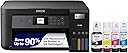
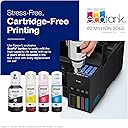
♻️ Print smarter, save bigger — ditch cartridges, embrace EcoTank!
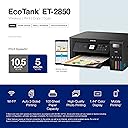
The Epson EcoTank ET-2850 is a wireless all-in-one inkjet printer featuring cartridge-free refillable ink tanks, delivering up to 10.5 pages per minute in black and 5 ppm in color. It offers high-resolution printing (up to 4800 x 1200 dpi), automatic duplex printing, and a flatbed scanner, making it an ideal, cost-effective solution for home and small office use.


| ASIN | B096N828X5 |
| Additional Printer Functions | All In One |
| B&W Pages per Minute | 10.5 |
| Best Sellers Rank | #4,459 in Office Products ( See Top 100 in Office Products ) #11 in Ink Tank Printers |
| Brand | Epson |
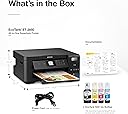
| Built-In Media | EcoTank ET-2850 all-in-one, manual, power cord, 1 bottle of 502 Black (127 mL) and 1 bottle each of 502 Cyan, Magenta, Yellow (70 mL) (2) |
| Color | Black |
| Color Depth | 24 bpp |
| Color Pages per Minute | 5 ppm |
| Compatible Devices | Smartphones |
| Connectivity Technology | USB, Wi-Fi |
| Control Method | App |
| Controller Type | Android |
| Customer Reviews | 4.2 out of 5 stars 7,819 Reviews |
| Display Type | LCD |
| Dual-sided printing | Yes |
| Duplex | auto |
| Hardware Interface | USB |
| Ink Color | Black |
| Item Dimensions D x W x H | 22.3"D x 14.8"W x 10.2"H |
| Item Height | 10.2 inches |
| Item Type Name | Inkjet Printer |
| Item Weight | 16.2 Pounds |
| Manufacturer | Epson |
| Maximum Copies Per Run | 100 |
| Maximum Copy Resolution Black and White | 5760 x 1440 dpi |
| Maximum Copy Resolution Color | 5760 x 1440 dpi |
| Maximum Copy Speed Black and White | 10.5 ppm |
| Maximum Print Resolution Black and White | 5760 x 1440 |
| Maximum Sheet Capacity | 100 |
| Maximum print Resolution Color | 5760 x 1440 |
| Media Size Maximum | 8.5 x 14 inch |
| Model Name | ET-2850 Black |
| Model Number | ET-2850 Black |
| Model Series | ET |
| Number of Trays | 1 |
| Other Special Features of the Product | Auto 2-sided Printing, Mobile Printing Capability, Refillable Ink Tank |
| Output sheet capacity | 150 |
| Paper Size | 3.5" x 5", 4" x 6", 5" x 7", 8" x 10", 8.5" x 11", 8.5" x 14", A4, A6, half letter, legal, executive) |
| Print media | Envelopes, Glossy photo paper, Paper (plain) |
| Printer Connectivity Type | USB, Wi-Fi |
| Printer Output Type | Color |
| Printer Type | Inkjet |
| Printing Technology | Inkjet |
| Processor Count | 1 |
| Resolution | 5760 x 1440 |
| Scanner Type | Flatbed |
| Special Feature | Auto 2-sided Printing , Mobile Printing Capability , Refillable Ink Tank |
| Specific Uses For Product | Office, home office |
| Total Usb Ports | 1 |
| UPC | 679541101554 808222455079 010343957817 |
| Unit Count | 1.0 Count |
| Warranty Description | 1-year limited warranty |
| Warranty Type | limited warranty |
J**E
Great printer, very low ink cost Great printer, very low ink cost
I’ve been using the Epson EcoTank ET-2850 for a while now and I’m very satisfied with it. The setup was easy, and the ink tank system is a huge advantage compared to cartridge printers. The ink lasts a long time and saves a lot of money. Print quality is very good for documents and color prints, and the automatic double-sided printing is very convenient. Wireless printing works perfectly with my phone and laptop. It’s not the fastest printer, but for home or small office use it’s more than enough. Overall, this is a reliable printer with excellent value for the price. I highly recommend it.
S**S
Great use of ink & saves a ton $ on inks.
This printer is great for the money & massive photo prints. I've printed around 100 letter size photos & the ink is still only down 1/4". I tried to get the black darker but it's still not too bad, just could be about 20-30% blacker blacks. The noise doesn't bother me, it's in my front room & don't really hear it, my dogs do & are afraid of it. It takes around 3ish minutes to print letter size photo's, which doesn't matter as I just send a bunch from laptop & it puts in the printer que, if sending from my phone however it ties up the phone while printing. it seems to be rather well made machine & I hope it lasts for awhile - it simple to set-up & options oare straight forward. I have a background from working & retired from a printing company - I wish I had more control over ink usage, I'd turn black up a little.
A**.
Easy to use, hopefully more economical and less waste!
We have only used a few times but so far really enjoying this printer, it is easy to use However, we've had some communication issues between printer and computer, sometimes needing to print repeatedly because the Print Job just disappears. The first print had some cyan blotches on the paper, not an issue for me, but print a test paper if you are printing something important first :)
D**Y
Please, Whatever You Do, Do Not Purchase This Product - Either From Pro-Distributing or Epson!
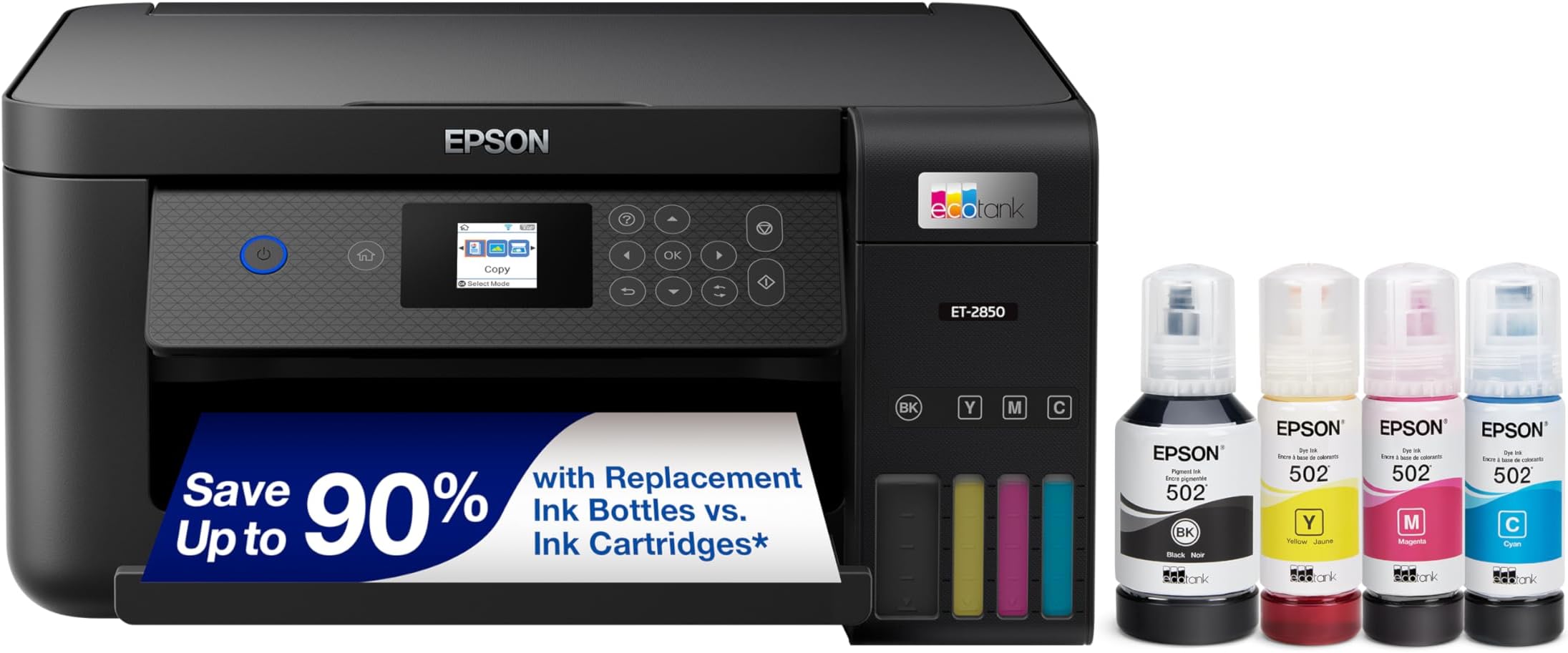
I'm not sure I've written another product review of a product, but I am upset enough to write this one today. I have owned this printer for a little over a year, but my family and I have used it sporadically, spending most of our time printing school worksheets and other small jobs (as indicated by the ink-level in the picture posted - we have not ordered new ink tubes since purchasing the product). Recently the machine has read the error code 031006, rendering the machine inoperable, as the code relates to the motherboard and other internal components. It's almost an all-encompassing code meant to indicate any issue not easily resolved and in need of serious repair. Upon receiving the message, I contacted the third-party first, Pro-Distributing. They only have a 45-day return window, which is an absurdly short time frame and referred me to the manufacturer. This was disappointing and a harbinger of things to come. I can assure you that I will never purchase another good sold by them. After two hours of speaking with multiple Epson customer service representatives, from both their service center and corporate headquarters, it was decided that due to the nature of the purchase on Amazon that it fell outside of their purview for replacement. This was after an initial phone call that revealed a level of empathy, where the representative assured me it would be replaced. After jumping through many hoops, sending the necessary documented proof of purchase and photos illustrating state of the printer, they changed their mind. Their customer service representatives morphed from helpful and pleasant, to dismissive and unempathetic. If you look at the reviews of this product, they will indicate similar complaints of internal component issues, ink tubes drying and clogging, and a host of other issues creating an untenable situation with their machine. Do not let the preferred or "top" reviews fool or misguide you - this machine would be considered a lemon if it were a car and my hope is to deter people from ever purchasing this machine again. Printers have never been the most reliable, but I'm disappointed in myself for buying this product. I've had Canon printers in the past that have had a decently long shelf-life, but I wasn't thorough enough in my research for this one and got duped. I have been a long-time Amazon buyer and consumer, and there have been times where I have been disappointed. However, usually Amazon makes it right. This time, Amazon, the third party Pro-Distributing, and Epson themselves are a big wrong. So please, whatever you do, save your money and do not purchase this product or any good from the aforementioned Pro-Distributing or Epson.
T**A
Good but wish it worked with AirPrint!
The setup took some time but the Epson app was very helpful and guided me through the whole process. It prints quickly at high quality. The automatic double sided printing feature works well. It prints pdfs from my iPhone through the app very well, however, I have not been able to get it to print through AirPrint on my phone which is a downside. I don’t like having to take the extra step of saving the pdf to my phone to then upload it to the app. I had no issue with it connecting to WiFi. The noise level doesn’t bother me, it seems fairly quiet.
S**M
Works great!
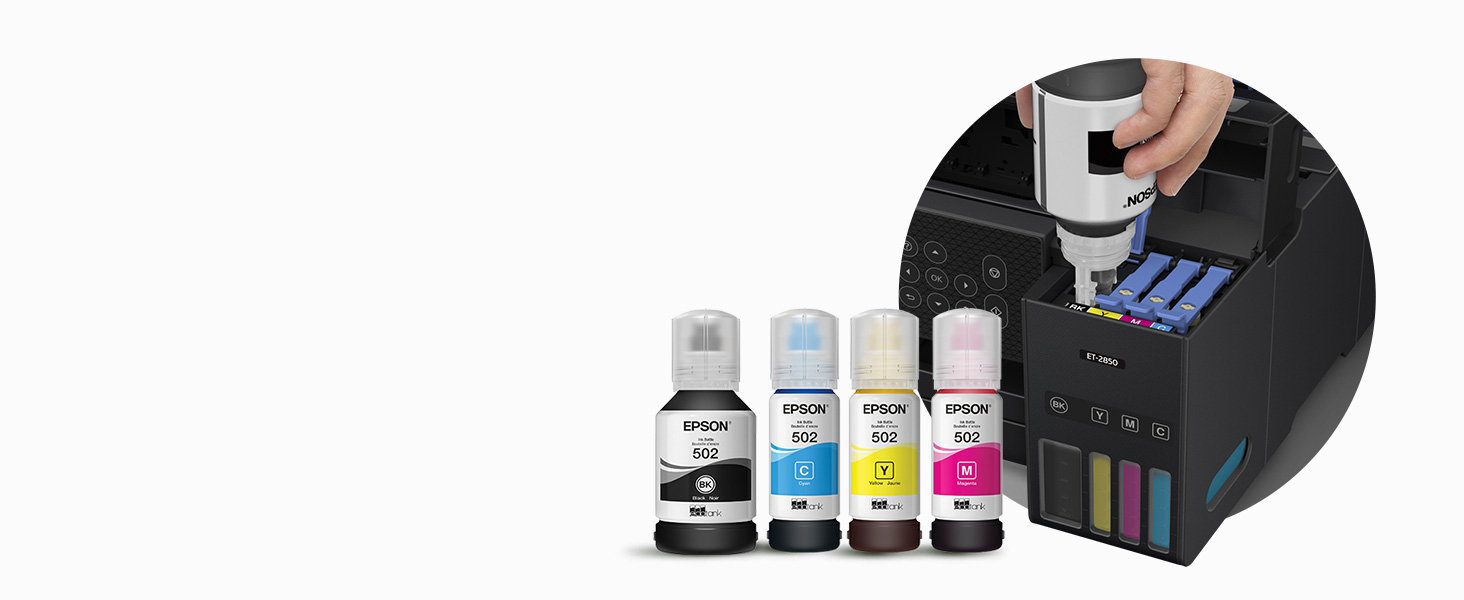
I came from an HP printer and I got ripped off through their "Instant Ink" program. As a result I will NEVER buy an HP printer again. That being said I did some research to find a new printer (not including HP). The reviews on this one were overall good, and after looking at setup videos on YouTube, I decided this would be the one. Setup was simple. Just follow the instructions. They are basic and step by step. The print quality is very good in both black text and color pictures. The Epson Smart Panel phone app is easy to use. I have an Android phone and I went to the app store and it showed two apps: 1.) Epson Smart Panel, and 2.) Epson iprint. I downloaded both. I've used both as well. On the iprint app it will occasionally give you a message saying to use the Epson Smart Panel app for more functionality, so I uninstalled the iprint app. and exclusively use the Smart Panel App. Filling the tank with the included inks was painless. One drop of black in did fall on the edge of the inlet. I just dabbed it up with a Kleenex. You may want to have some tissues nearby while filling the tanks just to be safe. You will have a little bit of left over ink (by design) after setting up the printer. During setup the printer will "charge" the ink lines that lead to the print head, which uses a little ink. Once the setup is done, use the remainder of the ink in each chamber, and the tanks are full once again. Once drawback so far: Epson says they will increase the one year warranty to two years if you register the printer on their website. I just purchased the printer the week of 12/11/23. After registering the printer online with Epson, it showed a warranty expiration date of 2/6/25. Just over one year. Looking further on their website, it says the warranty period starts after the printer is purchased from the manufacturer. Obviously mine was purchased from a middleman business. If you don't purchase it directly from Epson, apparently that warranty clock starts ticking from when the business who initially purchased it. I bought it off Amazon. So far I'm satisfied with the printer and I consider it a good purchase.
S**T
Easy set up
Love it. Love the compact size, no subscriptions, ink easy to dispense. Like how I can see the ink levels. App is easy to use. Set up was simple. Picture printing is decent. Happy with my purchase.
P**F
great value, good, wireless connectivty, print quality
The printer arrived in a renewed box, with all the proper tape on all of the pieces. Ink tanks were clean. I got this one because it has a one-year return, and it was 60 bucks cheaper. This is everything I have needed in a printer. I needed automatic 2 sided printing. Check. I needed good connectivity across multiple platforms ( windows 7, 11, xp, and linux, and Iphone, android.) Check. I wanted a permanent print head, but most of all, I wanted to be able to use refillable ink. Check. The bottles that come with it seem large, but so are the individual 4 tanks. I've had some printers that were 4 or 5 colors. Three has been easier, and the picture quality is just fine. When it comes time to refill the ink tanks, I'll simply pour my ink into these bottles, and refill. Screw the "genuine" epson ink. Do you really think that there is a difference? I don't . I have been drilling and refilling ink cartridges for 30 years, and have used the same ink in 3 different brands with no problem. I love that you can do that with this printer...even easier than buying special cartridges to fool the system, or bypassing it in hidden settings on the printer (by law they have to have a setting to shut off the proprietary ink cartridges. Set-up was pretty easy. I discarded the instructions. I had great first time luck filling the tanks, letting it charge the ink, and using the keypad on the front of the printer to connect it to my network first. Then, when I downloaded the software for my computer(s), The software found it easily. This way, was better than the way the software tells you to do it. Same with the phone app. Put the printer on your network first...then let everything find it. The epson app for my android is the first one that actually works with one click to print. Other reviewers have said that this thing paper jams a lot. So far, so good for me. I did have one jam so far. I use heavier weight paper, and I think one corner was bent as I was putting paper in it. This printer will hold a lot (150?) of paper. That's good, but if this thing starts jamming, it'll go back. I'll update if that happens
Trustpilot
2 months ago
2 months ago