



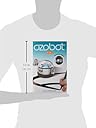
Bit Coding Robot (White)
Product ID: 35846693
🎨Screen-free color code commands
💻Drag & drop OzoBlockly editor
🤖Pocket-sized coding bot
Buy anything from 5,000+ international stores. One checkout price. No surprise fees. Join 2M+ shoppers on Desertcart.
Desertcart purchases this item on your behalf and handles shipping, customs, and support to Vietnam.
🤖 Code, create, and conquer—your pocket-sized STEAM sidekick awaits!
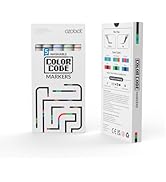
The Bit Coding Robot is a compact, beginner-friendly coding toy designed for kids aged 6 and up. It offers dual coding modes: screen-free color code commands using markers and advanced programming via the OzoBlockly online editor. Built with durable polycarbonate and equipped with optical sensors and LED lights, Bit delivers an interactive STEAM learning experience right out of the box.





| ASIN | B01M97P47H |
| Age Range Description | Kid |
| Battery Description | Batteries required |
| Best Sellers Rank | #24,523 in Toys & Games ( See Top 100 in Toys & Games ) #300 in Educational Science Kits |
| Brand Name | Ozobot |
| Customer Reviews | 4.0 4.0 out of 5 stars (521) |
| Educational Objective | Teach and enhance coding, programming, and STEAM skills |
| Global Trade Identification Number | 00852636005375 |
| Included Components | Robot and accessories |
| Is Assembly Required | No |
| Item Dimensions | 24.5 x 15.5 x 6.5 inches |
| Item Type Name | Coding Robot |
| Item Weight | 0.04 Pounds |
| Manufacturer | Ozobot |
| Manufacturer Maximum Age (MONTHS) | 1200.0 |
| Manufacturer Minimum Age (MONTHS) | 36.00 |
| Manufacturer Part Number | OZO-040301-04 |
| Manufacturer Warranty Description | 1 year limited warranty |
| Material Type | Polycarbonate |
| Model Number | OZ-BIT-S-WHITE |
| Size | 15.5 x 24.5 x 6.5 inches |
| Theme | STEAM |
| UPC | 852636005375 |
| Unit Count | 1.0 Count |
K**R
Great Toy for Learning to Code
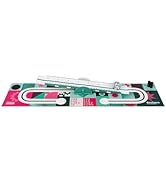
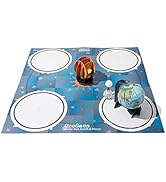
I already have four Ozobots that I use to teach coding in my Science Club. My daughter enjoyed them so much that she wanted an Ozobot of her own. The Starter Pack comes with activity sheets, markers, and other accessories to get you started. Once you learn what Ozobots can do, you can go to the Ozobot website and get more games, or even learn how to code in Blockly language to program your own Ozobot (Yes, you can actually program your Ozobot by writing the code, then holding the robot up to the computer screen!). These little robots are no bigger than a ping-pong ball, but they are wonderful tools to teach coding to both kids and adults. I highly recommend them!
A**R
Very impressive
My son informed me 1 week before Christmas that this was the one thing he really wanted. He had used it at school. I’m always hesitant buying tech toys for the kids because I have a hard time figuring them out and I don’t want them absorbed in the computer. The second he took it out of the box I knew it was worth it. He got it up and working right away and it is a pretty neat thing. I haven’t had to do anything to help him. He loves making different tracks for it.
A**N
Great, but no stickers, pop-outs, or helmet
The product description and video states that this item includes stickers, pop-outs, and a helmet. Ours did not come with that included, so I returned it and exchanged it for another one hoping it would be complete. However, it was identical to the first. Apparently, they are no longer including the stickers, pop-outs, or helmet: they should update their product description. Other than that, it seems to be a great product. My 9-year-old daughter loves the activity sheets. She was able to figure it out on her own. We are hoping to have lots of fun while learning how to code with this little robot!
L**H
Defective product- Horrible customer service
The robot they sent never worked. It wouldn’t power on. I have a Girls Who Code club and the club sent us money to purchase this. When it came defective, my students were so disappointed. I wanted a replacement but the seller wouldn’t offer one. I sent the robot back for a refund and they charged a HUGE restocking fee which made it impossible to purchase a replacement. When I asked them about the restocking fee they said I sent back a used product and when they showed me pictures I realized that the wrong markers were in the case. I understand what they are saying. However, the markers are worth a tiny fraction of the amount I paid. They sent me a defective robot and refused to make it right, and the worst thing is that it’s the little girls who will be the most affected
C**E
Ozobots Rock!
Ozobots are an outstanding way to introduce computer science and programming! I use Ozobots in my elementary classroom. I've used them with kids from 4 yrs to 12 yrs old. They are a spectacular tool to teaching coding and so much more. Ozobots are durable and versatile. The Ozobot folks are adding to their resources to keep up with the ever expanding ideas that Ozobot enthusiasts are sharing. Awesome tool, awesome support.
D**S
Happy but good luck with the markers!
The product is spectacular, my kid loved from the fist minute. It's easy to start playing with it. But, mine came with the black marker completely dry, I'm using another black marker but struggling to draw the lines with the right thickness, so does my kid. I'm looking for a refill for the marker. I recommend this toy for those parents who want to inspire and introduce their kids into STEM, hopefully they'll have better luck than mine with the markers :-)
A**R
This has been the greatest gift for our grandson ever
This has been the greatest gift for our grandson ever! He learned about it in his elementary school's tech lab and now has his own. We are learning so much together, and he is handling the equipment with great care, bc he loves it so much. It is a really stimulating and great learning tool, while simultaneously lots of fun!
T**S
Good Quality/GREAT Price
The value for your money is AMAZING! I found a seller who had this on Amazon for HALF PRICE of the one I purchased for myself a year ago on Amazon. That's amazing! I bought this as a gift for my sis-in-law in her school classroom and the kids love it! :) 5 STAR
M**S
It was such a huge success - so far it has kept the children interested (and away from their ipods) since Christmas.
Trustpilot
2 weeks ago
1 week ago