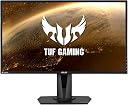
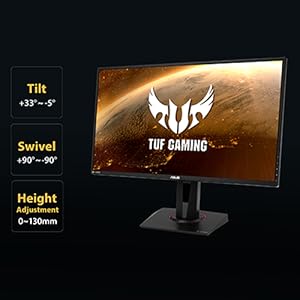
🔥 Level up your game with ASUS TUF VG28UQL1A — where pro-grade speed meets 4K brilliance!
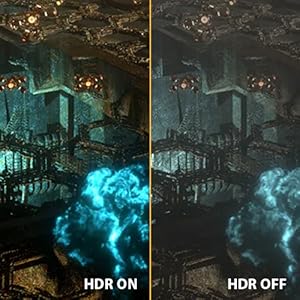
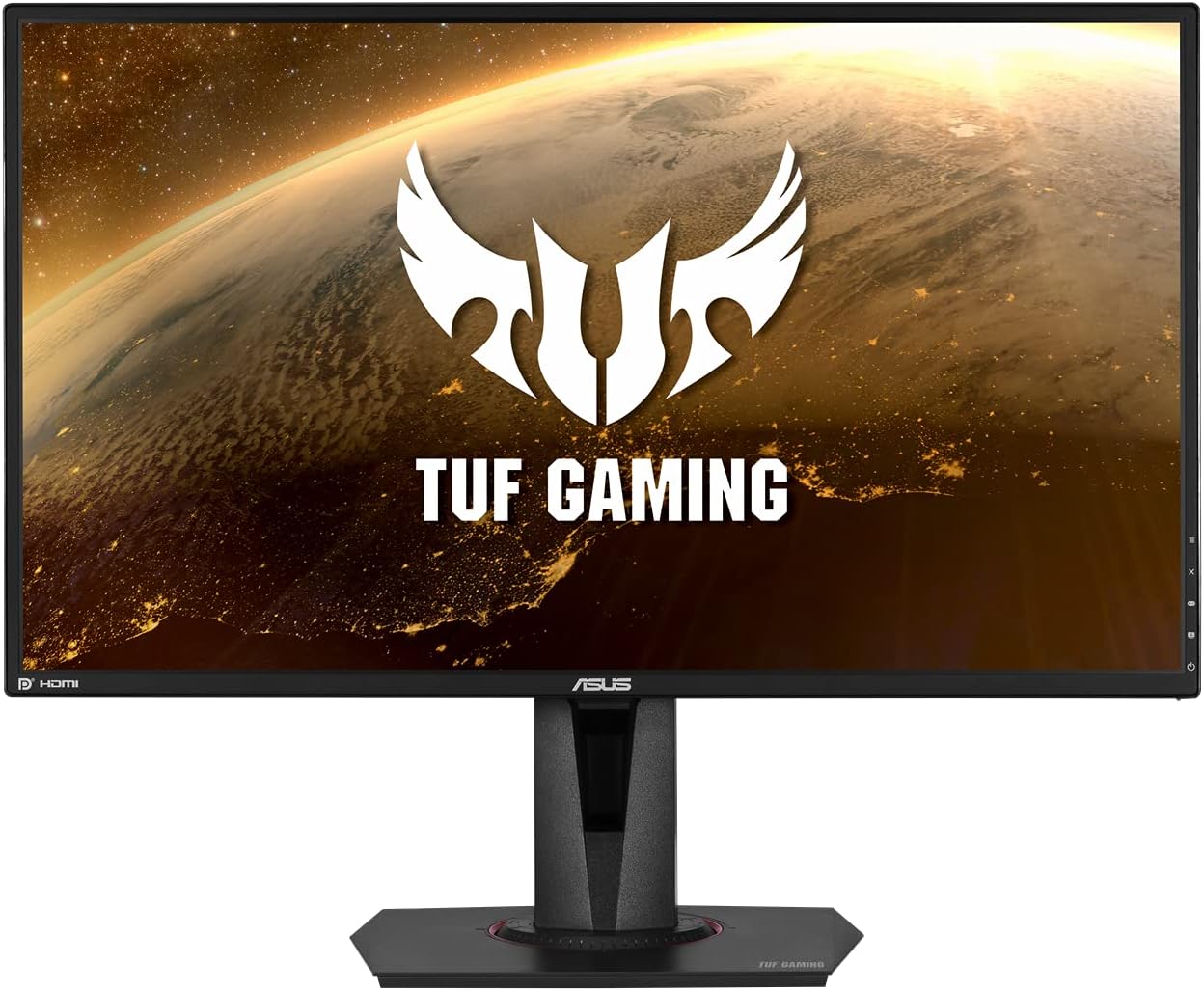
The ASUS TUF Gaming VG28UQL1A is a 28-inch 4K UHD Fast IPS monitor designed for professional gamers and content creators. It features a 144Hz refresh rate, 1ms response time, and HDMI 2.1 support for native 4K 120Hz gaming on next-gen consoles. With NVIDIA G-SYNC compatibility, AMD FreeSync Premium, ELMB Sync, and DisplayHDR 400 certification, it delivers smooth, tear-free gameplay and vibrant, accurate colors covering 90% of the DCI-P3 spectrum. Its ergonomic stand offers height, swivel, and pivot adjustments, making it a versatile centerpiece for any high-performance setup.


| ASIN | B07VTPKCLS |
| Adaptive Sync | G-Sync |
| Aspect Ratio | 16:9 |
| Aspect ratio | 16:9 |
| Best Sellers Rank | 33,234 in Computers & Accessories ( See Top 100 in Computers & Accessories ) 612 in Monitors |
| Box Contents | VG27A |
| Brand | ASUS |
| Brand Name | ASUS |
| Colour | Black |
| Colour Gamut Value | 99 |
| Compatible Devices | cellphone |
| Contrast Ratio | 1000:1 |
| Customer Reviews | 4.6 out of 5 stars 2,741 Reviews |
| Display Technology | LED |
| Display Type | WQHD |
| EU Spare Part Availability Duration | 2 Years |
| Global Trade Identification Number | 04718017296762 |
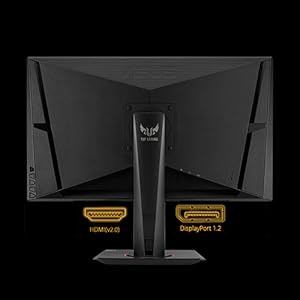
| Hardware Connectivity | DisplayPort, HDMI |
| Has Color Screen | Yes |
| Image Brightness | 350 cm |
| Image contrast ratio | 1000:1 |
| Is Electric | Yes |
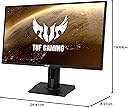
| Item Dimensions D x W x H | 8.3D x 24.4W x 19.7H centimetres |
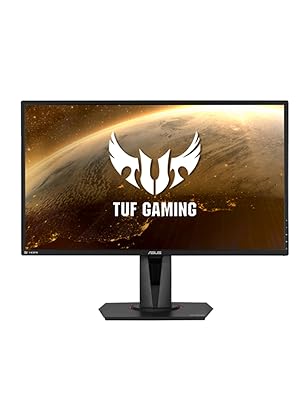
| Item Type Name | TUF Gaming VG27AQ HDR Gaming Monitor |
| Item Weight | 5.8 Kilograms |
| Manufacturer | ASUS |
| Maximum Display Resolution | 2560 x 1440 Pixels |
| Model Name | VG27AQ |
| Model Number | 90LM0500-B03370 |
| Mounting Type | Wall Mount |
| Native Resolution | 2560x1440 |
| Network Connectivity Technology | DisplayPort, HDMI |
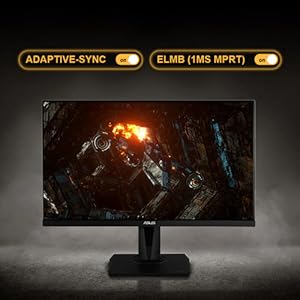
| Picture Quality Enhancement Technology | ELMB Sync, G-SYNC Compatible, Adaptive-sync, HDR10, IPS |
| Power Consumption Size | 27 Watts |
| Processor Count | 4 |
| Product Features | VESA 100 |
| Product Warranty | 1 Year |
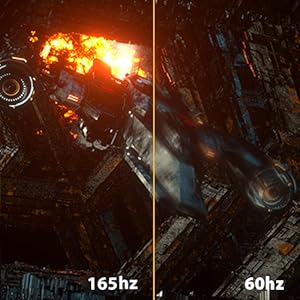
| Refresh Rate | 155 Hz |
| Resolution | QHD Wide 1440p |
| Response Time | 1 Milliseconds |
| Screen Finish Type | Flat |
| Screen Size | 27 Inches |
| Screen size | 27 Inches |
| Screen surface description | Flat |
| Series Number | 24 |
| Shape | Rectangular |
| Specific Uses For Product | Gaming |
| Total HDMI Port | 2 |
| Total Video Out Ports | 3 |
| Viewing Angle | 178 Degrees |
| Voltage | 240 Volts |
| Warranty Type | Limited |
B**E
Reliable and Smooth After 5 Years of Use
The ASUS TUF Gaming VG27AQ has been my go-to monitor for five years, and it’s still performing well. The 1440p resolution delivers sharp visuals, and the 155Hz refresh rate keeps gameplay smooth. ELMB Sync and G-SYNC compatibility help reduce motion blur and screen tearing, making fast-paced gaming feel fluid. The IPS panel offers great color accuracy and viewing angles, making it solid for both gaming and general use. HDR10 support is there, but it’s not the most impressive HDR implementation. Build quality is sturdy, and the stand provides good adjustability. The only noticeable downside over time is some minor IPS glow, but it hasn’t impacted performance. After years of use, this monitor is still a reliable choice for gaming and productivity. If you want a well-balanced 1440p gaming monitor with longevity, this one holds up well.
J**F
Excellent Value For Money
This monitor has a decent picture, refresh rate and Gsync making it a great gaming monitor. I have a 3090 graphics card I care more about a consistent frames per second than having a stupidly high resolution. QHD is a great compromise for me in that there’s a much higher pixel density than HD but I can still run modern games on maxed out settings - this will depend on your graphics card though. There’s some useful additional features such as ‘training mode’ where you can get the monitor to display a target on the centre of the screen. This is useful for some shooters when the game doesn’t display a target and you have to use gun sights eg allowing you to accurately headshot when firing from the hip. Overall I think this a great monitor for the money
M**N
Amazing monitor
I found this on offer for £299 instead of £450 so snapped it up. A lot of people reviewing this and giving it 1 star for having no UK plug simply havent looked inside the box properly. I too didnt see the plug so contacted amazon who then sent me a link for a plug and reimbursed me the amount for that plug. It was only when this plug had arrived that i properly opened the box and found the originally supplied UK plug... Couldnt fault amazons customer service at all! As for the monitor, mine has no dead pixels and a beautiful colour profile straight out of the box. Enabled the OC function to get 165hz and also setup up Nvidia Gsync along with ELMB and in games like rocket league where i get 120fps and call of duty at 100fps, the gameplay is so smooth compared to my previous 60hz monitor. Turning the graphics settings down to reach 165fps solid, its an amazing gaming experience from a flawless screen! For £300, its a superb price and begs the question, if this is sooo good, then what would a £1000+ samsung odyssey G9 be like!?!?
M**A
Good monitor but…
The monitor has lots of features, G-sync and HDR and some other things as well. The colours are absolutely amazing, it’s gorgeous and it has a lot of customisability. My only downsides are the light bleed it has. An orangish colour can be seen if the screen is dark or blacked out completely. Both bottom sides of the screen have an orange tint to them. It runs very hot, I thought the bottom of the screen where the ASUS symbol is and it’s far hotter than my previous monitor, the top of the monitor cover feels very slightly loose. All in all, quality is good but some shortcuts have been made I believe. Set up was obviously easy. Would I Recommend? Yeah, if you want a monitor with everything that isn’t overpriced - this is the one.
G**M
All round consumption screen
After sending back the VA curved panel of this screen the ips is outstanding the colours pop the refresh rate amazing, there is some ghosting in certian games but only badly optomised ones like 7 days to die, but in doom eternal at 165fps the game looks outstanding, The speakers arnt great but not terrible either ok for light use like watching the news or cartoons, its not very loud, The hdr just seems to brightern the screen up and over saturates certian colours due to no dimming zones, but it dose look good in games just dont turn it on in desktop, most games still see it as hdr acreen and turns it on, For the best picture quality i suggests you calibrate the screen colours or just google a screen profile which i did and wow, My only nag is the ips glow its not bad by any means and can only see it when its dark and watching say netflix but in a full screen game i couldnt even see it, Great flexibility in the stand bearly any stand wobble, All round this is a daily driver screen great for gaming, browsing the Internet and media consumption, and id also say light media creation
A**.
A great monitor
It is my first ever good monitor, and gamining monitor. The 144hz is absolutely mesmerising. Do your self a favour if you are a gamer, and get a 144hz. Game changer. You can never look back to 60 or 75 after this! Looks are great, with thin bezels that are not too noticeable. Viewing angles are great, colours are great, resolution is great! Everything is great! It has a small joystic to navigate the menus making a lot easier to work with, and some decent quality speakers for basic functions if you don't have any other means (manage expectations: significantly worse than a laptop/smartphone/tablet). It is very light to be mounted on a monitor arm with ease and no troubles at all.
C**N
Garbage
Monitor is flickering when turned on. Seller refuses to answer
C**L
Great except for sound
he monitor is great if you want upto 165Hz, I use it on 120 as rog ally comfortable with that and games are so smooth with upto 95fps. F1 2024 and baldurs gate 3 really impressed me. A mors powerful screen would be wasted on me . In all really impressed by especially at the price I payed ( 50% off). Sound was bad for videos and YouTube but once I played around in my pc settings, the sound issue was solved so if you see other reviews mention bad sound then all it needs is sound settings changing on you pc.
A**.
monitor solido per gaming e uso quotidiano
Ho preso questo ASUS TUF Gaming VG27AQ HDR Gaming Monitor perché volevo passare a un monitor più grande e soprattutto più fluido per giocare e lavorare meglio al PC. Dopo un po’ di utilizzo si capisce subito che è pensato per il gaming, ma si comporta bene anche nelle attività di tutti i giorni. Prima impressione Appena acceso, la cosa che colpisce di più è la nitidezza. Il salto al 1440p si nota subito rispetto a un classico Full HD. I colori sono vivi, senza sembrare troppo sparati, e il pannello IPS dà una buona sensazione di uniformità. Anche la cornice non è invadente, quindi sulla scrivania sta bene. Uso nella vita quotidiana Lo uso sia per giocare che per lavorare. Nei giochi la fluidità a 144/155 Hz si sente davvero: tutto è più morbido e reattivo, soprattutto negli sparatutto o nei giochi veloci. Anche lo scorrimento di pagine e video è molto più piacevole rispetto a monitor più vecchi. Per lavoro invece lo spazio extra del 27 pollici in 1440p aiuta molto con finestre affiancate e multitasking. Cosa funziona bene La fluidità è il punto forte: tra alta frequenza e sincronizzazione adattiva l’immagine resta stabile senza tearing evidente. Anche la tecnologia ELMB Sync aiuta nei movimenti rapidi, dando una sensazione più pulita. I colori sono equilibrati e non stancano gli occhi dopo ore di utilizzo. Inoltre è abbastanza versatile: va bene sia per gaming che per uso “normale”. Cosa funziona meno bene L’HDR10 c’è, ma non aspettarti un salto enorme: è più un HDR “base” che un vero effetto wow. Anche il menu dei settaggi non è il più intuitivo, ci vuole un po’ per trovare le impostazioni giuste. Infine il supporto incluso è stabile ma occupa un po’ di spazio sulla scrivania, quindi non ideale per setup molto compatti. Conclusione È un monitor equilibrato e affidabile: non punta a essere il top assoluto in tutto, ma fa bene praticamente tutto quello che serve a un gamer e a chi usa il PC ogni giorno. Se si cerca un 1440p fluido e versatile senza salire troppo di fascia, è una scelta molto sensata.
M**L
Monitor de 9
El monitor tiene una construcción robusta y que traiga ajuste en altura e inclinación es de agradecer por el rango de precio. La calidad de la pantalla es muy buena y viene con varios modos fácilmente configurables. Se nota una buena representación de los colores al ser un panel IPS y la fluidez que te dan esos 144 Hz a 2k es una maravilla si lo acompañas de una gráfica potente. Además para el contenido multimedia también se ve fenomenal. Considero que trae poquitas fugas de luz en mi caso por lo que no me molestan como tal.
M**I
Grym gaming skärm
Skärmen är grymt bra men det var lite svårt att få i displaykabeln. Ingen stor grej bara lite störigt. Men den uppfyller alla krav som jag har på en 27 tums monitor. Så jag är nöjd med den.
A**K
Absolutely Great ..
Great Monitor .. 1440p and 165hz with an IPS panel and a 27' screen :D One of the best monitor I've bought
J**.
Guter Monitor mit G-Sync Compatible Technik
Der ASUS VF27AQ ist ein guter Monitor, der sehr viel Spaß macht. Für den Preis von 539,99 € ist er kein Schnäppchen, aber er besitzt dafür hervorragende Werte. Mit diesem Modell ermöglicht es ASUS, einen günstigen und sehr qualitativen Einstieg in die G-Sync Welt. Von NVidia wurde er bereits in die Liste der zertifizierten G-Sync Compatible Monitore aufgenommen. Es ist kein perfekter Monitor und er kann einem Modell wie dem „ASUS ROG Swift PG27UQ“ zwar nicht das Wasser reichen, aber dafür das er nur ein viertel davon kostet, leistet er Erstaunliches. Verarbeitung und Design: Der Bildschirm ist sehr gut verarbeitet. Es gibt keine scharfen Kanten oder wo man den Eindruck bekommt es sei etwas billig verarbeitet worden. Die Ränder des Monitors sind sehr schlank gehalten. Die Tasten zum bedienen finden sich auf der Rückseite, was ein bisschen gewöhnungsbedürftig am Anfang ist. Der Ständer ist sehr stabil und der Monitor lässt sich sehr gut auf die gewünschte Position einstellen. Das Design ist zeitgemäß und sieht meiner Meinung sehr gut aus. Qualität des Displays: Die Bildqualität empfinde ich schon ab Werk als sehr gut. Wenn man in allerdings kalibriert, macht er nochmals einen kleinen Sprung nach oben. Der sRGB Farbraum deckt dann das volle Spektrum ab. Nach erfolgreicher Kalibrierung sank auch der Stromverbrauch leicht nach unten. Auch Fotoarbeiten mit Lightroom machen auf diesem Monitor Spaß. Pixelfehler habe ich nicht entdecken können und er nutzt die komplette Fläche bis in die Ecken des Monitors nahtlos aus. Er hat leichtes Backlight-Bleeding, was mich aber nicht sehr stört. Ich habe schon viel schlimmeres Backlight-Bleeding bei anderen Bildschirmen gesehen. Auch das IPS-Glow hält sich stark in Grenzen und ist fast nicht wahrnehmbar. Verschiedene Hertz Einstellungen: Windows 10 stellt den Monitor Standardmäßig auf 60 Hertz ein. Jedoch kann der Monitor 144 Hertz nativ. Dazu sollte man im NVidia Treiber unter dem „Auflösung ändern“ und dort bei „Aktualisierungsrate“ den Monitor auf 144 Hertz einstellen. Er entfaltet mit dieser Hertzzahl die beste Leistung. Bei langsameren Hertzzahlen unterhalb der 60 Hertz läuft er nicht ganz so rund. Man merkt das in Spielen und auch Officeanwendungen. Das Erlebnis ist dann nicht ganz so smooth wie man das gerne hätte. Einstellungen von G-Sync Compatible: G-Sync Compatible musste ich gar nicht einstellen, weil es der NVidia Treiber automatisch erkannt und eingestellt hat. Im NVidia Treiber Menü gibt es zwei Punkte, die dafür relevant sind. Erstens gibt es „G-Sync einrichten“: Dort habe ich bei 1. „G-Sync-Kompatibilität aktivieren“ einen Hacken gesetzt. „Fenster- und Vollbildmodus aktivieren“ ebenfalls aktiviert. 2. Den ASUS VG27AQ ausgewählt 3. „Einstellungen für das ausgewählte Anzeigemodell aktivieren“ auch einen Hacken gesetzt. Nun muss man nur noch zum zweiten Punkt: „3D Einstellungen verwalten“. Dort bei „Monitor Technologie“ die „G-Sync Kompatibilität“ auswählen und fertig. V-Sync lasse ich im NVidia Treiber aktiviert und in jedem Spiel deaktiviere ich V-Sync im Grafikmenü. So läuft das Ganze wie ich es mir vorgestellt habe. Spielerlebnis: Jedes Spiel läuft sehr rund. Nirgends gibt es Tearing (Bildzerreißen) zu sehen und es fühlt sich echt gut an. Man kann sich dann noch entscheiden, ob man den „HDR Modus“ einstellt oder eines der „ASUS Game Visual“ Profile nutzt. Der Monitor benutzt den HDR10 Standard, der zum Vergleich von HDR400, 600, 1000 recht kümmerlich ist. Aber man muss ihn mal ausprobiert haben. In einigen Spielen sieht HDR10 gar nicht so schlecht aus, wie man ihn oft schlecht redet. Die Farben sind nicht mehr extrem gesättigt und manche Spiele wirken realistischer. Aber natürlich sind die anderen Standards um weiten besser und bieten mehr Futures. Allerdings braucht der HDR Modus ein bisschen mehr Rechenleistung und man kann während des HDR Modus kein „Shadow Play“ von Nvidia nutzen. Auch im Officebetrieb sieht man bei aktivierten HDR Modus ein deutliches Ghosting bei Cursor Bewegungen oder beim scrollen Schrift und Websiten. Positiv dagegen ist, dass das Ghosting in Spielen nicht zu sehen ist. Wenn man die „ASUS Game Visual“ Profile nutzt, sind die oben genannten Nachteile alle verschwunden. Besonders dann, wenn man noch ELMB Sync aktiviert hat. Hier läuft der Monitor recht rund und ich persönlich bin mit diesen Einstellungen sehr zufrieden. FAZIT: Wenn ich Sterne von 1-5 vergeben müsste, dann würde ich diesen Bildschirm mit 4,5 Sternen bewerten. Er hat sicherlich kleine Schwächen, aber wenn man das Ganze im Preisleistungsverhältnis betrachtet, dann muss ich sagen bekommt man einen Monitor der bezahlbar ist und dazu auch sehr gute Werte aufweist. Der Monitor läuft in Spielen echt rund macht voll Spaß. Ich muss sagen, dass er für diesen Preis einen super Job macht und deswegen würde ich ihn auch weiterempfehlen.
Trustpilot
2 months ago
4 days ago