


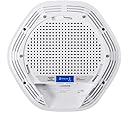
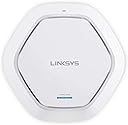



Linksys Business LAPAC2600 Pro Series AC2600 Dual-Band MU-MIMO Wireless Access Point
Product ID: 35146289
📶AC2600 Speed
🔄Seamless Roaming
🔒Custom Hotspot
Buy anything from 5,000+ international stores. One checkout price. No surprise fees. Join 2M+ shoppers on Desertcart.
Desertcart purchases this item on your behalf and handles shipping, customs, and support to Vietnam.
🚀 Elevate Your Connectivity Game!
The Linksys Business LAPAC2600 Pro Series AC2600 Dual-Band MU-MIMO Wireless Access Point is designed for high-performance networking, offering advanced features like 4x4 dual-band technology, seamless roaming, and customizable Wi-Fi hotspots, making it ideal for modern business environments.
| ASIN | B01JOXWG32 |
| Antenna Location | Business |
| Antenna Type | Internal |
| Best Sellers Rank | #1,292 in Computer Networking Wireless Access Points |
| Brand | Linksys |
| Built-In Media | Access point, Charger, CAT 5 Cable, Installation CD |
| Compatible Devices | Laptop |
| Connectivity Protocol | Ethernet, Wi-Fi |
| Connectivity Technology | Ethernet, Wireless |
| Control Method | App |
| Controller Type | Switch |
| Coverage | office-wide |
| Customer Reviews | 4.0 out of 5 stars 36 Reviews |
| Data Transfer Rate | 2530 Megabits Per Second |
| Frequency | 5 GHz |
| Frequency Band Class | Dual-Band |
| Global Trade Identification Number | 00745883709250 |
| Has Internet Connectivity | Yes |
| Is Modem Compatible | No |
| Item Type Name | Linksys Business Pro Series Wireless AC2600 Dual-Band MU-MIMO Access Point (LAPAC2600) |
| Item Weight | 1.89 Pounds |
| LAN Port Bandwidth | 2.53 gigabits per second |
| Manufacturer | Linksys |
| Maximum Upstream Data Transfer Rate | 1265 Megabits Per Second |
| Mfr Part Number | LAPAC2600 |
| Model Name | LAPAC2600 |
| Model Number | LAPAC2600 |
| Number of Antennas | 4 |
| Other Special Features of the Product | Access Point Mode, WPS |
| Router Network Type | wireless |
| Security Protocol | WPA2 |
| Smart Home Compatibility | Not Smart Home Compatible |
| Special Feature | Access Point Mode, WPS |
| UPC | 745883709250 |
| Unit Count | 1.0 Count |
| Voltage | 12 Volts |
| Warranty Description | Limited Lifetime Warranty |
| Wireless Communication Standard | 802.11ac |
| Wireless Compability | 802.11ac |
J**S
Works as advertised!!!
Recently, I ordered two of these business class access points. I stopped liking having multiple network extenders at my house. Each time I'd roam from one location in my house to another, my devices would pick up on another SSID. I didn't like it very much. I wanted to roam seamlessly throughout my house like I'm typically able to roam in airports, malls and, hotels. These access points were easy to install. I ran Cat 6 cable to one location in my basement and my upper floor. I installed the access points on opposite sides of the house but different levels. With the clustering function, my access points can hand-off my devices between each other using only one SSID. Also, when I update one access point, it updates the other in the cluster. Though I haven't configured it yet, these access points allow for the configuration of a captive portal. The captive portal is essentially the web page you're redirected to when you use public WiFi. I love the feature and will eventually configure it. Both access points receiving and issue IP addresses from the Cisco ASA firewall I recently purchased and put online at home. These access points offer high-speed internet with seamless roaming. I recommend these to anyone looking to have whole-house coverage (~7000 square feet in my case) with seamless roaming.
C**.
Check factory seals are intact, broken seal = return it!
The first two Linksys LAPAC2600 wifi access points have worked well so far. We updated their firmware and they're running without issue. Range on both 2.4 and 5G radios is competitive with prosumer wifi routers. multiple SSIDs and VLANs supported, can network APs together, will support a range of deployments. Definitely a great fit for our small business. We now blanket the offices and the shop with a uniform, centrally managed network. The Third AP we ordered was different... came in a box with seals broken. The twist tie for the power cord was removed. The first two we received were in sealed boxes. Every attempt to update firmware on the third router failed. Flash memory corruption. Even ordered from Amazon Services, not third party, hoping it would be WORKING and NEW as sold... but beware, if your seals are broken: it's likely a returned item, for good reason. no firmware update = not secured against KRACK, etc... and not fit for business use. Would be five stars if all three were new, fully functional units.
N**4
Excellent Heavy Duty Router
This product is not for the faint of heart. It has a deeply configurable OS and works well in any environment. I've purchased and installed four of these at work and was so pleased, I installed one at home. Throughput is amazing on this device - you'll get all the speed you're paying for. Too many features to mention in this review.
P**Y
Can't reliably roam between APs with iPhones, iPads, etc.
I would not recommend this AP. It has some limitations and a very annoying bug with IOS devices. With IOS devices, there is an intermittent bug such that as an IOS device moves from one AP to another AP with the same SSID (ie. roaming between APs), it will sometimes not reconnect to the new AP. It sometimes just drops the wifi connection (so your iPhone in your pocket is now no longer on the Wifi network). Sometimes when you unlock the iPhone, it will reconnect to the closest AP, and sometimes you will need to go into Settings and select the SSID (at which point it connects immediately). With this behavior, it appears that the AP has a bug that rejects IOS devices when roaming under certain circumstances. According to the support forums, this bug has been around since mid 2017 at least, and so far no resolution from Linksys. Note that I had moved from Apple Express APs to these Linksys APs and had no roaming issues at all with the Apple Express units. The limitation I found is that the unit will not support 802.11r fast transition between the two Wifi bands (2.4 Ghz and 5 Ghz) when you use a single SSID between them. The unit treats the same SSID on the two bands as two different SSIDs and will not allow 802.11r to work between these SSIDs. Other than that, this is a nice AP with some good qualities (other than the price!). But until the IOS bug gets solved, you should stay away from this AP (and maybe other Linksys APs) if you plan on getting more than one and roam between them. UPDATE: I found a work around - if you do not manage all APs in a cluster, then iOS handoffs between APs works OK. Unfortunately this means you have to make changes to ALL APs instead of having a single management console for them, but you usually don't have to mess with it too much (at least in a home environment. In a work environment, forget it!). You still have the issue where you can't use 802.11r fast roaming if you use a single SSID spanning the two bands. Linksys support did call me, but after two calls from a level 1 support person, they never followed up with an engineer, so that went nowhere.
S**M
Unreliable signal, reboots frequently. Think twice about buying this.
i bought 3of these for my 40000 sq ft house and you would think I would have excellent coverage. Wrong! Signal drops frequently and reboots. Roaming is unreliable. Would strongly reconsider a different model
S**Z
Needs better documentation
This is intended as a small office business access point and it has a lot of good features for use in an office setting. In particular it has pretty flexible setup and lots of security options. I got it because I have a house full of computers and other devices; my house essentially is my office as I mostly work from home in a technology business. I have set up many networks, and I have testified in many cases as an expert about computers and networks. It wasn't hard for me to figure out this access point and get it up and running but it wasn't particularly simple. First, the only documentation is on a CD. The "quickstart" pamphlet will get you only as far as plugging in the cables. It will tell you something about either find it through your network if it gets a name via DHCP or use the supplied TCP/IP address (which would have required setting up my computer with a fixed IP on an entirely different subnet). Turns out my router did supply an address on my subnet, but the only way I could find it was to go into my router's configuration program and look at "connected devices". Once I found the IP I was able to log into the access point. The access point configuration program has a "wizard" option. Well the "wizard" isn't much of a wizard. As you go through the screens and have to figure out what to do the documentation is pretty useless. For example, it just says to fill in the blanks and turn the pages. But it is not clear that you need to do at least rudimentary setup of both radio one and radio two. It asks if you want to use security or not. If you do, it doesn't make clear that the wizard is really only designed to configure the router with no security. I had to dig through the documentation to find out the details of the security setup to get WPA2 working with the wizard. The setup was at least 10 times harder than your standard home router or access point. It only took me a few minutes, but that's only because I have a lot of experience configuring routers and other devices. Even with my experience I did have to stop and scratch my head and dig a bit through the manual. Even though this is a business product, it ought to have clearer documentation. Now that it is up and running, so far so good. I'm getting better speed than I was getting from the wireless on my router. We'll see how it works in the long run. There is so much interference in my house that all my devices constantly drop wireless connections. I've tried using different routers, different access points and different range extenders. It doesn't seem to matter I end up with dropped connections. So far this Linksys access point seems OK but I'll need at least a couple of weeks to see whether it is any better.
M**O
Expensive but worth it
Excellent, has everything I needed and more. The transmission power is way abov any another AP I ever implemented. It has a bug with client isolation, making them always isolated, regardless your setup... but that is a minor problem. I recommend.
R**.
Works great!
Plug and play but not easy to set password. Needed my IT guy to do that. Can’t login over powered line. Works great now and very strong signal.
Trustpilot
3 weeks ago
2 months ago