Buy anything from 5,000+ international stores. One checkout price. No surprise fees. Join 2M+ shoppers on Desertcart.
Desertcart purchases this item on your behalf and handles shipping, customs, and support to Vietnam.
๐ Upgrade your rig with dual M.2 power โ because one SSD is never enough!
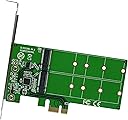
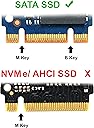
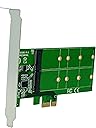
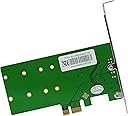
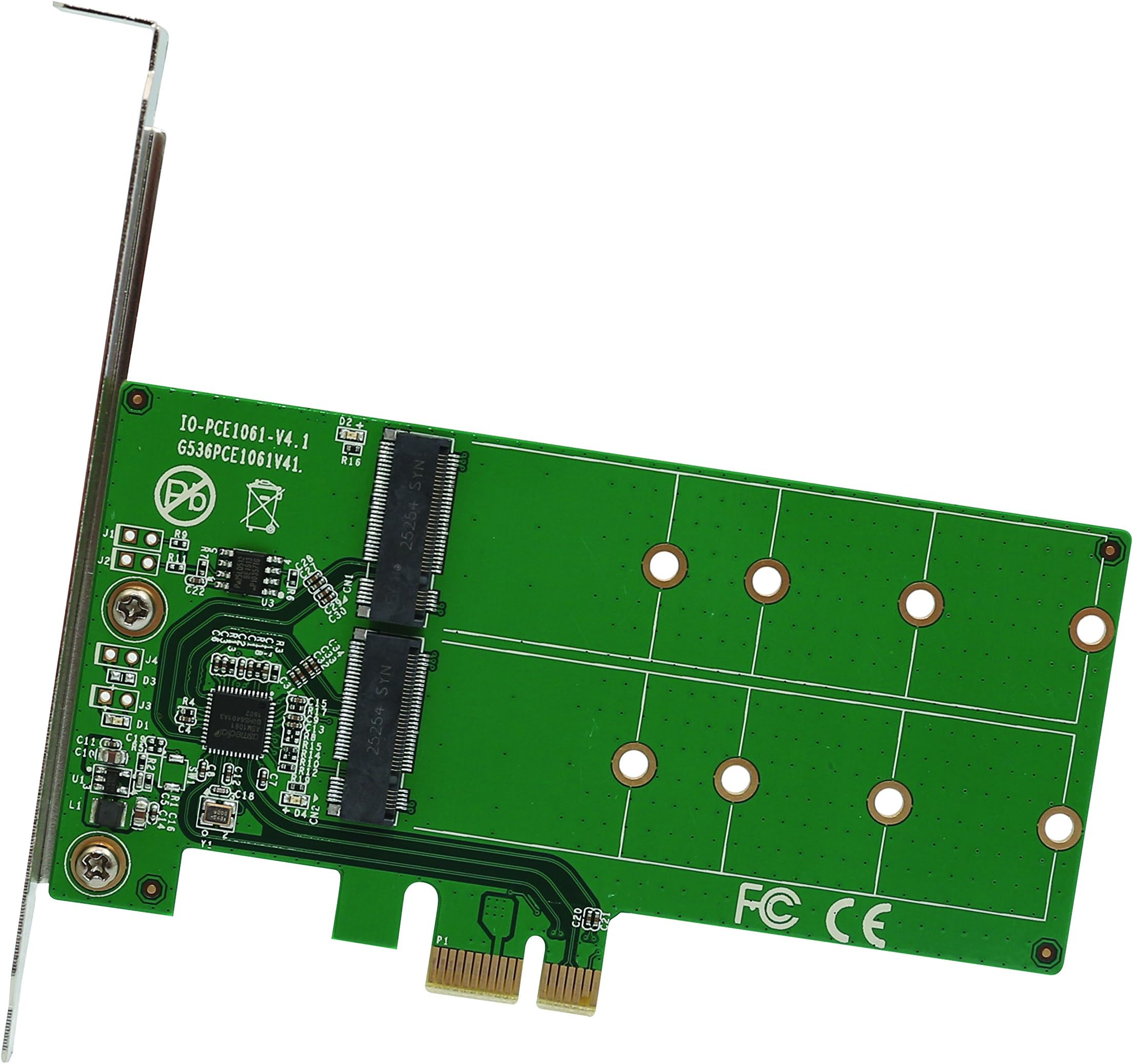
The Syba SI-PEX40115 is a PCIe x1 adapter card that expands your PCโs storage capabilities by adding two M.2 NGFF SSD slots supporting B and B+M key drives in multiple sizes (2230 to 2280). It supports SATA speeds up to 6Gbps and comes with a low-profile bracket for compact builds. Compatible across Windows, macOS, and Linux, this adapter is perfect for professionals seeking to maximize storage without sacrificing PCIe slots.
| ASIN | B01L83Z7Z0 |
| Best Sellers Rank | #316 in Internal Computer Networking Cards |
| Brand | IO CREST |
| Built-In Media | Low profile bracket, NGFF M.2 SSD mounting screws, PCI Express to NGFF M.2 B-key adapter Card, Software Driver CD, User Manual |
| Compatible Devices | Personal Computer |
| Customer Reviews | 4.4 4.4 out of 5 stars (90) |
| Global Trade Identification Number | 00810154017072 |
| Hardware Interface | PCI |
| Item Type Name | 2 Port M.2 to PCI-e x1 adapter B or B+M key |
| Item Weight | 1.3 Ounces |
| Manufacturer | Syba |
| Mfr Part Number | SI-PEX40115 |
| Model Number | SI-PEX40115 |
| Operating System | Windows, macOS, Linux |
| Style Name | 2-Port M2 B-Key |
| UPC | 810154017072 |
| Unit Count | 1 Count |
| Warranty Description | 1 Year Warranty |
M**S
If your PC supports booting to a PCIe add in card, you can boot to a very fast M.2 NVMe SSD!
With the prices on M.2 NVMe chips falling through the floor, I want to add an M.2 NVMe chip to every computer I can. Unfortunately, only the newest motherboards have PCIe M.2 slots. I first tried using this board to install an M.2 chip in a Dell Optiplex 9020. When I installed WIndows 10, the installation saw the chip and allowed me to install to it, but the joy ended there, it was not bootable! If I install WIndows 10 on another SATA disk, boot to it, the windows installation will see the M.2 chip, it is considered a Mass Storage Device, but no way to make Optiplex 9020 boot to it. Next, I added it to Dell Precision T5810, now this was a totally different story! As before, I could install Windows 10 to the M.2, but then would not boot. I then updated the BIOS to the very latest, once it rebooted, voila! Windows 10 booted from the M.2 chip on the adapter board! After Windows 10 was up and running I ran Crystal Disk Mark speed test, was only getting about 1500 MB/s read speeds, not bad, but still way below the rating of the M.2 chip. Turns out I had installed the PCIe M.2 adapter in a slower PCIe slot, moved it to a faster slot, rebooted and ran Crystal Mark Disk check again, this time 3400 MB/s, awesome! Moral of story, make sure your PC or motherboard will boot from an M.2 chip mounted on this board, then buy it! And for a great deal on what has so far has been a very impressive M.2 NVMe chip, I can just say 2 words, Inland Premium. Search Amazon for Inland Premium, I chose the 512GB version, have installed at least 10 or more of these, working great so far. Or, you could go for the chip made by the company famous for its failed folding phone and pay over twice as much and get just marginal better performance, choice is up to you!
F**H
PEX40115, Solid performer for years - SI-PEX40116, just installed
Been using two PEX40115's for 3 years now in different machines. Anticipate using the spare I bought in yet another machine so back here again to acquire another spare. Just realized I'd never left a rating/review. It's easy to forget to do that when things work so well right off the bat and then continue to work well for so long. My use: Perfect use of my sole remaining PCI-e x1 slot to add allot of M.2 SSD storage to an already small Dell tower that's not designed to hold allot of storage devices. Jan 2022 SI-PEX40116 - bought this long ago and only today found a system to put it in. Other systems only had x1 slots available. At first it didn't work at all but that might have been a seating problem. I have 4 2TB SSD's on the card. Removed 2, started working. Added the other two back and carefully/firmly seated the card - now all 4 work. These don't seem to be available any more but just in case someone gets one and decides to fill all 4 slots, don't be dumb like me and think too hard about the mounts. There are no instructions and it did not dawn on me that ALL 8 of those tiny screws were needed. Two screws for each SSD. One to mount the spacer and the other to hold down the SSD. I had ended up using some longer screws to secure the SSD. Looking from the side it just didn't look nice and neat. I bought a spare recently and practiced some more on it when I realized if I used all 8 screws then it was super simple to mount all 4 SSD's neatly.
Z**N
Exactly what I needed!
The motherboard in my computer has, what I would consider, a few poor design choices when it comes to the interfaces used by the two available M.2 slots and what PCIe slots are disabled depending on what you have plugged in. Realistically, it's a problem that almost no one is going to run into and is only caused by my unconventional hardware setup. I call it "poor design" because further research indicates it wouldn't be an issue with every other similar spec'd motherboard I've looked at. My options were either buy a new motherboard, a non M.2 SSD, or find an adapter. Not only is the adapter the cheaper option, but it also gives me the ability to add a 2nd M.2 drive down the line. I have the option of using 2.5" SSDs, but I like to keep the amount of cables in my case as low as possible. That being said, there is some, at least on paper, degraded performance. In my configuration, this card is plugged into a PCIe 2.0x1 slot with a max throughput of 500 MB/s. If I were using 2.5" SSDs connected to my SATA III, I would be capped at 600 MB/s. I haven't actually benchmarked this, but I don't really notice a difference in speed vs. standard SATA SSDs. Furthermore, the SSD I have on this card is used almost exclusively to store video games, so it's just not that important. The only other thing I can think to mention is that you will lose a second or two when booting up your computer as the adapter boots its bios first to set the drive to be detected as SATA devices.
J**T
The screws simply don't work
The product seems to work OK but the screw and nut provided to mount the SSD simply don't fit and don't work no matter how you try. One would think that it would be very hard to screw up such a simple thing. But these guys did it. I had a hard time hunting up a screw and nut to secure the SSD in the slot. Absurd!
S**X
Wow!
I built a Windows 10 NAS using an old Intel motherboard with built-in RAID and 5 SATA ports. I used all 5 SATA ports for the RAID array and put Windows 10 on a USB3 flash drive to boot. As expected, the system booted and responded excruciatingly slowly, but it worked very well as a NAS. Then I decided that the system could do so much more (Core-i5, 16GB RAM), but Windows performance on the USB drive was just not acceptable. So I got one of these and paired it with a Trancend 64GB SSD Transcend 64GB SATA III 6Gb/s MTS800 80 mm M.2 Solid State Drive (TS64GMTS800) and the results were better than I expected! Using Reflect to clone the USB drive to the SSD, Windows 10 had no trouble recognizing the device, and the new system drive booted right up without a hitch. I couldn't be happier and the performance is astounding! So good in fact that I'm planning to fit this combination to a couple more systems.
S**D
Adds NVME to older motherboard no problem.
M**E
worked cery well with my ssd M,2
I**S
Recommended
K**C
Added to M.2 SATA cards and am using it as the boot device in a linux server with the two cards in a RAID1 configuration, it was recognized and available as a boot device in the bios immediately after install.
I**2
Ho controllato prima se il sistema supportasse il boot da PCIe, poi ho acquistato questa scheda e un disco NVMe PCIe M.2 GEN3 X 4 SSD. Funziona perfettamente con il sistema ed รจ molto veloce. Meglio rispetto a SSD SATA che avevo prima. Installazione facilissima e autoconfigurante con windows 10.
Trustpilot
1 week ago
2 days ago