🚀 Elevate Your Productivity with OFIYAA P2!
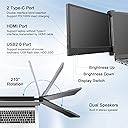
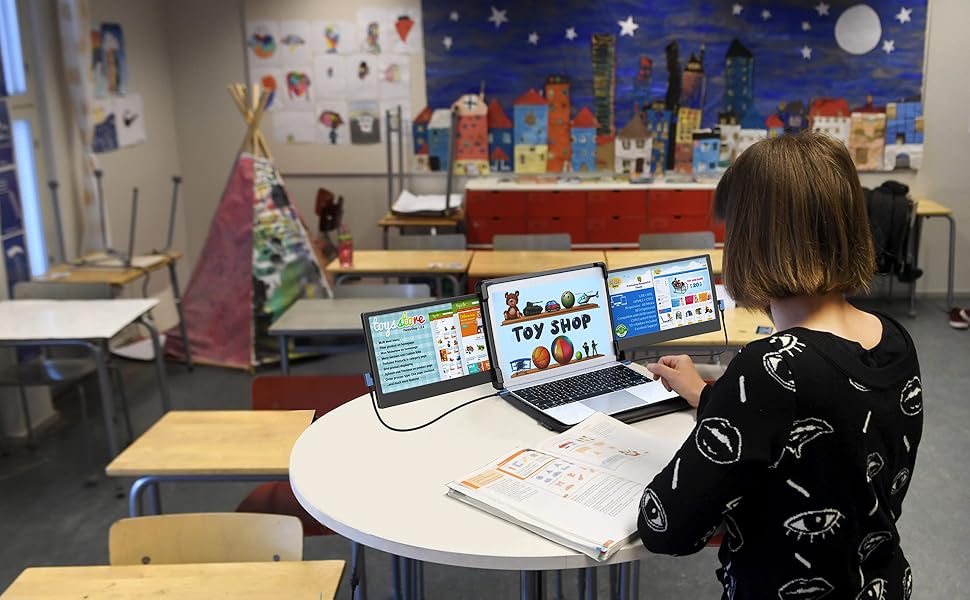
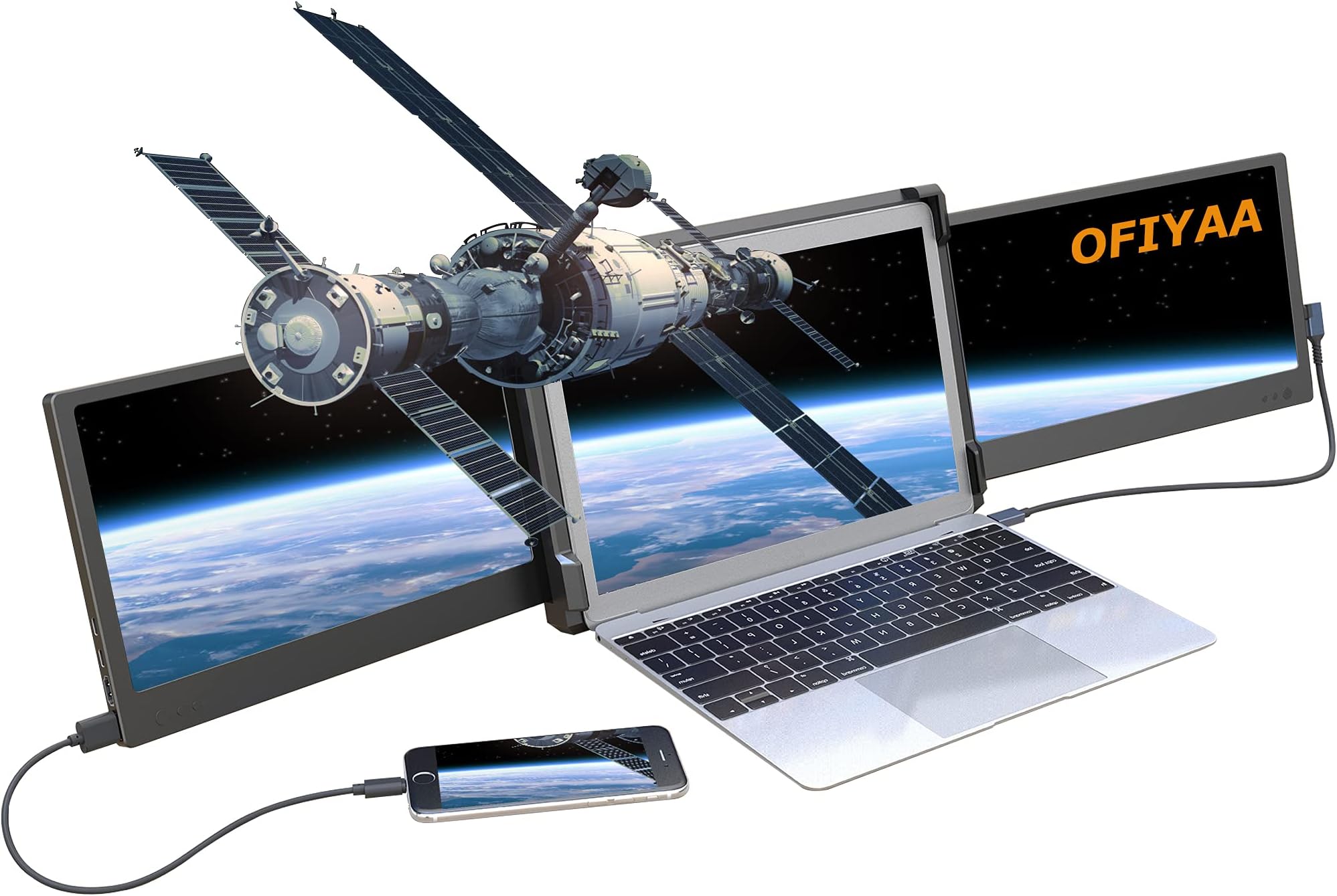
The OFIYAA P2 Portable Monitor is a versatile 12-inch external display designed to enhance your laptop experience. With plug-and-play functionality, it supports multiple devices and offers a full 207-degree rotation for optimal viewing angles. Ideal for professionals and gamers alike, this monitor is built for efficiency and quality, ensuring you can multitask like a pro.


R**Z
Great product, but lots of room for improvement...
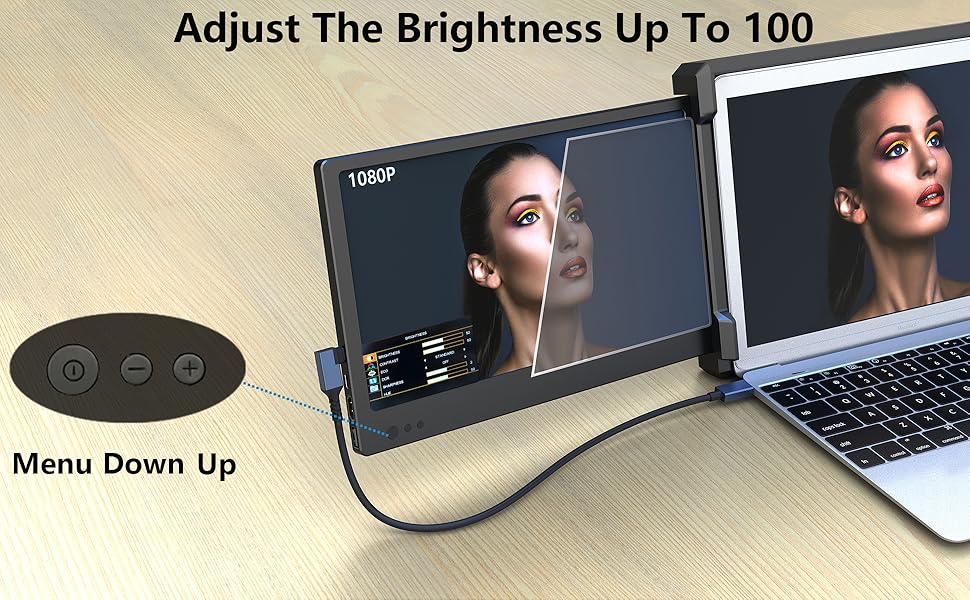
Used for 3 days now and it works exceptionally well.Screen quality is as expected and more than sufficient for use as additional monitors. Although the images quality is decent, IMO it's not good enough to be used as a primary gaming of color correcting monitor.The Type C output on the monitor doesnt fast charge my Galaxy Fold, but it doesnt slow charge either.... Its somewhere in between.My only 3 gripes:1: The entire build feels very delecate and requires tremendous care when mounting, dismounting and storing away. This also contributes to higher assembly and disassembly times due to fragility. Once monted, they are very stable (with foundational bracket)2: The storage bag is garbage and will not provide adequate protection for your screens, so slid the foam pads that came in the box into the pouch to provice a bit more shock protection until i can find a laptop gel pouch with sufficient enough protection.3: The screens initially come to you by default at only 50% Backlight brightness, so be sure to crank that up in the settings prior to leaving a review stating they're too dim. After increasing the backlight to 100%, i fept that they could've made them just a bit brighter as they can become difficult to see in bright lighting conditions.Overall: I'm pretty satisfied with my purchase and really like the product as it does help me maintain the same level of productivity as if I was home in front of my big rig.
R**F
Didn’t work only one screen operating at a time
When I used it on my laptop I can only make one screen work because you needed to have HDMI and power cable in the laptop which I only had one port. So I bought a two in one port for both so hopefully both screens worked, nothing still only one works or if you switch then the other screen works. No customer help would help me so I returned. Other good products out there that actually work.
J**B
I won Christmas.
My partner works remotely and his job requires multiple screens to work simultaneously. This makes traveling a challenge, often resorting to a full-size suitcase just to transport computer monitors.I did some digging and read a ton of reviews leading to this setup. Perfect for travel, his colleagues are jealous, constantly asking him where to get them.While not perfect for everyday use, they are excellent for travel. The only drawback is the text is a bit small and we discovered they draw too much to be powered by a laptop only. Once we snagged individual power cords, they work perfectly.
A**G
HUGE designer - need extra screens for efficiency. Could be better...
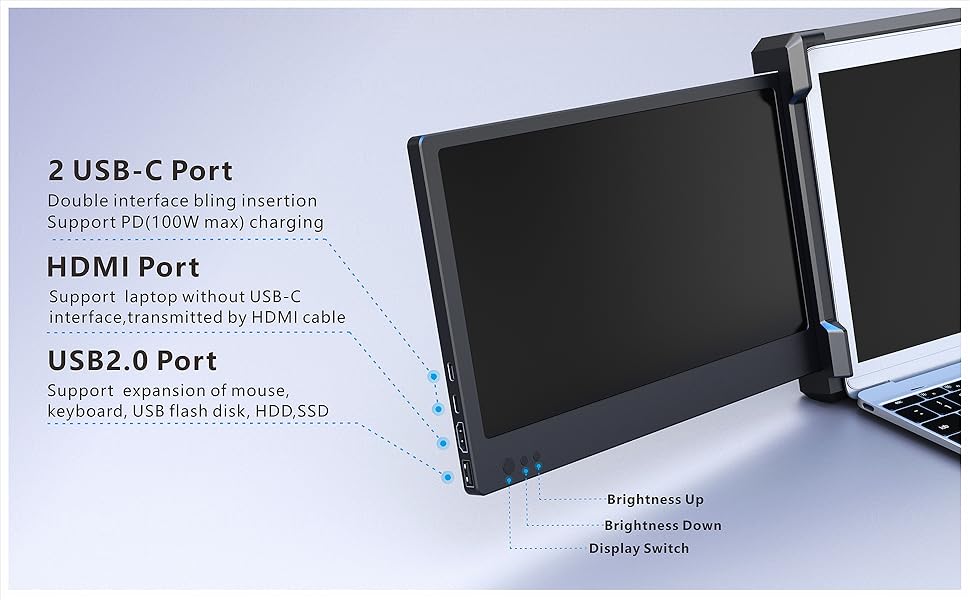
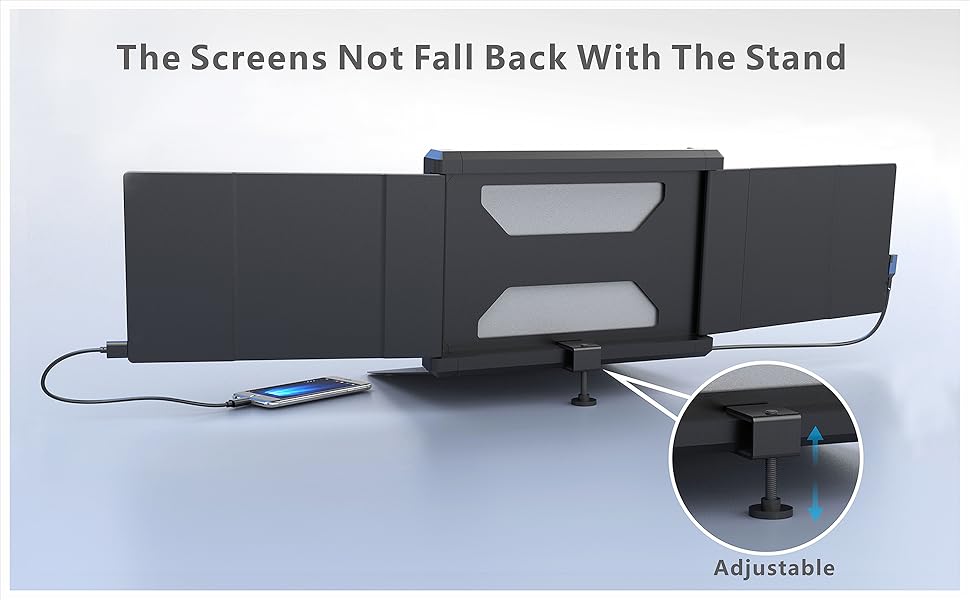
I think for the price versus the high-end competitors out there this is a good ticket item. Right off the jump if you are a serious gamer and want insanely crisp and sharp edges and lines, you will not be that happy. Spend the extra money and grab the Xebex which will have better screen refresh and resolution. The screens are also 12" each so much smaller than my 16" MacBook Pro, but still the additional screen help is awesome. Having 3 screens on-the-go has been a blessing for my design and business workflow.PROS:- Easy to use and install - literally pull the screens apart and snap to the sides of your monitor/screen. Use the two cable to plug in each screen to your ports and it will automatically start your screens.- They allow you to adjust brightness, contrast and all the normal monitor functions on each screen.- There are extra USB-C ports on each monitor to help you with connecting accessories since the monitors are taking up two ports.CONS:- The cables are already wearing out within 1 month. My right screen turns on and off erratically, mainly because of connection issues with the cable (not the port) as I have troubleshooted this many ways. I have to constantly unplug and re-plug the cable to get it to connect and stay on for awhile. The smallest bump could turn the right monitor off. I believe the system/item I received is faulty.- The brightness of the screen will not match my 2022 MacBookPro Perfectly, but it similar and close. This could be a pro/con. I was worried about this, but I adjusted the backlight to the max on each screen and it almost blends with my MacBook illumination.- The cables seem to be way too long. Why do you need a cable that long with the screen is so close to the laptop already? Also why not make one cable to eliminate the needs of two cables? Cabling should be on a bungee type of system that can snap back into the unit once you are down and hide the cabling when you are storing it.- How they made the unit, you have to fold two screens on top of each other to store them. One of the screens is facing out when you store it which is a complete engineering blunder. This leaves monster room for scratches and damage to the screen even in transport or simply pulling it out of the carrying case over time for use. I put the cables in a soft pouch just in case.- There is NO KICKSTAND on the back. If you angle your screen too far back it will tip your entire laptop and screens over. This is one of the worst features. The better known brands have a kickstand to eliminate your laptop going ass-over-teakettle off the back of your desk or table ruining your investment and projects.OVERALL -The efficiency being able to use two screens on-the-go is extremely beneficial. But if your career and using these screens is massively important - I would spend the extra 100-150 and grab one of the better brands not sold on Amazon.If you are on a budget and need something to get you going - I do recommend this unit. Just buy a different carrying case, and a soft pouch/case for the cables.*I will be returning mine due to the screen and cable issues.
J**.
Helpful tool; fits laptop perfectly
Great product for the price. Only drawback is the cords. I have to use four to hook it up to my laptop. Lots of work to set up, but performs perfectly. (A more tech-minded person might be able to figure out a better way to plug it in.)
J**
It’s good
This was actually a fantastic pie I’m glad that I got it but there are a few issues. First pros1 you can have individual screens up if you don’t want them both out.2 they eat have a separate volume.3 pretty easy to mount onto your laptop can mount up to a 16 inch screen.Cons1 You’re going to need a docking station each screen needs a type C or HDMI connection to show up.2 The screen splitter is light on it’s own but when you Mount it to the laptop the laptop is top-heavy you’ll need some type of support in the back. I used my wall.Oh then man it’s not a bad bye it’s useful for now I have not tried gaming on it but I have done 3-D modeling with it and having the extra screens does help.3 the screens are adjustable but if you want all screen facing you they’re only slightly at a angle almost side-by-side.
Trustpilot
1 month ago
3 weeks ago