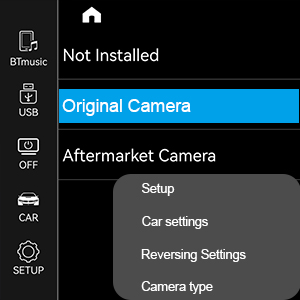
This is one of the best purchases I have every made. But first things first. The packaging and presentation are first class. I was really surprised. These folks know how to ship a quality product with again, first class packaging. Packaging alone gets five stars. Now to the product. I’ve watched a ton of videos on the installation. And, frankly, it was not that difficult. My biggest concern was removing the trim panel from the dash, and it came off in a snap. No pry tools required, I just pulled it off. Guess I was just lucky. Remember, with any installation follow the instructions. Many of us do not like to even read instructions. This is a must for this installation to come out perfect. A pry tool and Torg driver is included in the kit. Then came, as instructed, the removal of the screws and the connectors. The connectors required some choice language, however, in the end, and with determination, and the use of a small pick tool to push down on the little lever that holds the connector in place, I managed to get them all out. I can personally say, that patience in disconnecting the connectors is required. These things were made “not” to be disconnected….(lol). Nonetheless, after all the connectors and screws removed, comes the removal of the radio unit and the connection of the large radio connectors, and switch over of the fiber optic cables. That went pretty well. One note…make sure the connections are in firmly. I actually had to redo mine because they were not in tight enough. I read this in another post, and the manufacturer also makes mention of it. Otherwise, your sound and video display may not work properly. Another note is that make sure all the cables are pushed back down in the radio cavity, otherwise the radio unit will not fit properly. It may take a few tries to get all the cables in order, but there is sufficient room for everything to fit. Before I reassembled everything, I checked to make sure it all worked. It was, in a word “perfect”. A bit of tweaking was required with the Apple Car Play and the OEM display, but didn’t take much to straighten that out. I’m not a fan of Apple Car Play. I much prefer the OEM display. But either is clear and crisp. Great color and resolution. They mention to select the proper resolution for the display, but mine seemed to do it for me. The boot was quick and all was good. The original display was weak and you could barely see it at times. I have a 2015 BMW F33 428i hardtop convertible, so when the top is down, the display just disappeared because of the sunlight. With this new display, I am a happy camper. The new display unit itself, seems to sit more erect than at a slant. Which may account for the better display and Mr. Sun not washing out the screen. One note, make sure you put on the back trim cover. I almost forgot. The head unit display overall is physically a little larger than the original, about a half inch (horizontally). And in fact, looks larger and more impressive than the original manufacturer display. I definitely made the right choice here. I purchased the 9213 model and not the Android model. Some cables like the AUX and Apple Car Play cable I did not even connect. I have an iPhone and it’s all wireless. This is a super benefit. You have the options for wired or wireless. And I can choose between the OEM display (my preference) or the Apple Car Play display. My only concern is one…there is a plug/connector that is labeled “I-drive”. It’s a four-pin connector, and have no clue as to where it goes. If someone can let me know if this is an optional connector, perhaps, that would put my mind to rest. Otherwise, I will be thinking I did not connect something. My I-drive and all the selective buttons for Media, Radio, Navigation etc. all work perfectly. So again, what’s with this additional connector. All the steering buttons work as they should. This is my first BMW. While it may be a 2015, I’ve had it into the original dealer and they tell me it’s in perfect shape and well maintained. This was formerly a leased vehicle till I purchased it. So, it was very well maintained by the owners and the dealer. It does have a wee over 90000 miles, but driving it, you would never know. I did think twice before I decided to upgrade the display unit. Finally. Anyone with a minimal amount of skill, and the competence to follow directions, along with a full glass of patience can do this install. It’s actually quite simple. In fact, the sound is even better. I have the Harmin Kardin radio option and it’s just wonderful. The seller is well prepared to answer any questions and give guidance on the install. Like I mentioned earlier, I watched a bunch of videos on You Tube and asked Rufus (AI) loads of questions about the install. Rufus, however, could not give an answer on the I-drive connector. That’s still an ongoing concern/mystery. You cannot go wrong with this product. I looked at a good many that are for sale here and other places. This vendor was my final choice. Their customer service offerings, and the overall reviews about the product sold me. I would definitely give this a five-star times five rating. So, you get a super quality product, in super quality packaging, at a super price, and super-fast shipping accompanied with super customer service. That’s all Folks…I rest my case…. super. Update: Now that this unit has been installed and working great...here are a few additional observations/comments. As mentioned previous there was a bit of tweaking to get things just right. That was with the assistance of the great customer service department. They mention that they will get back in 24 hrs...however, it was just a matter of a few hours in most inquiries...very impressive to get this kind of support and resolve to my issues. You can contact customer service on any issue any time. And here in lies a simple concern. The unit comes with everything you need to install the unit, which was quite easy and done in less than an hour. You get an instruction sheet and tools. Who gives you tools for installation? All of this is great. However the one thing I found that would be a great compliment to all of this, is a user manual or operations manual. Without one you have to contact customer service with any questions or help. While I mention, these folks are great, howerver a user/operations manual would save a ton of phone calls. Some questions I had, would have been resolved with this manual...I've discovered a few things with the setup and operations with the hunt and peck method. I have also changed the splash logo on the start up of the unit. See photo below. Also a susggestion, look at the bottom of menu screens, because there are additional pages that you can scroll through such as the sound equalizer which gives you preloaded sound themes or customize your own. Which I found just by paging through the screens. An instructional/user manual would have cut down on the discovery of this great tool. While the BMW does have a set up and/instructional manual in the idrive unit, having a hand held manual is so much better (just my opinion). I suppose being tech naive as I am in new equipment setup, I'm sure I am not alone in this area of upgrades. Aside from not having a manual of operations/instructions....I find no fault with this unit for "my" use. I am not a fan of Apple Car Play, so I do not have it checked in the systems operations. I use strictly the OEM Setup. Although, I do find it quite accommodating, that, should I change my mind, I have the option. I did attach the USB cable to the back of the unit. That is the only way you can download a new start up logo. You have to use the USB port on the cable, not the Car Play USB . I have also downloaded a new map update to the navigation system. This you can download using the USB in the center console, also any music you wish to download, can be updated the same way...through the console USB. The harness cable comes with a plug/socket that was labled "idrive". Customer service told me that, this is for future or alternate vehicle models and not for my F33 428i convertible. So that plug is ignored during installation. Additionally, the head unit has three plug sockets. One for the main harness, one for the USB cable and one, that is not used at all. I thought originally I was missing something, again Customer Service indicated that socket is not used. I do have a Linux system, so perhaps in the Android this may be different. It is always best to inquire first with Customer Service on any assembly questions before you put everything back together. Can't say enough about the Customer Service group, they do not mind giving assistance on any inquiry. It's rare to find service like this. However, if I had an operations/user manual, It would have saved me from contacting these folks....(hint...hint...). I bought a no glare film to put on the unit. The one I purchased looked very nice...however, save your money. The display is much better without it. Or perhaps a better quality film would have brought about better results. While I have constant sunshine, there is a certain amount of glare from the screen. My resolve is, you can live with it. I have polorized sun glasses and that works to some extent. At night the screen if fantastic and the screen changes automatically from daytime to nightime... Finally, and I suppose my comments show, the only thing that I can find "wrong" with this unit is no users manual. But as mentioned above about the glare, I can live without one...perhaps...lol. This is a super unit with a super price. This is a no brainer...go get one.