Buy anything from 5,000+ international stores. One checkout price. No surprise fees. Join 2M+ shoppers on Desertcart.
Desertcart purchases this item on your behalf and handles shipping, customs, and support to Vietnam.
🖨️ Print smarter, save bigger, work freer — the EcoTank Pro ET-5170 is your office’s new MVP.
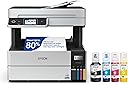
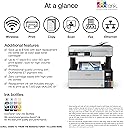
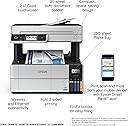
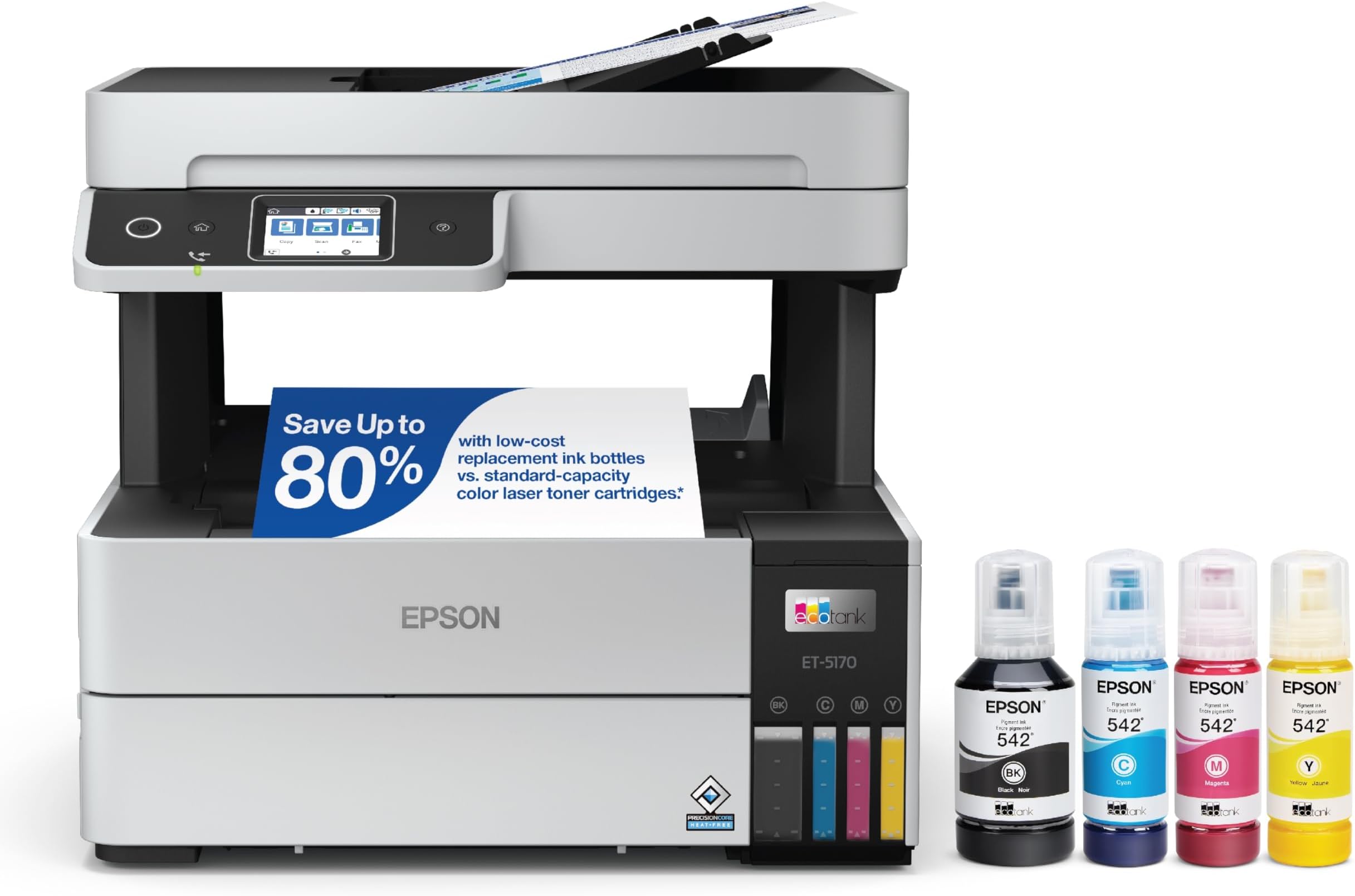
The Epson EcoTank Pro ET-5170 is a wireless all-in-one inkjet printer engineered for professionals who demand speed, quality, and cost-efficiency. Featuring cartridge-free supertank technology, it delivers up to 17 pages per minute in black and 9.5 ppm in color at a stunning 4800 x 1200 dpi resolution. With an intuitive touchscreen, auto document feeder, duplex printing, and seamless mobile connectivity, it’s designed to streamline high-volume workflows while cutting ink costs by up to 80%. Backed by a 2-year limited warranty and Epson’s permanent PrecisionCore printhead, this compact powerhouse is built to keep your office productive and eco-conscious.


| ASIN | B08R5GXCB1 |
| Additional Printer Functions | All In One |
| B&W Pages per Minute | 17 |
| Best Sellers Rank | #22,300 in Office Products ( See Top 100 in Office Products ) #34 in Ink Tank Printers |
| Brand | Epson |
| Built-In Media | EcoTank Pro ET-5170 all-in-one, AC power cable, 2 bottles of 542 Black ink (127 mL) and 1 bottle each of 542 Cyan, Magenta, Yellow (70 mL), Quick Setup Guide, CD-ROM for product setup |
| Color | White |
| Color Depth | 24 bpp |
| Color Pages per Minute | 9.5 ppm |
| Compatible Cartridge | Epson brand cartridges for ET-5170 |
| Compatible Devices | PC, Smartphones |
| Connectivity Technology | Wireless |
| Control Method | Voice |
| Controller Type | Android |
| Customer Reviews | 4.1 out of 5 stars 302 Reviews |
| Display Type | LCD |
| Dual-sided printing | Yes |
| Duplex | auto |
| Hardware Interface | Ethernet, USB |
| Initial Page Print Time | 17 seconds |
| Ink Color | Black & Color |
| Item Dimensions D x W x H | 13.7"D x 14.8"W x 13.6"H |
| Item Type Name | Inkjet Printer |
| Item Weight | 16.1 Pounds |
| Manufacturer | Epson |
| Maximum Copies Per Run | 250 |
| Maximum Copy Resolution Black and White | 4800 x 1200 dpi |
| Maximum Copy Resolution Color | 4800 x 1200 dpi |
| Maximum Copy Speed Black and White | 40 ppm |
| Maximum Media Size | 13 x 19 inch |
| Maximum Print Resolution Black and White | 4800 x 1200 dpi |
| Maximum Sheet Capacity | 250 |
| Maximum print Resolution Color | 4800 x 1200 dpi |
| Model Name | EcoTank ET-5170 |
| Model Number | ET-5170 |
| Model Series | ET-5170 |
| Number of Ethernet Ports | 1 |
| Number of Trays | 1 |
| Other Special Features of the Product | Auto Document Feeder, Auto-Duplex, Borderless Printing, Double Sided Scanning, Wireless |
| Output sheet capacity | 250 |
| Paper Size | Legal, A4, Letter, 8" x 10", 5" x 7", 4" x 6", 16:9 Wide, 100 x 148 mm, 3.5" x 5" |
| Power Consumption | 12 Watts |
| Print media | Paper (plain) |
| Printer Connectivity Type | Wireless |
| Printer Output Type | Color, Monochrome |
| Printer Type | Inkjet |
| Printing Technology | Inkjet |
| Processor Count | 1 |
| Resolution | 4800 x 1200 |
| Scanner Type | Sheetfed |
| Special Feature | Auto Document Feeder, Auto-Duplex, Borderless Printing, Double Sided Scanning, Wireless |
| Specific Uses For Product | Office |
| Total Usb Ports | 1 |
| UPC | 010343961920 |
| Unit Count | 1.0 Count |
| Warranty Description | 2-year limited warranty in the U.S. and Canada (2), second year with product registration |
| Warranty Type | limited warranty |
| Wattage | 12 watts |
T**T
Outstanding so far....
I've done a full 180 degrees about-face on Epson inkjets. I used to be a diehard HP printer guy until HP failed to maintain their driver software compatibility through OS upgrades. HP hardware was excellent; it was painful to throw it in the garbage. My Brother color laser printer had software showstoppers too; I ended up chunking it shortly after a $500+ hardware rebuild. I bought an Epson WF-3540, which uses the old cartridges. I gave it a 1-star review initially because of the extreme hassle of getting it setup and working. As time went by, I kept going back and adding stars because it turned out to be a stalwart. Back when I bought it, inkjets were more expensive with consumables than lasers. Epson inkjets were more economical as inkjets went, even with the cartridges. One thing I learned was to run the built-in maintenance procedures fairly regularly. I went with this ET-5170 because it is Epson, it uses cartridge-free replenishable ink, and it spits out its work into an underneath tray rather than an awkward, flip-out tray. It also feeds paper from an underneath drawer. Those two features make it neater and more compact than the cheaper alternatives. Also, I'm not picking up paper off the floor anymore. I'm hoping that it will hold up well, given its higher price and orientation toward groups, rather than individual use. If my old ET-3540 is any indication, it'll probably outlast me! Epson has solved their setup problems. Setup was literally like falling off a log. I was actual taken aback by how smoothly it went. I did the setup on Windows 11 and then added a Mac. I just did a macOS upgrade (Sequoia 15.3). No hiccups. The procedure for adding ink is pretty idiot-proof: you can't put the wrong color in the wrong tank, and you can't overfill. (The competition is probably just as good in this regard, but the competition isn't Epson.) When you first turn it on, the ink drops below the full level in the tanks as it self-primes, but you get enough extra ink to more than top it off. Of course, you have to know to have the computers and printer on the same network. I'll be using Epson ink, just out of loyalty. Print quality is excellent. I haven't tried photo printing on premium paper yet, so I can't promise good results on that. If anything goes wrong, I'll update this review. I'm typing this on 12 Feb 2025.
I**E
WORKS WITH MY APPLE PHONE/COMES WITH A LOT OF INK!!!
I got this the other day and I have an Apple phone and iPad I needed to print something off the internet from the DMV here in Texas and I had no problem doing so. I was worried since I saw a few reviews were people said they could not get this to work with their Apple products so I was of course worried I bought the wrong printer. However to my happy surprise I have not had any issues yet and I have printed a couple of documents. Now I do not use it all the time since I am retired now but I do use it on occasion and lucky me it has worked just fine everytime so far. So yes I would recommend this product. Oh and it does come with a LOT of ink.
A**R
Best Printer
The best printer I’ve ever had easy to install easy two and put the ink in would buy it over and over
M**A
Does not work with Macs and RESTOCKING FEE
The printer is good, in theory only. For $689.00 I thought this printer would serve all my home office needs and I was so excited to get it, even though the price was higher than I wanted to spend. First, shipping was delayed, so it arrived later than identified. Second, this product does not work with Mac or I-phone products. you can install the program and print (with problems), but scanning absolutely does not work. Also, there is no USB on the printer as a possible work-around this issue either. When I say there was printing problems, I mean that the printing would work sometimes and not others, print hours later, in the middle of the night, stop printing in the middle of a document and then re-start the document. It just became a nightmare. I tried trouble-shooting on-line and moving the printer location in-case it was a Wi-fi issue , nothing. Finally, I just had to decide I had to return it, it just wasn't functional, consistent, and the printing quality itself was just average. I still had to use my old printer, so why keep this new expensive, do less printer. I asked for a return and got approval- NOTE- if your have full ink-wells, you are advised by shipping company to try to reduce the amount of ink because there will likely be spillage and they can not be responsible for that. Do not fill the ink wells completely until you know you want to keep the product because the only way to get the ink out is by printing and this is a pain given the above mentioned difficulty. I will say this about the printer- the ink usage is phenomenal in the worst way, it takes forever to try to get ink levels down, if it worked the ink savings would have been great! The last piece to this is that the customer service is terrible. I shipped back via Fed-Ex (label given by seller) but you have to pay for shipping and professional packaging which I did to preserve the item's condition. You have to follow-up with seller for refund, because even if they have the item, they won't initiate the refund. Lastly, they do not give the full refund, but will create reasons to only give partial refunds. In my case, they offered less than half the purchase price because of a "restocking fee, " so a the box costs more than half the price of the product itself... I wonder if the box works with Macs because that must be some box!
D**S
Highly recommend this one.
I am a big fan of epson. Eco.tank printers. I've used them for years in this one is working out very, very well and I can copy motions and briefs with this. my last one is just one page at a time. That's why I upgraded to this one.
J**C
Works ok
I am a little disappointed in the quality and time to print a high quality paper, if your just printing unimportant papers this is great, but for a photo, get something better. I need to print brochures, double sided, and this machine sucks for doing those.
P**K
Works well so far!
I had an Epson printer which worked great for more than 10 years. After 10 years I started getting errors saying ‘close printer cover’ even though printer cover was closed. It would work randomly & started giving me massive problems. So I decided to buy a new Epson 5170. I initialized it & right after that it gave me the same error ‘close printer cover’ & refused to do anything. The printer cover was closed & I tried it several times but same error keeps popping up. This is a brand new printer & gives me errors that I got from a previous printer that I used for more than 10 years. UPDATE, I checked on YouTube for a fix & it turns out that there is another printer cover below the top printer cover. Once that printer cover was closed the printer started to work fine. Hopefully it will keep working well for several years.
G**A
Printer Failed at 70,000 prints - Customer Service Failed first time
I have had this printer for nine months and the last three months it has limped along. This was my fourth Eco-Tank model and the largest that I have owned. The last Eco-Tank I had was the ET-4760. I do a lot of printing and the smaller printers usually last about 150,000 pages. I bought this one because it had a higher usage rating and I thought it would last longer. Compared to the small Eco-Tanks, this one is faster but the ink is more expensive. I buy ink supplies direct from Epson. The failure of this printer started at about 50,000 pages. The printer jams frequently, maybe once every 25 pages. About two-third of those jams, you can simply remove the crumbled paper and the machine will restart once you've indicated that the jam is removed. About one-third of the time, the printed will require a full shut down and restart. However, you then have to wait for it to tell you that the shut down might affect ink levels. Then, after pushing the OK button, it will still not start until you use your computer printer settings and use the troubleshooting mode. It won't find the problem but the printer will finally resume printing. This process takes about five to seven minutes. I called Epson customer service and was given a bunch of instructions and after printing 10 copies was told that my problem was solved. However, it was not solved and I told the service rep that my problem would still exist - it is mechanical, not software. The problem with this printer is that the right top edge of the page catches onto something on the feeder in the back cover and this causes the paper to jam. I have had some luck by putting the paper in crooked but this shouldn't be necessary to get this printer to work. I have tried different brands of paper with the same problem. I believe the printer is not made with strong enough materials.
V**A
Perfect Printer
Perfect printer for my work office. You get alot of prints for each bottle of ink. The quality of the prints is also very good. Not the fastest when printing full color sheets but still uses very little ink. Easy to set up. I'd highly recommend it.
#**4
Good print quality
A little slow, but good trade off for cheap refills and good quality print.
A**R
Epson EcoTank Pro ET-5170 Wireless Colour All-in-One
Printer is great, although at times loses its settings. Scanner only works through the computer and not at the key pad. Also scanner is temper mental as it sometimes sticks and will not auto feed. It is almost like either the gears don't grab the paper to feed through and jams easily. It literally hates government paper. Over all I really like this printer saves on ink although the ink indicator notification is off and says empty when there is actually 1/4 of ink left in the reservoir. The printer needs some tweeking otherwise it great.
S**N
Super disappointing printer
I wish I was able to return this printer after spending over $700 on it. The scanner is sooooo slow and doesn’t always communicate with my computer. The printer is slow and the pages don’t print as nice as other printers. I do NOT recommend this printer
K**N
Works with Alexa
Very easy to work with and an be controlled with Alexa.
Trustpilot
5 days ago
2 weeks ago