Buy anything from 5,000+ international stores. One checkout price. No surprise fees. Join 2M+ shoppers on Desertcart.
Desertcart purchases this item on your behalf and handles shipping, customs, and support to Vietnam.
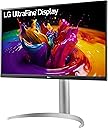
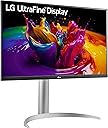
🚀 Elevate your workspace with LG’s 27” UHD powerhouse—where precision meets productivity!
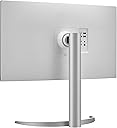
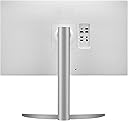
The LG 27UP850-W is a 27-inch UHD (3840x2160) IPS monitor featuring VESA DisplayHDR 400 and 95% DCI-P3 color gamut for stunning visuals. It offers versatile USB-C connectivity with 96W power delivery, a virtually borderless design, and ergonomic adjustments including height, pivot, and tilt. Ideal for professionals seeking vibrant color accuracy and seamless multi-device integration.


| ASIN | B08YJMMYBX |
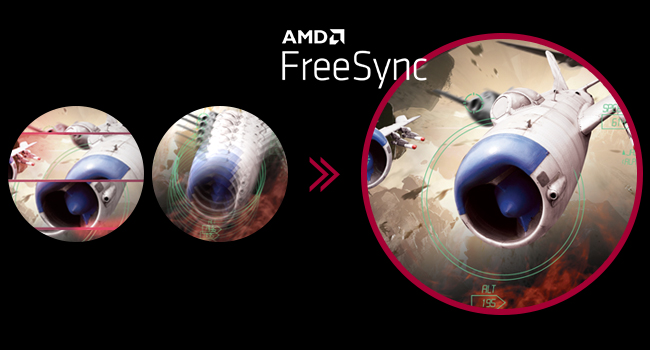
| Adaptive Sync | FreeSync |
| Additional Features | Anti Glare Screen, Height Adjustment, Pivot Adjustment, Tilt Adjustment |
| Aspect Ratio | 16:9 |
| Best Sellers Rank | #41,370 in Electronics ( See Top 100 in Electronics ) #966 in Computer Monitors |
| Brand | LG |
| Brightness | 400 Candela |
| Built-In Media | HDMI, DisplayPort, USB-C Cables, Monitor, Power Cord, Stand, Warranty Card & Owners Manual |
| Color | Silver |
| Connectivity Technology | DisplayPort, HDMI |
| Contrast Ratio | 1200:1 |
| Customer Reviews | 4.3 out of 5 stars 524 Reviews |
| Display Resolution Maximum | UHD HDR 400 |
| Display Technology | LCD |
| Display Type | LCD |
| Hardware Connectivity | DisplayPort, HDMI, USB 3.0 Type C |
| Has Color Screen | Yes |
| Image Contrast Ratio | 1200:1 |
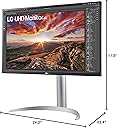
| Item Dimensions D x W x H | 22.4"D x 24.2"W x 11.5"H |
| Item Weight | 13 Pounds |
| Manufacturer | LG Electronics |
| Model Name | 27UP850-W |
| Model Number | 27UP850-W |
| Mounting Type | Wall Mount |
| Native Resolution | 3840x2160 |
| Number of Component Outputs | 3 |
| Picture Quality Enhancement Technology | VESA DisplayHDR 400, DCI-P3 95% Color Gamut, AMD FreeSync |
| Power Consumption | 96 Watts |
| Refresh Rate | 60 Hz |
| Resolution | 4K UHD 2160p |
| Response Time | 5 Milliseconds |
| Screen Finish | Matte |
| Screen Size | 27 Inches |
| Screen Surface Description | Matte |
| Specific Uses For Product | Business, Personal |
| Total Number of HDMI Ports | 2 |
| Total USB 3.0 Ports | 2 |
| Total Usb Ports | 2 |
| UPC | 195174007754 |
| Viewing Angle | 178 Degrees |
| Voltage | 240 Volts |
| Warranty Description | Limited: 1 Year Parts & Labor |
| Warranty Type | Limited |
M**N
Impressive Display
After checking out many online reviews of this model versus others from LG and Dell, I decided on this one to use with my 2019 MacBook Pro. I am impressed with the vivid colors and crisp resolution so far. It is almost indistinguishable to my aging eyes from my 27" 5K iMac's display. The onnly issue so far has been some wonkiness about the USB-C connectivity. I initially connected it to the MacBook using the supplied USB-C cable. At the time I first turned on the monitor using that cable, it said there was a firmware download needed. But after the firmware installation, I could no longer get the monitor to check for firmware updates or use the USB ports on the back of the monitor. Don't know if that was LG's cable, their monitor software/firmware, or an Apple issue. Some online suggested using a Thunderbolt 4 cable instead. So, after connecting via a Thunderbolt 4 cable it still didn't seem able to do firmware checks or make the USB ports available. Then I saw a suggestion to restart the monitor while the Mac is connected. Viola! That was the trick. Now the USB ports are working fine and LG's software is able to check for firmware updates! Assuming that solves the issue for the long term, I'm totally pleased with the monitor.
D**N
Fantastic Dual-Monitor Setup for Mac Users
I have two of these LG Ultrafine 27 inch monitors mounted side by side, and they’ve been excellent. I use them every day with my M2 MacBook Air via DisplayLink, and everything works flawlessly - sharp 4K image quality, vibrant colors, and smooth performance. They’re reliable, well-built, and look great on the desk. Perfect for productivity and creative work - highly recommended!
T**A
READ THIS - GREAT MONITOR, VERIFY YOUR HDR WORKS
Great new released monitor, performs as advertised, very happy. However, one of the two units recevied failed to operate in HDR mode and this is an HDR monitor, so a defect in one unit. Performed a factory reset, swapped GPU port, no change in outcome - HDR remained failed. I ordered other and replaced it with a third unit, all worked fine. Make sure to check that your monitor works in HDR mode in your windows display settings before you verify your unit is fine. HDR is fantastic btw - a must have! I rate 5 stars still, thing happen.
A**R
Good 4K Monitor for MacBook Pro - 13, m1
I had an older 1080p 27” Monitor that looked Ok on my Dell PC but like crap with my MBP - 13”. So decided it was time for a 4K monitor. Originally bought a Lenovo Qreator 27”, but heard of usb c charging issues requiring a firmware upgrade. But you need a usb c Windows PC to install the firmware. I don’t have a Win PC with USB C. I asked the BB Geek Squad guy what he recommended and his response was “I would return it”. So I did. Then I heard that LG makes the LCD panels for Apple’s monitors. So I decided on an LG. I’m no graphic designer but the color representation on this monitor is exceptional. I run 1080p out of the MBP most of the time, but the screen clarity coming from a 4K monitor blows away my 1080p monitor. I connect via usb c and it is nice to have one cable for power, video, audio. One disappointment is the usb A ports are 1 amp. Used a Qi wireless charger and port couldn’t handle. I also had an issue with Onscreen Control app on my MBP. I hear issues with M1, needs new version of software (TBD)? Anyway, if you can pick up on sale it is a good monitor for most folks. Or you can buy an Apple Studio display for 3x more?
K**J
Excellent for iMac
I attached two of these monitors to my 2025 iMac (4-port) and they are really great quality for picture. I set the picture to ‘vivid’ as the best match to the iMac. For the price, really can’t go wrong. Even though the iMac is a 24 inch, the height adjustment makes them align perfectly.
R**S
Great 4k Monitor but...
Does the job with 4k, brightness and color. Usual IPS glow was tolerable as well. Used this monitor for PS5, PC, and Amazon fire stick watching. Surprisingly decent speakers compared to my Acer predator monitor. I gave this to my wife for her to use with a macbook/mac mini. It worked well for that. Unfortunately when setting her up the USB-C port literally disconnected from the PCB and fell out of the monitor. Super bummer since i was over the 1 year warranty by like 6 months, but everything else worked fine. Overall I was happy using this monitor.
J**A
Excelente calidad y total integración con mi MacBook Pro
Califiqué con 5 estrellas porque el monitor es impecable. Lo que más destaco es lo práctico que resulta conectarlo a mi MacBook Pro mediante el puerto USB-C: con un solo cable tengo imagen en 4K y cargo la batería al mismo tiempo, lo que me permite mantener mi escritorio limpio y organizado. La resolución UHD y el panel IPS ofrecen una nitidez y colores excelentes para mi trabajo profesional en comunicación. Es un producto sumamente robusto y eficiente. ¡Lo recomiendo! El envío a Argentina, llegó un día antes y muy bien. No tuve que hacer trámites. Llegó a casa.
R**S
Returned the first one for flicker, second one worked for about 4 weeks then died
If it works it's a very good monitor, however my experience shows it doesn't. The first one I received was fine for about 10 days then started to develop a flicker. Tried a different port and a different computer, still flickered (set for 60hz which is its max.) No issues returning it to Amazon for a replacement. The second one worked fine for about a month, then abruptly just stopped working at all. Went through all the troubleshooting steps, just wouldn't turn on. Most disturbing was when I plugged the power back in at the monitor, it sparked and I found the connector was blackened. Tried to reach LG support could not get through. Was on the queue forever, then the call was dropped. After several more unsuccessful attempts, I finally called Amazon. Spoke to a very nice CSR and explained the problems and the steps I took to fix it and she said she would call LG on my behalf and stay on the phone with me until I was satisfied with the outcome. After several attempts on her part, she couldn't get through either. Amazon set up a refund, and I bought a Dell which I'm expecting shortly. BTW, it took me 4 months to get LG to fix a problem with a C2 TV which was also under warrantee. I'm done with LG, worst customer support I've experienced. It would appear Lucky Goldstar has returned.
D**D
Excellent !!!
It’s really nice screen very good if you work on AutoCad
N**Z
Excelente Monitor para trabajo y el día a día.
Es un monitor que tiene un gran brillo, y calidad, el tamaño de los pixeles es muy pequeño y prácticamente tienes que pegar la nariz a la pantalla para verlos, la legibilidad del texto incluso en letras pequeñas es perfecta, se ve bien en espacios luminosos. Debes de saber que es un monitor HDR y puedes configurar Windows para que pueda mandar la señal en 10 bits de color, además de calibrar el monitor con una app de Microsoft. Es el mejor monitor que he probado, excelente para el trabajo día a día, puedo tener 3 ventanas de Word abiertas con el tamaño de la hoja a 100%. Para videojuegos no es el ideal, pero si eres en jugador casual y no necesitas mas de 60 fps en tus juegos creo que el monitor te va a satisfacer por el hecho del HDR y la función de Windows para mejorar los colores de juegos antiguos. Principalmente juego World of Warcraft y la experiencia es buena, aunque los negros se ven medios grises. Para video está bien a secas, el problema no es tanto el monitor, tiene fugas de luz propias de la tecnología que usa, alcanza buenos niveles de brillo, pero los negros se llegan a ver grises lo que arruina un poco la experiencia del cine. Compre este monitor para poder trabajar, jugar y reproducir video en mi mismo centro de trabajo y bajo un entorno Windows, sin embargo en cuanto al video las plataformas de streaming limitan la calidad y los formatos de contenido para Windows por una cuestión de prevenir la piratería, así que el contenido HDR 4k de Netflix es mínimo para Windows, lo mismo que Disney, Star, Amazon, etc. Si quieres ver cine lo mejor es comprar un Smart TV donde no tengas este tipo de limitaciones o comprar un Chromecast 4k y conectarlo al monitor algo que no he probado, lo único positivo es que youtube no aplica restricciones y el contenido HDR se ve bastante bien en este monitor. En conclusión es un gran monitor, a un precio excelente y con una calidad y confianza de una marca que sabes que te va a durar muchos años. También debes de entender las tecnologías que estas comprando para poder configurarlo correctamente, y le puedas sacar el mejor provecho. Tengo una tarjeta AMD que combina perfectamente con algunas características del monitor y que mejoran la experiencia mas que nada en juegos. No uso las bocinas del monitor, pero las probe y suenan terrible, en mi caso no me afectan, pero si tu las necesitas creo que deberías de considerar este detalle. Pongo una foto corriendo videojuegos, las fotos no le hacen justicia, pero los colores se ven muy bien, no te va a decepcionar en ese sentido. Las fotos del monitor son SDR (8bits) y comprimidas en jpeg, por lo que pierden color y calidad, en vivo el monitor se ve mucho mejor por los 10 bits extra, la experiencia multimedia mejora mucho en espacios iluminados y los negros contrastan más. No me arrepiento de la compra, valen cada peso invertido.
L**A
Mal soporte
A los 2 meses de adquirirlo le salió una raya negra y no me brindaron soporte ni Amazon ni LG ya que me encuentro en Mexico
A**.
شاشة رائعة
- الكتابات والايقونات حادة وذلك يعود بسبب الدقة العالية - مناسبة جدا لأجهزة الماك - ممازة لبرامج الانتاج - مناسبة كشاشة ثانية - مناسبة للالعاب بشكل جيد - يمكن استخدام الماك عن طريق منفذ التايب سي
P**O
Great monitor for my macbook and color accurate.
It is one of the best monitors I have. After researching a lot to get my first and new monitor, I went for this. As a video editor, I wanted a color-accurate display, which worked with my MacBook. The only con is its stand which comes with it. It takes a lot of space on the desk but getting a monitor arm solves the space problem. Speakers are meh, go for a sound bar or table speakers. The clarity is good as well, comes very close to Mac's retina display.
Trustpilot
2 weeks ago
1 day ago