Buy anything from 5,000+ international stores. One checkout price. No surprise fees. Join 2M+ shoppers on Desertcart.
Desertcart purchases this item on your behalf and handles shipping, customs, and support to Vietnam.
🎯 Dominate your game and cinema nights with ultra-bright, ultra-smooth 4K power!
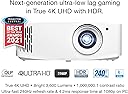
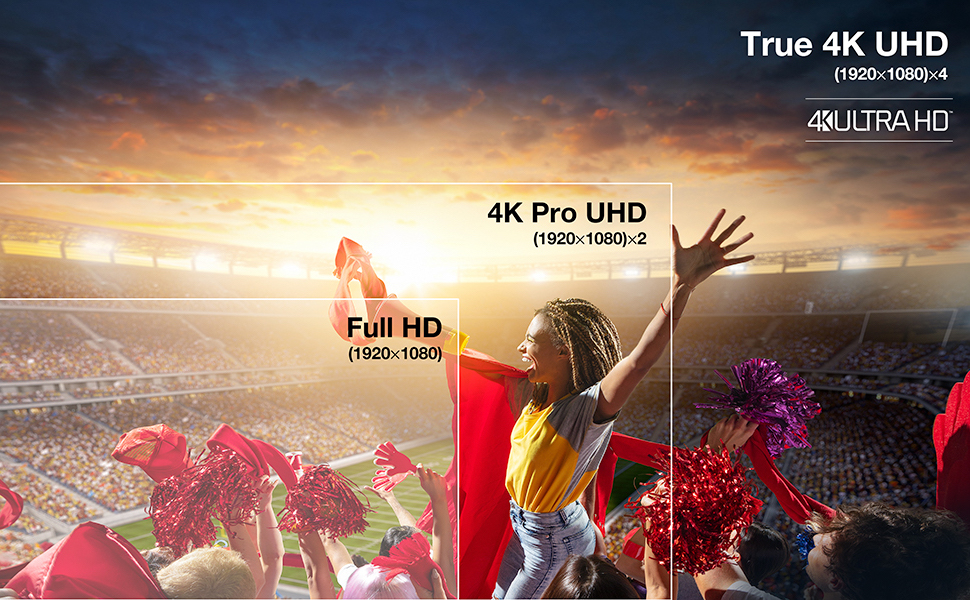
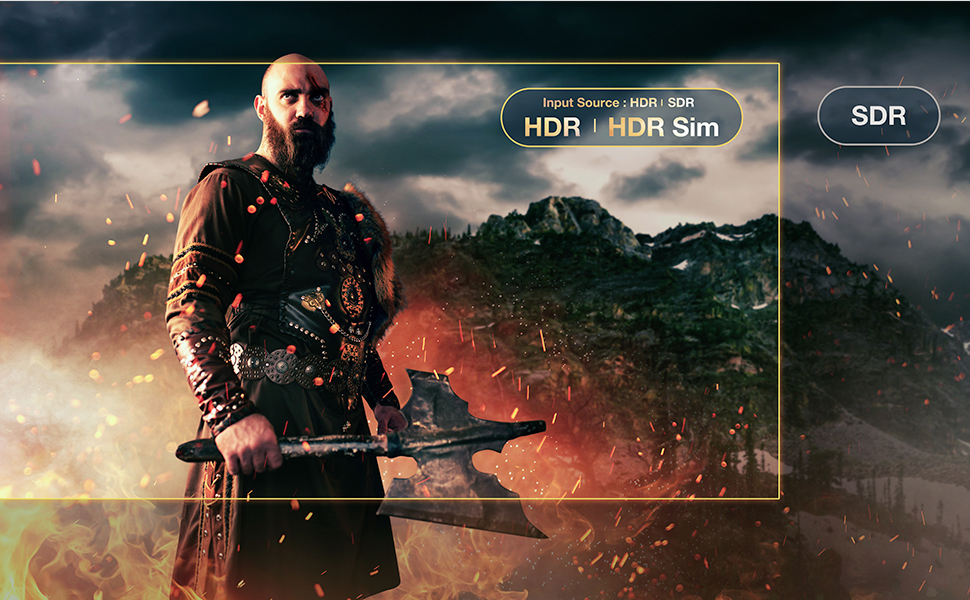
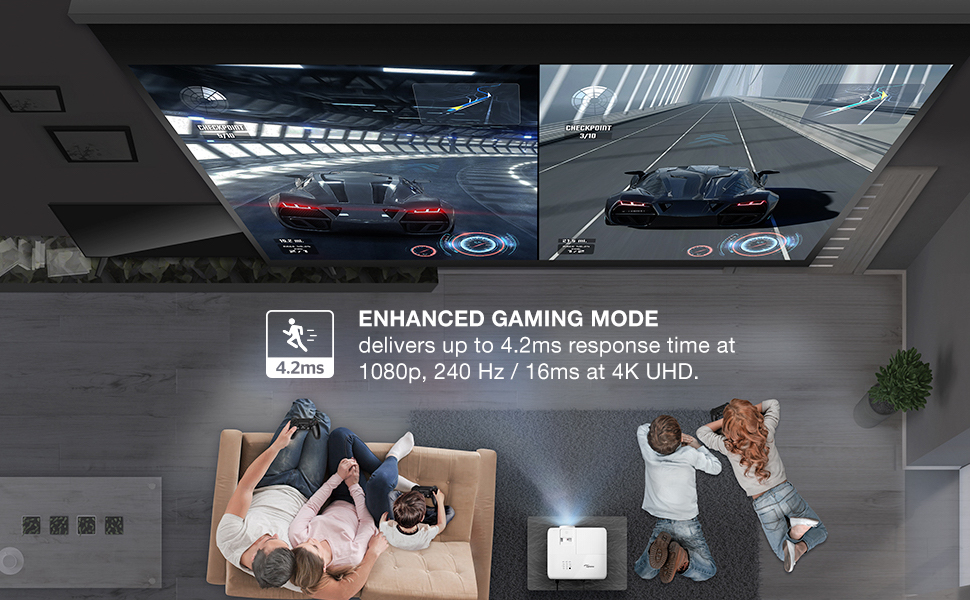
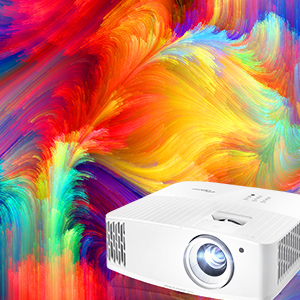
The Optoma UHD35 is a powerhouse 4K UHD gaming projector delivering 3,600 lumens of brightness, ultra-fast 240Hz refresh rate, and an ultra-low 4.2ms input lag at 1080p. Featuring HDR10 & HLG compatibility, Dynamic Black technology, and a massive 300-inch projection capability, it’s designed for immersive gaming and cinematic experiences. With versatile connectivity options and a long 15,000-hour lamp life, it’s built for professionals and enthusiasts seeking top-tier performance in home entertainment.


| ASIN | B08TMBN4C5 |
| Additional Features | Digital Keystone Correction |
| Antenna Location | Gaming, Home Cinema |
| Best Sellers Rank | #3,876 in Video Projectors |
| Brand | Optoma |
| Brightness | 3600 Lumen |
| Built-In Media | UH35 projector, quick start user manual, remote, batteries for remote, power cable |
| Compatible Devices | Television, Gaming Console, Laptop, Smartphone, Tablet |
| Connectivity Technology | HDMI , USB, VGA |
| Contrast Ratio | 1000000:1 |
| Control Method | Remote |
| Controller Type | Remote Control |
| Customer Reviews | 4.1 out of 5 stars 210 Reviews |
| Display Resolution Maximum | 3840 x 2160 Pixels |
| Display Type | DLP |
| Display resolution | 3840 x 2160 |
| Form Factor | Desktop |
| Hardware Connectivity | USB, VGA |
| Item Dimensions L x W x H | 12.4"L x 10.6"W x 4.64"H |
| Item Type Name | 4K Gaming Projector |
| Item Weight | 8.6 Pounds |
| Lamp Wattage | 240 Watts |
| Light Source Operating Life | 15000 Hours |
| Manufacturer | Optoma |
| Maximum Image Size | 300 Inches |
| Maximum Throw Distance | 32 Feet |
| Mfr Part Number | UHD35 |
| Minimum Image Size | 33 Inches |
| Minimum Throw Distance | 4 Feet |
| Model Name | UHD35 |
| Model Number | UHD35 |
| Mounting Type | Ceiling Mount, Tabletop Mount |
| Native Resolution | 3840 x 2160 |
| Picture Quality Enhancement Technology | Yes |
| Projector Maximum White Brightness | 3600 ANSI Lumens |
| Recommended Uses For Product | Gaming, Home Cinema |
| Special Feature | Digital Keystone Correction |
| UPC | 796435813932 |
| Unit Count | 1.0 Count |
| Video Encoding | H.265 (HEVC) |
| Voltage | 100 Volts |
| Warranty Description | 1 Year limited parts and labor warranty on the projector, 90 days lamp warranty |
| Wattage | 50 watts |
M**R
Perfect for Dedicated Home Theater But...(Update)
Update: I left my original review below for Optoma fans to read. As for me, I had a problem almost the same day that I wrote the review. The projector started flickering in monochrome colors and did not respond to the remote to turn it off. It turned off on its own after about a minute. Then the blue & red LEDs for status began blinking together to form "purple". I had to disconnect the power cord after letting the lamp cool to get the unit to restart and it did. I looked to see if others had a similar problem on forums. A few people did and one guy suggested blowing out the lamp compartment with compressed air. That did NOT sound like a good idea so I contacted Optoma. The tech was very brief and curt in his reply. He told me to press "sync" if it happened again. I looked that up since I recalled "sync" only helping with 3D issues and this had nothing to do with a 3D Blu-ray disc. This happened again several times and after an additional attempt at getting a reply from Optoma support I finally decided to return the unit. I had been reluctant to switch from LCD to DLP technology originally but reviews seemed enticing. Wish my experience had been better. Maybe this was just a bad unit as noted in at least one other review but the support was so poor I did not want to continue down that path. My previous experience with a SONY and an EPSON projector did not involve service issues of ANY kind for more than 8 years for either unit. Note that this unit is only about one month old as I write this update. Hope someone at Optoma learns from this review. If you need a short throw projector or want to move the projector often keep looking. My review will only cover this projector in a dedicated home theater with no windows and a 120 inch fixed screen with plenty of length and height for projector and screen placement. This is my third projector with the first being a 1999 model Sony 720p unit that cost $6,000. The second was the much-lauded Epson 8350 3-LCD and 1080p projector that cost about $1000. (This unit is about the same price corrected for inflation.) The built-in speaker is about what you would expect but why would someone create a dedicated home theater and not include at least a decent 5.1 surround system? Here is why I bought this projector after considering about 20 from four manufacturers. The picture is sharp, crisp and has much more color saturation than my previous projector. I have native HDR without settling for 1080p resolution units that are "compatible" and able to process HDR input. The HDR is manipulated to make it specifically function with this unit according to reviews and the results seem good as you will see from my sample snapshots taken with a Motorola Moto G Power phone that has a good but not great camera. The picture mode is set to Cinema as recommended in reviews and brightness is Eco and that works well in a dark room. Any additional brightness would cause eye strain in my opinion. Color saturation seems very good in this mode to me and is miles ahead of my previous projector. The images are free of rainbow effect that some people associated with DLP. There are no screen hot spots unlike what I encountered in some bright scenes with the Epson. So far, all action shots seem very smooth but I have not watched football as of yet. Where I always noticed jutter with the Epson when the credits roll there is a slight hint still there but I have to look for it. Credits with small print are much more readable. I did increase brightness and contrast AFTER taking the shots above but only by a couple of points and far from a major increase. This was as a matter of curiosity almost as much as any perceived necessity. The first picture, from TAXI, is from an old 4:3 DVD that is not Blu-ray and it was upscaled dramatically. The DVD player is a SONY UBP-X700 connected over a good HDMI cable 30 feet in length. The rest of the pictures are from Life in Color (4k & HDR) and played through a Roku 4k/HDR 8310X stick since I don't have my 18Gbps cables for input from my DVD yet. My screen, for now, is an off-brand, inexpensive-but-surprisingly-good outdoor unit mounted in front of my $1100 21-year-old Da-Lite fixed screen that has seen better days. It supposedly has a 1:1 gain so consider the image quality with the projector settings + the screen properties. The center of my lens is within 1/2 inch of the 13 ft - 10 in calculation that leaves the lens adjustment centered between left and right adjustments. Also, the lens center should be 3" above the top of your screen's final white edge for ceiling mount and 3 inches below for an upright mount at floor level. I spent less than 10 seconds focusing the lens with text on the screen and I am pleased with the results. Note that the Optoma calculator yields the shortest throw for a given image size and then shows the total amount back from there that will work for the lens. That means you need to divide that max offset by 2 and add the result to the dimension shown to get the ideal location. Don't forget to also add the offset between front of projector and mounting screws for your ceiling mount. I used the back 2 screws and that added another 8.5 inches as I recall to that 13-10 dimension. I took time to calculate all this because the most technical reviews said that using keystone and offset corrections results in small-but-measurable picture distortions. My images seem clear to my eyes over all the way to the corners of the screen. In summary, it took me several days to come up with my choice but once I put my must-haves at the top of the list and checked again in my mind how important those were, I came up with this choice. Btw, I did consider another 1080p projector based upon some discussions but decided this was the way to go and I am very glad I did. Keep in mind that I cannot comment on reliability or Optoma support since I have had this unit less than a week.
V**H
Awesome projector. A pain to set up
So I planned to have this sitting slightly to the left or right of the screen, and use keystone to correct the angles. Do not make my mistake - do not try to do it with this projector. The UX for correcting picture is awesome and it’s very easy to do, however distortion is the price you will pay. And you’ll pay dearly. Using this with 100” screen even a couple % of correction make me want to barf. On the bright side: it is very bright and responsive. I ended up actually decreasing the brightness for regular evening viewing. This thing is virtually noiseless(sitting right next to it) but produces quite a bit of heat. All and all - awesome piece of equipment, but be sure to plan your installation front and center of the screen in a well -ventilated area.
O**E
Very good projector!
There weren't very many reviews on this particular projector. We were looking to upgrade to 4K, but didn't want a super big price tag. This was decent priced for what we were looking for. I compared the UHD38 and UHD50X to this projector. The only thing that I noticed a big difference was the lumens and the price. This was only 400 lumens less than the UHD38...and everything else they had the same exact features on it. The UHD50X difference is it's easier to fine tune the image alignment with 5-15 % vertical lens shift and wider 1.3x zoom. I pretty much had my previous projector set (1080p HD projector) and it was easy to set this projector up. I didn't need to adjust much at all. The UHD35 is a bit cheaper than the UHD38 and it probably because of the lumens difference. I purchased the 2021 model. I have a screen made to work well with ambient light, so we don't have lighting issues...picture is phenomenal as it is very crisp and clear even during the day. You will not be disappointed....we definitely are very pleased! I didn't have the issues that some reviewers said that they had. It was very easy to set up and we are very pleased with our purchase. 11/24/21 - I wanted to give my experience with this projector after having it for some time. Still amazed by the beautiful picture it produces. The details and color when we watch movies are fantastic. My kids have their Nintendo Switch connected and they love having their friends over to play on the big screen (we have a 120" screen). Again, picture is great in daylight and shades are down, but light coming in doesn't affect the picture. The only thing is this does not have blue tooth connection for a speaker so we purchased a device we connected to the speaker jack that lets us connect a blue tooth / wireless speaker to it...works great!
C**N
Avoid at all costs
I bought a UHD35 as an upgrade to an older Anker that only did 1080p at 60hz and it was only around 500 lumens, it did the job for movie nights but I wanted more. I finally decided to pull the trigger on this and while I was originally wowed by the difference my joy quickly faded as some thing just didn't look right, 4K stuff would lag and be choppy or washy even though it said it was doing 60hz it looked bad at times. That combined with anything white be it clouds or fog or anything bright honestly looking absolutely horrible no matter the setting to having pixels go out within the first 6 months is abhorrent when I paid $1500 plus tax for what I feel is honestly a piece of junk. It wasn't worth what I paid and it isn't worth the $900 they are wanting for it now. I have a high end gaming PC, 64GB DDR5, i9 12900K, 3090 GPU, very nice, and I have an 8K capable HDMI cable, I hooked my PC up to this and it didn't matter if it was running through my HDMI 2.1 ports on my high end 4K/8K receiver or straight to the projector it looked the same be it 4K or 1080p and boy oh boy when I set it run anywhere from 120hz to 240hz it looked like TRASH!!! The same PC does those speeds beautifully with 4K on my TV even at 120hz and 240hz 1080p on my monitor so it's definitely the projector. Maybe I should have got the UHD38x or the 55, or maybe I should have avoided Optoma altogether as those too have gone down in price since I bought this junky thing. Take from my experience what you will.
A**S
The 4k Difference
To provide a reference point, i upgraded to this projector after owning an Optoma HD26, a 1080P projector for several years. While pleased with the HD26, i wanted more image clarity, more lumens, darker blacks and brighter colors; As movies like the dark knight, with so many dark scenes were almost unwatchable on the HD26. I use my projector for about 6 hours+ daily, it is ceiling mounted in the living room, and is the sole living room viewing option. The HD26 was a workhorse, i replaced at least 6 bulbs and 2 color wheels throughout its 6 year run. If i hadnt dropped it on the floor from ceiling height while uninstalling it, it would still be working great. The optoma UHD35 mounted up to the same bracket i had installed for the HD26, with a different mounting plate. I get the exact same screen size that i enjoyed with the HD26 with no changes to the mounting bracket location. The throw is perfect for my scenario. Once i turned on the projector, i was floored! The image quality, even at 1080p is instantly recognizable, it is superb. All images are crisp and detailed. The color range is astounding, this projector produces VIBRANT colors. At 4k it is definitely impressive, offering more detail, more color and a more detailed image. I compared this projector to the uhd38 uhd50 and ben qs entry level projector, i found this to be the best entry/buget level projector for sheer value: 3600 lumens, 4k, and a bulb rated at 15,000 hours in eco mode are a few of the key specs which helped influence my decision. I dont feel that this projector is a budget projector at all, while it is one of the more affordable options, it is a very capable projector with plenty of wow factor built right in.
D**S
Poor color management-too orange
The projector offers nice illumination and pic clarity but after a few days of running the projector 3 hrs per day, the colors needed to be adjusted due to strong Reds and Orange tints. Also- product claims to have a throw of 120" at apprx. 13 ft distance but at least 15-16 ft distance is needed.
R**M
Great 4K projector for the price.
Very happy with the UHD35 so far, coming from an old 1080p Wimius S1 projector. It is a night and day difference in terms of brightness and sharpness. 4K looks clear, colors are vibrant, blacks are decent, and it is BRIGHT. Not perfect though. There are some minor issues with purple fringing and blockiness in color gradations. I plan to keep mine for now. I think for ~$1000 (if you can still find it for that price), it’s a decent performer and probably the lowest price for a 4K projector. Not expecting it perform like a $2K-$3K projector. I did consider the Epson 3080 and 4010 too, but those were more pricey. Good: - Bright picture (especially HDR highlights). Easily viewable during the daytime in ambient light. - 4K looks sharp. Definitely noticeable around text and edges compared to 1080p resolution. - Good color/contrast. Maybe slightly oversaturated out of the box but can be turned down in settings. - Low input lag for gaming. Tested on several XBO games and I do feel a difference from my LED TV. - Very quiet in ECO mode. - 3D capable and works great. Just re-watched Avatar in 3D and it looked fantastic. Need to buy DLP-Link 3D glasses. Not so Good: - No Lens shift and limited zoom range. 11ft distance will give you a ~100” picture but you can only move it maybe +/- 1 ft until you hit the zoom limits. Also need to ensure the projector is centered and placed at the right height to get a square image. It does have digital keystone correction but I try to avoid using it. - Slight purple fringing / aberrations around white text. For me it’s only noticeable if I get up close and actually looking for it. Some reports of this online as well. But during fast motion scenes you don’t notice. - Some blockiness in areas of subtle color gradations. One Amazon review reported this as well, and we noticed it while watching some Pixar movies, but then other movies we did didn’t notice at all. This is probably my main gripe with it. Some reports say adjusting the color space settings help, but I haven’t fully tested yet. - Black levels could be better, but I think is acceptable for the price. Shadow details are nice and clear at least. - Fan is a bit noisy on the ‘Bright’ Setting. Still quieter than my old projector. - Remote feels laggy sometimes. You have point it just right at the projector.
J**R
No Lens Shift
Very good picture quality. It is a noisy projector if you aren't using the ECO or ECO+ modes. I have a black out room, so brightness is no problem and this projector has plenty of brightness. Not having a lens shift is a huge negative setting this up. I knew it didn't have lens shift when I bought it, but I didn't know how much this mattered. Not only do you have a limited throw distance, but you better have a really stout, fully adjustable mount if hanging from the ceiling. Luckily I did, but what a pain fine tuning it. Again, if you have a permanent mounting location like I have, be sure of the throw distance. I squeaked by right on the edge, distance wise. There is maybe 12" of play with distance depending on your screen size. Now that it is installed and tuned, I like it, but no more projectors without lens shift and more throw distance adjustment. Update: 8/26/21: Really happy with it now that it is tuned. Again, you are extremely limited on placement. Getting it settled in a ceiling mount was a week long exercise with no lens shift. If it fits your layout, I will recommend it.
R**E
Love this projector, very impressed
Love this projector, everyone who has seen it at our place has been impressed with the quality. We have it set up to project on a 120” fixed frame projector screen. Gaming is unreal, lol! Picture quality is great even with lights on (we do have this set up in our basement though with minimal natural light in the theatre area so I can’t speak for a sunlit room). Just note, you do have to play around with the settings to get the nice rich color, that is not the standard light settings for whatever reason.
J**K
Picture is pixly and does not look clean or 4k
I went to this projector from my Epson 2040. So I think I have a basic idea of what a projector picture should look like. I didn't notice this at first as I did mostly gaming but when you are watching movies. ( I have a 4k fire stick) anything bright, that covers a large area and is of similar colour (mostly the sky or walls) looks horrible and pixelly. I have played with the settings tried another firestick but it comes down to the projector being a terrible product and not handling colour input well and having a problem displaying colours. 8 bit or 10 bit. It has a huge problem with the detailing of small changes in colors. Please see the pictures below of what I mean. I regret not watching more movies in the refund period to find this problem. Do not buy this projector for movies. It's not bad for games but the colours are not accurate; yellow is more orange and red is oversaturated
D**.
qualité bien supérieur aux salles de cinéma
très satisfait, même pour une projection sur un écran de 150 pouces, voyez le résultat 😁👍
M**A
excellent si ... vous avez assez de recul
screen large 15 feet ; faut 22 feet de recul
C**N
Bad pixel. Writing, cloud, white walls, fog, looks ugly
I hope is a defective projector. All the writing looks bad.
Trustpilot
1 month ago
3 weeks ago