We remain fully operational. Our teams are working around the clock to ensure your deliveries continue safely.

DOWNLOAD THE APP


Customer Services
Copyright © 2025 Desertcart Holdings Limited
DOWNLOAD THE APP
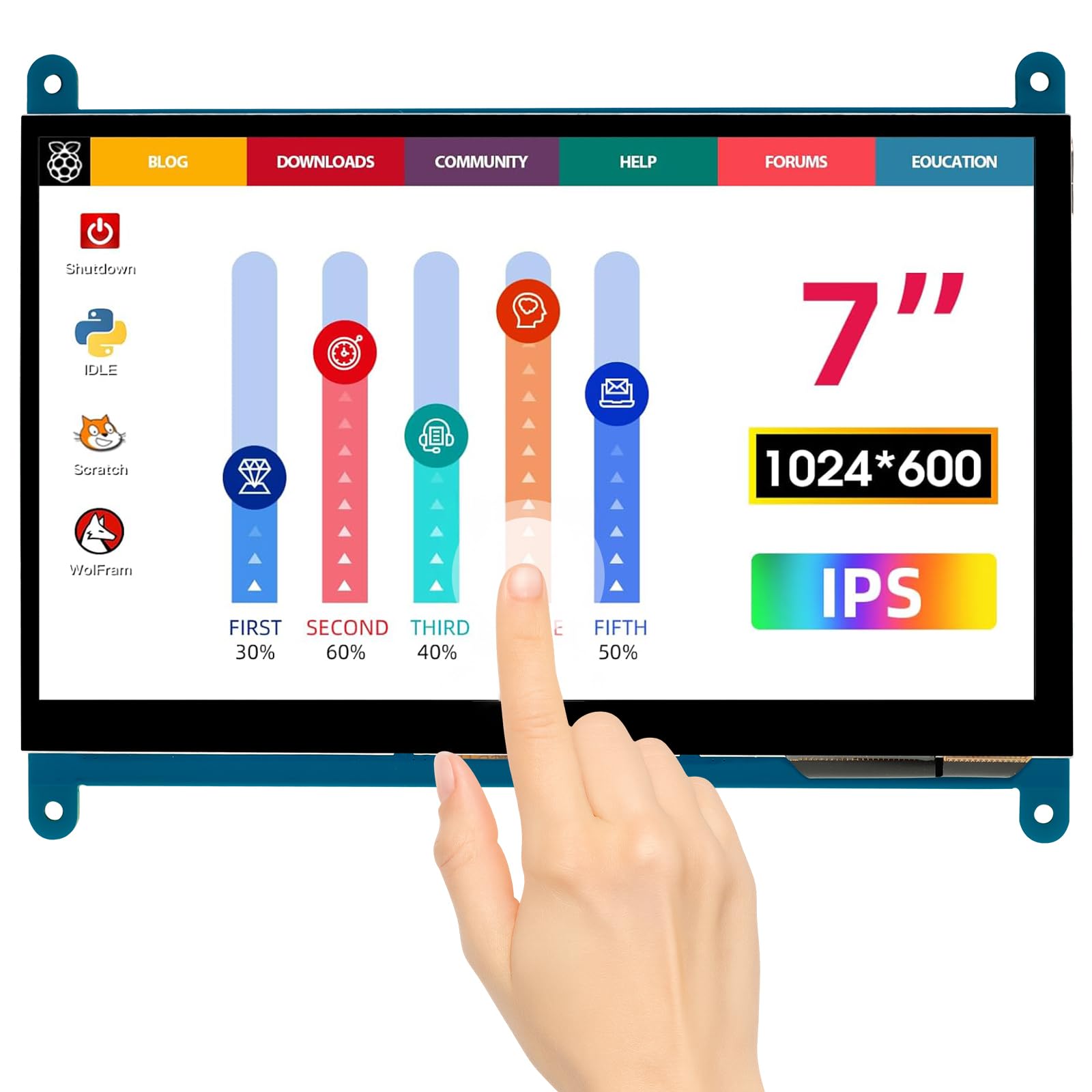
🚀 Elevate your mini-computing game with vibrant touch clarity!
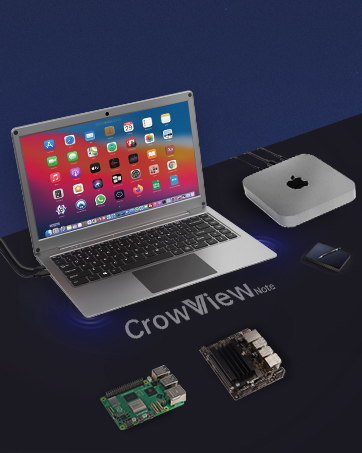
The ELECROW 7 Inch Touchscreen offers a sharp 1024x600 IPS display with wide 170° viewing angles and 5-point capacitive touch. Compatible out-of-the-box with Raspberry Pi models, Banana Pi, Jetson Nano, and Windows PCs, it requires no driver installation. Its sleek, bezel-free design and plug-and-play setup make it an ideal portable monitor for developers, makers, and tech enthusiasts seeking versatile, high-quality visuals in a compact form.












| ASIN | B01GDMDFZA |
| Aspect Ratio | 1.71:1 |
| Best Sellers Rank | #23,859 in Electronics ( See Top 100 in Electronics ) #614 in Computer Monitors |
| Customer Reviews | 4.5 4.5 out of 5 stars (272) |
| Date First Available | May 31, 2016 |
| Image brightness | 300 lm |
| Is Discontinued By Manufacturer | No |
| Item Weight | 7.4 ounces |
| Item model number | touchscreen monitor |
| Manufacturer | ELECROW |
| Product Dimensions | 6.46 x 3.98 x 0.35 inches |
| Resolution | 1024 x 600 Pixels |
| Standing screen display size | 7 Inches |
| Total Usb Ports | 2 |
| Voltage | 5 Volts |
E**I
Works with Raspberry Pi or any other PCs, Laptops
This is my second, which should tell a lot. It works as expected, viewing angled are great, colors, everything is good. I've tried it with Raspberry Pi 5, Linux PCs/Laptops and it works fine out of the box. I don't use Mac so can't tell if it's compatible with it but I don't see why it wouldn't.
P**3
Works well. Good viewing angle.
Have it connected to a NUC mini PC with Win11. I use remote access so I really didn't need a full size monitor. Picture quality is very good. Would like higher resolution, but at this price can't really complain. Would buy again if I needed another.
A**R
Great value for the money. Nice, but does NOT work with Windows 10!
Excellent value for the money. Worked right out of the box on an older Gateway desktop system running Linux. Great color rendition, and lots of resolution. Not quite as successful on a mini-PC running Windows 10, but I suspect I need to load the special drivers that come with it on a DVD (I have no DVD input to the mini-PC, so I'll have to transfer files using a jump drive) to get proper performance. This is the mini-PC I'm using: Beelink Z83-II Mini PC Intel Atom x5-Z8350 Processor (2M Cache, up to 1.92 GHz) Intel HD Graphics 400, DDR3 2GB + 32GB(C:)/ 1000Mbps LAN/ Dual-Band WiFi/ BT 4.0 [Support Windows & Linux System ] At least, I hope that solves the problem. Update One: It turns out that there are no special drivers needed for Windows. I just needed to reboot the mini-PC, and that got all the proper Windows drivers running. The display on the mini-PC was rock solid, with great definition and color. However, after some testing, I found that the touch portion of the screen interface appeared to be defective. Elecrow was very supportive, and corresponded with me daily to iron out this issue. They even offered to credit me some cash if I wanted to accept the screen with the defect. But touch functionality is necessary for my project, so I am sending this one back to get another - because the display functionality is that good! Update Two: Well, now I know the real issue. This display is compatible with Windows 7, but NOT with Windows 10. According to the Seller, their technician determined that a system running Windows 10 cannot identify the device number correctly (I suspect the touch screen is driven as a mouse, and not a true touch screen, because a USB mouse device "ByQDtech" appears when the display is connected to the computer - other displays similar to this one have the same problem). There may be a software update in the future, but for now, this display does NOT work with Windows 10.
T**R
Quality product and excellent price
Not my first, or second product I've purchased from elecrow. Compatible with the RPI5, touch screen works flawlessly. I have a 5 inch that's a bit small, this is much better to work with for my eye sight. Easy to use, plug and play. I love this screen size. I used this along with my 5 inch display to make a dual screen go box for amateur radio. Very portable.
D**.
Works with Windows XP Tablet PC Edition
I bought this screen for a project that uses Windows XP, had trouble getting it to work at first (no input registered). What I found is that the touch will only work on Windows XP if you're using a Tablet PC Edition. Picture quality is great too - if not a bit high-contrast for my application - and it looks great from all angles. My sole complaint is the lack of brightness control, the display is fairly bright which can't be tamed. The backlight on/off switch is exactly as it says, but switched off it's invisible under my typical use conditions. It's worth noting that I couldn't get touch to work with the secondary USB port plugged into a wall wart, no matter in what order they were plugged in. I'd guess they're both intended to be plugged into the same host machine, but right now it's working fine with just the one.
S**N
No protective backplate... and ya better bust-out the drill!
There's a decent screen here but the only issue I have with it is, who's going to drill through their case at any point to use the mounting holes supplied here? I've gotta find some soft padding with double-sided tape thick enough to keep the tiny components off the case's bare metal. Either supply a protective plastic sheet across the back and sticky material or, avoid this one alltogether if you can.
D**L
Works great.
The image doesn't doit justice quality looks better in person, plugged it into my mini pc and runs perfectly fine no issues, good deal. Inhave windows 11, and no issue.
A**R
Fun little panel
Crisp view and very responsive, a fun little panel for various uses. Just wish it was a tad less expensive, I'd use these for a number of builds.
ぬ**ぬ
基盤むき出しではありますが、セールで安価だったため購入。 純正のものよりも解像度が高く表示自体もとても綺麗です。 タッチパネルの反応も素直で問題はありません。 結構有名な基盤メーカーみたいだし大丈夫かなと楽観的に買いましたが心配する必要もありませんでした。 HDMIで接続+USBケーブルで給電という風になっています。 取り扱い説明書は付属DVDに入っており、ドライバーもGitHubからダウンロードするだけで簡単。 音声出力は付いていませんがRaspberry Pi3で使うので特に問題は感じません。 現在はアクリル板でケースを自作し使用しています。 この値段でこのクオリティは中々お得な買い物でした。
N**G
Easy to setup worked great could use some screws to mount it but works great
V**A
繋 く と す ぐ 映 る 感度もそこそこ (精度は期待しない程度に)
展**ン
PC(Win/Mac)は接続するだけ。 Raspberry Pi では、解像度が一般的でないこと(と USB 給電)のため config.txt への設定の記述が必須で、これがないと「縦線がでるだけで画面が表示されません」になります。 設定は、付属CDのドキュメントにあるドライバ(設定書き込みソフト)で書き込むか、ネットでメーカーによらず Raspberry Pi 用 7 inch HDMI 1024x600 ディスプレイの設定を探して書き込めば、問題ないようです。 ただし、本製品は DC in をもっておらず Micro USB 給電なので、Raspberry Pi の USB で給電する場合はフルパワー対応のアダプタと config.txt への設定、もしくは別に電源供給用に接続、が必要です。 そのへんの注意がたりず、起動が途中までうまく行くが、サービスが起動するあたりでカーネルパニック、というのを繰り返してしまいました。
な**お
Windows10ならUSB接続だけで ドライバの読み込みもなしに使えています。 古くなった純正埋込みナビの代替として ちょうどのサイズで最新のメディアセンターとして機能してくれています。 長い時間使うことはありませんが、 これから真夏の車内という過酷な環境に 耐えてくれればと思います。
Trustpilot
3 weeks ago
3 weeks ago