Buy anything from 5,000+ international stores. One checkout price. No surprise fees. Join 2M+ shoppers on Desertcart.
Desertcart purchases this item on your behalf and handles shipping, customs, and support to Vietnam.
🚀 Elevate your network—connect beyond limits with LiteBeam M5!
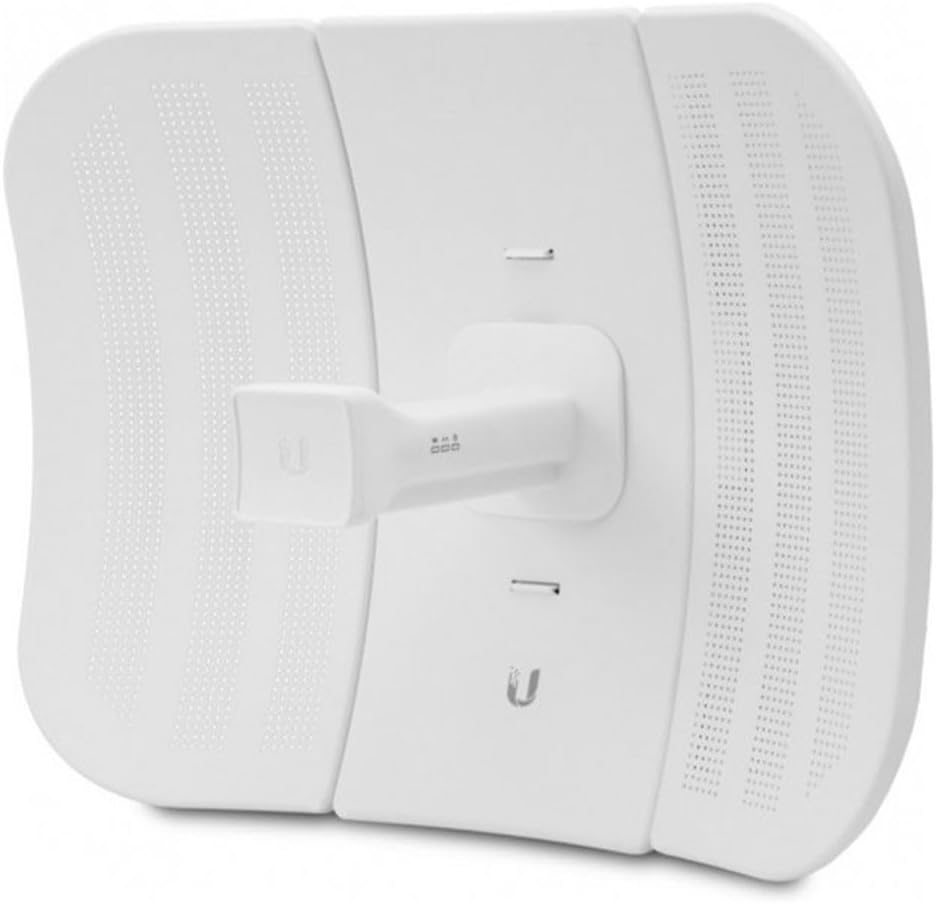
The Ubiquiti LiteBeam M5 23dBi is a compact, lightweight outdoor CPE designed for long-distance wireless broadband bridging. Operating on the license-free 5 GHz band, it delivers high-performance connectivity up to 10+ km, making it an affordable and reliable solution for professionals seeking robust network expansion.
| ASIN | B0166YREMK |
| Best Sellers Rank | #153,394 in Computers ( See Top 100 in Computers ) #519 in Network Antennas |
| Brand | Ubiquiti Networks |
| Customer Reviews | 4.2 4.2 out of 5 stars (273) |
| Date First Available | 21 September 2018 |
| Item Weight | 1.24 Kilograms |
| Manufacturer | UBNT Systems |
| Manufacturer Part Number | LBE-M5-23X2 |
| Model number | LBE-M5-23X2 |
| Product Dimensions | 50 x 50 x 28 cm; 1.24 kg |
X**O
Perfecta compra. Perfecta marca. Perfecta sincronía a la primera. Funcionando ya 6 meses y ni un fallo. 100% fiable y funcionalidad asegurada
O**E
Have been in use for about a year and no problems with them. We did not have to cover a long distance, just had to get across a parking lot. I have always found Ubiquiti to have good products.
A**R
Great product, and very cooperative customer service by the seller👍👍
M**O
Prodotto veramente valido ho effettuato un link a 1,2 Km con ottime prestazioni
E**S
Para su instalación es fácil cuando ya lo hace. 1.- Requieres dos routers, uno para enviar la señal y otro para recibirla. 2.- Al punto A lo que es el router es el que envía la señal a la antena, esta la colocas en cualquier puerto RJ45 posteriormente configuras tu equipo con las IP del dispositivo claro esta no igual, pero sí en el mismo segmento de red al igual al punto B, pero al punto B lo vas a configurar como estación. 3.- Al punto B de la antena se debe de conectar en puerto de llegada al router, por lo regular es azul no en el amarillo para que ese router tenga capacidad de transmitir la información en el otro extremo de la red..
Trustpilot
1 month ago
2 weeks ago