We remain fully operational. Our teams are working around the clock to ensure your deliveries continue safely.

DOWNLOAD THE APP


Copyright © 2025 Desertcart Holdings Limited
DOWNLOAD THE APP






Buy anything from 5,000+ international stores. One checkout price. No surprise fees. Join 2M+ shoppers on Desertcart.
Desertcart purchases this item on your behalf and handles shipping, customs, and support to Vietnam.
🚀 Elevate your home WiFi game—never settle for dead zones again!
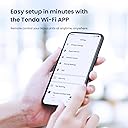
The Tenda Nova MW6 Mesh WiFi System delivers robust, whole-home wireless coverage up to 4000 sq.ft using dual-band AC1200 technology. Featuring two pre-paired units with gigabit Ethernet ports, it ensures fast, stable connections throughout your space. Easy setup via the Tenda App and Alexa compatibility make network management intuitive and smart-home ready.
| ASIN | B078NJ2QX2 |
| Antenna Location | Home |
| Antenna Type | Internal |
| Best Sellers Rank | #141,270 in Computers ( See Top 100 in Computers ) #1,730 in Routers |
| Brand | Tenda |
| Built-In Media | 1 Gigabit Ethernet Cable, 2 Power Adapters, Mesh3 * 2 Mesh Points, Quick Install Guide |
| Color | White |
| Compatible Devices | Computers, Smartphones, Tablets |
| Connectivity Protocol | Wi-Fi |
| Connectivity Range | 4000 Square Feet |
| Connectivity Technology | Ethernet, Wi-Fi |
| Control Method | App |
| Controller Type | App Control |
| Coverage | 4000 square feet |
| Customer Reviews | 4.2 4.2 out of 5 stars (2,110) |
| Data Transfer Rate | 1200 Megabits Per Second |
| Frequency | 5 GHz |
| Frequency Band Class | Dual-Band |
| Is Modem Compatible | No |
| Item Dimensions L x W x H | 10L x 10W x 10H centimeters |
| Item Type Name | Home Mesh |
| Item Weight | 1.81 Pounds |
| LAN Port Bandwidth | 1200 megabits_per_second |
| Manufacturer | Tenda |
| Maximum Upstream Data Transfer Rate | 1200 Megabits Per Second |
| Mfr Part Number | Nova MW6 (2-pack) |
| Model Name | Mesh3 |
| Model Number | Tenda-popq11 |
| Number of Antennas | 4 |
| Number of Ports | 2 |
| Operating System | ZyNOS |
| Other Special Features of the Product | Alexa Compatible |
| RAM Memory Installed | 1 GB |
| Security Protocol | WPA2-PSK |
| UPC | 712396689263 |
| Voltage | 12 Volts (AC) |
| Wi-Fi Generation | Wi-Fi 5 |
| Wireless Compability | 802.11a |
K**D
I bought the Tenda MW12-3 because the flat I live in has solid brick walls throughout and they absolutely kill the Wi-Fi signal from any router/hub I've had. Here's a little background. I'm a Virgin Media customer and to say that the Wi-Fi from the Hub 3 is woefully inadequate is the understatement of all understatements. It's so bad that I had to put it in modem mode and connect a separate router to get decent Wi-Fi in the same room as the Hub 3 sits. However, even the Wi-Fi signal from that Router could not maintain sufficient integrity through to the kitchen or bedrooms and when I upgraded my broadband to 500Mb the separate router just wasn't capable of those speeds so, I had to abandon it and revert back to the Virgin Hub 3. This just wasn't going to cut the mustard. Enter Tenda Mesh Wi-Fi! When browsing Mesh options, I opted on Tenda due to the cost and the overall favourable reviews they were receiving so, the price to quality ratio seemed too good to be true. Now that I'd settled on the brand, the next decision was which model should I choose. Given my experiences with the severe dampening effect the walls in my flat have on Wi-Fi signal, I was swithering between the MW6 and MW12. The MW12 seemed like overkill, given the coverage but, I was filled with dread at the thought of buying the MW6 and finding that these damned walls killed the signal from the Primary Node I'd have in the living room to the Secondary Nodes in the Bedroom and Kitchen. I therefore opted for the MW12 "Overkill" option. The MW12 was very easy to set up and I had all nodes set up in probably half an hour, most likely less than that. I would like to point out that many people say to put their Virgin Hub into Modem mode but, as I no longer had a separate Router for my Ethernet connected devices in the living room, I decided to simply try switching off the Wi-Fi on the Hub 3 and connecting the Primary Node to it to see if that would work first of all, and it did. It works perfectly. So, there's no need to put your Virgin Hub in Modem mode! To say my Wi-Fi experience has been transformative after switching to the Tenda MW12 doesn't even seem to do it justice. I would say though, and this is far from a negative to me, that the signal is so strong now that even when I'm in the bedroom, devices still seem to be connecting to the Primary Node in the living room and with a strong signal! So, perhaps for my flat and coverage needs, it was indeed overkill and the MW6 most likely would have been more than sufficient. I do not however regret the purchase as now I have a full, strong, reliable Wi-Fi signal in the second bedroom as well, which is my cinema room. I also like the fact that each node has 2 RJ45 outputs on them, which is great for connecting additional devices by ethernet to the nodes, which is sometimes a preferable option. If you are experiencing poor Wi-Fi signals, Tenda is the kit to get, in my honest opinion. Quality at a fantastic price and highly recommended. Just be sure to opt for the model that most appropriately suits your home, especially if you are on a budget. One final note; when I initially set up the system I was getting upwards of 300Mbps, usually close to and sometimes just over 400Mbps, when testing the Wi-Fi on my phone, whilst near the Primary node. This morning I noticed that this had dropped to around 100Mbps. This was not caused by the Tenda Wi-Fi, it was the pitiful Virgin Hub 3 at its best! I gave the Hub 3 a "quick" reboot and now I'm back to +300Mbps.
C**N
Me gustó mucho y es muy práctico es lo que necesitaba el único problema que veo es que si quiero ampliar la red los nodos MW5S no se venden sueltos.
P**H
The Tenda MW12 mesh units do everything they should however disappointment with Amazon as these were ordered via Amazon Australia but delivered from Amazon UK with electric plugs that were not useable in Australis and New Zealand. I would have expected either the correct plug configuration to be supplied or at least the three required adapters would have been supplied by Amazon so the mesh units were useable "out of the box".
K**I
Due to living so far from the exchange. we cannot get a decent broadband speed, so invested in a 4g router. The only problem being that the router apparently has a very small radius when it comes to signal. Things in the room next to the router were struggling to connect, so getting signal through a wall was practically impossible. I tried various ways to improve the signal (such as placing the router in a window) as well as the speeds & had until recently invested in extenders which at the time suited our needs, but with the introduction of all things becoming smart & adding extra rooms on our home, we needed the signal to be better without the loss of speeds experienced when using an extender. So, I did some research & found that mesh wifi would solve our problems - but knowing which ones to buy without spending a fortune was also a challenge. I did my research & found the Tenda Nova mesh set should meet our needs whilst being a reasonable price, so I initially invested in the 2 cube set. Due to having the first cube located right next to the router, I decided to invest in an add-on nova to bump it up to 3. Had I had known this I would have bought the 3 piece set initially, but you live & learn. So - I got the kit & due to the router already being quite difficult to place to get the best signal, we made the decision to locate it in an outdoor building as with increased signal strength, comes also faster speeds. Our speed went from around 20 to 50 just by locating the router in our shed. I added the nova to the router using the ethernet cable & went through the set up on the app which was so quick & simple. I then named the new wifi & added the next nova cube. Really easy. Then since that was sorted, I disabled the wifi signal on the router itself & located the other cubes so they reach all the areas of the house. The biggest task was reassigning everything to the new set up - but this is something you would have to do if ever you changed router or supplier anyway, so it took me about an hour but was otherwise very easy. Everything found the right channel even though my wifi only shows as one channel in my phone. No matter whether 2.4 or 5G, everything connected & now with every room having full signal, there was no messing about hoping the signal would remain strong enough to complete set up. Now my doorbell is running at -22 instead of -70. My smart sockets can now all pick up a signal & our various echo devices are now able to connect as well. TVs, air fryers, laptops, phones, tablets etc all connect really quickly & there is also a seamless transition that allows you to roam around the house & your device will auto-connect to the closest nova cube without any interruption. We currently have 36 devices on our new set up & all are picking up 5 bars of wifi signal & running at the best speeds we have ever known - even with the decrease in speeds due to everyone being throttled due to lockdown at present. I can't wait to see what speeds we can get once life gets back to some sort of norm. This set up has quite literally changed our smart device life. One of the cubes I initially hid behind our Bose speaker in the bedroom, but I found that doing so was in fact blocking the signal to some devices - namely our Ring doorbell. I moved the cube & sat it on top of the Bose & now everything connected to it is able to connect fully & the signal to the doorbell has increased significantly. We are toying with the idea of putting one in the loft as someone else commented they have done. I am also able to turn the service light off in the app, so the cube in the bedroom now doesn't emit light. Not that it was enough to keep me awake, but it's one thing less to be causing light pollution when I'm in bed. Also, I found the app full of ways to tweak & personalise your set up. There is a function for when you have more than 30 devices on your network, an auto maintenance schedule, as well as the ability to create numerous channels such as for guests or kids - but also you can create one purely for your echo devices, so if anyone was ever able to hack them then they can't get into anything else on your network - That was also another tip I picked up from researching these mesh systems. I can see at a glance which devices are connected to which cube etc. I found it really quite interesting setting it all up & working out all the settings so we get the best possible speeds. My other half is just happy that he can now watch TV in bed without it constantly buffering as the TV couldn't pick up the signal from the router through 1 wall before. These Novas are certainly very powerful when it comes to transmitting the signal throughout the house. And because we now have the main router in an external building, we can pick up a full signal in our workshops & down the garden too, so we can listen to our dot in the workshop whilst we are down the garden which in turn enables us to hear if anyone is at the door as well as providing the ability to listen to music without it constantly dropping signal. PROS: • Easy to set up • Easy to use • Comes with a warranty for peace of mind • You can personalise the settings to your requirements • Very responsive • Good signal range • Super quick to connect • Small white boxes with a long power cable makes them easy to put around the house as they are unobtrusive • Able to roam around our home now & the devices don't lose signal CONS: • Not able to set the channels as they are preset • Can't control which items connect to which cube Verdict: Why did I not find out about these sooner??? 5 stars - great product, Would recommend. I am very happy with this item.
M**M
60 %✓
Trustpilot
2 weeks ago
3 weeks ago