Buy anything from 5,000+ international stores. One checkout price. No surprise fees. Join 2M+ shoppers on Desertcart.
Desertcart purchases this item on your behalf and handles shipping, customs, and support to Vietnam.
๐ Elevate your security game with 4K precision and bulletproof reliability!
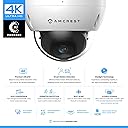
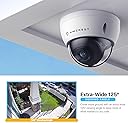
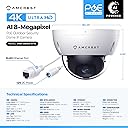
The Amcrest UltraHD 4K Outdoor POE IP Camera delivers stunning 8MP resolution with a super-wide 112ยฐ lens and advanced Sony Starvis sensor for superior low-light performance. Featuring 98ft infrared night vision, IP67 weatherproof and IK10 vandal-resistant housing, itโs engineered for all environments. Power Over Ethernet enables clean, efficient installation. Compatible with Amcrestโs smart app, cloud storage, and multiple professional recording platforms, this camera offers versatile, secure surveillance for modern homes and businesses.


| ASIN | B077Y52782 |
| Alert Type | Motion Only |
| Antenna Location | Security,Surveillance |
| Batteries are Required | No |
| Best Sellers Rank | 26,356 in Electronics & Photo ( See Top 100 in Electronics & Photo ) 311 in Dome Cameras |
| Brand | Amcrest |
| Colour | White |
| Compatible Devices | Smartphone |
| Connectivity Protocol | HomePlug |
| Control Method | App |
| Controller Type | Amazon Alexa |
| Customer Reviews | 4.3 4.3 out of 5 stars (536) |
| Effective Still Resolution | 8 MP |
| Effective Video Resolution | 8 MP |
| Field Of View | 112 Degrees |
| Form Factor | Dome |
| Frame Rate | 15 frames_per_second |
| Included Components | Quick Start Guide |
| Indoor Outdoor Usage | Outdoor |
| Item Dimensions | 15.5 x 15.5 x 13.7 centimetres |
| Item Type Name | Amcrest UltraHD 4K (8MP) Outdoor Security POE IP Camera |
| Light Source | Infrared |
| Manufacturer | Amcrest |
| Material | Metal |
| Model Name | IP8M-2493EW |
| Model Number | IP8M - 2493EW |
| Mount Type | Surface Mount |
| Network Connectivity Technology | Wired |
| Night Vision | Night Color |
| Night Vision Range | 98 Feet |
| Number of Channels | 1 |
| Number of IR LEDs | 1 |
| Number of Items | 1 |
| Other Special Features of the Product | Image Sensor, Night Vision |
| Photo Sensor Technology | CMOS |
| Power source | Corded Electric |
| Rear Webcam Resolution | 8 MP |
| Room Type | Office |
| UPC | 858999007032 |
| Unit Count | 1 count |
| Usage | Surveillance |
| Video Capture Format | 4k |
| Video Capture Resolution | 4k |
| Viewing Angle | 125 Degrees |
| Voltage | 12 Volts |
| Waterproof Rating | IP67 |
| Wattage | 6 watts |
| Wireless Technology Type | Wired / POE |
| Zoom Type | Digital Zoom |
D**A
Excelente calidad ! Lo รบnico malo quรฉ hay que pagar para Guardar videos en la nube
D**J
Picture quality is great, especially snapshots. Can be used standalone/no internet. CGI API works well. You can configure both video and still images be saved on the SD card, I have it configured to save motion events as videos, and stills once a minute to the SD card 24/7. The stills are NOT frame captures of the video stream but jpg's from the raw data that do not suffer from the video compression. I do not intend to use this with any of Amcrest's online services or phone apps. I have the camera connected on an isolated DMZ with NO internet access. All attempts to connect to the internet are blocked and I connect to the cameras locally from my laptop and home server. Yes, you can provision it via the embedded web server just fine from a PC locally. Most config can be done without needing to install their browser plugin, but you do need to use their plugin to do some items such as motion ranges, privacy masks, etc... By default on power up the camera attempts to create these connections, but the camera is just fine if they are blocked. I find it ironic that their cloud service connection attempt is over HTTPS, however their "security" connection attempt is over HTTP. TCP: config.amcrestcloud.com:443 TCP: amcrestview.com:12367 TCP: dh.amcrestsecurity.com:80 UDP: p2p.amcrestview.com:8800 UDP: google-public-dns-a.google.com:53 UDP: google-public-dns-b.google.com:53 Amcrest vs Dahua: Yes, it's quite clear that Amcrest just OEM's camera hardware and firmware from Dahua. The Amcrest IP8M-2493EW appears to be a Dahua HDBW4831E (not 100% sure on that exact model number). I have nothing wrong with this business model, however I don't see much value in Amcrest investing in re-skinning all the UIs and firmware. Not intending to use any of their cloud services the only plus I see is Amcrest looks to be more consumer focused than Dahua (both in sales and support). Some faults: Whenever you login via the web interface, the camera automatically syncs the time from your PC to the camera, even if you have NTP configured, it takes whatever time you have on your PC and uses it. This cannot be disabled. If the time on your PC is slightly off the camera will step the clock and also be incorrect until the next NTP update. SMTP with the 'other' server option seems completely broken, there are some threads on amcrest forums about this. Mail test fails immediately and it doesn't even attempt to do a DNS lookup let alone a TCP SYN to the SMTP server. Amcrest's "user docs" are horrible. It seems they hired some contractor to simply take Dahua's docs and "translate" them from english to english and replacing all the company logos, providing no useful material. You can download the Dahua's user manual to get a better experience. The back of the camera has the pigtail coming out almost near the side, nowhere near the center. Mounting this camera isn't ideal. I bought one of the mounts (PFA136) which will give you space to store all those cables. Some pros: syslog works, it'll log to my home server just fine. ntp works, etc... The CGI APIs work well. Do a web search for the AMCREST_CGI_SDK_API.pdf and read through it. This is identical (or almost identical) to the Dahua CGI API doc. Some useful items from the SDK. You can obtain real-time still images from /cgi-bin/snapshot.cgi which is quite useful and better quality than stills captured from the video stream. It took me a few hours to write a shell script with wget to list contents of the SD card, and then retreive all the videos and stills on there to my home server. Relativly low power consumption, my switch reports 4W when IR off and 6W when IR is on (on about 40ft cat6). Pigtail: Oh it's almost a dealbreaker. What a horrible pigtail. People who are buying a PoE camera expect just one connection, an RJ45. This things has 5 connections, and "waterproofing" is only provided for the ethernet connection. On the inside of the camera the other end of the pigtail is broken out into 2 connectiors, a 6-wire connector with the Audio and Alarm relays, and a 9-wire connector with Ethernet, PoE, 12vDC, and the alarm ground wire. See my pictures. If you are only connecting the RJ45, you can safely unplug the alarm/audio header and even clip the 12vDC wires on the inside of the housing then chop off the unused pigtails leaving just the RJ45 external with no risk of shorts outside the camera.
G**L
Easy install and setup, very wide field of view, and absolutely incredible resolution and image quality. I have mine paired up with an Amcrest NV4116E , and it was instantly recognized and displayed. I have this vandal-resistant dome camera on my front porch, watching over my front door. My previous "wide angle" security camera placed in the same location could see the front stoop and 3 steps leading up to it. This camera however, sees the entire stoop, all six steps, a 30 foot walkway, and half of the front yard; all in exceptional detail. If I (hopefully don't) need to use footage to identify someone, it would be absolutely no problem with this camera. Without exaggeration, I can count the leaves on a boxwood plant that is ~25 feet from the camera; the image is *that* sharp. I absolutely love this camera, and will certainly be buying many more from Amcrest in the future. That being said, this product is not really for the average joe. In order to have this working well, and installed properly, you'll need to have moderate DIY skills. Being super nerdy helps too (PhD in engineering here) Knowing how to setup secure networks, DDNS, and terminate cat5e all really help here. Not difficult by any means at all, perhaps a little outside of the knowledge of the average DIY'er. Also, as with other Amcrest products that I've purchased in the past, these are all "prosumer" devices. Very little in the way of documentation or instructions at all. It isn't too difficult to figure out, but if you haven't played with a PoE camera before, it might have a bit of a learning curve. One other happy surprise that isn't shown in the pictures or written in the description; the wiring pigtail obviously has a PoE port, but it also includes RCA ports for audio in and audio out, as well as a 3-wire pigtail to alert an alarm system. Nice, unexpected bonus.
J**E
Cumple con las expectativas
U**E
I'm just starting to build my home security video system. I was impressed by the Amcrest product selection so I thought I'd try out their stuff. This camera couldn't have been easier to setup! I plugged the ethernet cable into the port and connected it to my Amrcrest 8-port POE switch. The camera came online immediately and joined my home network. I was able to connect directly to the camera's web interface to set it up. I also use the Amcrest Surveillance Pro software for even more configuration such as customizing the overlays, adjusting the exposure settings, etc. The picture quality is great, day and night. For example, I have a camera at my front door which is a darker area because of the sky in the background. I was able to adjust the lighting in the software to expose for the darker areas, so I could better recognize people and objects. It was a trade-off because the sky would get even more blown out, but I was willing to do this to give me better object & people recognition. The camera looks to be really well built and I hope that means it'll last a long time. It's great that they have other products I could look at later on to add and keep all of the same brands. The camera was easy to add to my Blue Iris software setup, and even if I decide on other brands later on, they'll all work great together with this setup. It's good to know the Amcrest products work well with Blue Iris. Included are tools for mounting as well as mounting gear, like a protective tube for routing the ethernet cable from my attic to the outside of my house.
Trustpilot
1 month ago
3 weeks ago