Buy anything from 5,000+ international stores. One checkout price. No surprise fees. Join 2M+ shoppers on Desertcart.
Desertcart purchases this item on your behalf and handles shipping, customs, and support to Vietnam.
🚀 Elevate your WiFi game — speed, security, and coverage that keeps you ahead!
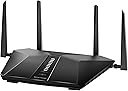
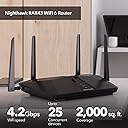
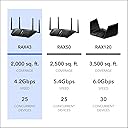
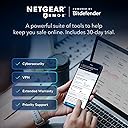
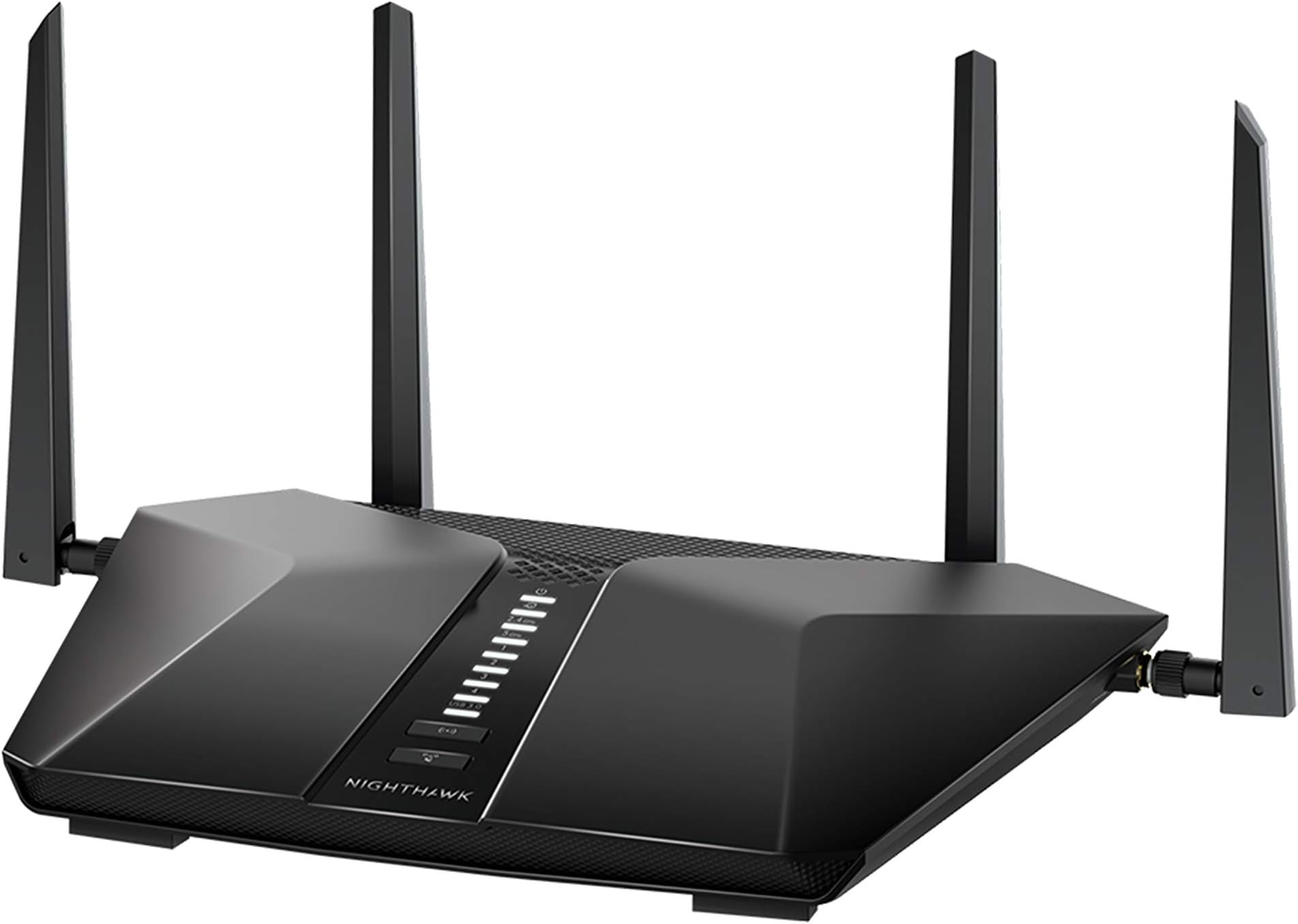
The NETGEAR Nighthawk RAX43 is a powerful WiFi 6 router delivering AX4200 gigabit speeds, covering up to 2,500 sq. ft. and supporting 25 devices simultaneously. It features built-in VPN, NETGEAR Armor security, 4 Ethernet ports, and USB 3.0 for personal cloud storage, making it ideal for seamless streaming, gaming, and secure remote work.


| ASIN | B08JY6RMG9 |
| Antenna Location | Business, Gaming, Home |
| Antenna Type | Fixed |
| Best Sellers Rank | #6,332 in Computers ( See Top 100 in Computers ) #133 in Routers |
| Brand | NETGEAR |
| Built-In Media | NETGEAR Nighthawk AX5/ 5-stream AX4200 WiFi Router (RAX43), Ethernet cable, 4 external antennas, Quick start guide, Power adapter |
| Color | Black |
| Compatible Devices | Gaming Console, Laptop, Smartphone |
| Connectivity Protocol | Wi-Fi, Ethernet |
| Connectivity Technology | Ethernet, Wi-Fi |
| Control Method | Voice |
| Controller Type | App Control |
| Coverage | Up to 2.5 m² and 25 devices |
| Customer Reviews | 4.4 4.4 out of 5 stars (1,487) |
| Data Transfer Rate | 4.2 Gigabits Per Second |
| Frequency | 160 |
| Frequency Band Class | Dual-Band |
| Has Internet Connectivity | Yes |
| Has Security Updates | Yes |
| Is Electric | No |
| Is Modem Compatible | Yes |
| Item Dimensions L x W x H | 29.6L x 20.6W x 5.7H centimeters |
| Item Weight | 567 g |
| LAN Port Bandwidth | 1 Gbps |
| Manufacturer | Netgear |
| Maximum Upstream Data Transfer Rate | 4200 Megabits Per Second |
| Mfr Part Number | RAX43-100NAS |
| Model Name | RAX43 |
| Model Number | RAX43-100NAS |
| Number of Antennas | 4 |
| Number of Ports | 4 |
| Operating System | NETGEAR OS |
| Other Special Features of the Product | QoS |
| Router Firewall Security Level | High |
| Router Network Type | dual-band |
| Security Protocol | WPA2, WPA3 |
| UPC | 606449152180 |
| Unit Count | 1 Count |
| Voltage | 100240 Volts |
| Wi-Fi Generation | Wi-Fi 6 |
| Wireless Compability | 802.11ax |
J**E
The box it came in was extremely dirty but router very easy to set up and working great
G**O
Lo había comprado para mejorar la red de mi casa, actualmente tengo un TP-Link Ax1500; en relación a la entrega llegó en excelentes condiciones y antes de lo estipulado. En cuanto a la configuración, ahí fue el problema, pasé toda la mañana y parte de la noche tratando de configurarlo, una vez actualizado el firmware me marcaba error al iniciar mi sesión en mi cuenta de Netgear, la red WiFi presentaba intermitencias, la región para WiFi me aparecía predeterminada en Canadá (soy de México), el servicio de IPTv presentaba igual intermitencias, de repente se congelaba la imagen y nada. Configure las VLAN como venía en el manual, como encontré en foros, como estaban en mi ONT, asigné IP fija, active QoS, priorice tráfico, active el modo Bridge de VLAN, y nada, las intermitencias en IPTv nunca cesaron. He iniciado el proceso de devolución 🫠🥹
J**R
The modem itself was great. My problem was a 7 day trial of Armor turned into a nightmare! It is made by Bitdefender which I have their Total Security installed on all my devices. A great company. But, having Armor on my router felt very intrusive. Somehow, I either clicked where I shouldn’t have while trying to delete the darn thing or I didn’t click where I should to prevent auto acceptance. I do not know to this day how it came about. I found I did not like having notices from Armor pop up whenever a new person or device was registered as linking on. We are a 2 person household. I do not need to know if my husband opened his ipad. When my large family was visiting I thought the the router might have a spasm with my 11 grandkids ipad-ing and iphoning. I live in a rural area set way back from the road, few neighbors, on dead end street. Not much room for router lurkers to get near my router. I have internet security and did not see the need for Armor. I only called to cancel Armor. They opened a case file..big deal. They couldn’t or didn’t have the answer. I was connected to another group and a second case file was opened. After much back and forth, I asked a simple question..How do I get Armor off the router because I’m not paying $105 for it. I was directed to another group and assigned a third case file..At this point, I “lost it”! I cancelled cases, deleted my account, and returned the Netgear AX 4200 to Amazon. BTW, I’m still getting emails from the 3rd case file :) Please consider this caveat….the device is speedy and worked well for the two days I used it. I hated to give it a lower rating due to Netgear’s horrible tech support. So beware of Armor. It maybe helpful for those folks who live in highly populated areas; but for me, it was DOA
A**R
As someone who knows very little about routers this was the one everyone recommended to me. It was very easy to set up, great signal and covers our entire house. Have had for over a year now and never any issues! Highly recommend, glad we listened to everyone!
J**E
The router performed great in the beginning, but once Verizon updated something on their side, we began having continual outages. When it does work, it’s fast and efficient, but the reliability hasn’t been the same.
Trustpilot
2 months ago
1 month ago