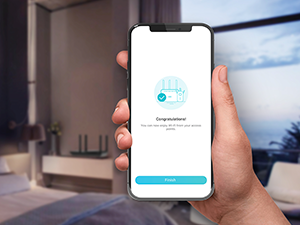
📡 Unlock the future of WiFi — fast, smart, and everywhere you need it!
The TP-Link Archer AX21 AX1800 WiFi 6 Router delivers cutting-edge dual-band wireless speeds up to 1.8 Gbps, powered by OFDMA and Beamforming technologies for superior device capacity and extended coverage. Designed for easy setup with Alexa and certified for user-friendliness, it supports VPN, advanced security protocols including WPA3, and parental controls, making it the ideal router for modern smart homes and demanding streaming or gaming environments.


| ASIN | B08H8ZLKKK |
| Antenna Location | Home |
| Antenna Type | Fixed |
| Best Sellers Rank | #76 in Computers ( See Top 100 in Computers ) #2 in Routers |
| Brand | TP-Link |
| Built-In Media | Power Adapter, Quick Installation Guide, RJ45 Ethernet Cable |
| Color | Black |
| Compatible Devices | Gaming Console, Personal Computer, Smartphone, Tablet |
| Compatible devices | Gaming Console, Personal Computer, Smartphone, Tablet |
| Connectivity Technology | Ethernet, Wi-Fi |
| Control Method | Voice |
| Controller Type | amazon_alexa |
| Coverage | Long Range |
| Customer Reviews | 4.3 out of 5 stars 41,418 Reviews |
| Data Transfer Rate | 1200 Megabits Per Second |
| Frequency | 5 |
| Frequency Band Class | Dual-Band |
| Frequency band class | Dual-Band |
| Is Modem Compatible | Yes |
| Item Dimensions L x W x H | 26.1L x 13.5W x 4.1H centimeters |
| Item Type Name | WiFi Router |
| Item Weight | 1.1 Pounds |
| LAN Port Bandwidth | 10/100/1000 Mbps |
| Manufacturer | TP-Link |
| Maximum Upstream Data Transfer Rate | 1200 Megabits Per Second |
| Model Name | Archer AX21 |
| Model Number | Archer AX21 |
| Model name | Archer AX21 |
| Number of Antennas | 4 |
| Number of Ports | 5 |
| Operating System | Internet Explorer 11+, Firefox 12.0+, Chrome 20.0+, Safari 4.0+, or other JavaScript-enabled browserCable or DSL Modem (if needed)Subscription with an internet service provider (for internet access) |
| Other Special Features of the Product | Access Point Mode, Alexa Compatible, Beamforming, Parental Controls, QoS, WPS |
| Security Protocol | WPA3 |
| Special features | Access Point Mode, Alexa Compatible, Beamforming, Parental Controls, QoS, WPS |
| UPC | 840460604901 845973072155 |
| Unit Count | 1 Count |
| Voltage | 12 Volts |
| Wireless Compability | 802.11ac, 802.11ax, 802.11b, 802.11g, 802.11n |
| Wireless communication standard | 802.11ac, 802.11ax, 802.11b, 802.11g, 802.11n |
L**E
WiFi 6, Fast, Long reach, Easy setup, Single SSID for 2.4 and 5G
Setting up the router was easy: start with admin password change/set new password configure name for SSID and choose to leave both separate or combine to smart switch. I selected smart option setup internet connection or skip. I choose to skip so I could copy info from my old router logged in to my old router from another device & setup internet side by sides Bandwidth, Speed, Coverage: wow it had long range with good bandwidth. I curranty had one main router and an extender as the main router could not cover my full house. I just replaced both with this one single router. even to the ends of my house I get 40-50MB bandwidth, which is like 2-3 walls behind. Multiple Network for isolation and protection plus Mesh: the router can be configured with network separation for more security. each network has 2.4 or 5G option Your home privet network can be combined with Smart option which broadcasts s single SSID but switched devices between 2.4 or 5G based on coverage or reach There are 4 network options and all can be managed or kept separate Home/privet network, IoT device network, guest network and LAN network (via cable) you can easily setup one mesh by adding more LP-Link mesh devices to extend you network if required (support only TP-link devices) Security option, Parental control and Tether app: the router comes inbuilt with basic security that checks for your router configuration if week or if you have a less secure configuration or password for your Wi-Fi network isolation, where you can isolate IoT devices from your home network it has paid upgrade to prevent intrusion, web filter and IOT device protection (monthly or yearly plan) the router can be managed over the internet via the tether app, you need to link it to your account to use it. parental control creates separate profiles per home user so you can add all their devices to their own profile & configure it separately. allow or block access using Tether app made easy. Over this router is a great option if you are looking for an upgrade with wifi 6 with inbuilt basic security options.
A**I
Powerhouse Router
Really fast and furious does wonders for so less price , im able to stream 4k , 8k videos without any lag and smooth gaming on ps5. Much recommended for streamers and gamers. Speedtest results is astonishingly remarkable
S**D
Genuine Product. Worth the money
This router does what has been advertised. Nothing more nothing less. Product is genuine, easy to set up, wireless coverage is good. Features for network support are good. Delivery was as promised. Packaging was good.
M**D
Great 6E router price and size wise
It is a great product for the price if you are looking for a 6E router that will not burn your wallet. The router is easy to set up with Etisalat. The mobile app is great and it has web interface for some advance setup and remote configuration. If you have IoT devices I would recommend splitting the 2.4Ghz and 5Ghz wireless. Coverage is nice for 1 bedroom. Note that advanced parental features control require additional subscription.
S**I
Amazing
Good and you can monitor everything from the application
Y**Y
Overrated product
Really below expectations, and you don’t realize this unless some time passes on, 4 meters from the device it shows full signal but no internet of the door closed, very expensive for its value, don’t recommend.
O**J
Easy to Install ( Etisalat user)
Woking greatly so far. If you are an etisalat user you need to port out the old router first. To do so you can call etisalat and inform them that you want to install a new router not purchased from Etisalat. They will send an sms with the new password. Incase the msg wasnt received call them again to resend.Installation takes few minutes from the mobile app Tether.
O**D
ممتاز جدا
ممتاز جدا
Trustpilot
2 weeks ago
1 month ago