


🚀 Upgrade your workflow with Crucial speed and security!
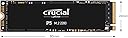
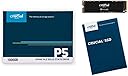
The Crucial P5 CT500P5SSD8 is a 500GB M.2 2280 NVMe PCIe Gen 3 solid-state drive featuring advanced 3D NAND technology. It delivers blazing read/write speeds up to 3400/3000MB/s and robust random IOPS performance, making it ideal for professionals, gamers, and creatives. With full-drive encryption, adaptive thermal protection, and a 5-year warranty, it combines high performance, security, and durability in a sleek, lightweight form factor.



| ASIN | B087QTMXS7 |
| Additional Features | Portable |
| Best Sellers Rank | #99,554 in Computers ( See Top 100 in Computers ) #700 in Internal Solid State Drives |
| Brand | Crucial |
| Built-In Media | Internal M.2 SSD |
| Cache Memory Installed Size | 500 GB |
| Color | Black |
| Compatible Devices | This drive is compatible with desktops and laptops that accept PCIe NVMe Gen 3 drives |
| Connectivity Technology | NVMe |
| Customer Package Type | Standard Box |
| Customer Reviews | 4.8 4.8 out of 5 stars (26,707) |
| Data Transfer Rate | 3400 Megabits Per Second |
| Digital Storage Capacity | 500 GB |
| Enclosure Material | 3D NAND |
| Form Factor | M.2 |
| Global Trade Identification Number | 00649528823304 |
| Hard Disk Description | Solid State Drive |
| Hard Disk Form Factor | 2.5 Inches |
| Hard Disk Interface | NVMe |
| Hard-Drive Size | 500 GB |
| Hardware Connectivity | PCI Express 3.0 |
| Hardware Platform | Linux, Mac, PC |
| Installation Type | Internal Hard Drive |
| Item Type Name | 3D NAND NVMe M.2 SSD |
| Item Weight | 0.02 Kilograms |
| Manufacturer | Crucial |
| Media Speed | 3000 MB/s |
| Mfr Part Number | CT500P5SSD8 |
| Model Name | CT500P5SSD8 |
| Model Number | CT500P5SSD8 |
| Number of Items | 1 |
| Read Speed | 3400 Megabytes Per Second |
| Specific Uses For Product | Gaming, Multimedia, Personal |
| UPC | 649528823304 |
A**D
Great SSD
This is perhaps the best PCIe gen 4 SSD in terms of value. Performance is amazing, longevity is great, and an amazing price. Samsung do have better SSDs but they are usually much more expensive and not that big of a step up. No surprise that the best SSD PCIe gen 3 too is this one too but the gen 3 variant. The P1 and P2 are cheaper but they have much worse performance and definitely not as long of longevity. I personally won't cheap out on an SSD after my experience with a PNY SSD losing half of its lifecycle in just 1 year.
M**D
Recommend it
Good
S**.
Good quality for a good price.
Excellent quality. Easy to install. Work perfectly with my laptop Lenovo Yoga 520 14IKB. It increased considerably the speed of my computer. I recommend this product.
R**D
Great hard drive
Really speedy hard drive, new generation
K**N
good
good item for cheap price 👌
G**D
Good
Works with ps5 read speed is 5000 mb decent for the price
C**O
It stores stuff, really fast.
I installed this drive into an external M.2 Enclosure. (Asus ROG Strix Arion) It transfers data very fast over a proper high speed connection, as an NVMe drive should. Good stuff.
M**W
Good
Price is high when imported. Good SSD and I have used 7 for my school laptops.
E**C
Montage facile dans mon Intel NUC et immédiatement reconnu par le système. Ce Crucial P5 Plus est extrêmement performant. Acheté à 24,40 euros en vente flash pour la version 500 Go en août 2023. Un excellent rapport qualité/prix. Ayant Windows 11 Pro, BitLocker était activé par défaut et ce processus ralentit sensiblement le SSD, puisqu'il chiffre toutes les données à la volée. Chose inutile sur un PC de bureau (qui a peu de risque de se faire voler). Je l'ai donc désactivé et certaines mesures sont deux fois plus élevées ! (voir mes captures d'écran) Bitlocker est très simple à désactiver, il y a de nombreux tutos sur internet. Sachant que les vitesses maximums de ce SSD ne peuvent être atteintes que sur les ordinateurs disposant d'un port PCIe 4.0 x4 ou supérieur. Sinon il sera évidemment limité par la vitesse du port. J'ajoute qu'il ne chauffe pas plus que tout autre SSD, sauf si bien sûr on le sollicite fortement avec de gros transferts de données sur des périodes prolongées. Ce qui est logique vu sa vitesse de lecture/écriture supersonique. Mais en utilisation normale il se maintient à des températures très basses, même dans mon mini PC (36°c). En résumé, je recommande sans hésiter ce SSD au rapport prix/performances imbattable !
C**S
Comprei para fazer upgrade no Dell G15 e instalei sem problemas, tem uma boa performance.
T**I
He cambiado el SSD sata del OS de mi pc por este 'Crucial P5 Plus CT500P5PSSD8 (PCIe 4.0, 3D NAND, NVMe, M.2)' y es la noche y el día. Tremenda el cambio de velocidad de arranque del sistema y de carga de los programas, sobretodo el paquete Adobe. De momento con lasrgas sesiones de edición se mantiene a unas temperaturas muy decentes sin disipador, es estable y no me ha producido ningún error. Lo compré de oferta, o sea que estoy contentísimo :) La instalación es muy simple: basta con colocarlo con cuidado en el sitio m.2 de la placa, colocar el tornillo de sujección, inicializar el disco duro y a andar. Si como en mi caso queremos clonar el disco duro del OS en este, la marca Crucial pone a disposición de forma gratuira con sus unidades el programa Acronis para hacerlo sin problemas y de una forma muy simple y bastante rápida. Desde luego que tendría que haberlo instalado antes. No os lo penséis, una maravilla en cuanto a velocidades, tanto de escritura como de lectura. Completamente recomendable.
A**M
The SSD is operating as expected. It is fast and everything is great. I have been mulling over this upgrade for over 5 months now. I needed something faster than a 7200 rpm HDD to support my local server installations. This solution is working just fine. What surprised me most was how easy it was to copy over my windows installation to the new SSD from my existing HDD. Login to the Crucial website and download the Disk clone utility. Crucial has provided Adonis for the disk clone. After installation of the software suite, just select the source and destination and hit go. I had about 300 GB to be copied over and that took about 3 hours. I rebooted my PC and manually entered the boot menu (press F2 on ASUS while on the startup screen). Now there were two entries. I selected the second boot option and changed the boot order. And that is it, Windows booted up on the new SSD which had arrived 4 hours back. No hassle of installing the drivers or supporting software. Everything copied over just as is. All my projects and even the RDR2 save game was copied over with success. Next step was to just re-format the HDD and I was done with the upgrade.
C**N
Una unidad SSD que ha demostrado ser muy fiable con el paso del tiempo. Desde su instalación, el rendimiento ha sido excelente, con una gran velocidad de lectura y escritura que se nota en el arranque del sistema y en la carga de aplicaciones. El funcionamiento es estable y constante, sin pérdida de rendimiento incluso después de años de uso. Es silenciosa, eficiente y mantiene buenas temperaturas en condiciones normales. La mejora frente a un disco duro tradicional es muy notable, haciendo que el equipo se sienta mucho más rápido y fluido en el día a día. En general, es un producto muy recomendable por su fiabilidad, rendimiento y durabilidad a largo plazo.
Trustpilot
1 month ago
2 weeks ago