Buy anything from 5,000+ international stores. One checkout price. No surprise fees. Join 2M+ shoppers on Desertcart.
Desertcart purchases this item on your behalf and handles shipping, customs, and support to Vietnam.
📈 Elevate your home office game—scan, organize, and conquer your paperwork chaos!
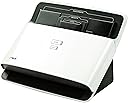
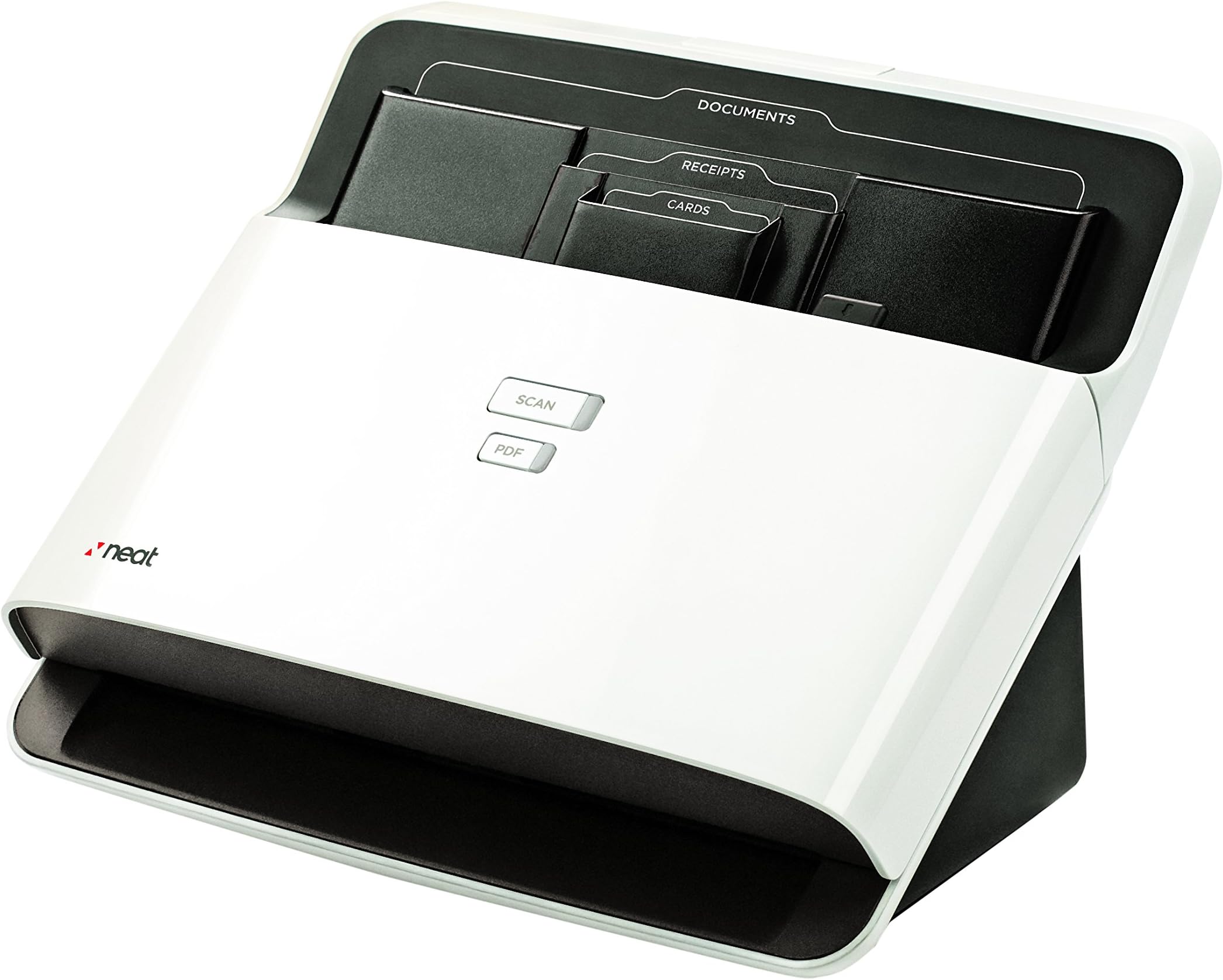
The NeatDesk Desktop Scanner and Digital Filing System is a high-speed, 24 ppm desktop scanner with a 50-sheet automatic feeder designed for home office professionals. It uniquely combines fast, double-sided scanning with patented OCR technology that extracts and organizes data from receipts, business cards, and documents. With direct cloud integration and versatile export options, NeatDesk streamlines document management, expense tracking, and contact organization, making it an essential tool for busy managers seeking to digitize and simplify their workflow.
| ASIN | B01A0FQ8Q4 |
| Best Sellers Rank | #169,714 in Office Products ( See Top 100 in Office Products ) #191 in Document Scanners |
| Brand | NEAT |
| Color Depth | 24 bits |
| Connection Type | USB |
| Customer Reviews | 3.2 3.2 out of 5 stars (1,581) |
| Global Trade Identification Number | 00854426003264, 00857312005083, 00857312005410, 00899061000315 |
| Item Weight | 4.4 Pounds |
| Manufacturer | The Neat Company |
| Media Type | Business Card, Paper, Receipt |
| Minimum System Requirements | Windows 7 |
| Model Name | NeatDesk |
| Paper Size | 8.5 x 11 |
| Resolution | 600 |
| Scanner Type | Document |
| Standard Sheet Capacity | 50 |
| UPC | 854426003080 899061000698 857312005083 857312005144 854426003264 854426003967 857312005410 899061000315 |
| Unit Count | 1.0 Count |
| Wattage | 110 watts |
T**M
NeatDesk Scanner System
After reading many of the reviews I was afraid this product would not do what I expected it to do, which was scan in documents and read the pertinent information I use for my taxes. The review left me feeling that there was only a 50% chance that I would like it or that it would even function. I am happy to report that it does that and more. I first want to state that I have a photo quality scanner so what caught my attention was the actual system the Neatdesk used for scanning, reading and organizing data. I am self employed and have many receipts that I have to organize so I can give to my accountant. In the past I would take all of my receipts for the year and painstakingly type in all the information to excel and organize it by expense type, date, store, what was bought, the total and mileage associated with each receipt. On average this is about 400 documents and took most of a weekend. All this data would then be sorted and totaled for each expense type and then the whole document was given to my accountant so he could do my taxes. I was able to install the software with no problems. I received the version 5 software with my package. The software did search and find updated software Version 5 (SP3) and downloaded it then installed that version. I installed onto a 1 ½ year old dual core computer running XP Professional. Some of the older posts stated that there needed to be a support for longer documents waiting to be scanned and that there was either no tray to catch the scanned documents or that it was not attached. The designers must have been paying attention because my scanner has an integrated extendable support built into the design and an equally adequate attached tray to catch the scanned documents. The documentation that was supplied was very basic and did not explain all the functions of the software. That being said I was able to figure out how to create files and sub files and named them as I would for my tax expenses with no problem. It took a little playing with the program to figure out how to arrange the data the way I wanted it to appear on the data entry screen and then again once I had the documents scanned in so I could do a report. I was a little dismayed that I after I finished scanning all 414 of my receipts and documents that I was unable to sort by the files I had created. You can only sort by document type, date, store, cost and others that are already in the system. I was able to deal with this by using the names of my files in the document type field. Once I did this sorting was great. You can also add data without receipts manually so all my expenses could be kept in a neatly organized fashion. The scanner was extremely fast. It could take a stack of different sized documents and scan with no problem 99% of the time. Plus it could scan both sides at the same time and keep multiple pages together if you specified this in the program before hand which was easy to change. There was an occassional jam but not too bad. It took a little while for the software to read and collect all the data maybe 30 seconds each. It uses a cue format so all the documents sit there while the OCR program is working. I was very impressed with how accurate the software was in recognizing the data on the receipts and documents. It was able to accurately pull the date, store name and total about 90% of the time with no errors. I scanned in a stack of receipts then made sure the scan was readable and the data was pulled correctly. On those receipts where the program was unable to recognize the store name, total or date I found that after I corrected the data the next time I had a receipt from that store the program was able to recognize these differences and collect the correct data. You might be able to find another scanner that scans but there is nothing else that can read the receipts and collect the data like this program can. When it came time to make a report I first tried to export to Excel. That worked however I was not able to export the comment fields. I made a report in the Neatdesk program and was able to manipulate it so I could sort by the document type (my file names) and then by the dates so that my data was all nicely organized the way I wanted it. You are given the option if you want a cover page which gives the totals of all the receipt types, the document information including page numbers, the image of the receipts and an image caption. I played with each of these and found I could get just the data done the way I wanted it. I could then save it in any format I wanted, one of those being Excel. This time the comments field was exported to excel. Since there was no area where I could enter mileage into the neat program, I created another column in Excel for mileage. When I printed the reports with the image and image captions I was very impressed. Each of the data entry lines are numbered in the order they were sorted. When the receipts printed they had a caption that included the corresponding number do the data entry line which makes it very easy to find the receipt again. Very impressive! No other program I'm aware of can do this! All in all I give this about 4.5 stars. The deduction is for the lack of documentation explaining how to organize the data and set up the fields. By the way what normally took me two full days to do only took one. Now I just have to do this monthly rather than at the end of the year and tax time would be so much easier.
P**L
Rip-off from a shady company
I got the NeatDesk for PC in February of 2012, buying in to the commercial's hype. This is the single purchase that has made me commit to never again buying something without first checking reviews. As you can see from others, I am not alone in having endless problems with this thing, and I suspect most, if not all of the glowing reviews are fake, generated by the company itself. When the scanner/software combo "worked" as advertised, this was my experience: The included software CD installed OK on my PC, although it required java (slow) and stored all the scans and data in a single database, only accessible through the NeatDesk software. In essence, NeatDesk holds your data hostage, forcing you to use NeatDesk to access it. I soon discovered that the software itself was very slow (much slower than any other program on my PC, including the scanning and imaging software for my flatbed scanner I had bought 7 years previous. Incidentally, Canon makes a great flatbed scanner!). While the NeatDesk scanner itself may scan tens of documents a minute, the NeatDesk software must take at least 30 seconds per document to attempt to work its OCR magic. After that time, you'll have to cross-check the document with the extracted data, and more often than not, make corrections, to the extent that it would be easier to just scan your documents as images and organize by filename. After scanning 50 or so documents in to the database, just opening the software took at least 60 seconds. Then, to switch from displaying one document to another, you're looking at at least 15 seconds per switch. This is performance I'd expect if we were living in the early 90's. The program would also crash every time I attempted to close it. The zombie process, complete with broken windows explorer window, made the computer perform terribly. I had to end-task on it, every time. Thus introducing the chronic problems above and beyond the abominable performance. None of the patches fixed the crash problem. I then decided to try to start over on another PC and import the database. I got nonsensical error messages whenever I attempted to do so. Through (a lot) of trial and error, I discovered that exported NeatDesk databases are only compatible with the exact same version of the software one uses to initially create the databases. So, you have to install from the old disc, instead of the current downloadable version, and import your database. Then you can patch the software. However, I found that after I patched the software, if I attempted to open it, I got error messages stating that my Windows user didn't have permission to do this or that. I would expect permissions problems to occur on a desktop with multiple profiles; there was a single profile on this PC that was the administrator. This error made no sense. I could not use the software in any capacity, unless I uninstalled and started over with the original disc. I emailed the NeatDesk support, which got back to me days later. I have worked in support, and understand the value of effective communication. I provided every piece of useful information I could. After a few back-and-forths, taking them several days to respond each time, a representative said they needed to call me to troubleshoot, and asked to schedule a time. I responded with the best time to call me any day. I didn't hear back within 48 hours as promised in the email, so I emailed again, and again didn't hear back. Two weeks later, after I had already lost faith in the product and company and decided to get rid of it, I got another email asking to give them feedback on their support. I figured, why bother. This company obviously doesn't care anyway. They will never get it right as their goal is to get that initial profit, not to be in business for long. It was too late to return it, so I sold it on ebay. Maybe I shouldn't have passed this nightmare on to somebody else, but I wanted to recoup some of the $359 I paid for this useless thing. I guess I should have recognized the warning signs before buying; refurbished ones sure seem to go on sale a lot. NeatDesk must be getting tons of returns.
L**N
Tried using this and had good videos to watch, however, after a couple scans with my laptop wouldn't scan. Attached to desktop and scans were all black stripes and poor image. Return was approved initially, but I kept it as I really wanted this to work [my partner has one and its great] Contact with seller has not had a reply since I could not get it working to scan clear, not happy for the $500. ish price!
Trustpilot
2 months ago
2 weeks ago