❄️ Cool, Clean, and Commanding — The Case That Means Business
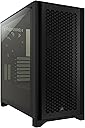
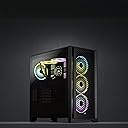
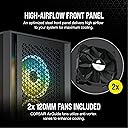
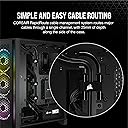
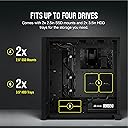
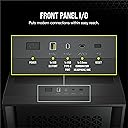
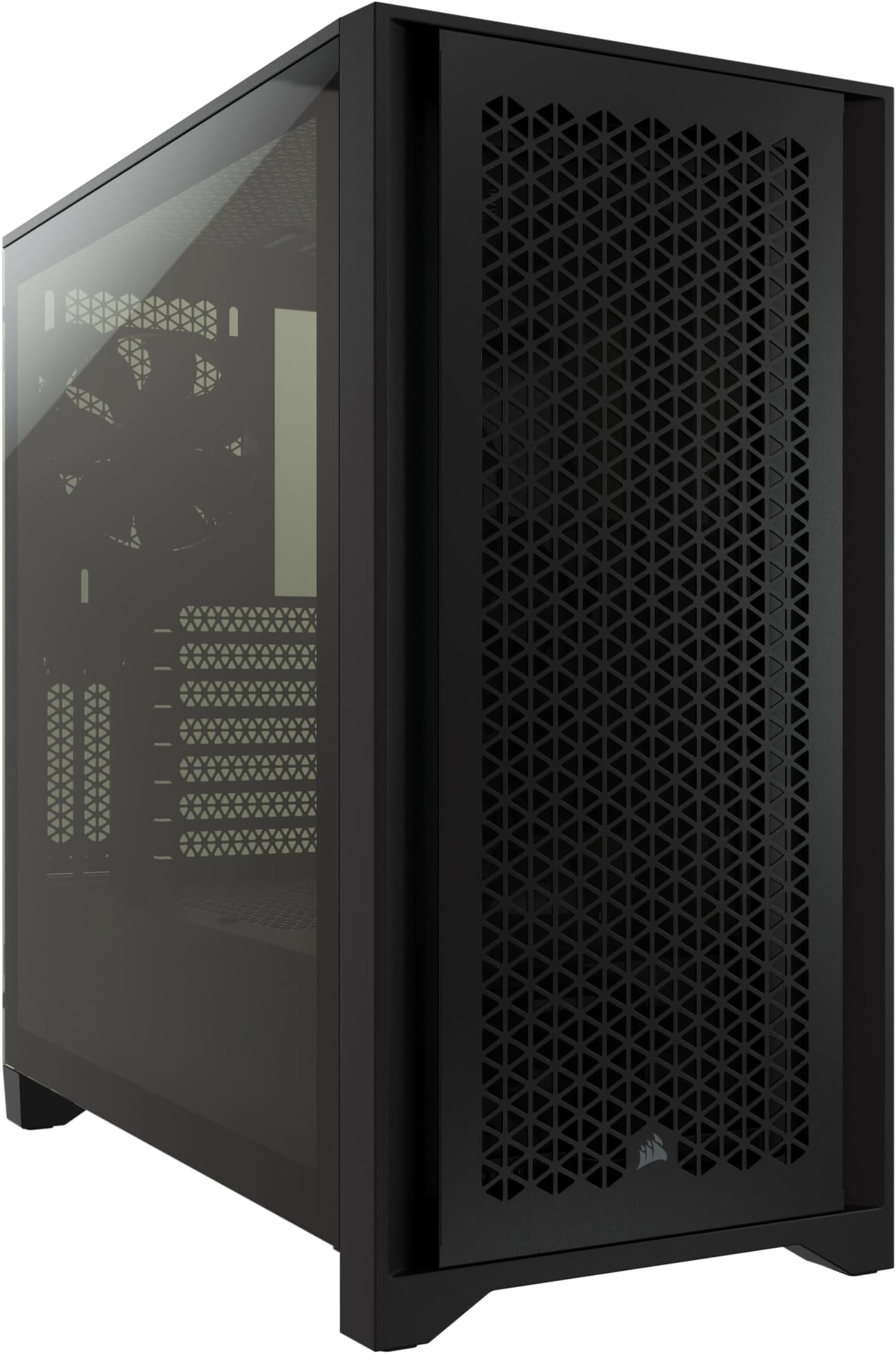
The CORSAIR 4000D AIRFLOW is a premium mid-tower ATX case designed for professionals who demand superior cooling and effortless cable management. Featuring a high-airflow steel front panel, two included 120mm AirGuide fans with anti-vortex vanes, and the innovative RapidRoute cable management system with 25mm routing space, it supports multiple radiators up to 360mm and offers a spacious interior for large GPUs and multiple storage drives. Its tempered glass side panel and USB-C front I/O port combine style with modern functionality, making it the go-to choice for clean, high-performance PC builds.


| ASIN | B08C7BGV3D |
| Antenna Location | Gaming |
| Best Sellers Rank | #11 in Computer Cases |
| Brand | Corsair |
| Case Type | Mid Tower |
| Color | Black |
| Compatible Devices | 120mm, 140mm, 240mm, 280mm, 360mm | H55, H60, H75, H80i, H90, H100i, H105, H110i, H115i, H150i |
| Cooling Method | Air, Fan Cooler |
| Customer Reviews | 4.8 out of 5 stars 19,477 Reviews |
| Enclosure Material | Alloy Steel, Plastic, Tempered Glass |
| Fan Size | 120 Millimeters |
| Global Trade Identification Number | 00840006621904 |
| Hard Disk Form Factor | 3.5 Inches |
| Internal Bays Quantity | 6 |
| Item Dimensions D x W x H | 18.3"D x 9.1"W x 17.8"H |
| Item Type Name | Computer Case |
| Item Weight | 17.2 Pounds |
| Light Color | White |
| Manufacturer | Corsair |
| Material | Alloy Steel, Plastic, Tempered Glass |
| Mfr Part Number | CC-9011200-WW |
| Model Name | 4000D AIRFLOW |
| Model Number | CC-9011200-WW |
| Motherboard Compatability | Extended ATX , ATX, MicroATX, MiniATX |
| Number of Fans | 2 |
| Other Special Features of the Product | RapidRoute Cable Management System |
| Power Supply Mounting Type | Bottom Mount |
| Recommended Uses For Product | Gaming |
| Supported Motherboard | Extended ATX, ATX, MicroATX, MiniATX |
| Total Expansion Slots Quantity | 9 |
| Total USB 2.0 Ports | 1 |
| Total USB 3.0 Ports | 1 |
| Total Usb Ports | 2 |
| UPC | 840006621904 |
| Unit Count | 1.0 Count |
| Warranty Description | 2 year manufacturer |
B**S
Sleek, Spacious, and Perfect for High-Airflow Builds
The CORSAIR 4000D AIRFLOW Mid-Tower ATX Case completely impressed me. The airflow design is excellent, keeping components cool without extra noise, and the included 120mm fans are quiet but effective. Cable management is intuitive and clean, making build setup straightforward even for first-timers. The tempered glass side panel looks premium and shows off the interior perfectly. The spacious layout accommodates large GPUs and multiple drives with ease. Thoughtful, high-quality, and performance-focused — exactly the kind of PC case I love testing and recommending.
B**N
Amazing case For my first build ever.
As the title says, this was my first PC build ever. That being said, even though I’m a building newbie, I still work in IT and am surrounded by tech, so I knew this case was a no brainer. Fantastic airflow, I mean literally amazing, it lives up to its name. Plenty of space inside for everything you need to do, and cable management was easy, like super easy. Only thing I could have wished for was: A: included a full set of front fans. B: make the top part actually removable, I looked at it and didn’t see a way, maybe I’m dumb, but it didn’t seem like there was a way to take it off, which became kind of a pain when I wanting to plug things in on the top. This is not a dealbreaker however, I just have huge hands that didn’t fit well in that tiny space to plug fans etc in and the cpu power cabling. I admit, this probably could have been done ahead of time and maybe this was just a newbie problem lol. That aside, this case is solid, definitely quality parts when buying from Corsair. I love how simple it is to pop off the front grille and filter, as well as how the front of the case and back side kinda snap off and on, it’s literally strong enough that it can’t accidentally fall off, but not so strong that it’s tough to remove (still use the screws of course for 100% protection of falling off). I never leave reviews on Amazon, but honestly, this case was just the favorite part of my whole build. It’s quality built, it’s got a nice dark black color and sexy style, and if you’re thinking about getting this case, DO IT, you won’t regret it at all I can guarantee that. Lastly I just wanna thank Corsair for making fantastic quality products, and being a name you know you can rely on, which is a big deal in a world where having reliable parts in a pc build is literally the most important thing. I hope everyone loves this case as much as I did.
D**L
Pretty solid case for a new pc builder
I recently built my first PC a few weeks ago and I chose my parts through a build guide on pcpartpicker (a great website I really recommend to anyone). I had no idea about what made a case good before ordering this case, but it was only $80 so I went with it as my case cause it looked nice. After having some time building the pc within it and using it, I can highly recommend it as a pretty spacious and airflow positive case. What I liked most about the case is the accessibility to mount fans all along the front top and rear of the case. I really don't like the idea of my PC getting too warm, so I got additional corsair fans to mount all around it to pull air in and out, which was very easy to install for this case. I love the finish of the metal, I got the black version, and I appreciate the matte metal finish, no blemishes were on mine, and the tempered glass is a nice tinted kind and also nice and hefty, so I like the overall build quality of this case. Very simple and effective and I would recommend it for someone who isn't going with a flashy pc build. Certainly would also look good with the all RGB lights design, but I didn't go that route. Another thing I hate is dust. Man I dislike getting dust on my electronic equipment, so what scared me about this case was that it has so much open areas for air to flow through the case, that dust would start to pile up inside. But I was excited to see that the front, top and bottom of the case all have dust guards that either clip in or are attached via magnets. So rinsing these dust guards off every so often will keep the inside of you pc nice and dust free, which I really enjoy. Also just to note, Corsair is going with yellow highlights on certain screws and their branding on one of the dust guards, but it is extremely small amount of yellow. Besides these yellow highlights the case is all black, but its something to keep in mind if you don't want any other color on your case. I suppose you could remove them if you'd like, but I enjoy the yellow tags. The cable management for this case is really nice, as there are many channels and openings from the front to back of the case to get your cables through and wrap up with ties. The case also comes with these nice corsair velcro ties that hold big bundles of your cables together with, and I appreciate that include as they were really nice and big. There are only three cons I can think of for this case, and they aren't very big: 1. Some of the metal pieces, especially the pieces you will connect the exterior fans or radiator to, are really thin pieces of metal. While I like that they are thin, when you screw in the fans, you need to be careful cause they can be easy to bend. Again it's not even that bad, just be careful when screwing things into this case case the metal can be so thin. 2. The big tempered glass door on the front sits very securely in place, but when you want to open the front of the case you need to unscrew the panel to the case and physically pull it out and place it somewhere else. This is the same for the back of the case too, but the back panel is metal. The biggest difference I wish this case had was that this glass panel swung out, so that you didn't need to take it off. Its still really well made, but I like my glass panel to be free of smudges, and when you have to handle it and take it off every time you need to access the inside of your pc, it is annoying having to physically take it off and get your fingerprints on the glass. 3. The last thing is that the power supply with the cables is a really tight fit in the bottom of the PC, but its only tight if you have the hard drive holder in. I would suggest unscrewing the hard drive holder and taking that out when you are building inside your pc so you can easily get at the power supply. WIth the hard drive holder out, its actually pretty accessible to get to the power supply ports. The only con here is that its such a tight fit with the holder in, and trying to screw the hard drive holder in while all the cables are running up next to it into the power supply is really annoying and tight. Besides those three really small cons, I really enjoy the look, feel and accessibility of this case. I would recommend to anyone who wants that airflow quality and I like the look of it as well, really simple and clean.
T**Y
*Mostly* everything you'd want, good quality, and cheap
So I got this case because my old one (Vivo titan, discontinued, for good reason) broke down finally. I have never known how nice cases can be until now. The design of the case is great, every time I had a moment of hesitation trying to figure out what to do about an issue, it had a fix. Where to put my cables? Above the motherboard has an area, a whole cable bar to the side which also very conveniently hides them, and what is new to me is an area for cables at the bottom directly to the PSU. On top of that, there's included zip ties and a cable holder to actually manage those. What about installation of parts? They include screws for all your hard drives, motherboard, and fans. The motherboard has a semi built in "standoff" in the middle, where it's not quite a screw but a little part that sticks out in the middle to keep it steady to make the first few easier. The hard drive case itself is removable and able to be placed further over if you need more room for your cables (I did as I suck at management.) The screws for side ports like PCI-e are just thumbscrews, you can remove them fairly easily without tools. Not exactly PC parts ahead here, but the dust filters and panels all are very easy. The screws on the side panels have a bit of a thread to make keeping track of them easier, and so you don't have to take them fully off to remove it. The mesh panel for the front takes only 4 little sockets with tiny rubber pieces that pop in or out and a a small metal piece to make alligning the bottom easier. The top, front, and PSU dust filters all have little sorts of tabs you can pull to remove them. The general aesthetic of this case is very clean too, the mesh fits, the yellow accents look nice, and the top dust filter might be my favorite looking part. The preinstalled fans fit with their ends alligned with the circles of the panel so you don't see the rims, and their screws match up with the top and bottom of the slots which isn't a huge touch but nice enough to be noticed. Some people complain about this next part and I can definitely see it on either side but the side panel glass is fairly dark. If you have any RGB's, they're going to look dimmer. I don't have any so I don't care really, but hey some people will and that's valid. You're still able to see everything clearly in my opinion. Now I've said enough good, what about the bad? In my experience, the fans were fairly loud. I ended up replacing them due to that. The panel connectors for the power and all are fairly long, which while good in a way and that one depending on the way you look at it can be good, but in my experience it just caused worse management because I had an extra 4 inches of cord on multiple cords. My only last real complaint here is that the included motherboard standoffs are also pretty cheap. At this price though and the general quality of the rest, I don't mind fans being fairly loud or some screws that are flimsy. They're still both functional, just not quite up to my standards. I would highly recommend this case to anyone, installation was very easy, it looks clean, and just generally contains all you really would need with a new case.
J**.
One of the best cases, ever! Fits everything, has everything, almost perfect!
This case is fantastic to work with. Upon opening it I immediately could tell the build quality is sturdy and polished and won't hurt your hands when working with it. I was shocked both panels had ball openings to push-to-close the panels and then screw them together to give an extra security, I really love the ease of use of it, especially for the metal panel where metal-on-metal sliding is notoriously difficult to get just right. The only issue with them are the angles metal hinges that grab on as they can bend easily (and fix back, but still). Increasing the thickness would probably help the hinge on the glass. It's not a problem on the back panel though because the back panel as thick as the glass panel. There's lots of room to place all of your cables and wrap them from the power supply to the motherboard, and there's room on the bottom to place extra cables with a non-modular power supply where hard drives go. The other side having these screws to hold on the sata ssds are genius and work seamlessly, I was worried they would impede the back panel from closing in but it's not a problem. And oh my god, the front panel being easily removable and placeable and then having a magnetic filter that just glides off without needing any tools whatsoever makes this particular case stand out. The fact it has a filter and it's so intuitive to take off is why I chose this case because I am using this case on the floor on carpet, and I know I'll have to dust something off, so I'd rather easily dust a filter rather than the entire case off. There's a filter for the power supply that's easily serviceable but it's not a unique feature for modern cases. There's also a lot of included cable management straps and the front I/O being already managed are an additional plus that makes routing much cleaner, neater, and easier to place back panel on! I wish there was more room to put the power supply though. I knew from LTT videos that I would have to put my power supply inside first, and my EVGA 600W did manage to fit in, but it's a little tight height wise and I had to rotate it before I could fit it inside and there's room for a bigger, more powerful psu if I wanted, which is the main concern I had. I should mention for space, I was also able to fit a Thermalright Pearless Assassin inside it as the case is wide enough to accommodate that cpu cooler as well. Some nitpicks is for front I/O. It has a merged headphone + microphone input, and I wish the ports were separated. And although I like the usb c port, I can't use it since I don't have a usb c motherboard connector unless I got both a usb 3 type A splitter and a usb type A to usb type C adapter for the motherboard. Having it be usb 3.0 type A, rather than type c would've been more compatible for most motherboards. For reference, I'm using an ASRock B550 Phantom Gaming 4 motherboard. One more nitpick, the glass panel tint is *really* dark, to the point where you need at least one strip of lights to really see any of your components you built inside. The pictures on amazon don't show just how dark it is in real life. Otherwise, functionally, it has literally everything I could have wanted. It's slightly expensive but it's fair given the polished and full fledges features to match with it. I've used it for a year now and I've been very content with it!
A**E
Big, nice cable routing, but not wide enough for some GPU's, display panel not working
This is a great case in many ways. Lots of features for air flow and filtering, nice power cord routing, plenty of room in most places. But, it is a little too narrow for the latest massive GPU's. Putting a Gigabyte GeForce RTX 4090 in it, it smashes the power cord against the glass sides. I don't feel good about the strain that's causing on the card power connector. If Antec was going to make a case this big (it's a huge case, which is fine since it makes it easy to put all the parts in), why not make it 1/2" wider and eliminate this issue? Of course, I could ask similar questions of Gigabyte, the video card manufacturer: Why put the power cable sticking straight out of the edge of a card (directly away from the motherboard) when that card is already so wide? Their placement of the power cable connector effectively made an already wide card at least 1/2" wider. This seems like a really bad design decision. They could have used a right-angle connector, or moved the power input to somewhere else completely. So, call it Gigabyte's fault, or call it Antec's fault, or both (or call it mine for not taking careful measurements before buying the case, but it was SO BIG I never thought there would be an issue), but the size of the case you need to build a really nice computer seems to be getting out of hand, to the point where I bought what I thought was an absurdly oversized case for my needs, and my video card just barely fit (and still not comfortably!). Still, the case looks great, and functions well. I'm just not thrilled that I got a very full-sized case and still have to almost force the video card power cable against the glass to close the case. One final thing: That cool display they show the case having on the upper front, where it tells you the CPU temp? It doesn't work at all on mine. I have no display. Maybe that's a driver issue I can fix, but so far, nothing. I can get that info from within the OS, so not a huge deal, but it would be nice to have the display work.
J**T
Great product
Corsair 4000D airflow Asus Tuf z790 motherboard Intel i7 13700 Corsair vengeance ddr5 ram Samsung 990 pro ssd Nvidia windforce 4070 Capellix 240mm radiator Corsair 1000x gold psu Corsair LL 120 fans Built my first PC in this case, has a super slick look and was easy to build in. There’s plenty of room for a liquid cooler on top, just don’t go bigger than a 240mm radiator. The cable management was pretty easy as well thanks to the cable straps and zip ties. And the case is well designed to hide all the cables from the front. Airflow works great as well (hence the name) with 3 fans pulling in front, and the radiator on top and a fan in the back, case maxes out at six fans which is plenty. I would get different fans, but the 2 stock ones it comes with aren’t the worst. It’s a very sturdy good quality case, and it’s pretty easy to clean out the dust filters. I would not use the vertical gpu mounting option as it is much too close to the front glass panel to allow airflow. 10/10 the only thing I would change is the ssd trays on the back. They are super hard to get out, I had to use a vice grip to hold the thumbscrew and yank it out. If you don’t want them on take them off before you put anything in the case.
B**N
Absolutely Perfect
I purchased this case for a new build and have been using it for a while now, and it's still perfect. Build quality is excellent, and it's beautiful. No issues whatsoever fitting everything inside this behemoth. The amount of fans you can fit inside the case was the main selling point to me, but I LOVE the front and side tempered panel, it makes everything look so clean. Would highly recommend, this is a top tier case.
K**N
Muhtemelen piyasadaki en (indirimli) fiyatını hak eden kasa
Bir egzoz, bir ön fan ile geliyor, itx, mATX, ATX ve hatta E-ATX anakartlarla uyumlu, içine devler devi RTX3090 bile sığıyor, yanında da kablolama için cırtcırtlar ve kelepçeler verilmesi, aynı zamanda kasa parçalarının tüm vidalarının tornavida gerektirmemesi gibi hoş detaylar pastaya harika süs oluyor. "Airflow" performansı kıyaslamalarında zirvelerde olmasa da stok halde bile tatmin edici bir soğutması var. Ön panele, ek olarak yüksek performanslı fanlar alırsanız sistemin sıcaklığını dert edeceğinizi zannetmiyorum. Bu kadar övdük hiç eksisi yok mu bu kasanın? Elbette ki var: Örneğin tanıtım resimlerinde gösterilmesine rağmen (yine Corsair'in) RM850 güç kaynağı, HDD yuvası takılıyken yerine sığmıyor. Bunun sebebi kabloların hesaba katılmaması. (Resimlerde de kablo gözükmüyor :D ) Yani 850w ve üzeri bir güç kaynağınız varsa ve HDD yuvasını kullanmayı düşünüyorsanız, iki defa düşünün. Bazıları ön paneldeki toz filtresinin fana çarpması problemine sahipmiş ancak ben böyle bir sorun yaşamadım. E-ATX bir anakartı takmak için kablolama yolunu sökmeniz gerekmesi de bir eksi olarak sayılabilir. İndirimli fiyatına ve hatta daha ucuza güç kaynaklı kasalar alınabilir, bu tabi ki alıcının ne tarz bir ürüne baktığıyla ilgili. Fakat hem airflow olup hem de bu kadar şık ve sade duran kasalar piyasada oldukça az. Corsair oldukça sağlam bir marka, üzmez. Ancak burada ne çeşit bir kasa aradığınız kritik öneme sahip. Hem sistemimle uyumlu olsun, hem kurarken beni yormasın, hem sade olsun hem de içi efil efil essin diyorsanız bu kasayı "indirimdeyken" almanızı tavsiye ederim. Keza normal fiyatı olan 1K küsurlara deyeceğini zannetmiyorum.
C**M
Recommended for any type of build, and Its easy to care for!
This case is good; it's easy to care for and clean, and it provides plenty of space to add components. I'll also call this the Dust Dome 4000 because the front panel protects against a lot of dust entering. It's actually very effective. I would recommend this for a starter build or even a general build. It feels premium, and for what it is, it's really good!
Q**A
Perfektes Gehäuse für effiziente Luftkühlung
Ich habe mich für das Corsair 4000D AIRFLOW entschieden, weil ich ein Gehäuse brauchte, das sowohl gute Luftzirkulation als auch ein ansprechendes Design bietet. Und ich wurde definitiv nicht enttäuscht. Schon beim Auspacken merkt man sofort die hohe Qualität des Gehäuses. Die Verarbeitung ist hervorragend, und das moderne, minimalistische Design gefällt mir sehr gut. Besonders das große Seitenfenster aus Tempered Glass gibt dem Build einen sehr hochwertigen Look und ermöglicht einen schönen Blick auf die Hardware. Was mich jedoch am meisten beeindruckt hat, ist das ausgeklügelte Airflow-System. Die Front des Gehäuses besteht vollständig aus Mesh, was eine hervorragende Belüftung ermöglicht und sicherstellt, dass die Luft problemlos in das Gehäuse zieht. Bei intensiven Anwendungen wie Gaming oder Rendern bleibt mein System überraschend kühl, und das, obwohl ich lediglich auf Luftkühlung setze. Kein Überhitzen, keine drosselnden Temperaturen – das Gehäuse hält alles optimal in Schach. Die Montage war unglaublich einfach. Das Gehäuse bietet mehr als genug Platz, um meine Komponenten problemlos zu installieren, selbst meine etwas größere Grafikkarte und das Netzteil hatten keinerlei Platzprobleme. Die mitgelieferten Kabelmanagement-Optionen sind perfekt durchdacht. Ich konnte meine Kabel effizient verstecken und alles sah ordentlich aus, was natürlich auch den Airflow weiter verbessert hat. Dank der integrierten Kabelkanäle und Klettbänder ist das Kabelmanagement ein Kinderspiel. Ein weiteres Highlight sind die werkzeuglosen Seitenteile. Das macht das Öffnen des Gehäuses unglaublich einfach und spart Zeit, wenn ich mal etwas umbauen möchte. Auch die mitgelieferten Lüfter sind leise und effizient, was für mich als Silent-PC-Bauer sehr wichtig ist. Natürlich lässt sich das Gehäuse bei Bedarf mit weiteren Lüftern oder Wasserkühlung erweitern, was für zukünftige Upgrades großartig ist. Zusammenfassend kann ich das Corsair 4000D AIRFLOW jedem empfehlen, der ein gut belüftetes, optisch ansprechendes Gehäuse sucht. Es bietet ein hervorragendes Preis-Leistungs-Verhältnis und ist sowohl für Anfänger als auch für erfahrene PC-Bauer eine ausgezeichnete Wahl. Ich bin absolut begeistert!
Y**E
Very satisfied
Great case. Compared two my previous one, great design, easy of use for cleaning, great airflow. No screw is required for this case
H**A
انصح فيه
كيس جميل وحجم مناسب للقطع كامله
Trustpilot
1 week ago
1 week ago