🔒 Protect smarter, not harder — security that keeps up with your lifestyle.
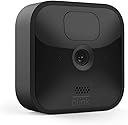
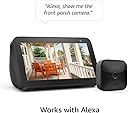
The Blink Outdoor (3rd Gen) is a wireless, weather-resistant HD security camera designed for easy DIY installation. It delivers crisp 1080p video with infrared night vision, runs up to two years on two AA lithium batteries, and offers customizable motion detection alerts via the Blink Home Monitor app. Compatible with Alexa, it features two-way audio and stores footage securely in the cloud or locally with the Sync Module 2.
| Field of view | 110° diagonal |
| Video resolution | Record and view in 1080p HD video during the day and with infrared HD night vision after dark. |
| Photo resolution | View captured images in 640 x 360 nHD |
| Camera frame rate | Up to 30 fps |
| Size | 71 x 71 x 31 mm |
| Weight | 48 grams |
| CPU | Immedia Proprietary – AC1002B, 4 cores / 200 MHz |
| Power | Camera battery: 2 AA 1.5V lithium metal (non-rechargeable) batteries Sync Module 2 power: 100-220V AC to 5V DC converter included. Battery life of up to 2 years, based on 5,882 seconds of live view, 43,200 seconds of motion-activated recording and 4,788 seconds of two-way talk. Battery life will vary based on device settings, use, and environmental factors. |
| Requirements | Always-on high-speed internet connection (such as broadband, fiber, or DSL). Wifi network: 2.4 GHz 802.11b/g/n. |
| Connection | Power adapter |
| Available colors | Black |
| Minimum smartphone requirements | iOS 15.0, Android 9.0, or Fire 9.0 |
| Blink app | Blink Home Monitor |
| Included in the box | Blink Outdoor camera (dependent on quantity selected), Sync Module 2, 2 1.5V non-rechargeable AA lithium metal batteries (per camera), mounting kit (per camera), USB cable, and power adapter. |
| Audio | Speaker output and 2-way audio recording. |
| LEDs | 1 blue LED to help you know when it’s active (optional). 1 red LED when recording in night vision. |
| Warranty and service | 1-year limited warranty and service included. Use of Blink cameras is subject to the terms found here. |
| Support | Click here to view more information on the Blink Outdoor support page. Click here to see the setup guide. |
| Generation | 3rd Generation |
| Operating temperature | -4 to 113° F |
| Software Security Updates | Learn more about software security updates. If you already own a Ring device, visit Software Security Updates in Ring Control Center for information specific to your device. |
D**N
No camera system is perfect
Invested in the Blink Outdoor camera system over the holiday and here are my thoughts after 45 days of usage. PROS: 1. Super easy to set up and install. It pretty much installs itself. 2. User friendly cell phone application. My only complaint is the inability to share access to the app with other household members. I'm not the only one who needs to access footage or receive alerts. You should have an admin user + other standard household users. 3. Image quality is decent as long as there is sufficient lighting. 4. Two way radio. Speaker is not great but microphone picks up even faint sounds. I could clearly hear someone talking on his phone while sitting in a car in front of my house. 5. From the app,. you can turn on/off the blue/red LEDs on the cameras to make them more or less noticeable depending on your needs. 6. App will show you battery life. Each camera can have it's onw settings including sensitivity, clip length, privacy zones, etc. CONS 1. Night vision is not impressive at all, especially when the subject is 10+ fit away. I work around the issue by keeping my outdoor lighting on. Image #1 is at night with outdoor lighting. 2. Motion sensor feature is finicky. It detects motion BEFORE the subject enters the field of view. Motion sensor works best when subject travels across field of vision (left to right, right to left), especially if subject originates from outside of the camera's field of view. To get the best results, camera should be positioned in such a way that potential subjects travel L or R or R to L (not walking toward/away from camera) 3. Activity zones do not work as they should. I don't want my camera triggered by movement in my neighbors' yard but even when graying out that area, camera still picks up movement there. Overall, I am satisfied with this system. I now have 4 cameras installed on my townhouse and I feel like the system met all my needs.
H**R
Waterproof/clarity/sound/mount
Weather proof: This camera is amazing! it has been through a lot of tests. When I first got it, I taped it to a Crape Myrtle in my backyard. It was fine through the rain, so I started putting it in different locations. A pond that I made, attracted different wildlife and I wanted to capture images. I can't tell you how many times I found that camera face down in the water! 🤣 I pulled it, out saw hilarious footage of a camera falling into the water, and put it somewhere else. This camera is still going strong. Battery life: I have changed the batteries once. It is several years old! I don't like to review something until I've had it for a while. I recently bought three more of these outdoor cameras. Connectivity/range: I put one inside of a shelter box that I put outside to help a cat that has been coming around every night. I spotted him on another blink camera mounted to the eave of my garage. I set the motion sensor on, so if a different critter had gone into the box I could have scared it away making noise on the microphone. I have the hub plugged in to an outlet, near a window, inside my laundry room. It is a good 30 ft away from this cat shelter box. The camera is inside the box which is inside another box with a layer of insulation in between. Video Clarity: It recorded the cat up close, and not blurry. It is pitch black inside that box. It is so clear, I'm hoping to be able to find the owner now! The eave camera that caught him in the first place, provided a little bit too blurry of a video to identify him. That is not a complaint! It's very far away and very dark! We live on an island, and there is very little ambient light here when the sun goes down! Camera Noise: The camera must also be quiet! The cat did not flinch when that camera came on. I believe there's a little infrared dot light that comes on when recording, although I'm not sure about that. Anyway, I think you can turn that off in the settings. But, cats cannot see infrared light, I'm pretty sure. At least that's what I read on the internet so it must be true! I highly recommend this camera, for any application. I also use one inside as a monitor for a different cat that I rescued. That's a story for a different day. Mounts: There are various mounts that work to achieve bigger viewing angles, I have some of both. In all, I have 6 Blink cameras. 3 indoor and 3 outdoor. I would recommend any one of them!
K**O
Still A Good Buy, Still A Bit Lacking...
Blink cameras are still years later a good buy for those looking for security cameras on a budget. I've owned four of the original Blink G1 cameras and even after some six years they're still going strong. Helping a friend with their security needs spurred me to look at Blink's current crop of devices and I purchased two new G3 cameras. The G3 cameras I purchased have the ability of two way communication which G1 did not, so I swapped them out placing the G3 cameras at my front and back doors andoved the G1 cameras that had been there to elsewhere. Things to think about and remember... Blink still touts two year battery life. You'll need to take into consideration where you place the camera and the settings as the busier the yard (I have a zero lot yard) and the higher you toggle your settings the less battery life you can expect. To avoid having to swap out batteries, consider investing in a solar panel. Whether it's a third party manufacture or now Blink sells a solar mount it's something to think about. I purchased panels for my G1 cameras (and as a given I purchased them for my new G3 cameras) and haven't worried about power in some six years. The panels even are robust enough that is the sun isn't out for days they can still provide days worth of power before needing to recharge and by that time hopefully the weather will have improved. As much as I want to like my new G3 cameras for their ability to communicate both ways, I get some feedback. I've yet to have a visitor to either the front or back door and have an actual conversation through the cameras, but I'd have appreciated them being noise cancelling. If you have the volume toggled on then they will alert based upon the noise. I've got the volume toggled off and the camera set to thirty seconds or less for motion. I figure I'll get the motion alert and toggle on the volume to then speak with whomever and avoid alerts because the camera heard an errant noise. Daytime recording is great, the G3 cameras had no problems and the quality was comparable to my G1 cameras. The night recordings suffer as Blink cameras have never done really well at night, but you should know who's supposed to be around your residence and not. Obviously if you see someone on a motion recorded clip around your house in the overnight you've likely got a problem regardless of the lack of detail. This however could easily be fixed by just pairing up your camera with an inexpensive motion activated spot lamp. You can find wired, battery and solar powered spot lamps for cheap at your home improvement store or Amazon. Both pointing in the same direction they'll likely see the same thing and go off the spot lamp illuminating and allowing for good enough night time recording in color with detail. Wish Blink would introduce an outdoor rated pan and tilt camera. A family friend had some they wanted my help with and they didn't work out so got them something else. But I kind of like the idea of a pan and tilt camera on the cheap which I think Blink could do. But Blink cameras are so cheap, and usually even on sale in bundles, you can easily buy a few and scatter them around to cover everything. The app, the app, the app... Was thinking about switching from Blink to Reolink but instead stayed with Blink. Was interested in Reolink and even bought a few for testing but the app was a mess compared to the Blink app. I'm an older grandfathered Blink customer so I get free cloud storage and access, new customers will have to buy a subscription. You'll want the subscription for the alerts and immediate video playback as in my testing I've found the local storage option cumbersome and worthless. Your alerts get recorded sure, but to Blink servers and then a once daily dump during the overnight hours to your USB drive if you go local. So that alert you get at work at 8am on Monday, you have to wait for the dump overnight Monday and into Tuesday and then on Tuesday you have to unplug it and use a computer to see what happened at that alert Monday at 8am. Defeats the purpose of running your system local, but this is Amazon and they make their money based on subscriptions. That said I give props to the Blink app for it's rich notifications and ease of use. I get an alert and in the notification with limited exception is a tiny pic. I can tell if it's worth watching and if not just swipe or delete even from the notification. I can pull down on the notification for a bigger picture. If it's worth watching immediately I can tap the notification and it opens and pulls the video then and there for playback. By comparison, the Reolink cameras I was testing don't have rich notifications so you just get these, "...person detected..." notifications which can mean anything from a criminal to a person waking their dog (again, zero lot lawn) to the mailman coming by. I had to open each notification but it doesn't go to the video. It does to a sleeping camera (to conserve power the camera (Reolink) is asleep), the app has to wake the camera and connect, the you're taken to the live view and whatever it is could very well be gone by then. So you then click videos and swipe through the feed that camera has recorded that day / or whenever the last time you wiped the internal SD card of videos. So what the Blink app does in one tap took me nearly seven taps just to see oh yes, it was just the mailman. The Blink app is also organized with each camera having a nice equivalent of a table of contents to section the settings why the Reolink I was testing had it all on one page and demanded scrolling. But once you dial in your settings you don't often change things so I guess that's not something to really worry about. But just the ease of use and directness with the Blink app compared to the blind notifications and swiping of the Reolink app made me decide to send the Reolink cameras back, buy some more Blink cameras and to stay with Blink. The biggest thing I could hope for in the future from Blink is that the cameras will become smart enough to not be bothered by the clouds and sun as some days my cameras go nuts only to find they're being triggered by the difference in light on my lawn as the sun goes in and out of the clouds. And I'd like to see some person detection as despite using zones to filter out the street I still get vehicles going buy (I get several good pictures of the garbage truck every Tuesday...). Maybe the ability to record a vehicle only if it stops within the frame of the camera for however many seconds so if someone does roll up on your place with intent to do harm it'll trigger a recording and not a bunch of pictures of just vehicles going by. And true, feature rich local storage. But all in all, despite their problems which are really just minor, you can't really go wrong with Blink cameras. I spent some six hundred dollars on just five Reolink cameras and solar panels (they were in a two-fer bundle each) and I ultimately sent them back. For the price paid for five cameras I could've gotten five Blink cameras and third party solar panels for cheaper or could've gotten several more than five Blink cameras and panels for that six hundred dollars. While you do get what you pay for, there's no reason that home security cameras have to cost a small fortune.
L**N
To think I was going to return this.
Due to user error, I could not get this to work when I originally purchased it. I gave up, decided I didn’t need it, and placed a return. Due to the obsessive snow we’ve received over the last four weeks, I never made it to UPS to return it and I felt guilty asking someone to come pick up my return. Three days before my return timeframe expired, we had an unfortunate & scary event at our front door. Sadly, I didn’t have the camera up and the police couldn’t press charges. Huge mistake on my part. After this issue, I sat down and figured out how to use this thing. Set up was incredibly easy when I actually took the time. Who knew?! I placed this at an angle as we are the second floor end unit of a condo complex. I was surprised at how much this thing picks up. I’ll get a notification when someone is coming in or out downstairs that is only visible from the bottom corner. I can also see the stairs and walkway coming to my unit. Therefore, if whomever wants to cause trouble comes back, I can see them approaching from a good distance away. I’m hoping once they see the camera they’ll turn around. Fingers crossed. I am very impressed and appreciate the comfort this brings. We also have an interior blink camera that we installed when we first received both. It is great as well.
S**S
Great Clear Camera
Man oh Man, this thing is great. I’m probably not getting the 2 years on battery life though. Because I can’t stop playing with this darn thing. It’s so fun and easy to use once you go through all the steps to set up your account, settings and if you setup it up to your Alexa make sure to connect your devices and Amazon, Blink and Alexa or whatever other A.i. device you choose that’s compatible with your blink devices and cameras. Which all that is easy to do, it just takes a little time; not much though. But you can download the app to your smartphone or device and turn on and off blind areas that you don’t want to trigger you motion sensor, so if there’s a road close to you camera to can tap on a pictured of the covered area with a small sectioned block grid system on your screen. You can tap the screen where you want to turn off the motion sensor (the small block on the screen turns light grey, that’s how you’ll know it’s mark for off) you can really individualize areas and customize the coverage of your cameras. It’s really cool. A with a very very small monthly fee (Totally Optional) it will store unlimited recorded footage to the cloud or you can go with the memory card that easily inserts into the camera for self storage. I’m telling you, as I see it, there’s no downside to these cameras. Very clear video, easy to use, installs in minutes. I can’t wait for the next couple of months when I’m going to be adding to my new toy, I mean home security system. Lol ( LIGHTS - CAMERA - Action ) by the way, don’t forget to small, you never know when you’ll be on camera. Lol
D**S
Buyer beware, garbage if you dont buy the cloud service
The camera works great IF you pay for the cloud service. Otherwise it is garbage, and like many other complaints on here, I feel lied to. Although it is advertised that "you don't need to pay for the cloud service and you can just use local storage with a usb flash drive." I can tell you that is false, and I even did an experiment to prove it. Upon providing the results to blink tech support, I was hung up on. So the whole story: upon buying a blink camera with the blink USB flash drive (sold separately) and the sync module, I was immediately forced into a "free trial" of the blink cloud service. The set up was incredibly easy. The housing for the camera is tricky, if you try to adjust the camera to face a certain way make sure your hands are really on it because it pops out really easily and you do not want to drop the camera. I spoke to tech support upon my initial install to ask about what happens after the trial ends and if I want to use the usb flash drive. I was told by 3 different blink tech people over the trial period the same thing: that it will send the motion detects to the local storage instead of the cloud, and that it will take a couple seconds longer to load it, but that it would work the same. They said the other difference was that I had to manually delete motion detect video one by one instead of being able to select all at once to delete. They also said the usb would not have unlimited storage like the cloud service. Each one urged me to get the cloud service. Camera worked great for the 30 days of the trial. The SECOND the trial ended my motion detects stopped. I would get the alert, but no video. Call blink tech support, they tell me it is my internet. I explain to them that is really a coincidence because it worked great until the trial ended. 4 of them told me the same thing and urged me to get the Cloud service. I ask them why does that make a difference if my "internet" is the problem. No answer about that. My neighbor pays for blink cloud service. So I had him bring his sync module over to my home with his camera, and I let him attach it to my WIFI network/my internet, which is supposedly the reason why my camera magically stopped working when I stopped the blink cloud service to use the flash drive instead. and guess what, my neighbor's blink camera (with the paid cloud service) worked just fine on MY NETWORK (with the supposedly bad internet lol). So I call Blink back and explained this, I was treated disrespectfully, and hung up on. I called back and spoke to a supervisor who told me that I was mistaken and why would I "do that" and I said because I know you were wrong and/or lying. Anyways I activated the cloud service and am unfortunately paying for it now and the SECOND I did so, magically the camera starts working again. What a magical coincidence. The cloud service is not expensive, but beware. The cameras are advertised to work with a usb flash drive and it even states as such all over amazon and on the blink website, but they will LIE TO YOUR FACE saying it is your internet and urge you to get the cloud service when the device magically stops working when the trial ends if you do not pay for the service. Amazon should be ashamed of themselves for marketing it this way because it is not true. Yes the camera works great IF YOU PAY FOR THE SERVICE THAT THEY ADVERTISE YOU CAN JUST GET A FLASH DRIVE AND NOT HAVE TO PAY FOR INSTEAD. THEY SHOULD NEVER ADVERTISE IT THAT WAY BECAUSE IT IS JUST NOT TRUE. Extremely unhappy customer. No one likes being lied to and amazon is usually really good about things, but not this. Essentially I paid for a useless flash drive and I would not have bought these cameras if I had know it was a lie about needing the service. Buyer beware.
R**N
So far now it works really really good.
So far now it works really really good. Naturally I saw some negative reviews but figured I’d take a stab at ordering a $100 camera. Like a lot of places in America since the pandemic, my neighborhood has been seeing an increase in crime. I want to get three of these so I can have cameras watching my car my front door in my backyard. But I started with one just to make sure the stuff works. The camera came in from and boxing it I had it all set up and ready to go within about 15 minutes. It didn’t connect to my Wi-Fi the first time, so I tried it again and it worked great and has not lost connection now for about three weeks I think? The motion sensor works fantastic, in fact may be a bit too sensitive because when the sprinklers go on it notifies my camera. I actually think this is a good thing because it means nothing can escape the attention of the camera. So far things are OK, and the night vision is great and I’m getting some interesting shots of animals coming by the front door of my house at night. I like that I can adjust how long the video is, how sensitive it is, and how long to record the video. And the attachment it came with were really really easy. All I needed was a power screwdriver and I was able to mount it in the wood above my front door. I’m not sure if it would go well into stucco, but it would surface works great. So far I’m very satisfied with these, and I plan to buy two more so I can have video footage of my cars in my backyard. There of been a lot of car break-ins in my neighborhood so I’d like to see if I can catch these crooks. [update June 2021] I've had the camera now 3 months and the "trial cloud subscription" has expired - and I'm happier!!! I bought the USB stick to plugin so now I can leave it on and record more. With the cloud there was storage limit and it was annoying - now I have 64g to store as much as I like and delete as I please. It's a bit slower than the cloud but not much. STILL HAPPY! I should get two more now.
J**Z
Battery life is not what it claims , plus a few other down sides
We currently have this camera outside of our apartment building facing our car . The quality is actually quite good , and on the first night we put it out, it rained pretty heavy outside which gave it its first test . It worked great in the rain but I have a few major complaints .. the biggest complaint being that 2 year battery life is a stretch . Even the app tells you if people are constantly walking by / cars driving by , the batteries will only last a month or so. That’s my first complaint… my second complaint is that this camera is essentially made to be a camera that only creates short clips .. you can set it to record long clips if whatever is in front of the camera is there for a while .. but the default setting is for 10 second clips in order to save battery life. For years I’ve used YI home and it records clips however long they need to be .. if someone is standing in front of that camera for 5 straight minutes , it will record all of it until they move .. this camera feels more like a monitoring device rather than a security camera if that makes sense. This is great if you need to place it in an area that rarely has foot traffic or cars passing by, also if you don’t need large clips of whatever your recording , so this would work well as a door camera . Since this camera runs on batteries , the default settings will be to limit as much recording as possible and keep clips short and if you increase the clips lengths , the camera warns you that you will get little battery life . This is the downside to it not being connected to a power source , you can also get a live view at any time but after using it for even 20 seconds it asks you “continue?” Because it’s really trying to conserve battery as much as possible .. EDIT : Here’s a list of pros and cons after using this camera for over a month . Pros : wireless , good video quality , good size , easy to install , can be set to record at a schedule , can be set to ignore certain spots that are in frame like a tree moving in the wind , works well rain or heat . Cons : where do I begin ? 1. By default this camera will only record in 10 second clips . You can adjust it to record 1 minute clips at the longest , once the camera has finished recording a 1 minute clip , it can not be re triggered to record another clip for at least another 10 seconds . This is a bit of a downside because you could miss something important . Also another thing that bugs me is that sometimes it will stop filming even though there continues to be movement in front of it . For example you can set the clips to be 1 minute long or have the camera automatically stop recording if the movement has stopped before it reaches 1 minute . But if you set it on this , it doesn’t work well . Many times people have walked by and it stops recording while they’re still in frame . 2. We have used this camera for over a month now and we have already replaced the batteries once . It is actually recommended that you use lithium batteries because they last longer but note that they are also a lot more expensive than regular alkaline batteries . A 6 pack of lithium batteries cost about $15-16 dollars (as an example typical batteries cost that much for a pack of 20) . So the cost will add up 3. When it records a little red light turns on and you can hear a small little click , I personally do not like this as I would prefer it to be completely silent and discreet For all the reasons I already mentioned I could see this camera working decent if you place it in a spot that rarely has foot traffic / cars driving by . Possibly as a door camera , maybe garage or if you just need to monitor an area sometimes like when you’re out , it could possibly work . If you need to monitor an area all the time , you will be replacing the batteries often and you might want to go for wired camera
Trustpilot
2 weeks ago
1 month ago