


📸 Frame Your Life's Best Moments!
The NIX Advance 8 Inch USB Digital Photo Frame features a high-resolution IPS display, allowing you to effortlessly showcase thousands of photos and videos. With its user-friendly plug-and-play setup, built-in motion sensor, and remote control, this frame is designed for convenience and enjoyment. Perfect for anyone looking to relive their favorite memories in style.
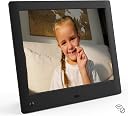


| ASIN | B015XVAKG4 |
| Aspect Ratio | 4:3 |
| Best Sellers Rank | #1,552 in Digital Picture Frames |
| Brand | NIX |
| Color | Black |
| Compatible Devices | Personal Computer, Smartphone |
| Connectivity Technology | USB, SD Card |
| Control Method | Remote |
| Customer Reviews | 4.4 out of 5 stars 7,095 Reviews |
| Display Size | 8 inches |
| Frame Material | Metal |
| Item Weight | 0.33 kg |
| Manufacturer | nix |
| Manufacturer Part Number | X08E |
| Memory Storage Capacity | 8 GB |
| Model Number | X08E |
| Power Source | Battery Powered |
| Resolution | WXGA |
| Screen Size | 8 inches |
| Touchscreen | Buttons |
L**W
Great product all around. A free easy Firmware update adds Timer on off functions and other improvements. We are buyiing another
9/23/2017: Just bought our second frame for us. The X15D product quality is everything I'd hoped for. Very easy to use and nice image quality. It has a thoughtful simple intuitive setup. I typically hate remotes, but this one is really simple, easy, small, and actually useful. I like that it allows to rotate and delete individual photos with remote--the ones you catch after its up and running. Image quality is good as advertised when compared with my laptop and other screens (the "D" stands for HD which I think is 1080). The image is pleasantly view-able from very wide angles. I notice a slight/subtle color change when viewing it from greater than 60 degrees from straight on, which stays about the same out to 80 degrees from straight on viewing (viewed from the side). The screen surface appears to be a light matte finish nicely minimizing glare. The controls allow for all the normal screen color brightness, contrast, hue...adjustments etc but mine looked good in a room full of windows with the factory default settings, which were all centered: unlike some other products I've purchased that come with brightness at full to look normal, this screen has some reserve. We bought this for my mom who is in her 80's who needs a no fuss bigger screen to see all the family photos, that will turn on and off a preset times as she lives in a one room apartment retirement community. But we liked this one so much we will be buying another of the same size. A mistake I made was thinking this had an timer on / off function (turns out you can add it easily for free with firmware upgrade). I figured I'd call customer support anyway to see if a firmware update had addressed it and it had. Jeff in customer support walked me through the entire surprisingly easy process. Go to the Nixplay (your screen here x15D https://support.nixplay.com/hc/en-us/articles/115003131986) Firmware update and download your frames firmware to a USB. Turn off your screen with manual switch. Plug in the USB with new firmware. Turn screen on, option to update firmware shows up on screen, use remote to select update firmware. It took about 15 seconds to update the firmware. Then turn off screen and unplug device from wall (I had to unplug from wall to get new drivers to load). Replace firmware USB with your Photo USB, replug into wall and turn screen back on. Your done. It even saved all my clock settings...Then in setup go to the Sleep column. Note: Start time is for start of sleep. And End time is for end of sleeping. I did it backwards and it took me a while to figure out why it wasn't working. You can find your needed firmware version in the frame Menu at bottom under "About". Note my screen was X15D-01 (you need to know if it is -01,-02, or -03 product), and my old firmware was version 1.18. The new firmware was version 1.39 from June or July of 2017. Also note the only way I could get the screen out of the "About" section was to manually turn the screen off and then on (a bug). Later learned that the return button on remote works back pushing the screen button does not. The new firmware with timer on/off functions also had a few other nice adds such as more choices on how long to show a photo or how long to sleep were added. So Pleased, we are going to buy another second one for ourselves. The only remaining question is how long will it last, as there are not a bunch of reviews with dead photo frames I feel pretty good about that too.
L**E
Great technical support, happy with frame.
I had a very good experience with Daryl at NIX technical support prior to purchasing this digital frame! I contacted NIX because I wanted to buy a digital frame for use with my art business - I was making videos of my paintings in progress and time-lapse movies of working on a painting, but I could only figure out how to make the videos on Windows Live Movie Maker. Unfortunately those files are not compatible with much of anything and Windows support was not helpful at all in assisting me with converting the videos to a format that would play on a digital frame. I very much wanted to show my videos at an art opening and I didn't have much time left to commit to doing the research and finding a picture frame that would play the videos in the gallery for my audience to view. So after I sent a question to NIX about my problem, Daryl immediately contacted me to help me figure out how to make my videos playable on their frames. He not only emailed, but spoke with me on the phone and within a week he had converted my video for me into an MP4 that would be compatible. He tested my videos on some of the NIX frames and determined that some of the models did not play a very sharp, quality video but that this new HD model did play the Windows converted videos that I'd made in a focused quality way that would not be pixelated (which would have made for a poor viewing experience that I would have been disappointed with). I hadn't planned on spending more then $100, but decided that this frame would be a good tool and I would find several ways to use it for my business for some time to come, so I purchased it from Amazon (and happily got $30 off the price by signing up for an Amazon card.) The frame arrived just in time for me to put 7 videos on it - it was really easy once I learned how to convert the videos from Daryl. I put my videos onto the USB included with the NIX frame, popped it in and used the remote to play the videos on a continous loop at my show opening. They looked very good! Now the frame will play in the gallery for the month and after I bring it home I'll add more to it and use it again for promoting my artwork. (A few of the videos are viewable at https://www.youtube.com/channel/UC7ZRRSaYwwOfXAn9BlvzKAA.) Thanks very much to Daryl and NIX, I appreciate the effort and the fine product!
J**B
And I don't have a clue about NIX customer support!
I'm a serious amateur travel photographer. I had a couple of older digital frames with only so so picture quality (e.g., blown out highlights), the pictures would only play in a jarring random sequence, and the frames ultimately refused to display over ~ 1000 pictures (despite the files being stored on an external SD card). But I almost gave up on replacing those frames after pouring through Amazon reviews over the Xmas holidays. Nix sounded like one of the best bets. But I was appalled by how many reviewers had been compelled to work with NIX customer support. I also noted frequent suggestions that, to get pictures to display, you HAD to copy them (at least temporarily) onto NIX's supplied USB drive. And some photographers claimed that the frame would not properly display portrait vs. landscape pictures, or that the picture quality fell short. To put the record straight: My frame worked perfectly, right out of the box, immediately accepting MY SD memory card containing almost 5 GB of photos (taken with two Nikon DSLRs / converted to 4-10 MB jpegs via Photoshop Elements). On this frame, I find that BOTH portrait and landscape orientation photos display properly. In fact, my 3:2 ratio DSLR pictures are presented with a nice combination of cropping and letterboxing (portrait: only side letterboxing vs. landscape: a light-handed combination of both). And when I compare the images with high quality prints, the contrast and color saturation appear fine, and the decrease in resolution is only noticeable when I stand within a couple feet of the frame. The only small shortcomings I can identify are: 1) I wish the frame offered a simpler, less distracting, fade-in / fade-out picture transition scheme; 2) I'd also much prefer the option of picture display in forward date order (as opposed to my frame's back-in-time only display order). And I have absolutely nothing to say about NIX product support - because I've had absolutely nothing to do with them - which is exactly how I think it should be! Responding to a question posted on 30 April 2017 - Photos of the frame showing how it displays full 3:2 aspect ratio DSLR photographs. Portrait: Full image is displayed via letter boxing to left & right. Landscape: Slight cropping of image at left & right ends plus mild letter boxing (~ 1/2") above and below. With much higher horizontal aspect ratios (as in images merged to form panoramas) the frame just shrinks the entire image to display it complete.
D**_
Easy to use, attention-getting looks. Great for the price!
TL;DR: The motion detector is a blessing in that it will keep the electronics from overheating, and even people who are around technology all day long will take notice of the stylish device you have sitting on your desk. If you don't need WiFi, and want a modest digital picture frame (or several!), you could do much worse than the X08E. DISCLAIMER: I paid full price for this frame, based on my purchasing and decision-making skills, and my need for a great digital picture frame. [...] There's something about this frame, such that as soon as you unbox it, you realize that it's slick and special somehow. From the breezy and well-designed GUI menu system, to the basic good looks, and almost "polished" appearing screen, this motion-aware picture frame does not disappoint (except perhaps in one area–read below). Since nearly all digital picture frames are the same, I won't bore you with the details, lest to say that this frames does NOT support WiFi (meaning it's affordable), so your choices for image hoisting are SD card and USB "stick", with the quote marks included as the angle of the rear frame bracket means that only the tiny "nub" style USB drives will work in this model. The box doesn't actually mention USB support, so rest assured that the port is there and functional (life hacking tip: you should actually be able to charge your iPhone with this frame!). There is one confusing item in the menu system that warrants explaining. The setting for the motion control itself is pretty confusingly worded, so just know that as long as you avoid "Disable" (which mysteriously turns the feature off) you'll be okay. Translated, the other numbers are just how long it waits after you've left the room before the frame shuts off. The CPU in this frame is fast, so the transitions look great, and it plays video with sound. CONS: The Achilles Heel of this frame is animated GIFs. While the format is supported, and it does try to play them, they crash your frame, so be sure to filter these out before trying to play a slide show. The battery in the remote will likely be dead on arrival, so while the remote is actually quite cool, be prepared to spend a few extra dollars on a CR2025 battery (you may want to order one when you buy the frame) if you want to use it. Considering the frame's control panel is in the back, facing straight up, you'll want to use the remote.
L**N
Photo Delivery For A Handicapped Relative!!!
We had a need. My wife’s sister kept asking for pictures. So, we got her a smart phone. She was injured at birth so is mentally challenged with technology but does have a very high curiosity about such things. Because of this, she does not have internet access. I came up with a solution. A Digital Frame! How easy is that? So I started looking around, Amazon, Walmart, Target, anywhere and everywhere. The NIX X15-D fit the bill perfectly. So, I ordered one. It comes complete with an 8 gig USB Stick so I loaded it up with 900+ pictures and turned it on. Bingo! Picture was great, transitions were great too! OOPS!! What was that? The screen went to black. Oh, there, it came back on, good! Well, it did that 3 more times as well as a few pictures showed up as landscape even though they were portrait pictures. So, I called Nix Support, got right through and was talking to someone, very helpful guy. He patted me on the head and reassured me that all was well. But it kept happening, so I called again. Then I called one more time and was put in touch with Anna! She was very helpful and knowledgeable. I explained everything to her just one time. She had me check the Firmware version which was 1.39. She said that she would email to me an update with the latest version which was now 1.85. She sent the email, I was able to update the firmware with ease and bada-bing, bada-boom, the frame does now not miss a beat!! Runs very smooth and consistent! So, Thank You Anna, for being the support person I found! This weekend is Donna’s birthday and she has not a clue of what is coming her way! The entire family is so excited to give this gift to her, she will be absolutely thrilled!! Would I recommend this product? Without hesitation, YES!! And thanks again to Anna!
D**N
Quality picture and nice additional features
I had held off on buying a digital picture frame for years due to what I saw as poor picture quality and lackluster reviews online. With my photo collection growing, I didn't want to have to be limited to just one or two photos on my desk, and I also didn't want to have to do deal with frequently swapping pictures in a frame, so I decided to give this frame a shot. Why this frame? I wanted something that offered relatively high resolution, preferably wasn't WiFi connected (this seems to be a trend among recent frames, and while it could be the right choice for some folks, especially if you want to be able to add/update photos remotely for someone else, my view is that it's best to limit the devices you allow access to your wifi network), and that was reasonably priced. This seemed to check all three boxes and got good reviews. I've used it for a couple week so far, so I can't really speak to durability, but can speak to picture quality and features. Setup was extremely easy. I just took it out of the box, plugged it in, and inserted a memory card with some photos into the slot in the frame. The home menu has three simple options (play, calendar, and settings), so I hit play and was off and running. I eventually adjusted some settings to set the date/time and sleep timer. While it has a motion sensor, since this was going on my desk (where it would be surrounded with regular motion all day), I didn't do anything with that setting. You can choose how long each image stays on screen, what transition is used to move from one pic to the next (including a shuffle option that shuffles between transitions), and what order to display the photos in (e.g. alphabetical, shuffle). I didn't know it had a sleep timer, but it does, which is great. When enabled, this will turn on and off the screen at preset times each day. This is a good idea to help reduce energy consumption and (presumably) to help extend the functional life of the frame and screen. The picture quality is very nice. For some reason, the different size frames have different resolutions: this 8 inch model is 1024x768, as is the 10 inch and 15 inch, but the 12 inch is 800x600, for example. I noticed numerous other frames are also 800x600. While not enormous, the difference in resolution creates a noticeable difference in picture quality. Other features include a wireless remote control and calendar view, which puts a calendar on top of your photos - a nice touch if you're using it on a desk. While I don't yet know how durable this frame is, it sure seems built to last. It's quick and easy to set up and use right out of the box, has good picture quality, has a nice set of practical features, and is reasonably priced for a digital picture frame. I'd recommend it.
P**A
Good frame, limited set of features
The frame has a nice display, as well as a few good slideshow / transition options. It also supports a small set of video formats for playing back videos (external speakers are required for sound). There are a few downsides to this frame however. The first thing to note is the 8-inch frame does not have any built in memory, so pickup a low-profile usb thumb drive to go with it. Second, the frame does not correct for camera rotation information stored in the the exif data in the picture files, even though according to their forums they clearly have access to the information. Pictures can appear upside down, or sideways, without proper rotation. The manufacturer's recommendation is to download a third-party piece of software from a pretty sketchy site with lots of misleading download links. Or alternatively they recommend the 10-inch frame, which supposedly has firmware with the ability to rotate the pictures; additionally it appears to come with some built-in memory. Another thing to note is the frame has an attached block sticking out from the back, near the bottom, so this frame will not be able to hang on the wall; it will only ever sit on a surface. The block sticking out of the frame houses the memory readers, and is not something that can be modified. The frame also does not have any battery option, and requires to be plugged in at all times. Lastly, there is currently only one color option for this frame, black plastic. So if that doesn't fit with your decor, you'll have to be creative in disguising the frame.
J**J
Satisfied Customer
Hands-Down! This is one of my best purchases! I purchased 2 (X12D) models. It arrived on time. It was easy to set-up. I mounted them on the wall over our fireplace where the motion sensor could detect movement when entering the room. There are enough setting options, which are SUPER FUNCTIONAL that makes this frame personalized ( I promise, it is super easy to set-up--plug it in and choose your settings.) This digital picture frame plays video with adjustable sound level. Again, every setting allows for personalization; from display time to transition style and much more. This plays most every format of video. I use a USB flash drive that has thousands of pics & videos. This frame can randomly display/play pics & video, if you chose to do so in settings. The picture quality is great! I'm 50+ and can see the picture/video clearly from 20 feet away (no glasses.) It comes with an easy-to-use remote. My wife and I marvel over this every time it comes on; it displays all our pictures and video when the kids where growing up (I'm so glad we took tons of pics & videos.) If you are looking for a digital picture frame, YOU MUST BUY THIS! YOU WILL LOVE IT!!! I purchased a third frame for my wife's bathroom. It really starts her day off good. (It just makes her feel good to see her children and grandchild, especially the videos with sound!) (hey guys, if you are looking to score some major "points," get one of these for your wife this Christmas!) Thank you NIXPLAY for making this frame!!!!
A**R
Works well
Used this for a bit of an arts project, and very happy with it. Did not use the motion detection, but the screen quality is great, and it was simple to set up and use.
H**Y
better quality than what I payed for
When first taking it out of the box it felt light and cheap with the plastic. However the screen quality was pretty incredible for how much I payed for it with alot of different functions and display options. Overall really nice gadget for a really good price and looks nice in the home.
R**I
Nix
Yes, very good I like the motion sensor
A**R
muy buena definición
Muy buena definición. Un poco pequeño, pero de muy buena calidad. fue difícil conseguir un marco electrónico con buena definición, y este cumple las espectativas.
N**C
Well worth buying to show off all those hidden pictures on your computer!!!!
I take a lot of photos that just sit on my computer doing nothing; and whilst I already own a digital photo frame, the Nix appealed due to its on/off sensor (meaning I could just switch it on and leave it - unlike my older frame). Upon receipt I was surprised at how large the 8" screen looked - it was bigger than I was expecting and the quality of the image just blew my older frames screen out the water! The screen quality is (IMO) right up there with an iPad screen. Menu's are VERY clear and well presented, lots of options and a handy remote which worked really well. Dead simple to work ... its really been thought out well. The sensor worked brilliantly too and the quality of the frame itself, like the screen, was top notch! If you have a lot of photos like me, I don't think the money spent is wasted on something like this ... its great for bringing back memories! Ultimately I was so impressed that I also purchased the 10" widescreen version (on Amazon sale at only £79!). The size difference is noticeable and if you're not sure which to buy, money aside, I'd say go for the 10". That said, it is a lot more than the 8" model so value for money wise, the 8" wins by a mile. But if you can get the 10" for under £100 I'd go for that. At the end of the day though, you won't be disappointed with either ... and some may even prefer the smaller 8" model as it looks like a more regular photo frame size. The 15" was appealing at the sale price but I think once you get past 10", the frames start to look more like small (HIGH QUALITY) screens rather than photo frames. I can imagine the 15" would look massive on a small table, so here an 8" or 10" would be better. I guess it depends on how 'On View' you want your pictures to be. Finally, the frame also played movie clips shot by my smartphone and digital camera no problem (with or without sound - you can select) .... a great touch I thought! Hope my review helps ... if you're looking for a digital frame I'd skip the rest and just go for this! Note the attached pictures don't show how good the screen really is.
Trustpilot
2 weeks ago
1 month ago