Buy anything from 5,000+ international stores. One checkout price. No surprise fees. Join 2M+ shoppers on Desertcart.
Desertcart purchases this item on your behalf and handles shipping, customs, and support to Vietnam.
🎨 Elevate your art game with precision and power — don’t just create, captivate!
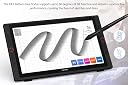
The XP-PEN Artist24 Pro is a professional-grade 23.8-inch graphic pen display featuring a stunning 2K QHD (2560x1440) resolution and 90% Adobe RGB color accuracy. Equipped with a battery-free stylus offering 8192 pressure sensitivity levels and 60° tilt support, it delivers precise, natural drawing experiences. With 20 customizable shortcut keys, 2 red dials, and versatile USB-C plus HDMI connectivity, it’s designed to boost productivity and creativity for digital artists, illustrators, and 3D modelers across Windows and macOS platforms.


| ASIN | B08927CZWF |
| Active Surface Area | 242.99 square inches |
| Best Sellers Rank | 37,530 in Computers & Accessories ( See Top 100 in Computers & Accessories ) 77 in Graphic Tablets |
| Box Contents | 1 x 23.8" XP-Pen Display, 2 x Battery-Free Stylus, 1 x USB-C to USB-C Cable, 1 x HDMI Cable, 1 x Power Adapter, 1 x Power Cable, 1 x Pen Holder, 8 x Replacement Tips, 1 x Quick Guide, 1 x Cleaning Cloth, 1 x Black Drawing Glove |
| Brand | XP-PEN |
| Brand Name | XP-PEN |
| Colour | Black |
| Compatible Devices | Desktop, Laptop |
| Connectivity technology | HDMI , USB |
| Country of Origin | China |
| Customer Reviews | 4.5 out of 5 stars 254 Reviews |
| Display Type | LCD or LED |
| External Testing Certification | Não aplicável |
| Item Dimensions L x W | 63.2L x 37W centimetres |
| Item Weight | 10000 Grams |
| Manufacturer | XP-PEN |
| Manufacturer Part Number | 40648 |
| Model Name | XPArtist24Pro |
| Model Number | XPArtist24Pro |
| Model name | XPArtist24Pro |
| Native Resolution | 2560x1440 |
| Network Connectivity Technology | HDMI, USB |
| Operating System | Windows, macOS |
| Operating system | Windows, macOS |
| Pressure Sensitivity | 8192 Levels |
| Pressure sensitivity | 8192 Levels |
| Product Features | 60° Tilt / 2K QHD Screen / Display Resolution: 2560 x 1440 / 90% Adobe RGB |
| Product Warranty | 2 year manufacturer |
| Screen Size | 24 Inches |
| Special feature | 60° Tilt / 2K QHD Screen / Display Resolution: 2560 x 1440 / 90% Adobe RGB |
| Specific Uses For Product | Draw, illustrate or animate in 3D. |
| Target Audience | 3D Modeling Artists, Designers, Professional Illustrators |
| UPC | 654913040648 796391003767 |
W**H
Perfect for beginners, hobbyists and professionals
Whether you're a beginner with a hobby or a professional artist, you can't go wrong with one of the best albeit expensive tablet available on the market. Torn between grabbing this or the Huion alternate, I saw this had a lower discount which alone made it worth buying. If you have the money, there's only a few tablets better than this and in my opinion is unnecessary unless you want 4K. Screen: - The selling point is 2K, it is worth paying premium just for this. - Light does reflect off it but it isn't that invasive but worth considering. - The size... Honestly I didn't consider this when purchasing and it was far bigger than I expected. - Brightness is as you would expect, with a larger range than other tablets. - Screen protector works like a charm, no scratches after a few weeks of use, this was a major difference between the Huions etched. Pen and usage: - Easy to hold and use, the tip is quite scary to press against the screen but it's fine. - Accurate with little parallax, which isn't a big issue in the first place. - Drawing is quite pleasant and clean, no issues with calibration. - The buttons do get in the way, you may accidentally press one whilst using and it would stop your stroke. Buttons and Dials: - The buttons have a soft click and easy to press, I previously had a Wacom Intuos 4 which had LED to labeled the buttons but it is a struggle to remember for this tablet. - The dials are extremely pleasant to turn when zooming! - Customisability is a huge plus and makes it far easier. IO: - Hdmi based, I would prefer Display Port but can't complain. - I love the option for USB-C instead of just USB, Stand: - The locking mechanism is a bit finicky but it works extremely well and stops movement. Fantastic angles! Overall, it is definitely a must buy if you want almost the best of the best and desire a fantastic tablet. Final personal issue to note: Slightly worrying but there is a rare(?) issue occuring where the tablet is powering my USBs when the computer is powered down and PSU switched off and unplugged. This causes connected devices such as my RGB Hue+ controller and Headphone LED to flicker rapidly even when unplugged from the wall. The fix is to unplug the power cable from the tablet before turning your computer off! Therefore power is going both ways, or some sort of funky power issue is occuring with it being on the same strip and the computer retaining the power in the capacitors? The computer is not at fault as its brand new and only started happening exactly as soon as the tablet was introduced. I would contact support regarding this issue but it's quite unlikely they will know why it's happening and offer a fix. Just something to keep in mind, it's an issue that could occur.
E**N
You will fall in love...
To preface, I am one of the most cynical people on the internet. For me to be giving a 5 star rating to a product is almost unheard of... This drawing tablet is beyond amazing. I had previously been using huion drawing tablets (which I still love) but decided to take the plunge and buy a display tablet. The Artist24 Pro had been getting a lot of promotion at the time, and I decided to take a chance and buy it. More than a year later, and this tablet still gives me the same sense of magic every time I use it to draw or paint. I paint mostly on photoshop, and the color accuracy is fantastic. The screen is very responsive to pen pressure and tilt, and the pen itself doesn't even need batteries! I went for 12 hours straight, painting once.... Now obviously the only con here is the price. I work a well paid job and had the disposable income to buy this asset. However, if you are just starting out with digital art, I would suggest you buy a much cheaper drawing tablet (I'd recommend one of Huion's lineup, just because I love their products), they're only 50-60 bucks. However if you're someone that either works in the arts industry, or have a BURNING PASSION for art (it cannot just be a phase), then this display tablet will be a match made in heaven. I HIGHLY, HIGHLY recommend XPPen's offering.
E**O
Great performance at an affordable price
Like many others I agonised over whether or not to choose this device or go for its much pricier and more renowned competitor. In the end a combination of availability and common sense led me to choose the XP-PEN and I'm delighted to say that after a few teething troubles getting the screen to function at its full resolution and the pen to function smoothly (more on this next) I have found it to be a flawless performer. This tablet more than meets my requirements for sketching and product design rendering and I feel no sense that I have had to compromise any of the anticipated performance I'd been hoping for. Coming from a traditional background of sketching at A3 size this monitor is perfect and drawing on it has not only become natural but preferable to paper. FYI - I use a Surface Book which has a mini display port. The resolution issue was solved by using Microsoft's active adapter for mini-display port to HDMI and connecting to an HDMI cable which is less than 1m long (also recommended by Microsoft support). To get the pen to work smoothly and with pressure sensitivity uncheck 'Windows Ink' under the Pen Settings in XP-PEN's software.
M**M
Good product
Worth checking out some YouTube reviews, this product's a real gem.
B**D
Great product but a couple of niggles.
This is written well over a year in, I'm happy but there are a few minor issues; On my example, the touch sensitive on-off switch isn't sensitive enough and is difficult to use with the effect that I mainly just leave it in standby, which irks with current energy prices. The screen is a little less sharp that a standard monitor, which might be an issue for some, but I find it less strain on my eyes. Pen alignment is OK but not perfect and could improve for critical work. Overall, however I'd recommend the product and it has done all asked of it and been enjoyable to use, even with CAD software, which I didn't expect. This is mainly down to the configurable buttons to each side of the screen rather than the pen interface. The biggest win would be if it really was single cable and provided sufficient charge to an attach MacBook via the USB-C connector. My office monitor is an ASUS which does this and it's great to just have one cable.
P**T
Best touchscreen monitor you can have.
I do lots of presentations for my work and also conduct lots of online training. This is a best responsive touch screen I have found. Texture is great for handwriting while making notes or explaining things online. It is thick so looks a bit bulky but for the performance and functionalities, it’s a small tread off. It works well with multiple screens attached to my computer and do not require gloves while writing but they do supply one. Another win is no battery required for pen. Definitely recommend it if price and thickness is not a constraint.
E**Y
Better than the Cintiq 24 pro (for me)
I've had a big stress recently. I usually use my iPad for animation work but developed an RSI from it. I splurged on a Cintiq pro 24 and the drawing experience was amazing but the grainy etched glass surface of the screen gave me migraines and really strained my eyes so I had to return it. Frustrating as it pretty much fixed my hand problems. I then ordered the xp pen 24 Pro and the Cintiq 22. Both screens were fine for my eyes, but the 2k resolution of the XP Pen 24 Pro is such a delight in comparison. And as for the drawing experience I much prefer the XP Pen. The Cintiq 22, unlike the Cintiq pro 24, has a lot of friction to the screen so it felt like I was scraping it each time I drew. It wasn't pleasant. Everyone who reviews these things online seems to be going wild for this frictiony paper like feel, but I loved the smooth feel of using the Apple Pencil on the iPad Pro, with no resistance. Xp pen has a screen protector that gives it some resistance like this but I removed it so I could get the smoothest drawing experience as that smoothness is what I love. For that reason I feel like this is the best as you can see what design style suits you. I'm sure I'm using it in a way it's not intended but it's great for me. When it comes there's a protective film that you're supposed to remove, followed by one that you're not supposed to. I removed both and then put the 1st one back on again because it gives the pen a much more glidey feel, and the colours are richer below the 2nd layer. I've heard if you just remove both and draw on that surface there's a higher chance of scratching the screen and I wanted some protection still. Also I sometimes like to use an intuos pro and the xp pen works with Wacom drivers still installed, unlike the Huion. this was really helpful for me.
R**N
Worth it!!
An amazing graphic tablet if you guys are looking for a good price and good quality pick this one
H**R
Touch Screen for PC
Product is good. 2K resolution is a bit low. Looking forward to a 4k with larger screen! Not just for art work but also for those suffering from mouse repetitive stress injury.
E**A
Produto super recomendo!!
Gostei muito do produto e super recomendo!!
@**N
Quality and Value hands down worth it
So, I was reading through reviews before and after purchasing this item. which then became a project. It has been four days now since then, which has given me ample time to gather information, test, experiment, and form my own opinion. Having gone through numerous reviews, there were a few things that stood out to me After a couple of days with the default settings, as well as system sleeps and shutdowns, I can provide my review based on my experience with the product . It feels great to address this! I've tried and tested this multiple times, and each time I had to tweak something to achieve the perfect setting. Now, when I turn off or restart my computer, or when it goes to sleep mode, all my settings, including those for my artist XP and tablet, remain the same. Initially, I had to quit the XP pen app application (ONLY) and restart it, the app only, to get everything connected and functioning properly, but eventually, I didn't have to do that anymore. It may seem tedious to try, test, and tweak, but since its not impossible, its worth it. I can officially confirm that many hours have passed, and I haven't encountered any issues with my settings during sleep or when the device wakes up. The color is pretty great, although I must admit that the film across the screen is not to my liking. If they release a version without the film, I would happily choose it again as an upgrade However, that's not to say I won't try Wacom or other drawing devices and be completely swayed over. Overall, would I repurchase? Yes, especially if the film was removed. However, the film itself is not a 100% dealbreaker for me. As I continue to learn and adapt, coming from an iPad background, I appreciate the gloss. Nevertheless, I did appreciate what one YouTuber mentioned—the XP gives that paper-like feel that we often overlook as digital artists which i have to agree. i'm actually pretty obsessed. its strong and sturdy. i love the pen holder on side too. it also never makes noise . the pen is relatively smooth for me and i barely adjusted it. i recommend. UPDATE: - I wanted to add that the color was great from the beginning as id mentioned BUT I played with the color profiles just a little I switched the profile to RGB 1980 but then reverted it right back to the Artist PROR and now that color looks as good as my studio I am not even playing or exaggerating im like so shocked at how great it looks unfortunately the photos do not do justice! definitely happy with this purchase. Please note the pictures taken are in their natural form, no edits were made to them
C**E
XP-Pen Artist 24 Pro Tablette Graphique
Magnifique
A**A
Calidad profesional a un precio imbatible: La pantalla que mi flujo de trabajo necesitaba
evo varias semanas utilizando la XP-Pen Artist 24 Pro para ilustración digital y edición fotográfica profesional, y solo puedo decir que es una auténtica bestia. Si estás dudando entre esta y una Wacom de tamaño similar, puedo asegurarte que la diferencia de precio no justifica la diferencia de rendimiento. Esta tableta es, sencillamente, excelente. Lo que la hace destacar: Resolución 2K QHD (2560 x 1440): En una pantalla de casi 24 pulgadas, la resolución 2K es el "punto dulce". Todo se ve increíblemente nítido, permitiéndote trabajar en detalles minuciosos sin ver píxeles. El espacio de trabajo es enorme, lo que te permite tener todas las ventanas de herramientas de Photoshop o ZBrush abiertas sin agobios. Precisión del Color (90% Adobe RGB): Como fotógrafo, la fidelidad del color es crítica. La calibración de fábrica es muy buena, cubriendo el 90% del espectro Adobe RGB. Los colores son vibrantes, profundos y, lo más importante, precisos para impresión y web. El Lápiz PA2 (Sin batería): El lápiz es ligero pero equilibrado. Soporta hasta 60 grados de inclinación y tiene 8192 niveles de presión. La respuesta es instantánea, sin retraso (lag) perceptible, y el trazo es fluido desde el contacto más leve hasta la presión más fuerte. Ergonomía y Atajos: Lo que más me ha sorprendido gratamente son las 20 teclas de acceso directo y las 2 ruedas dial rojas. Tener 10 botones a cada lado la hace perfecta tanto para diestros como para zurdos. He configurado los diales para hacer zoom y cambiar el tamaño del pincel, y mi productividad ha subido un 30%. Conectividad y Soporte: Incluye un concentrador USB integrado para conectar otros periféricos y se conecta por USB-C a USB-C, lo que reduce el desorden de cables. Además, el soporte ajustable incluido es muy robusto; no baila nada mientras dibujas, algo vital en una pantalla de este tamaño. Pros: Pantalla inmensa con resolución 2K impecable. Paralaje mínimo: la punta del lápiz y el cursor están prácticamente pegados. Acabado mate de la pantalla que ofrece una textura similar al papel y evita reflejos molestos. Relación calidad-precio inalcanzable por la competencia. Contras: Es un dispositivo grande, asegúrate de tener escritorio suficiente. El protector de pantalla que trae pre-aplicado es bueno, pero requiere limpieza constante para mantener la suavidad. Veredicto: Si eres un profesional o un artista avanzado que busca dar el salto a un formato grande de 24 pulgadas sin gastar 2000 euros, la Artist 24 Pro es la mejor inversión que puedes hacer. Es robusta, precisa y estéticamente preciosa. ¡Totalmente recomendada!
Trustpilot
3 days ago
1 month ago