Desertcart purchases this item on your behalf and handles shipping, customs, and support to Vietnam.
📡 Transform your dumb devices into smart essentials — control your home with a tap or a word!
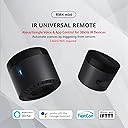
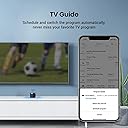
The BroadLink RM4 Mini is a compact IR smart remote hub that connects over 2.4GHz WiFi to control over 50,000 infrared devices. Compatible with Alexa, Google Assistant, Siri, and IFTTT, it enables remote and voice control of TVs, air conditioners, and other IR appliances. With cloud-updated IR libraries, customizable timers, and scene creation, it modernizes legacy devices into a seamless smart home ecosystem.


| ASIN | B086VD96LH |
| Additional Features | Easy to Install |
| Battery Type | No need battery |
| Best Sellers Rank | #24,011 in Tools & Home Improvement ( See Top 100 in Tools & Home Improvement ) #33 in Home Automation Hubs & Controllers |
| Brand | Broadlink |
| Button Quantity | 1 |
| Color | black |
| Compatible Devices | Home Theater; not work with Bluetooth remote control devices |
| Connectivity Technology | Infrared |
| Controller Type | amazon_alexa, android, google_assistant, ifttt, ios |
| Customer Reviews | 4.2 out of 5 stars 1,373 Reviews |
| Item Dimensions L x W x H | 1.85"L x 1.85"W x 1.65"H |
| Item Weight | 0.06 kg |
| Manufacturer | Hangzhou BroadLink Technology Co., Ltd. |
| Max Number of Supported Devices | 18 |
| Maximum Number of Supported Devices | 18 |
| Maximum Range | 26 feet |
| Mfr Part Number | RM4 mini |
| Model Name | RM4 mini |
| Model Number | RM4 mini |
| Number of Batteries | 2 AAA batteries required. |
| Number of Items | 1 |
| Special Feature | Easy to Install |
| UPC | 722777685647 769052968613 |
| Warranty Description | 1 year |
J**.
Works extremely well at a good price
I use this with Home Assistant and did not touch the Broadlink app at all, so this review is only about the device itself. TL;DR: Compact device with excellent performance that is perfect for integrating my "dumb" Hi-Fi and TV equipment into Home Assistant Pros: - Small and easy to place - Good performance. Immediately sends commands when instructed and can send lots of commands quickly and reliably - It's IR so needs line of sight but has excellent emitters and aiming isn't really a consideration (at least not for my setup) - Holds the WiFi connection reliably and is stable Cons: - The power cord is micro-USB. I am sure it is an old design, but everything else I own is USB-C now, and these are an unfortunate throwback - 2.4 GHz only. I suspect that, like its power connector, this is indicative an old design. It works and works well, but if you don't have 2.4 GHz networking, it's a non-starter - It's so lightweight that it's easy to tip over or for the weight of the power cord to pull it down. You may want to mount it rather than using it on a tabletop.
J**E
Easy way to make older devices smart
I’m really impressed with the BroadLink RM4 Mini. Setup was straightforward, and it was able to learn and control my IR devices without much effort. It's a great solution for bringing older TVs, air conditioners, and other infrared-controlled devices into a smart home setup. Once configured, it's convenient to control everything from your phone or through voice assistants. The compact size makes it easy to tuck away out of sight, and the IR range has been more than enough for my setup. It has been reliable and responsive in everyday use. Overall, this is an excellent little smart hub that does exactly what it's designed to do. If you're looking to add smart control to infrared devices, this is a great choice.
B**E
Great little device. Works well, especially with Alexa
These devices work well. I was surprised how easy it was to connect this to a TV and get it to work. Sadly it does not work with the XFinity remotes. I use this to control a TV. I have a it connected with a SmartThings hub, Amazon Echo and Third Reality Zigbee Button. When the button is pressed, this device turns on a TV, and opens a Roku app. It allows my dad, who has had several strokes, to be able to turn on and off a TV without having to deal with the complexity of modern remotes. I also have another one connected to a Dyson fan/heater. Mine was purchased before they made smart models, so this allows me to voice control the fan from bed, which is nice. Basically it can be set up with pretty much any device that uses an IR signal.
A**Y
Wifi connection considerations: works great with Home Assistant
Works as advertised. I set mine up with Home Assistant to control some devices in my son's room. The only hiccup I had was connecting it to wifi. I had to change my router security from WPA3 to WPA2 for it to connect. After connecting, I was able to set it back to WPA3 and it still connects fine after losing power. To connect to Home Assistant, it still requires the device to be added to the Broadlink app and then you have to toggle off the "lock mode". After completing that, you no longer need the app.
J**N
Stay away!
Our saga begins on February the fifth, 2021. As I eagerly awaited the arrival of my newest, life changing, home-awakening smart device from my friendly USPS delivery person, I finished my Raisin Bran and dusted off the perfect spot for my new WiFi IR/RF transmitter. To my joy, it arrived just before I exploded from absolute excitement and I thusly retrieved it from my carrier box. Once inside, I took time to open the package with tenderness and unbox my new unit! Joy! Christmas joy just filled me as I glazed over the directions and retrieved the power cable(with no block...they must figure we have random usb plugs around my house.....we don’t). I set it up(plugged in the wire and hit the reset switch then downloaded the “extremely well written” program from the App Store. (Quotes mean sarcasm...keep up) Once I had my app and I made my way through the barrage of spelling errors and grammatical inaccuracies, I summed up that I had to pick one of two setup modes and muddle my way through a setup process that had a lot of pictures but didn’t make much sense. The end result of multiple tries of each of these was sadly no connection when my new toy wouldn’t connect to my existing router. Day 2: Since I needed a new router anyway, we went and picked up a new Blackhawk to really enhance the house! Yay again!! Once hooked up and online, I returned to the app to try and set this bad Larry up once and for all.....SUCCESS!!! It only took the addition of a two hundred and fifty dollar router to get this thing connected! Now on go part 2. Let’s get the remote to my fan (RF) programmed in so I can start getting some miles out of this little pony. Try 1, no joy. Try 2, almost connected. Try 3, self programming a device that doesn’t show up on their list... nothing. There was some hope in the middle there and some fading nodules of information that I gleaned from whole process but as it sits now, this stupid little black cylinder is not connected to anything but my router, it does not work and it looks great where it landed in my neighbors yard until he cuts his grass in the spring. Definitely a fun lesson in how to waste money but if you’re looking for a product that actually accomplishes something, don’t waste your time. Good luck!
E**G
Doesn’t work with Alexa
It says works with Alexa but it does not. I’ve set up many devices with Alexa and this one doesn’t work with Alexa.
R**!
Perfect for Home Assistant
Great little IR blaster and it shows up easily in Home Assistant. I wish it had a few more instructions, but it's easy enough to figure out
M**2
Excellent Alternative to Pricey Standalone Universal Remotes
I have been contemplating buying a universal remote such as the Logitech Harmony but learned that they are being discontinued. This led me to search for alternatives and I came across the RM4 Mini. I didn't expect much as it was a fraction of the cost of a harmony remote, but I have been very pleased with its performance. The setup was extremely simple, just keep in mind that this requires a 2.4 GHz wifi network (will not work with 5 GHz). Placement is very important as this is an IR blaster and needs to have line of sight to all of the devices it will be controlling. It took some trial and error, but I was able to get it working fairly quickly. The Broadlink database of devices is extensive and comprehensive and if a device isn't represented, the RM4 mini is able to learn functions from the remote control. After setting up all of my devices in the Broadlink app, I connected to Google home and began setting up voice-activated routines. It is worth mentioning that the majority of devices have the same IR code for power on and power off. If you have a routine that is supposed to turn off all of your IR devices and one is already off, it will turn on. This is a limitation of IR and not an issue with the RM4 mini. Pretty much the only problem I have run into is with the weather feedback. For some reason, the app reports the temperature in my area to be about 10 deg F lower than what it actually is. I do not plan on using weather or temperature to trigger anything, so this is a non-issue for me.
A**H
ممتاز
ممتاز
E**R
malos materiales y peor asistencia tecnica
producto hecho con muy malos materiales que se rompen en apenas unos meses y peor asistencia tecnica, no responden a los mails ni dan señales de vida
F**S
Broadlink
The quality the built everything is cool. Looks amazing. But a very powerful internet connection of 2.4GHz is needed. It will not work on Phone’s Hotspot. If one is planning to do so, please do not buy this product.
B**L
2026/03 The RM4-Mini is awesome! It stays connected to WiFi.. It does NOT use 2xAAA batteries.
07Mar2026 First, I want to say that I see some negative reviews that all seem to be from 1-5 years ago. I read through them, after I bought this amazing little device (RM4 Mini) and not one of those things seem to be problematic right now. I'm setting up a Home Assistant (HAOS) "bare metal" (which means, I've installed HAOS on a 3-year old Dell laptop that I have. It has 16GB RAM, an i5-1335U. The very first thing RM4-Mini does upon setup is to update it's firmware. WiFi connection is solid. Not once has it disconnected. Sure, the only downside with this hardware (which is older, yes) is that it doesn't have the ability to connect to 5GHz. Only 2.4GHz. But zero disconnects. As an engineer, I originally wanted something to use as a Universal Remote to replace out old, non-working Logitech Harmony remotes. As I didn't have any information on how to set these up, I engaged Google's Gemini Pro and ChatGPT 5.2 to help me set it up. One thing of note to anyone who wants to use AI to help, I highly recommend to "VERSION LOCK - FAIL CLOSED", listing the current versions of whatever you are using, i.e. HAOS OS: 17.1, Core: 2026.2.3, etc. The reason is, because if you do not version lock the AIs, they will refer to their trained data, which is from 2025 or 2024 and this will NOT work as things change too much. I have found this RM4-Mini to be so much better than I had anticipated. When Scanning the environment, it found all of our TP-Link power outlets (directly, not through the cloud, which is incredible!). It found our Onkyo receiver and made available functions that I didn't even know existed. It found all of our Google Home Assistant displays and even, when permitted, hardware details from our smart phones (let's me see the battery condition). As for some saying that many devices, when operated via the Android app, that may be true, at least at that time, but Broadlink does update their device discovery database. And here's the thing. if you do have a device that is just not listed, you have other options. For one, you can test other devices from that brand and sometimes, even a generic brand might work. But if not, this RM4-Mini has a "Learn" function, which I've had to use in HAOS, since when used within the server, it does not have the ability to gather, automatically, the devices from the web. So you can easily "learn" each button from whatever remote you have. I do recommend this device, but for those who are not afraid to research documentation (or ask the AIs what to do, after locked into the versions of whatever you use). Also, I noticed in the description that it says this uses 2xAAA batteries. That is not true at all. It plugs into a USB cable, which can be from a wall wart. Very easy. Hope this helps.
G**O
Telecomando universale
Con questo ir si comanda praticamente tutto. Basta che si copia il segnele che si vuole inviare ed il gioco è fatto. Si puo configurare con alexa per avere servizi con comandi vocali. Qualità costruttiva buona.
Trustpilot
3 weeks ago
1 week ago