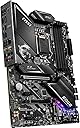
🎮 Power your pro play with MSI’s ultimate gaming edge!
The MSI MPG Z490 Gaming Edge WiFi motherboard supports 10th Gen Intel Core processors with LGA 1200 socket, dual-channel DDR4 up to 128GB at 4800MHz, and features ultra-fast USB 3.2 Gen 2x2 Type-C ports. It boasts dual M.2 slots with M.2 Shield Frozr for SSD speeds up to 32GB/s, integrated Wi-Fi 6 and 2.5G LAN for superior connectivity, and customizable Mystic Light RGB. Designed for gamers and professionals seeking high performance, durability, and seamless overclocking in a sleek ATX form factor.


| ASIN | B0876J8436 |
| Best Sellers Rank | #892 in Computer Motherboards |
| Brand | msi |
| CPU Model | Pentium |
| Chipset Type | Intel |
| Compatible Devices | Personal Computer |
| Compatible Processors | Intel Celeron, Intel Pentium Gold |
| Customer Reviews | 4.6 4.6 out of 5 stars (1,874) |
| Graphics Card Interface | PCI Express |
| Item Dimensions L x W x H | 9.6"L x 2"W x 12"H |
| Item Weight | 2 Kilograms |
| Main Power Connector Type | ATX |
| Manufacturer | MSI |
| Memory Clock Speed | 4800 MHz |
| Memory Slots Available | 4 |
| Memory Storage Capacity | 128 GB |
| Model Name | MPG Z490 GAMING EDGE WIFI |
| Model Number | MSI MPG Z490 GAMING EDGE WIFI |
| Number of Ethernet Ports | 2 |
| Number of Ports | 18 |
| Platform | Windows 10 |
| Processor Socket | LGA 1200 |
| RAM Memory Technology | DDR4 |
| Ram Memory Maximum Size | 128 GB |
| S/PDIF Connector Type | Optical |
| System Bus Standard Supported | SATA 3 |
| Total Number of HDMI Ports | 1 |
| Total PCIe Ports | 4 |
| Total SATA Ports | 6 |
| Total Usb Ports | 10 |
| UPC | 824142212493 |
| USB 2.0 | 2 |
| Warranty Description | 3 Years |
H**R
This motherboard is a great value. I love it
I decided on this motherboard that I paired with an I7 10700k. This Z490 motherboard is super awesome. It is a good quality build and has lot's of extras such as built in RGB lighting. The built in wi-fi made it real easy to connect and it has separate headphone and microphone ports. What I really love the most is the two M2 memory slots. I do some video and photography editing and the NvMe SSD makes a big difference in retrieving large files quickly. I originally intended to use only one of those M2 slots but after seeing just how fast they are I decided on getting both slots filled. I am not too savvy with technology so I have not messed too much with overclocking in the BIOS. However, I did get this motherboard because it does allow you to easily overclock both the CPU and memory with a single click in the BIOS. I also have a lot of internal HDD drives from years of photography and this motherboard has 4 drives that you can connect internally. There are a total of 6 that you can connect internally but you lose connections if you use the M2 memory slots. This is fine as there are still lots of USB connections in the back to attach external drives. It also has an USB type C connection which is a must for me. The EZ Debug LED were very helpful during the build. These LEDs are indicator lights that tell you the status of your components such as CPU, RAM memory, and graphics card as your system is booting. With the price just under $200 it's a great value
J**H
Amazing, but definitely not for beginners.
It was my first time building a PC, and the motherboard was super easy to install. However, upon booting up I was put in MSI’s BIOS menu. There was no problem, until I couldn’t leave the BIOS. Every time I exited the BIOS, the computer would shut off, and when I booted back up, I was put back in the menu again. I was booting up from a flash drive with windows installed on it so I was very confused as to why it wasn’t working. Luckily, I have a friend who is very experienced with PC’s so he managed to get it working after putting the flash drive in his own rig and messing with it. After we got it working though, it turned out better than I could have ever imagined. It looks, and performs absolutely amazing! TL;DR This motherboard’s BIOS menu is very confusing, and needs someone with experience to handle. But it’s a great motherboard.
D**E
Do your Homework
upgrading from a 300 dollar evga ftw+ motherboard and couldn't be happier. the tools that come with msi motherboard are fantastic and compared to my last mother board i feel that i overpayed on my last one. this mother board has the latest wifi out right now and i paired it with a intel 10850k cpu and didn't even have to mess with my bios for it to work. was smooth and easy. the only thing i have to over as far as advice is that i'm using a 2070 nvdea graphics card so its pretty big and when you build your pc you should plug in your sata cabels before plugging in your GPU because other wise the graphics card if your using a rather larger one like me will cover a few of the sockets for sata. so just be sure to plug the cables first. however if your not using 4 different drives the board does have two more sata sockets below the other 4 that are more roomy and very easy to access even with gpu installed. recomended ram slots are 2 and 4 oth this board so dont use 1 and 3 if your using only 2 ram cards. just thought i'd save you the time in finding that out. Make sure your regular boot works before you use msi boot. i say this because many people who do custom rigs if using a usb to instal windows on a drive often have problems booting after removing usb. do your homework. once your regular boot works then you can turn on msi fast boot. because msi fast boot will disable usb plugs to prioritize boot speed and you wont be able to access bios if you run into a problem. you'd have to reset the board by removing battery. if your an experianced builder your not going to run into problems. Great Board!!!
R**N
Amazing Mobo, just make sure to disable OC before doing BIOS update
This motherboard is amazing! Only issue my brother and friend had with this motherboard, is that if you update the BIOS while you have CPU/XMP OC profiles activated, you will 99/100 brick the mobo where the CPU Debug LED will be lit and the computer will not turn on. The BIOS tells you not to update the BIOS when you have OC enabled when you enable the OC, but it never says anything about this when you actually try to update the BIOS using M-FLASH, which is crazy stupid. I had been scared to update the BIOS on mine after my bro and friends mobo's were bricked from it, but I decided to do it today, and so I disabled the OC's, and then updated, and it updated perfectly with no issues. Sad on MSI's part that they don't warn you of this when you update the BIOS, but other than that, this motherboard is top-notch amazing and the performance is great.
C**L
This board is a dream.. MSI software is a nightmare.
This is my favorite board to build on, hands down. I built in a Corsair 4000X case and it’s like they were meant to be. Cable management turned out super clean (see photos) and the fit and finish on everything is top-notch. I built this system with an MSI 3080 ti, an i7 10700K, and 32gb of Corsair Vengeance. Everything runs perfect, the ram profiled in auto, and all the sensors work awesome with Aida64. Performance and stability have been great. My one gripe is the MSI software, especially Mystic Light. As soon as I installed it I started having issues with iCUE (specifically with the aforementioned fam) and I can’t figure out how to get rid of them besides a fresh Windows install. MSI software tends to include tons of background services that don’t uninstall when you remove the software. This has cause me many headaches over the last few days. The “solution”, for now, is to boot my machine and let all 100 MSI processes get running in the background, and then manually boot iCUE. TL;DR the board is perfect and the experience would have been, if it weren’t for two days of software woes just to change the colors of some LEDs.
T**L
well packed
J**G
Llego en perfect estado a pesar de venir en una caja mucho mas grande y sin protección entonces ae podía mover y golpear fácilmente. Pero todo funcionó bien sin problemas agarro todo a la primera muy bonita motherboard.
L**S
This is a solid motherboard where you are not paying for extra crap you do not need. Windows 10 should recognize everything and download the correct drivers for it. You may have issues with the RealTek control panel as it is downloaded from the Microsoft Store now and it may refuse to let you get it, but you do not really need it for normal operation anyways. I am using it with my 10850k and Crucial Ballistix 3600mhz 32x2 (64GB) Memory with no issues in XMP. The 10850k is running on stock, and easily hits its 4.8ghz/5.2ghz clocks. I have not done any overclocking yet, but this should be good for that. There are lots of Fan Headers (2 Cpu, 6 System) and you should take note of the m2 drives disabling SATA ports. M.2 #1 disables SATA2 and M.2 #2 disables SATA 5 & 6. You can control RGB lights if you want, but that requires the Dragon Software which kind of sucks, so your better off using an aftermarket RBG Controller from Corsair or Lian Li or whatever. I bought Jan 14 of 2021, so it came with the Oct bios, I flashed it to the latest (end of Dec) and it was easy. I am not using the WiFi on this, but that is the main reason I chose this over the Tomahawk. So far, so good. This is a solid motherboard. The only issue I have had is that MSI tells me the CHK number doesn't exist when I try to register this for future warranty. Find the Serial Number and CHK Number on your motherboard BEFORE you put it in the case so you can register it. The SN is also on the box, but the CHK number isn't.
A**.
ningun problema y la verdad es que se ve bastante bien y los acabados son de una calidad muy buena
O**E
Très bon motherboard aucun problème avec un i7 de 10th génération et si vous n'avez pas besoin d'overclocker vous n'avez pas besoin de mettre le 4 pin d'extra pour le cpu juste le 8 pin... Avec cela j'ai rajouté 4 mémoires de 8 gig donc total de 32 gig... (Corsair Vengeance lpx 3200mhz) Au départ le bios était juste a 2133mhz... Juste a activer le xmp en haut a gauche dans le bios au profil 1 et voilà c'est fait ma mémoire tourne a son maximum 3200mhz. A cela j'ai rajouté un ssd m2 wd black 500gig sans problème d'installation ainsi que Windows 10. Et j'ai rajouté mon ancienne carte vidéo msi 1650 super. Je roule la plupart des jeux au maximum sans lag... Manquerait juste une rtx 3060 et ca serait le top !
Trustpilot
1 month ago
4 days ago