Buy anything from 5,000+ international stores. One checkout price. No surprise fees. Join 2M+ shoppers on Desertcart.
Desertcart purchases this item on your behalf and handles shipping, customs, and support to Vietnam.
📡 Elevate your streaming game—never miss a moment with dual HD tuners!
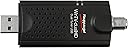
The HAUPPAUGE WinTV-DualHD is a sleek dual USB 2.0/3.0 TV tuner designed for Windows PCs, enabling users to watch and record two HD channels simultaneously. Compatible with Windows 10, 8, 7, and Vista, it supports free over-the-air ATSC and unencrypted QAM cable TV. The package includes a portable antenna, remote control, USB extension cable, and WinTV v10 software, with Plex Media Server integration for versatile streaming. Ideal for multitasking professionals craving seamless, high-quality live TV on their computers.


| ASIN | B015IL0FIW |
| AntennaDescription | Television |
| Best Sellers Rank | #25 in External TV Tuners |
| Brand | Hauppauge |
| Built-In Media | WinTV-dualHD TV tuner, USB extension cable, WinTV v10 application (download), remote control, portable TV antenna, Quick Install guide |
| Color | Black |
| Compatible Devices | Laptop, Desktop, Tablet, Smartphone, Plex Media Server compatible devices |
| Connectivity Technology | USB |
| Connector Type | in,usb 2.0 |
| Customer Reviews | 4.1 out of 5 stars 1,563 Reviews |
| Global Trade Identification Number | 00785428015958 |
| Includes Remote | Yes |
| Item Dimensions L x W x H | 1.25"L x 0.5"W x 3.5"H |
| Item Type Name | TV Tuner |
| Item Weight | 3.8 Ounces |
| Manufacturer | HAUPPAUGE |
| Mfr Part Number | 1595 |
| Model Number | 1595 |
| Product Dimensions | 1.25"L x 0.5"W x 3.5"H |
| Tuner Type | ATSC, QAM |
| UPC | 785428015958 |
| Unit Count | 1.0 Count |
| Warranty Description | 2 year |
J**O
Simple, functional, pulls in strong signal.
I have been using a HTPC for years now, but I have always had Avast Tuners because they cost less. They still deliver HD and seem to work just fine. I bought a HAUPPAUGE tuner for my Xbox-One, which I highly recommend, and noticed immediately that the quality was better, and I received more channels even on the little tiny included antenna. So I decided to buy this tuner for my computer to see if I would get a better signal on a few channels that had been dropping out. Not only did I get stronger reception on those channels, but a few channels that never scanned at all on my other tuners now came in. I still use WMC as my primary means of scheduling and recording, and it works great with these tuners. The included software however was a big plus for me because of the ability to have two side by side streams. This is an excellent way to watch sports. I will say however that having two channels running in 1080 display on the screen at the same time side by side is fairly taxing on your CPU but I never saw any lag issues. I may buy another because having two of these as 4 tuners is much easier and less clutter than having 4 individual tuners. ** For anyone who has never owned something like this ** This is a simple USB adaptive tuner for your computer. You install it and it allows you to watch and record local over the air (OTA) programming. This generally includes CBS, Fox, NBC, ABC, CW, PBS and whatever other local stations you may receive. Almost all versions of Windows prior to windows 10 included Windows Media Center which is a program that allows people to watch, record and schedule recordings of shows. If you have a new computer that no longer includes this software this tuner includes a software key to install Hauppague's own software for watching and recording shows. It's not quite as nice or easy to use visually, but it works just fine. (The major distinction is that WMC was designed to work on a TV and with a remote, while WinTv is a legacy software program designed for use with a mouse and keyboard) This is a dual tuner which means you can watch two channels at the same time, or watch one and record another, or record two channels at a time. There is a small antenna included in the box which will work if you live in an urban area. For the best reception however use a larger antenna like the Mohu leaf (or any other decent antenna). Final note, if you are recording shows in HD (as almost everything is now) you will need a very large amount of space. I don't know the file sizes for the included WinTv software, but the files for WMC are on average 2-3 gigs for a 30 minute show. A 3-4 hour football game will take up between 20-25 gigs of space. It will almost be essential to have an additional hard drive dedicated to recordings. Of course this depends on how much you want to record and keep.
B**D
Great Tuner.
I upgraded to the DualHD from a 950Q and am very pleased with it. Can watch two different channels on two different mobile devices at the same time or watch one channel and record another. If you plan on using the WinTV extend to watch to channels at the same time you will need a decent CPU for the transcoding as it will use quite a bit for each tuner unless you tone down the quality in settings. I don't really understand the negative reviews on this tuner. One thing you have to understand using a USB TV tuner is that the power the tuner gets from the USB port is not on par with what the built in tuner in a TV will get. As such it will not get as strong a signal so channels you pick up on your TV may not come across on the USB tuner, specially if you are several miles away from broadcast towers. The included antenna is not much and you would have to be pretty close to get a strong signal with it. If you are going to use a USB tuner such as the DualHD you really need a good antenna like a Mohu and an amplifier like the Mohu jolt or comparable. I get over 50 channels with the amplifier and less than half without it. Previous versions of The WinTV application have been kind of sketchy but version 8 is pretty nice. Scheduling is very simple with TitanTV. Extend is very simple to setup and works great, it now has support for HTML5 so will work on newer android devices that do not have Flash Support. There are no stupid tuners, just stupid people.
G**G
Great unit and so much cheaper/less involved than Ceton
Great picture quality and it picked up more stations than my smart TV HD tuner did. Easy install using the included WinTV software. I ran into an issue when I wanted to use the tuner with Windows Media Center (WMC). Previously used with a Ceton tuner card, WMC detected 5 antenna arrays and I had to choose which one I wanted to use. WMC wouldn’t let me use more than one. After some repeated tries with each antenna location, I finally gave up for the day and used WinTV that came with the tuner. To its credit, the tuner and WinTV software worked fine. The next morning, I gave it another try with WMC and now it works fine. I have no clue how it fixed itself but now it works with WMC. I find the ease of setting up recordings easier with WMC but know that WinTV has its own record scheduler built in too. You have to manually enter all the specifics with it versus WMC’s use of the guide and simply push the record button but still, it works. To their credit, the company customer service rep told me that the issue comes up with the difference between this tuner and how WMC works. This tuner scans and memorizes all the channels it tunes and WMC works by scanning via the zip code + local guide settings for those specific stations. That’s most likely the culprit behind my initial issue....my guess that is. Still, I don’t know what changed overnight to fix it but I’m not complaining...I just like to know for future reference. I really appreciate this unit now that we’re off CATV, pull 42 HD channels OTA and stream everything else. It’s a welcome addition to the HTPC.
W**S
It works most of the time. Likely better in stronger signal areas.
It was fairly easy to set up. You need the yellow sheet of paper with the activation key to authorize the software you will have to download. Generally when the Wintv 8.5 ap crashes on me is when I'm on a marginal channel. I'm using a wire dipole that I had laying around. I'll be upgrading that as there is a station 30 miles away I'd like to get. Search the makers website for digital signal quality, you will find an app hcwSigMon.exe that will let you see the SNR, correctable and un-correctable errors. Helpful for aiming antenna and determining if your signal strength is too low Unit runs a bit warm but nothing too bad. I have flash drives that get much hotter. Software doesn't seem to impair my pc noticeably. I'm on a i7 6300 6th gen Win 10 home box. On board graphics co processor + a nvidia GPU in a slot. In addition to watching TV on this three headed pc, I'm processing the feeds of 5 ip cams using blue iris. I haven't called tech support but I found enough stuff on their website that I think they are helping those that can help themselves. I'm trying to get tvheadend on a rpi4 working. So far I see the tuner but I'm having issues getting things set up. My inexperience is a huge factor. I'll update this review as I continue to work with this. edit 12/29/2019 It is working with tvheadend on a rpi4. I also have a SD Homerun duo. I like the latter better but this 1595 is doing the job. I didn't realize that table top antenna that comes with this has an extendable section. I'm not using that antenna but I thought I'd mention it for metro area users of this device.
K**C
Really solid adapter, good reception, exactly as you'd expect based on description.
Make sure you download from the site off the card in the box before you expect it to work. You'll need those drivers. Once it's up it's exactly what it says it is, does what it says it will. The only problems I encountered were less than perfect 4K resolution on my 32" BENQ monitor, and even that's almost completely antenna signal driven. Cons: I needed to be able to easily use this on more than 1 computer. Wanted to put it on my laptop, use the powered high gain antenna on my RV to calibrate the module, then take the USB to my main computer with the signals set up and use it off another antenna. Really should be licensed for at least two machines, but it isn't, so I uninstalled the program off the laptop, re-installed on the desktop, had to re-run everything, and ended up with 3 channels missing that I got the first time. Not a big deal, but unexpected. The dual band works perfectly, and I was immediately able to record one show to my DVR and watched the other. The remote is not bad, but not great. The ease of install is super! The USB is not terribly long, until you screw the cable onto it...then you need about 4 1/2" or 130mm min clearance. Nice product for on the go! I'll get a PCIe card tuner for my desktop next time, though.
A**R
Great for watching and recording OTA tv on your laptop.
Great little double tuner. I have absolutely no problem with this. I use it to watch and record tv from my laptop. You get a FHD signal. It records FHD tv directly to your hardrive like a DVR. It plugs into your usb port and connects the other end to a tv antenna to bring in the signals. I just bought a new one but my original one I bouight 10 years or so ago works perfectly fine. Whatever stations from OTA you can get on your regular tv you can get with this gizmo. Of course its does not have Smart tv technology so you can not get those free live tv wifi channels that Smartv's offer. But just like a DVR you can schedule recodings by date and pause live tv with this little powerhouse. It also has PIP, and with the dual tuners inside you can record one show while watching another show. Or you can record two different shows at once by scheduling a recording on one tuner and then turning to anoter channel and simply hit the record button to record that channel. It also comes with a small credit card size remote which is useful for starting and stopping recording but not much else. You really should use the touch pad to do most of the things as trying to do something simple like changing channels. While this can be done with the remote the process will take longer than simply using the touchpad. In other words unlike our smart tv's where a remote is absolutely necessary, you will most likely find that especcially for your laptop this remote is not needed. as your laptop itself is basically an oversized remote with a fancy readout screen etc. Set up is pretty easy and straightforward. You just download the software for it on their website. It works on Mac or PC most versions. After that, just like a regular tv you have to scan for the channels which is quick. I get all the channels in my area no problem. Unlike smart tv's that will freeze and pixelate due to internet issues etc, you will not get this problem with this tuner card. So with my two units on two different laptops I can record 4 different channels all at the same time (or 2 different channels if you only have one) much like your DVR, thanks to the dual tuners. The software even comes with your local tv listing that will need an internet connection to browse through. So I highly recommend this over any other similar model you may see.
T**D
Only works sporadically
Worked fine for 40 days, other than MPG conversion being broken by my software firewall. Then would shut down after 5 seconds - the device would power down and software would freeze. Reinstalled, tried other USB ports, then went to Amazon for a replacement. Amazon says not replaceable, talk to the manufacturer. Manufacturer takes a few days to refer me to a different department, then wants a receipt so they aren't plugged into Amazon's system to see I bought it. I tried to troubleshoot one more time and the device is working again. I'm cautiously optimistic, for now. I don't care for how Amazon doesn't issue returns on more and more items they sell. Edit: So, it's been long enough that I've figure out this product:. Windows 10 updates have a 50/50 chance of causing the device to turn off after 5 seconds immediately after monthly updates. Manufacturer does NOT have a solution. The updates also break my VPN at the same time so I know they are related. However, if you wait a few days the device starts working again for some reason. The manufacturer acted like they'd never heard of this issue despite a 'fix' on their website, and ghosted me after offering a replacement. So now I test the device after updates and if shuts down, I wait a few days for it to 'rest'. Do with this info as you will.
D**K
Great OTA TV Right on your PC - almost perfect!
WinTV-Dual HD DVR USB device did exactly what I needed. It provides over 40 channels of clear over-the-air (OTA) TV at my home near Sun City Center, FL (outside Tampa). Number of channels you'll receive always depends on location and type of antenna. I have it plugged into a port on a Lenovo i5 PC which I'm using as a Plex Media Server. This gives me a live TV feed to PLEX. It is connected to a flat TV antenna with a small amplifier. The dual tuners work great and you can download a nifty signal strength software that really help position your antenna for free from the Hauppauge website. I deducted one star because of the need to frequently run the Remote software to re-activate the TV Remote that comes with this tuner. It's not a major biggie and has no effect on the way I use the Tuner because I don't need a Remote -- BUT, you shouldn't have to do that. All the features of the device integrate very well with Plex - for those PMS users out there. Overall - extremely pleased with this product - amazing performance really! I have had this device working 24x7 for more than three weeks so far without one single failure or need to restart the basic WinTV service. And yes, I have found the "skip the commercial" feature on recordings to work quite well.
D**Z
CLE
JE VIENT DE RESEVOIR WINTV V10 ET PA DE MANUELLE D INSTALATION EN FRANCAIS JE NE COMPRAND PA L ANGLAIS
F**Z
Excelente desempeño y calidad.
Excelente, calidad HD de recepción y grabación, incluso reconocido por otros software.
R**D
Bon produit, interface peu convivial
J'utilise Hauppauge WinTV-dualHD pour programmer des émissions futures que je n'aurai pas la chance de voir en direct. Je qualifierais le logiciel de très basique. 1- La page de saisie (voir la photo) n'a aucun attrait, c'est fade. 2- Le nom d'une chaîne ne peut pas être modifié, C'est difficile de reconnaître un canal quand on ne voit que des chiffres et des lettres. Il serait bon de pouvoir y inscrire un nom qui représente bien une chaîne. 3- La date de l'émission devrait apparaître avant l'heure de début car on ne peut pas entrer l'heure de début lorsqu'elle est avant l'heure courant. Pourquoi avoir placé la date à la fin du formulaire? Pour ce qui est du fonctionnement des enregistrements, le résultat est excellent. Les vidéos sont sauvegardés en format TS, ce qui peut être lu par la plupart des lecteurs vidéos. J'obtiens donc les résultats attendus. J'ai acheté un 2e WinTV dualHD pour un autre PC, mais l'installation a été impossible. Le PC est sur Windows 7 Professionnel 64-bit Dual Core 3.01 GHz. J'ai essayé le programme wintv10setup_41145.exe qui est en ligne et l'installation s'est arrêtée après 2 secondes sur Windows6.1KB958488-v6001-x64.msu Un message dit que NET Framework 4 ne peut pas être installé. J'ai essayé avec l'ancienne version wintv10setup_38066.exe et cela a donné le même message d'erreur. Il semble que certains PC qui marchent avec Windows 7 n'acceptent pas le WinTV-dualHD 1657 Tuner. J'ai contacté le support technique de Hauppauge en leur demandant de m'envoyer un programme d'installation qui fonctionne, mais c'est le silence radio, aucune réponse après 3 jours. J'ai retourné l'article.
V**S
que se pueda enviar a Punto de Entrega en vez de a domicilio
Todo perfecto, Pero preferiría en Punto de Entrega, espero que ya todas las compras puedan ser en Punto de Entrega
L**Z
Supero mis expectativas con creces
Supero mis expectativas ,vale mucho la pena ,viene muy completo
Trustpilot
1 month ago
1 month ago