Desertcart purchases this item on your behalf and handles shipping, customs, and support to Vietnam.
๐ Scan Fast, Scan Smart, Scan Anywhere โ Your Mobile Office Just Got an Upgrade!
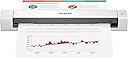
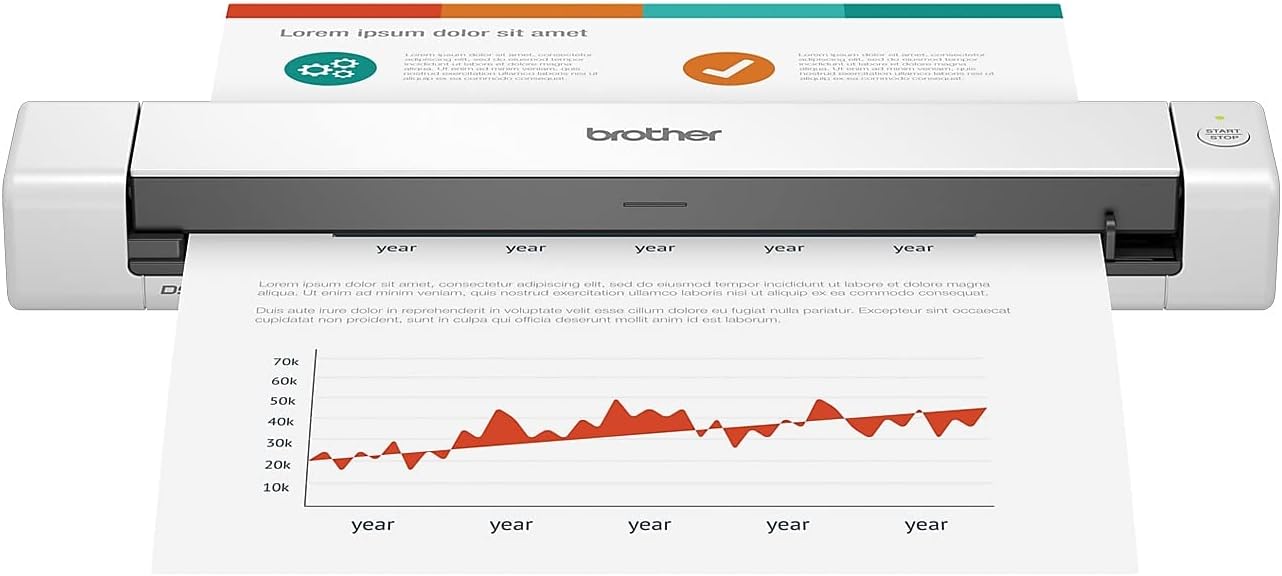
The Brother DS-640 is a lightweight, ultra-compact mobile document scanner delivering fast 16ppm color and B&W scans. Powered via USB 3.0, it offers true portability without sacrificing performance. Compatible across Windows, Mac, and Linux, it supports multiple scan destinations and advanced image optimization including OCR and background removal. Ideal for professionals on the move, it transforms paper documents into editable digital files with ease.


| ASIN | B083R36CY4 |
| Best Sellers Rank | #5,016 in Office Products ( See Top 100 in Office Products ) #4 in Document Scanners |
| Brand | Brother |
| Built-In Media | Item |
| Color Depth | 48, 24 |
| Connection Type | USB |
| Connectivity Technology | USB |
| Customer Reviews | 4.3 out of 5 stars 6,436 Reviews |
| Greyscale Depth | 8-bit |
| Item Dimensions D x W x H | 1.99"D x 11.9"W x 1.45"H |
| Item Type Name | Mobile Scanner |
| Item Weight | 1 pounds |
| Manufacturer | BROTHER |
| Media Type | Business Card, Embossed Card, ID Card, Laminated Card, Plain Paper, Plastic Card, Receipt |
| Minimum System Requirements | Supports Windows, Macยฎ and Linuxยฎ environments and TWAIN/WIA for PC/ICA for Mac/SANE drivers.โก |
| Model Name | Compact |
| Optical Sensor Technology | CIS |
| Product Dimensions | 1.99"D x 11.9"W x 1.45"H |
| Resolution | 300 |
| Scanner Type | Business Card, Document |
| Standard Sheet Capacity | 1 |
| UPC | 012502657477 |
| Unit Count | 1 Count |
| Warranty Description | 1-year limited warranty |
| Wattage | 2.5 watts |
R**L
Quick and convenient scanner
I hardly leave reviews but this thing really impressed me. It scans documents really fast and the quality of the scans are absolutely fantastic. It is surprisingly small. For my basic needs this thing is perfect. Scanning one page at a time could be an issue if you need to scan a ton of documents all at once but for my usage I will be scanning a few things at a time pretty randomly so this is not much of an issue for me. It works perfectly well with my MacBook Pro M5 using an Apple USB-C to USB-A adapter. I do wish this scanner came with USB-C but not a deal breaker. One cable from my computer powers the scanner so that is a bonus. The driver was a quick download and it works flawlessly.
T**L
Easy and fast scanner!
Love, Love, Love this Scanner! I work from home and I scan a lot using my Brother Printer. And it's great, no problems. But the printer is in a cabinet, lower shelf and awkward to get into to scan. So I purchased the Brother DS-640. I used it for the first time today - I scanned probably 20 docs; it was so easy, so fast! I keep it next to my desk, hardly takes up any space. Again, this is just my first day using it. But I am very pleased, very happy with this purchase.
S**E
I love to scan, man
I actually love this thing. Mine does not do dual sided scanning. The software is good. Itโs small and very portable. Itโs not WiFi enabled but I donโt really need that, would be nice, but it costs more. Good value. It only jams when you try to do too much with it. For the money it does a great job.
J**S
Read if you have a computer with only USB-C Ports
As we transition to a digital age, I have the same amount of paperwork but more requirements for online submission. I wanted something that could quickly scan to my computer without dealing with the slow "scanning" ability on my iPhone, and this fits the bill once I got it set up. I have a Silicon MacBook, so I only have USB-C ports, which normally isn't a problem as I have hubs that adapt. This scanner would not register at all on my single USB-A to USB-C hub or my larger hub; I had to order a separate USB 3.0 to USB-C cable. You can technically run it with a standard micro USB, but I'm not sure if that's good for the machine, so heads up if you have a computer without direct USB-A access. The scanner itself so far has been great; with the right cable it connects very easily. It scans very quickly and is very quiet. This version only has single-side scanning, but it scans fast enough that it's not a big deal to flip the paper. The accompanying software (downloaded from online) makes it extremely easy to put together a multipage PDF and export it to multiple locations. It's smaller than I thought it would be, and very lightweight, so it's a great size for what it does. The fact that it can scan ID-size cards is another great feature. This is going to be a huge time saver for me, especially as I aim to reduce the size of my file folders and convert things to digital files for a faster workflow. I can't speak on durability yet as I only just purchased it, but being a Brother brand item, I don't have any fears it won't last.
N**Y
Almost plug and use
I purchased this scanner based on the reviews. I was skeptical it was going to be easy to install and use. Wow, I was pleasantly surprised. The unit is very small. I do not need it to be small for portability. I have no room for a flatbed scanner. There isnโt a power cord. Just plugged it into my computer. The install directions were easy. After downloading drivers from Brother, it was ready to go. I can only comment on how it scanned with regular sized paper. It was simple. The resolution was good. I didnโt adjust the resolution. I have no idea if you can adjust the resolution. I scanned items for doing my taxes. I have no idea how it would work for pictures. I donโt have any to scan. If you are looking for a small, portable, easy to use scanner, this is a great choice. I also cannot comment on โheavyโ scanning. I had 6 items to scan in total. I am very happy with this compact scanner.
B**R
If you like document jamming errors
Bought this for receipt scanning Dec-2025. I read some reviews complaining about document jam errors. I thought it can't be that bad. Yes, it is that bad. It is 1-star bad. I'm shocked that I'm giving a 1-star review on such a well-reviewed item, and I've always had good impressions of Brother printers in the past. I don't usually go scorched earth in reviews, but you had one primary job to do with this thing. If it can't pull a receipt through the machine without throwing an error, what good is it? Did I just get a faulty scanner? If so, how many of these things are faulty? Is there a quality control issue with this model? There are so many printers and scanners in the world that do not have a document jamming flaw like this. I repeatedly tried many different receipts of different lengths and conditions, and I was successful with only a few of them. This is AFTER firmware and software updates. If the receipt is longer than 5-6 inches, it simply stops after about 90% of the receipt is scanned and complains that the document is jammed... when it clearly is not jammed. I can pull the receipt through by hand with zero resistance. I'll add that the software could use improvement. I would have taken off 1 star just for the software, but that is pretty much irrelevant after the document jamming problem. The features cover the basics, but it takes a bit to figure out how to configure it because of the interface isn't great and some settings are buried where I wouldn't expect them. When I learned how to define a workflow, I immediately thought of more workflow options, like saving as two different file formats at the same time, or the ability to assign a custom workflow when I push the button on the machine. If I have to scan many receipts, I want the process to be smooth. I want more options related to my task at hand. It does have a couple continuous scanning options buried in the settings, but that is only for scanning multiple documents as one file. Why not allow for continuous scanning to multiple files? That is what receipt scanning is, repeating the same task over and over 100 times. It has naming macro features for defining file names that it saves to. Why not give a macro option for the business name from the receipt? Or a PO name/number if available? Or purchase date? know it can OCR the receipt info when I save it to a TXT file. Let me use that information in the file name. I will say that the receipts I was able to scan seemed to have decent image quality. I'll give it that much. The scanning speed was really good. I would take 1/10 the speed if the jamming errors would go away. Maybe the higher model numbers in this series have better quality control.
C**G
great for single (slightly/occasional multi) page scans
Works great with the associated software and drivers (you'll see people complaining that the software doesn't do XYZ specialty feature, but it works for the average user perfectly fine). You can scan as many pages as you want, but it gets tedious if you're doing more than say 5 pages with much regularity since you're loading them one at a time. It's a great product for what most people probably use it for. If you do a lot of multi-page scanning with regularity, you'll want something that feeds from the top.
L**S
For work
Interfaces with my ehr for scanning paperwork in and is super easy to use. The setup was a bit tedious but once we got past that it works great. Its small and lightweight and just what I needed.
D**S
Prรกctica
Su relaciรณn calidad - precio es muy buena. Por lo que se paga no se puede exigir mรกs. Es un buen escaner, lo hace a color y con buena resoluciรณn. Es un poco incรณmodo tener que escanear hoja por hoja y no poder tener un alimentador que permita escanear varias hojas al mismo tiempo, pero al final cumple con su funciรณn. Es muy ligero, no pesa mucho. Muy practico de transportar y muy fรกcil de usar. Para trabajos sencillos, muy bueno
S**C
Space saving.
Good replacement for my flat bed scanner. Easy to setup (just connect cable) and takes very little space on my desktop. Document feeding takes a bit of practice and can be difficult if the document is not flat.
L**S
Muito bom
Excelente, estou comprado o segundo
M**A
Very convenient for shared work spaces
A lot faster than expected. Very happy with it. Would definitely buy again.
D**N
Mobile Document Scanner
Assumes that power from your notebook is only located on the left side of the computer. USB is on the right side of the device. Aside from that, it is quick, responsive and the one tap shortcuts to folders on your computer are a dream to set up and operate. Recommended.
Trustpilot
1 month ago
1 week ago