🚀 Elevate your workspace with clarity and comfort — see more, do more, stress less!
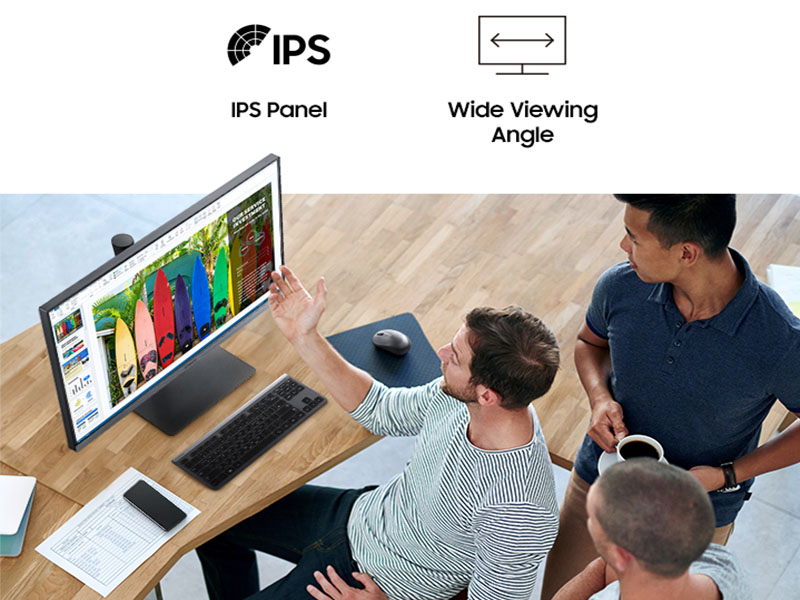
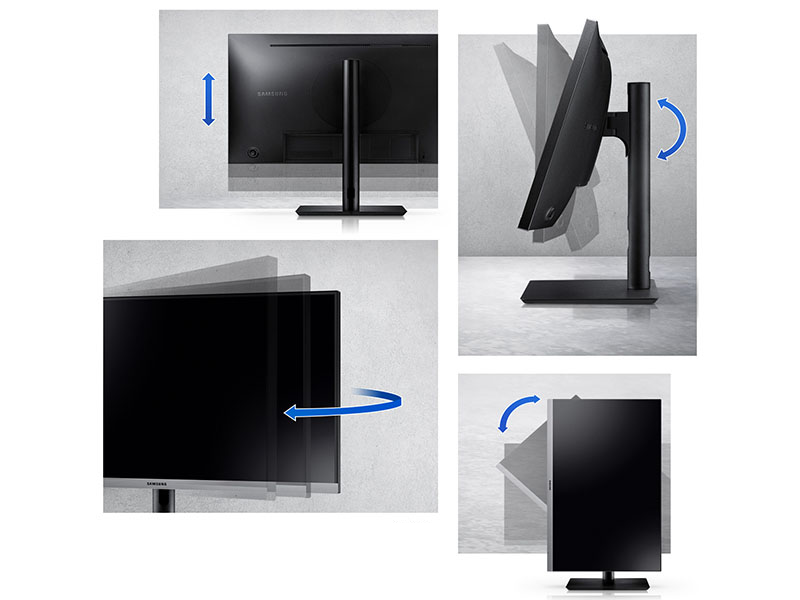
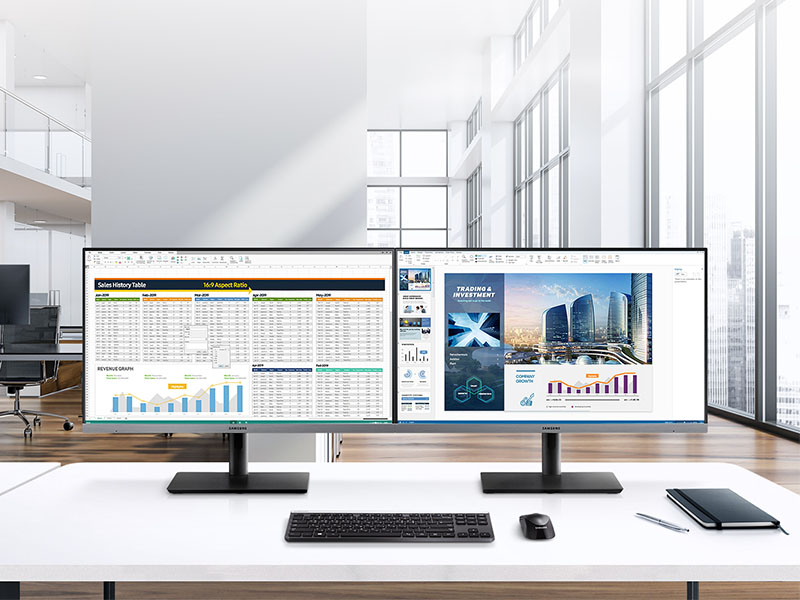
The Samsung 24” SR650 Series monitor delivers a crisp 1080p IPS display with a 75Hz refresh rate, perfect for business professionals seeking vibrant colors and wide viewing angles. Its virtually bezel-less design enhances multi-monitor setups, while versatile connectivity options including VGA, HDMI, DisplayPort, and USB 3.0 hub keep all your devices seamlessly connected. Ergonomically designed with height, swivel, tilt, and pivot adjustments plus advanced Eye Saver Mode, it ensures comfort during long workdays. Backed by a 3-year warranty, this monitor is a reliable, stylish upgrade for any modern office.


| ASIN | B082X46ZGD |
| Adaptive Sync | FreeSync |
| Additional Features | Adaptive Sync, Anti Glare Screen, Energy Efficient, Height Adjustment, USB Hub |
| Aspect Ratio | 16:9 |
| Best Sellers Rank | #46,109 in Electronics ( See Top 100 in Electronics ) #1,011 in Computer Monitors |
| Brand | Samsung |
| Brightness | 250 cd/m2 |
| Built-In Media | VGA, HDMI, DisplayPort, USB Hub |
| Color | Black |
| Compatible Devices | Desktop, Laptop, Speaker |
| Connectivity Technology | USB |
| Contrast Ratio | 1000:1 |
| Customer Reviews | 4.6 out of 5 stars 2,115 Reviews |
| Display Resolution Maximum | 1920 x 1080 Pixels |
| Display Technology | LED |
| Display Type | LED |
| Global Trade Identification Number | 00887276372259 |
| Hardware Connectivity | DisplayPort, HDMI, USB, USB 2.0, VGA |
| Has Color Screen | Yes |
| Image Contrast Ratio | 1000:1 |
| Is Electric | Yes |
| Item Dimensions D x W x H | 7.89"D x 21.24"W x 18.65"H |
| Item Type Name | Computer Monitor |
| Item Weight | 11.24 Pounds |
| Manufacturer | Samsung Business |
| Model Name | S24R650FDN |
| Model Number | LS24R650FDNXZA |
| Mounting Type | Wall Mount |
| Native Resolution | 1920x1080 |
| Number of Component Outputs | 1 |
| Picture Quality Enhancement Technology | IPS panel, Eye Saver Mode, Freesync |
| Pixel Pitch | 0.276 |
| Refresh Rate | 75 Hz |
| Resolution | FHD 1080p |
| Response Time | 5 Milliseconds |
| Screen Finish | Flat |
| Screen Size | 23.8 Inches |
| Screen Surface Description | Flat |
| Series Number | 650 |
| Shape | Flat |
| Specific Uses For Product | Business, Multimedia, Personal |
| Total Number of HDMI Ports | 1 |
| Total USB 2.0 Ports | 2 |
| Total USB 3.0 Ports | 2 |
| Total Usb Ports | 4 |
| UPC | 887276372259 |
| Viewing Angle | 178 Degrees |
| Voltage | 100240 Volts |
| Warranty Description | 3 year manufacturer, ship-in service, Dedicated B2B call center, Extended warranties available |
| Warranty Type | 3 Years Manufacturer Warranty |
S**N
Crisp, clear text and images, vibrant colors, on a 2012 MacPro desktop Mac computer
Crisp, clear, gorgeous picture! Text is crisp, no shadows. Colors are vibrant, high quality nature photos are gorgeous on this monitor. And it worked perfectly right out of the box with no futzing around with fonts etc. Chose this for compatibility with my mid-2012 MacPro desktop silver tower computer. Works perfectly! I did need to buy a DVI-to-HDMI cable as none of the included cables covered that. I replaced an existing 10-year-old Samsung monitor of the same size and resolution needing a lighter weight wall monitor for my new desk set up. The old Samsung was still working perfectly, but we’re now in an RV rolling around the country on bumpy washboard roads and everything gets jarred. I didn’t know how long the old girl would last, and I didn’t want to try to replace her when we were a million miles from civilization. So I chose this moment for a new one while it was easy to do. Excellent picture quality. I am stunned that the picture on this really pops compared to my old 27” monitor with all parameters the same: 1920x1080 resolution, running 60Hz, 16:9 aspect ratio, 1000:1 contrast, 5ms response time, 16.7 million colors… As for usage, I spend hours a day at my computer so the monitor matters. I spend much of my time in word processing or reading PDFs, but I also produce print-quality graphics. My only complaints are that it doesn’t have much of a frame. I like having a solid monitor frame so that I’m not touching the screen to move the monitor, and in the RV I do have to move it. The other thing is that the controls button is in the back, and as far as I can tell, everything is done from that button if you want or need to go into the control panel for the monitor. I prefer those controls to be in the front, on the frame, as actual buttons. That said, minimal frame monitors with buttons on the back seem to be all the thing these days, so I must be in the minority for preferring the other way. Still in all, I am delighted with the Samsung Business S27R650FDN monitor. This is my third Samsung monitor through the years. Previously I had a 2010 P2770HD 27” monitor, and a 2008 2693HM monitor. The 2008 was mine, and the 2010 was my husband’s. My 2008 gave out a couple years ago and he gave up his 2770 to me. It’s still working but I upgraded to a new one anyway.
M**G
Wow, Impressive display very clear and functionality.
First, arrived quickly and well boxed to be protected. The set up was easy, I intended to use the Display Port connection, does come with all other connections that can be used. The stand quickly "clicked" locked into place, {also, by watching a short video another customer had posted here, thanks} Then, The Picture ,Wow, Amazing, Clear and can be adjusted. The unit can tilt, sway, easily slide up n down and stay in place, also turn spin to like a tablet mode, dont think i will need that. The screen is non glare and yes, u can see a Clear Picture at any angle! Also, am very pleased at the " Prime Day" Deal I found for this!
M**F
Has high end features for a really affordable price. Probably the best $100ish monitor you can buy.
Is this the best monitor? Not at all, however, it's a very solid ips display with good color accuracy, has dp, hdmi, and vga out (rare at this price!) 75hz refresh rate (so it's halfway decent for gaming too!) and it has a USB hub (rare at ANY price). This is the perfect backup monitor, second screen, or starter monitor to get introduced to higher end features. As previously stated, the extra 15hz of refresh rate makes a big difference, and the varied outputs allow it to fit into any setup. For $115 (what I spent when I bought it) no other monitor even comes close to these features. If you get it for under 130, it's a steal and a half.
C**6
Included Cables Are Too Short to Use
I ordered the 24-inch monitor on October 21, 2022 but was unable to use it right away because all of the included cables were too short to make a connection to my computer. The monitor comes with the power cord, a USB cable, a display port cable, and an HDMI cable. There was not a VGA cable included but if there was, you would not have been able to use it because all of the cables are only 3 feet in length and would not connect to anything for me. So, I had to order a cable in order to use the monitor. If you plan on ordering this monitor, please order a cable so that you will be able to use it once received. The monitor has a good display and seems to be working as expected. The main feature that I was looking for was height adjustment because of the location of my monitor and it does have this feature. However, my next biggest complaint is that the power button is difficult to use because it is located on the back of the monitor. And, the power button is a toggle type button! What was Samsung thinking? There is a lot room on the front of the monitor where the button could have been placed so I am disappointed about that. I am not experiencing any of the complaints that everyone is having but will do an update to my review as needed.
C**S
Works with VESA just fine! Don't remove tabs on the back!
I normally don't write reviews, but I figured I would for this because I almost didn't purchase based on the reviews. You can mount to VESA. There is a review with pictures showing tabs to remove, this does not need to be done. The tabs are for the included mount if you wish to use it, it helps secure it to the back plate. If you chose to mount on an arm or wall mount then you use the stand off screws that are also included. See my attached picture, there are 4 standoffs, 2 sizes. The longer ones are for the top to compensate for the curve on the back of the monitor. Screw those in and install as normal. Some of the other reviews complain about the length of the included cables.... personally I would never review an electronic item based on the included cables, was happy it came with them at all and they worked fine for my needs. If they were too short for my setup, I would have just replaced them. They are probably 4ft? I have them connected to the back of the monitor, routed through the VIVO pnuematic post mount, and connected right under my stand up desk - so they were perfect length for that. If you have your computer on a side desk or on the floor maybe you need longer cables. The monitor does not have internal speakers - which I knew and didn't want since I'm using externals. I turned on the eye saver, seems to work well. 4 main reasons I ordered this particular monitor: 1: I wanted a 27" regular, and a 24" vertical setup, but I wanted the screens to match each other so I didn't have different color settings and they would look good next to each other even being different sized screens. This screen is sold in both sizes, so I have one of each and they look great next to each other. Sounds trivial, but it's harder to find than I thought - at this price point. 2: I wanted a standard computer power cable on the back so I wouldn't have 2 wall warts to contend with on the underside of my stand-up desk where the power block is. 3: Display Port - my Dell laptop for work has a dock that includes 2 display port connections, and 1 HDMI... so I wanted to use the 2 DP ports. 4: Borderless. In a perfect world it wouldn't have the bottom silver bezel either, but at this price I'm good with it and it looks decent. I hope this helps someone. Don't take a razor to the back of your new display!
E**.
Great 27" monitor
Love this monitor so far. Picture is great and is almost corner to corner. You could put over 2 ½ pages across it, full size. I like that it pivots 90 degrees so you can use it in portrait mode if you want to. Adjustable height too. Controls are on the back where you can't see them, but once you learn where they are, you get the feel of where the switch is to turn it off.
H**R
Poor instructions. The trick to getting the USB ports to work...
The display is fine, although text is not crisp, so I am using 150% settings. Otherwise, good color and brightness; thin bezel and nice to look at, especially for the low price. The skimpy directions could be a lot clearer. To use the monitor in lieu of a laptop docking station (i.e., to use the four USB ports for keyboard, laptop, and peripherals), you must use connect the laptop to the monitor with BOTH an HDMI cord AND the PC-in cord.
J**L
Great large monitor
This is a great monitor for graphic design. I use this as a secondary monitor in the vertical mode. It is plenty big enough to view a full page when proofing a flyer or book page. The only annoyance is the power button and adjustments are on the back of the monitor. I purchased this as a replacement for a 14 year old smaller Samsung monitor that finally gave up the ghost. I am very pleased with this purchase.
A**R
high quality
slim and high quality, ehe height-adjustable, swivels, tilts, and pivots features are really nice and cool for home users.
A**S
Excelente monitor
En un monitor muy completo, el concentrador USB muy util, la calidad pues que se puede decir, es Samsung. Lo compre en el buen fin y el precio fue muy bueno.
A**Z
recomendado
Es muy buena pantalla, muy útil, se puede poner en vertical y acomodarlo fácilmente, 100% recomendado
O**Z
Buen monitor
Es un monitor correcto, no supera a mi anterior monitor gamer con precio similar pero comprado uno años antes de la misma marca, para uso normal la nitidez es un poco mejor que un gamer, para peliculas si sube mucho usando una tarjeta de video y si además usas la función cine supera a muchos monitores, parece que ese hubiese sido su objetivo, ver peliculas bluray sorprende en ese rubro y mucho, pero para ofimática es mucho mejor la calidad, no lo he probado con juegos, trae muchas conexiones eso si, yo lo uso con displayport. Lo compré por el precio, la estética es de 10 y se puede girar como desees, lo uso como monitor secundario para el trabajo y si veo una peli como principal, ahí si supera a mi anterior monitor gamer, pero solo en ese rubro.
N**H
Great for Office Use and Movies with Ultimate Flexibility
I was looking for an external monitor to use while I work from home - business use. I made the mistake and bought a cheap $170 ASUS display for gaming thinking, if it is good for gaming it must be good for document editing. I could not be further from the truth. I sold it and bought this Samsung display twice the price and ten times the capability. This Samsung display has everything, and I mean everything except speakers which are not needed when connected to a laptop. Big 27" bright and smooth display. Document text is rendered beautifully and my presentations are sharp. Movies look great on it, especially animated films. Assembly was a breeze. No screws or tools needed. The screen rotates between landscape and portrait .... awesome sauce! I can display the entire document page and plus a bit more. The display swivels right and left and slides up and down just by a push, no levers or buttons to control. So basically, you can rotate this display screen in all three axis with a touch. It has tons of ports and comes with tons of cables, including HDMI, display port, and USB. It has a very thin bezel making it very elegant. I love sitting in front of this display to work.
Trustpilot
2 days ago
3 weeks ago