Buy anything from 5,000+ international stores. One checkout price. No surprise fees. Join 2M+ shoppers on Desertcart.
Desertcart purchases this item on your behalf and handles shipping, customs, and support to Vietnam.
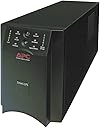
โก Stay powered, stay ahead โ never miss a beat with APC Smart-UPS 1500VA!
The APC Smart-UPS 1500VA (SMT1500) is a top-tier uninterruptible power supply trusted worldwide for protecting servers, storage, and network equipment. Featuring pure sine wave output, automatic voltage regulation, and a clear alpha-numeric LED display, it delivers clean, reliable power with high efficiency. Its advanced battery management supports extended runtimes and scalable power backup, while customizable outlet groups enable remote device control. Designed for professional environments, this UPS ensures your critical systems stay online during outages and power fluctuations, backed by a 3-year warranty and proven durability.


| ASIN | B002MZW5JU |
| Battery Average Life | 8 minutes |
| Battery Cell Composition | Alkaline |
| Battery Cell Type | Alkaline |
| Battery Charge Time | 3 Hours |
| Best Sellers Rank | #1,398 in Computer Uninterruptible Power Supply Units |
| Brand | APC |
| Built-In Media | Surge Protector |
| Charging Time | 3 Hours |
| Color | BLACK |
| Connector Type | NEMA, USB |
| Customer Reviews | 4.5 out of 5 stars 165 Reviews |
| Enclosure Material | Metal |
| Form Factor | Compact |
| Frequency Range | 50-60 Hz +/- 3 Hz |
| Global Trade Identification Number | 00731304268666 |
| Input Voltage | 120 Volts (AC) |
| Item Dimensions | 17.28 x 6.73 x 8.62 inches |
| Item Part Number | SMT1500 |
| Item Weight | 24090 Grams |
| Manufacturer | Petra Industries, Inc. - Consumer Electronics Replen |
| Material | Metal |
| Maximum Power | 1000 Watts |
| Mfr Part Number | SMT1500 |
| Model Number | MAIN-76781 |
| Number of Outlets | 8 |
| Output Current | 8.17 Amps |
| Output Voltage | 120 Volts (AC) |
| Output Wattage | 980 Watts |
| Power Plug Type | Type A - 2 pin (North American) |
| Runtime | 13 minutes |
| Specification Met | Energy Star |
| Surge Protection Rating | 459 Joules |
| UPC | 014444457887 012300074582 071030569102 643749352261 014445073529 804993337286 601000717174 803982825377 031111817805 610373752804 088021282964 012303265505 640206647915 031112583020 073130426866 767872179035 731304268666 782386097989 737874829719 |
| Unit Count | 1.0 Count |
| Voltage | 120 Volts |
| Warranty Description | 3 years repair or replace (excluding battery) and 2 year for battery |
| Wattage | 980 watts |
S**N
Great Battery Backup Unit Latest Model is even Better!
This model is even better than the older family this one has a LCD with important information and has multiple ways to configure as a set of ports (group) that can be programmed to turn on/off remotely (bouncing dvr, firewalls or other unresponsive equipment or to control other devices or even lights) Love apc, APC has build a name since I remember APC was always among the names respected for their expertise and performance, for me they are soo good that I even have bought a few for home, this UPS units are flawless as they detect correct and protect power surges, peaks and drops and they will keep you running for at least 10 minutes (at full capacity 900watts) needless to say a regular computer/monitor with a router and a small inkjet printer will last up to 40 minutes of work (I have worked under a full blackout finishing up work and it did last around the 40-45 minutes I was impressed) I would say that the unit was probably at 18 to 23% load at the time using OEM APC Battery Pack ( I would always advise use of oem apc battery packs as they are build using an advanced technology that not everyone can replicate and under load most batteries will perform poorly after a few months while the APC OEM stay strong up to 5 years of use and abuse I seen other units like SUA1500RM2 and SUA3000 under Heavy Loads this units performed Magnificent, I have seen a sua1500 that was 4 years old loaded with a dell t710 and a r210 servers switch and kvm, it was close to 90% and under a storm it took countless power spikes/drops even a 5 minute power outage, you could see the device working even before you even notice anything abnormal, the servers keep working all night with no issues, Needless to say I am bias when it comes to APC they really know their stuff. I have used other brands - home and enterprise - and most of them fail when they under heavy load and under stress, (power blackout or during storms) my best guess is the engineering behind the circuitry that does the inversion and the simply well made transformer, I have seen units power off with depleted batteries and coming right back up after the power is restored like nothing, other brands fail to do so or simply will require the user to turn them on, or will require expensive attachments to perform somewhat like their Great APC counterparts.
T**S
It works! Fan only runs to charge the battery
I was intimidated because of the reviews complaining about the fan noise. When I installed the device, the fan indeed was loud. But once the battery was fully charged, the fan has either completely stopped or is going too slow to notice. The other reviews are a few years old, so perhaps APC changed the fan behavior since then. I initially bought a CyberPower CP1500AVRLCD to save money and although it said it was going to last long on the battery, every power outage resulted in an instantaneous crash of my PC. It was utterly useless, perhaps because of the sign wave quality on that CP model. So I replaced it with this APC SMT-1500 and the CyberPower is assigned to my router now, all is good. EDIT: I am quoting this from an excellent review by Neil E. Isenberg " This (APC SMT-1500) Has fan (APC estimates 45dB max) which runs when: - The battery charges - The unit supplies battery power - The temperature hits 104F - The load is over 75% of unit wattage capability (675W+). " If that is true, it would be wise to buy a unit that is larger than you need to avoid the 75% load condition. I have a 5GHz custom built gaming tower/room heater and a 25" LCD monitor and it usually does not provide over 12% normal load on this UPS and has never gotten even close to 75%.
D**H
Excellent small-office/home-office server UPS.
I have two of these units, each powering one of a server's dual power supplies (redundant power supplies, and redundant SmartUPSs). These are stable, excellent units with a great amount of battery runtime (on my 150-watt server, I get approximately 90 minutes on each battery). The software they come with works well, except that it can't detect two units, only one, connected USB. I've taken to just uninstalling the software and using Windows' built-in power management for the batteries which seems to work just fine. Good amount of controls and information provided by the alpha-numeric LCD readout. Prior models of this unit seem to last about 5-6 years before the electronics give up and you start getting errors even after replacing the battery, so I'm hoping to get a little longer on this newer generation. In all, very happy with these units; they're quiet and they just work.
P**C
Seems to be an excellent product. (Has worked great in actual power outages.)
Worked great with x79 system. Works great with x99 system. Had some stability issues but they were traced to unrelated root causes. Unit worked great out of the box (was at 99% charge when I first powered it up). Unit runs very quiet (totally silent) at this time. -- Auguest 18, 2016 Have had 2 major power outages and each time this unit performed fantastically - keeping my primary computer up and running with plenty of time to peform shutdown. There was plenty of reserve power which I used to keep the WiFi router and cable modem running and was able to keep the mobile phone recharged as well. -- May 19, 2019 Still have this unit and it has continued to work great. Battery capacity has not yet degraded. I will plan to purchase new batteries from the vendor at the 5 year mark.
E**C
One Strategy To Extend Both Runtime and Battery Life
Here' an unorthodox but effective way to mitigate the problem of premature battery failure, and vastly extend runtime for these generally reliable UPSs. I have managed about 15-20 APC SMT-xxxx model UPSs over the past dozen years. We have a lot of the SMT-1500 models. Some of these units were purchased before APC was bought by Schneider Electric, some afterward. All in all we are getting great, long-lived performance from all our SMT-xxxx UPSs. The one problem area is with the batteries. Buying replacement batteries is akin to buying a pig in a poke. Many reviews criticize the APC branded replacement batteries for failing prematurely, and the 3rd party knock-offs are often a joke. I've tried a lot of brands and most of them disappoint. As an example, the last time I bought replacements for a few SMT-750 and SMT-1500 units the battery life was quoted as 3-5 years. I conservatively labeled the UPSs to have the battery checked two years in. Well, 1.5 years in we had an extended power outage and the batteries failed miserably on all the units. Everyone of our UPS solutions has been engineered to have a runtime of about 2 hours. That is an unusually long amount of time, but with the original batteries, the 2-hour goal was met. When the outage occurred with the replacement batteries installed, we lost power in a matter of minutes. The batteries failed way early. Here are a couple of example links to the batteries that failed prematurely here UPSBatteryCenter Compatible Battery Pack for APC Smart-UPS 1500VA 120V SMT1500 (Plug & Play!) , here New Battery Pack for APC Smart-UPS 750VA 120V LCD SMT750 Compatible Replacement by UPSBatteryCenter , and here APC Smart-UPS 750 (SUA750US) 12V 7Ah UPS Battery - This is an AJC Brand Replacement . This was when I decided there had to be a better way. I had been thinking about rigging an external battery pack on the bigger 1500 units for some time. There are of course APC models designed to accommodate external packs, but they are also designed to cost a lot more money. The SMT-1500 is a sweet spot on the price curve for us. And since we already own quite a few of them I wanted an SMT-1500 based external pack solution. This wheel has been invented before, and you can find a lot of forum posts about adding an external battery pack, with the caveat that you must connect to the UPS with a serial cable and modifying the standby time. In other words, there is a body of thought that the UPS on its own won't realize that the battery capacity has been increased simply by connecting a battery with a larger amp hour rating. You have to tell the UPS that there's more standby time or the unit will shutdown before the batteries are exhausted. This of course is a consideration even before the mechanical connection to the external pack has been sorted. However, we found this conventional wisdom not to be true. The Batteries I went out and bought two 12-volt Optima Blue Top batteries ( Optima Batteries 8052-161 D31M BlueTop Starting and Deep Cycle Battery ). Very well reputed maintenance-free AGM batteries. This is the top of the line 75AH model, but they make a less expensive 55AH model that will likely suit most needs. The SMT-1500 UPSs use a 24v internal pack (two 12V cells connected in series), so two Optima cells were required to be connected likewise. I then tackled the job of re-programming the runtime one of the SMT-1500s and experienced failure after failure. I couldn't get a response from the UPS with a laptop connected to the unit's serial connection (an RJ-45 jack in the back of the UPS) even using the APC supplied serial cable. In retrospect I just happened to have grabbed the very oldest SMT-1500 in our stable to test with, and the serial number / firmware rev may have been to old to go along with such antics, but the project was back-burnered for a while. A Very Workable Workaround After that last power outage I decided to just go ahead and connect the Optima's to one of our UPSs and see what would happen. What happened was I found out that no re-programming of the UPS is necessary after all. All that was required was to have the Powerchute management software installed, and to perform what is termed a "Runtime Calibration" under the Smart-UPS 1500 / Diagnostics menu. If you look at the screenshots you'll note that the standby is 710 minutes. Float Voltage It should be noted that there is also a hack for modifying the float voltage of the UPS's internal charger. Differing battery chemistries require differing float voltages. As it turned out, the chargers in our SMT-1500s float the Optima cells at 13.8v, which is just at the high end of the range recommended by Optima. Got lucky there. Mechanical Connections This was a fairly straightforward process. I just removed the internal battery pack by disconnecting the gray 50-amp Anderson Connector. I then unscrewed the Anderson connector attached to the battery and clipped off the end terminals. The wires attached to the Anderson connector are 8 gauge, and since I had decided to use 6 gauge cable to connect the Optima array, I used two 8 gauge to 6 gauge butt connectors to mate the dissimilar gauged wires ( Pico 2287PT 6 Gauge to 8 Gauge Blue with Red Stripe Electrical Wiring Step Down Butt Connector 10 Per Package ). The 6 gauge cable was chosen based on the length of the run to the Optima cells not exceeding a 3% voltage drop. Here is a link to that fine stranded cable: TEMCo WC0201-30' (15' Blk, 15' Red) 6 Gauge AWG Welding Lead & Car Battery Cable Copper Wire BLACK + RED | MADE IN USA . For circuit protection I used two Bussman 50-amp thermal manual reset breakers positioned atop the battery ( Bussmann CB185-50 CB185 Series Automotive Circuit Breaker (Plug In Mounting, 50 Amps, Blade Terminal Connection) ). As a side note, I had originally purchased these 30A ANJOSHI breakers ( ANJOSHI Fuse Holders 30amp 20A 40A 50A 60A 80A 100A 150A Inline Circuit Breaker for Car Audio and Amps Overload Protection Reset Fuse Inverter 12V-24V DC Replace Fuses ), but they randomly tripped at current levels WELL under 30 amps, so I returned them as defective. The Bussman units seem to be of better construction, and the ring terminals required by the Bussman breakers make a far batter connection to the cable then the single set screw method of the ANJOSHI breakers. Why two circuit breakers? It's not one breaker per battery. It's one breaker for each positive feed going to a UPS. If you examine the accompanying photos you'll notice I really went off the reservation by wiring in the Optima array to two SMT-1500 UPSs! Here's why. The goal has always been for a two-hour standby window. The equipment in the computer room draws too much net current to achieve the required standby time from just one UPS. We had to use two. But the 75AH Optima batteries provide so much standby time over the stock 18AH internal pack it became clear that the Optima array could power both UPSs and easily achieve the 2-hour standby goal. If you examine the screen shot of the runtime estimate on the Powerchute interface you'll see it reads 710 minutes (the Powerchute screen for the other UPS reads likewise). That's more than enough to power the UPSs for 120 minutes each X 2. Indeed, this setup has been tested and the required standby time was achieved in real time. And nothing blew up or caught on fire. ;> Now before you ask, I'll tell you why I didn't simply take one of the two UPSs offline, given that a single UPS connected to the Optima array could now back up all the networking equipment on its own. This is partly for redundancy, but mostly to keep the load as light as possible on each UPS to avoid burning out its inverter, since it might be required to make AC for 2 hours or more. There is talk in various forums that the inverters in this class of UPS are not designed to run for that long. But we only put an 18-22% load on each UPS, so the inverters are not heavily loaded. I'll probably update this review in a year or two. If I don't, assume that I died a horrible death in a bizarre computer room fire, in which case you don't want to try this at your own shop. :> UPDATE FEB 2020: All is well. Both UPSs are still functioning. Standby time is still about the same for each UPS (!). We have had a handful of 1 hour or less outages, and perhaps two outages that depleted the batteries to their cut off voltage. I just ran a calibration before posting, and as noted still similar number of minutes of standby time.
M**N
Paying for itself today
C.R.A.C.K. somewhere out on the street this evening. Lights flicker. Line voltage goes wonky. UPS starts tripping on and off. Now the line voltage is sitting at 101V and fluctuating all over the place but this sucker is doing just fine in AVR (boost) mode, giving my machines a nice clean 120V RMS and not even having to go on battery at the moment so I've been able to work all evening without having to worry about battery life. Five stars for being a real UPS and not some cheap knock-off that'd be dead by now. Thanks APC. -Matt
P**Y
APC UPS products Rock.
I have a lot of experience with APC products at work. At home I was using home version UPS and at $90 to$100 each it gets expensive over time. Most problems are because the batteries give up and cannot be charged, so the entire unit will shut down. Replacing the battery is not easy even when you know what to do. The Professional model of an UPS is designed to be maintained. It is expected that batteries will be replaced so it is made to accommodate that need. Also the batteries are more robust than the kind used in the consumer version making battery replacement much less often. I have seen batteries last 5 or more years in APC equipment. I recommend anyone that has serious equipment to protect start with a good quality UPS like the one I purchased.
T**L
Great for the money.
So, being in an old building with old school fuses and circuit breaker switches open for any of the tenants to mess with, it was only a matter of time before the APC was needed. Works great. Complete isolation from the building's circuits. Blew a fuse and my PC didn't even blink. The only thing is, that battery goes quick. It dropped to 78% in about 30 seconds. Still plenty of time to do a graceful shutdown or take a short walk down the hall to flip the breaker back on.
C**N
Excelente UPS
consideramos adquirir otras marcas, pero la verdad al final decidimos no arriesgarnos y nos fuimos con el mejor: APC. Excelente producto.
A**R
Can't say anything bad about this UPS
Can't say anything bad about this UPS. 110 watts of load runs for about 2 hours. USB interface works well with my QNAP NAS. If line voltage goes up or down, this thing keeps it at a solid 120 volts AC.
J**G
Five Stars
Works great, good price point!
D**C
Great value and easy to install
Orders this, got delivered in no time. Great value. Easy to install!
W**N
Works as advertised. Quality product, no problems so ...
Works as advertised. Quality product, no problems so far.
Trustpilot
2 months ago
5 days ago