

Buy anything from 5,000+ international stores. One checkout price. No surprise fees. Join 2M+ shoppers on Desertcart.
Desertcart purchases this item on your behalf and handles shipping, customs, and support to Vietnam.
⚡ Power your smart workspace with silent speed and seamless PoE!
The YuanLey 8 Port Gigabit PoE Switch is a high-performance, unmanaged network switch featuring 8 Gigabit Ethernet ports with full PoE+ support delivering up to 120W total power. Its fanless metal chassis ensures silent, durable operation, while plug-and-play functionality allows quick installation without configuration. Ideal for powering IP cameras, access points, and other PoE devices in professional and home office environments.


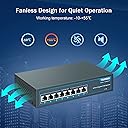


| ASIN | B082D9FWQH |
| Best Sellers Rank | #79 in Computer Networking Switches |
| Brand | YuanLey |
| Built-In Media | YuanLey 8 Port Gigabit PoE Switch |
| Case Material Type | Metal |
| Color | silver |
| Compatible Devices | Camera, ip phone |
| Current Rating | 2 Amps |
| Customer Reviews | 4.5 4.5 out of 5 stars (756) |
| Data Transfer Rate | 1000 Megabits Per Second |
| Interface | PoE |
| Item Dimensions L x W x H | 9.06"L x 7.48"W x 2.76"H |
| Item Weight | 0.98 Kilograms |
| Manufacturer | YuanLey |
| Mfr Part Number | YS2080G-P |
| Model Number | 8 Port 1G PoE Unmanaged Switch (120W) |
| Number of Ports | 8 |
| Platform | Not Machine Specific |
| Switch Type | Temperature Switch |
| UPC | 786118199743 |
| Unit Count | 1 Count |
| Upper Temperature Rating | 55 Degrees Celsius |
| Voltage | 48 Volts (AC) |
B**U
Professional, fanless/quiet, managed L2+ switch with PoE(+) on all 24 ports
This review is about the YuanLey 24 port L2+ managed switch, model YS2444GSM-P. I am starting the review with a short summary of the pros and cons of this switch. Pros: • Completely silent, i.e. no fans • Runs cool with my current setup, i.e. 8 PoE cameras and a few non-PoE devices • Supports IEEE802.3af (PoE, max. 15.4W) and IEEE802.3at (PoE+, max. 30W) • Shows power consumption for each PoE port • Multiple ways to configure the router incl. web portal and command line • Total of 300W gives a lot of headroom for most applications • U1 size to fit into a U1 rack • Good getting started guide • All settings are self-explanatory (if you know networking) • Good response from customer service • Very good packaging • 10 screws for ‘ears’, i.e. two spare screws Cons: • No documentation beyond the starting guide. Not even anywhere online on YuanLey’s website. I had a noisy and unmanaged 16 port PoE switch. I was looking for a switch that a) Supports PoE on all ports. Some switches only support PoE on certain ports b) Supports VLANs c) Does not have any fans, i.e. guaranteed to be silent There are some “smart” switches that allow creating VLANs but officially VLANs belong to the network layer 2 (L2). Hence, I was looking for a L2 switch. Most L2(+) switches that have 16 or more PoE ports have fans. Hence, my above criteria limited the selection considerably. YuanLey was one of the few switches that met all of those criteria and then some. The included “User Manual” is really just a short quick guide. It’s not perfect English but still easy to understand and much better than the user guides you get from many other Chinese companies, if those other companies even include one. I scanned the user guide and included the scans in this review for reference. Unfortunately, this “User Manual” is all you get. There is no help feature built into the web portal of the switch. YuanLey also doesn’t have a downloadable manual on their well-designed but very rudimentary website. This is the only negative aspect I could find about this switch. On the positive side, if you are familiar with managed switches and networking then most of the functions will be self-explanatory. Since there is no manual to download to get a better understanding what functions the switch includes, I took screenshots of each of the 16 main menus with the submenus expanded. These screenshots are included in this review. Most people seem to buy the YuanLey switches for its PoE capability in particular for surveillance cameras. Hence, I will mostly address that part. As mentioned in the specs, the switch supports both IEEE802.3af which is PoE with a maximum power consumption of 15.4W at the switch and IEEE802.3at which is PoE+ with a maximum power consumption of 30W at the switch. Note that there will be some voltage drop and this drop depends on the Ethernet cable used and the length of the cable. So the actual voltage and wattage at the connected device will be lower. According to the standard you should get a min of 44V/13W for PoE and 50V/25.5W for PoE+. For the ports I have connected the switch reports a voltage between 51V and 52V. A big plus factor for this switch is that it supports PoE on all 24 ports. When a PoE device is connected to a port the port settings web page will show if it uses the af standard or at standard. It also lists the actual power provided for each port as well as the total wattage consumed by the switch. The table can be automatically updated every 5s, 10s or 30s. Automated updates can also be disabled which is very useful when selecting the ports one wants to edit. Otherwise when you are in the middle of selecting the ports and a refresh happens the changes are lost. In that setting for each port there is the Watch Dog functionality, i.e. if the switch detects that the attached PoE device has an issue it can automatically reboot it. By default this features is disabled. I am not quite sure how the switch detects if a device requires rebooting. I suspect it monitors if the power consumption drops and if so it reboots the device. Many people are using these PoE switches for surveillance cameras. These cameras are notorious for being hacked which means someone could be watching what is happening in your house if you happen to have indoor cameras. The first thing one should do is disabling UPnP (Universal Plug and Play) on the “router”. UPnP allows cameras (and other devices) to open a port on the router which then allows the cameras to be hacked (pretty easily). Next, based on the MAC address of each camera, the router should block any communicating to and from the outside/internet. All of this has nothing to do with the switch but a switch with the capability to add VLANs adds another layer of security. So below I will address the VLAN capability of this switch. The easiest way to create VLANs is based on ports. The router also allows doing this based on OUIs (Organizationally Unique Identifier). An OUI is the first 24 bits of a MAC address and identifies a particular vendor. The switch has a voice VLAN and surveillance VLAN. The voice VLAN has predefined vendors, i.e. 3COM, Cisco, Veritel, Pingtel, Siemens, NEC/Philips, H3C and Avaya. One can also add additional OUIs. For the surveillance VLAN there are no predefined OUIs as there are so many vendors. However, one can easily do a reverse lookup on websites like https://ouilookup.com/ and https://www.wireshark.org/tools/oui-lookup.html The switch also allows creating VLANs based on protocol and MAC addresses. In my case I just kept it simple by just dedicating port 1-16 for my cameras. This can be easily done by manually creating a VLAN and then define which ports belong to that VLAN. My remaining 8 ports stayed on VLAN 1/default. With this approach the cameras are separated from the other devices that are connected to the other 8 ports. The switch also has a lot of other options and functions. People familiar with the knowledge of this level of networking can get some idea based on the included screenshots.
R**H
Great 24 Port POE+ Managed Switch
Read 5 star review by Book Guru on Amazon for more Information (1/17/2023). I agree with every thing he says, But I need to add more information that he did not mention. Cons 1. Document included with box is a only a quickstart guide. BUT I discovered that the MokerLink24 Port POE+ switch appears to be Identical. I was able to download from the Mokerlink website the 192 page user manual and the 492 page CLI user guides. pretty extensive documentation. And the commands I used, works on this switch. Yaunley should provide complete documentation for the products they sell. PROS * supports upto 8 LAG's (link aggregation groups) - I was able to aggregate 2 1000M switch ports to 2 1000M ports on my Zyxel NAS. - I was able to aggregate 2 Combo ports to 2 ports on my TP-Link Router. This provided better performance form my security cameras when accessing my NAS and the DVR. * The web interface is extensive - The Status system information screen is useful for a quick look at connectivity - The Port->Port Setting screen has a table that shows all of the current link status. this Helped me find and fix a Auto 10M half duplex problem with one of my devices. You can also edit the Port and add descriptons like Computer;Camera,Printer. Or you can manually enable/disable a port. - The Poe Setting->Poe Port Setting has a Port Set Table that has information and editable option Notes * You can use the rack mounting ears to mount the switch on a wall ( as shown in the quickstart guide) Notes: * Power settings status screen shows POE usage in mW, V and mA which is very useful but, you do need to mentally convert MilliWatts to Watts, for example 11934 mW is really 11.934 watts * To set the time on the switch (important for reviewing logs) I used SNTP. You have to use your time Zone's UTC value . I use UTC-8:00 for my time zone and had to manually enter the SNTP server hostname which for me is time.nist.gov. * I had to manually enable and enter a the Default DNS server. inorder for traceroute and ping to work on the switch. Dynamic DHCP did appear to enable DNS. * There are lots of options and security settings available for Professional installation locations, yet, it will work out of the box as a plug and play device, with the caveat that you should at least login to the switch and reset the admin password. I am very impressed with the switch, It is a real Bargain at 159.99.
D**O
A True Workhorse and Incredible Value!
A True Workhorse and Incredible Value! I purchased the YuanLey 8-Port PoE Switch to power my Reolink Trackmix PoE camera for a 24/7 nature livestream, and I couldn't be happier. This thing is an absolute workhorse! It's been running flawlessly, providing consistent power and data to my camera without a single hiccup. The value proposition here is just amazing. You get reliable PoE, robust build quality (metal case!), and truly plug-and-play functionality without breaking the bank. For anyone needing a dependable PoE solution for cameras, access points, or other network devices, especially for continuous operation like a livestream, this YuanLey switch is an absolute gem. Highly recommended!
D**L
Este switch ethernet tiene 8 puertos RJ45. Esto significa que podemos conectar distintos dispositivos al mismo y todos ellos estarán conectados mediante red. Es gigabit, lo que significa que transmite a 1000 mbps, o lo que es lo mismo, unos 112 MBytes/seg. He comprobado las velocidades de transferencia entre 2 equipos conectados al switch y efectivamente se alcanzan esos 112 MB/seg y se mantienen durante toda la copia de ficheros. Sería un switch normal si no fuera porque dispone de PoE. Esto es Power over Ethernet, lo que significa que podemos usar un solo cable para alimentar un dispositivo que conectemos al switch, además de usar el mismo cable para transmisión de datos. Así nos ahorramos tener que enchufar también el aparato a la corriente. He probado con un punto de acceso WiFi Ubiquiti (cuidado! solo los modelos nuevos que soportan 802.3af además de 24V pasivos) y funciona sin problemas. Los usos más típicos de este tipo de switches PoE son cámaras de red, puntos de acceso wifi o teléfonos IP. A parte claro, de portátiles, ordenadores y cualquier otro dispositivo que se conecte mediante un cable de red, pues que el switch sea PoE significa que puede proporcionar alimentación a través de sus puertos, pero si el dispositivo que conectamos no lo requiere, no se proporciona ningún tipo de alimentación y actúa como un switch normal (sin PoE). Así pues, se pueden mezclar dispositivos PoE y normales (no-PoE), el propio switch auto-negocia qué tipo de PoE usar, o no usar ninguno. Otra ventaja es que no tiene un transformador externo, sino que lo tiene en su interior. Puede proporcionar un total de hasta 120W. Esto no significa que consuma 120W todo el rato, solo es la potencia máxima que puede proporcionar a todos los equipos PoE conectados a él. Si conectamos un dispositivo que cumpla el estándar 802.3af la potencia máxima que podrá usar es de 15W, mientras que si conectamos un dispositivo 802.3at (PoE+) serán 30W. Esto son las potencias máximas, pero sin nada conectado el switch consume solo 0,2W, y con un punto de acceso WiFi conectado el consumo es de solo 0,5W. Se trata de un switch no administrable (esto es, que no podemos acceder a su configuración a través de una interfaz web para crear VLANs, deshabilitar puertos ni nada, simplemente es conectar y funciona, sin más, no requiere ninguna configuración. Hay que tener en cuenta que necesitaremos usar uno de los puertos para conectarlo a nuestro router de la compañía telefónica o a otro switch, para darle conectividad a internet, por lo que el número de dispositivos que podremos conectar al switch es de 7 como mucho. Es totalmente metálico, no es muy grande a pesar de tener el transformador en su interior y no hace nada de ruido, pues no tiene ventiladores. Se puede colocar sobre una mesa o superficie, o fijarlo bajo la mesa o en un rack, pues incluye 2 orejas para colocarle en los laterales si así lo queremos. Tiene una luz roja que se enciende si está conectado a la alimentación y una luz verde por cada puerto, que se enciende si hay algo conectado a ese puerto y parpadea si hay tráfico en el puerto. Se conecta a la corriente mediante un cable IEC / C13 (el mismo que usamos para conectar el ordenador de sobremesa), que se incluye en la caja. En resumen, un switch que tiene buena velocidad, que ofrece alimentación mediante PoE/PoE+ en todos sus puertos, pequeño y robusto.
I**N
I have had this YuanLey 8-port PoE switch installed for about 3 weeks now. It is connected to four Hikvision 8mp (4k) IP cameras, a Zyxel wifi (PoE powered) access point and a Netgear 105PE (PoE powered) switch connected about 75m distant. Since installation this YuanLey switch has worked perfectly. The case is of all metal construction with wall mounting cut-outs. Mine is mounted vertically on a wall. It has an IEC socket (kettle lead) on back for mains power (so much better than an external wall wart). Importantly, there is no partitioning of network traffic to an uplink port (unlike some PoE switched do). All ports are equal. The one thing I don't like is that the port status lights (which show the current port speed) are below the RJ45 connector so in my configuration with the switch mounted vertically on a wall, the port lights are difficult to see unless the cables are lifted out of the way - see one of my pics. But this is a very minor annoyance. A very good product at a reasonable price. Pleased with my purchase and would definitely buy again!
C**S
Switch acheté en 2024 mais que je n'avais pas encore noté. Il fonctionne très bien et alimente 3 caméras PTZ en POE.
G**T
I've had this switch (8 PoE+ Ports 1000Mbps) for a few weeks now. Seems rock-solid. No issues and no noise! I think for the price this is an exceptional value. I'll update this review if anything changes. Update October 29, 2020: My switch stopped working a week ago - after contacting support they offered to ship out a replacement without having to send in the defective unit. That is GREAT SERVICE. I still like this switch and hope I was just unlucky to get a bad one. Once I receive the replacement I'll update this review with any new issues. Update May 21, 2024: I've had it running 3 POE cameras for the past 3 years. As of Feb 2024 half of the ports no longer supply POE.
A**E
Visto il prezzo interessante, ho fatto ‘upgrade’ dal ormai maggiorenne Asus 5 porte gigabit a questo 8 porte gigabit ed in più Poe, gradita la sorpresa che access point AC LITE unifi funziona direttamente collegato allo switch (dalle specifiche il 24v passivo non andava) … non ho esigenze particolari ma sicuramente passati 18anni di tecnologia questo sarà molto più performante di quello a cui a preso posto
Trustpilot
2 months ago
2 months ago