Buy anything from 5,000+ international stores. One checkout price. No surprise fees. Join 2M+ shoppers on Desertcart.
Desertcart purchases this item on your behalf and handles shipping, customs, and support to Vietnam.
🔍 Zoom in on safety with smart 4K clarity and effortless control!
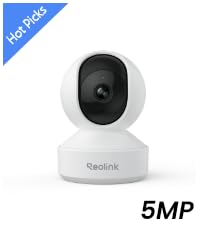
The REOLINK E1 Zoom is a cutting-edge indoor security camera delivering ultra-sharp 4K UHD video with 3X optical zoom and advanced pan-tilt auto-tracking. Equipped with Wi-Fi 6 and Bluetooth setup, it offers fast, reliable connectivity and smart person, pet, and crying detection alerts without subscription fees. Its versatile storage options and privacy mode make it perfect for modern homes seeking comprehensive, hassle-free surveillance.


| ASIN | B07Z841XYD |
| Alert Type | Motion Only |
| Antenna Location | Indoor Security |
| Are Batteries Required | No |
| Best Sellers Rank | #49 in Dome Surveillance Cameras |
| Brand | REOLINK |
| Built-In Media | Reolink E1 Zoom, 5V1A Power Adapter(3m power cable), Mounting Plate, Mounting Hole Template, Quick Start Guide |
| Color | White 8MP |
| Compatible Devices | Reolink PoE NVR, Reolink WiFi NVR, Reolink Home Hub Pro, Reolink Home Hub |
| Connectivity Protocol | Wi-Fi |
| Connectivity Technology | Wireless |
| Control Method | App |
| Controller Type | App Control |
| Customer Reviews | 4.2 out of 5 stars 4,565 Reviews |
| Effective Still Resolution | 8 MP |
| Effective Video Resolution | 8.0 |
| Enclosure Material | Plastic |
| Focus Type | Auto Focus |
| Form Factor | Dome |
| Frame Rate | 20 fps |
| Indoor Outdoor Usage | Indoor |
| Indoor/Outdoor Usage | Indoor |
| Item Dimensions | 2.87 x 3.11 x 4.37 inches |
| Item Weight | 0.55 Pounds |
| Light Source | Infrared |
| Manufacturer | Reolink Digital |
| Manufacturer Warranty Description | 2-year warranty |
| Model Number | E1 Zoom |
| Mount Type | Surface Mount |
| Night Vision | Night Color |
| Night Vision Range | 40 Feet |
| Number of Channels | 1 |
| Number of IR LEDs | 8 |
| Number of Items | 1 |
| Optical Zoom | 3 x |
| Other Special Features of the Product | 4K 8MP, 355° Pan & 50° Tilt, Person/Pet Detection, 2.4/5G WiFi, Night Vision, 2-Way Talk |
| Photo Sensor Resolution | 8 MP |
| Photo Sensor Technology | CMOS |
| Power Source | Corded Electric |
| Recommended Uses For Product | Indoor Security |
| Room Type | Bedroom, Kitchen, Living Room, Office, Study Room |
| Shape | Dome |
| Special Feature | 4K 8MP, 355° Pan & 50° Tilt, Person/Pet Detection, 2.4/5G WiFi, Night Vision, 2-Way Talk |
| Specific Uses For Product | Inside, Inside; Amateur, Inside; Professional |
| Unit Count | 1.0 Count |
| Video Capture Format | MP4 |
| Video Capture Resolution | 5 MP |
| Voltage | 5 Volts |
| Water Resistance Level | Not Water Resistant |
| Waterproof Rating | indoor use |
| Wattage | 6 watts |
| Wireless Technology | Wi-Fi |
| Zoom Ratio | 3:1 |
| Zoom Type | 3X Optical Zoom |
B**G
Excellent baby camera
The primary function I have for this camera is baby monitoring through Xeoma. I gotta say, especially for the price, this camera works well, at least once you have it dialed in. I started off with the slightly cheaper version, but found it wasn't quite doing what I needed. The pros of this camera you just won't find anywhere else for this price are: 1. Fairly high resolution. 2. Full PTZ functions for both movement and zooming. 3. Colors are really good. 4. Clarity is really good. 5. Onvif compliant. 6. Two way audio. 7. Works well over WiFi. If you are curious what this has gotten me over the slightly cheaper version more exactly: 1. Slightly bigger. 2. Zoom. This is actually quite a significant feature. 3. Slower response to switch between day and night mode. Actually where this is mounted in the house and with it zoomed all the way in, it is almost always in night mode, which is adequate for the need it is serving. 4. Speaker for two way communication seems slightly louder. The big reason why I really wanted this camera over the cheaper version was from my cell phone it could be hard to tell if the baby's eyes were open. Sometimes he thrashes around some while sleeping, but if his eyes open, that means he is awake and I need to attend to him. However if his eyes are closed, he usually settles down and all is good for a while longer. (It seems he is dreaming a fair amount.) Xeoma allows doing a digital zoom, but an optical is much better as it can be hard to use the zoom feature right on the go. The digital zoom is really best for stationary use. Actually using a combination of optical zoom and digital zoom as the optical is good enough to have the whole crib in view and not much else while I use the digital zoom to have the baby fill the viewing area in the subsection of the crib he is in. The clarity of this combination is very good and I am able to either see if his eyes are open from a cell phone or a reasonably sized window on my desktop monitors so I can have everything up on my screens at once as I work from home. While everything is working good enough for baby monitoring so far after some tweaking of settings, it has taken some fiddling to get it to work right. For one I made sure to select TCP transport as all of this goes over WiFi. If you set / default to UDP, things will look really bad as packets will get lost and there is no way around that with WiFi except for using a TCP transport. Second I needed to turn on the back light mode when zoomed in or else the picture would be way under exposed. However these options are there, so then it was just a matter of using the motorized movement of the camera while on its mounting point to point it at the crib and zoom in. At this the wide angle on this camera is wider than the cheaper model and the aspect ratio is more squarish. This makes the optical only zoom not quite what I had hoped for, but it is good enough to see if the baby's eyes are open without having to use the digital zoom in Xeoma. As for digital zooming, it looks a lot more crisp with this camera than the cheaper version, so yeah, see every detail up close. The mic on both of these cameras is a bit lack luster, but I can make out the louder sounds the baby makes, which is enough to know if the baby needs immediate attention even if my wife has the more traditional baby monitor instead of it being with me. Really having the traditional baby monitor around is really useful as it picks up everything, so I can be deep in work and hear every little stir the baby makes and am well aware when it is time to say set up for feeding where with the camera audio alone I have to keep a close eye on the video feed to pick up hints it is getting time to do something for the baby. Really the audio on this camera is more of if the baby needs attention right now, that is when you finally hear something. Also with two way, Xeoma does not support audio in the other direction, so have to fire up the Reolink app. The two way audio deal is more of something my wife likes to use anyway where I just go into the room and do if something needs to happen. I really kind of wish I could wire this in, especially as it is mounted right next to an Ethernet switch optimized for video traffic, but sadly I can't. At least this place is heavily wired in now, I have multiple WiFi APs to provide great WiFi coverage, and I can use a TCP transport for this camera, so it should work reliably and so far has.
V**S
Replacement works PERFECTLY-such clarity & field of vision!
Update: Fast replacement camera received and everything installed quickly and easily! Added to all my others through the app and I'm very happy. Kuddos to Anazon and Reolink for their immediate response and replacement! Did not read sd card. Tried to replace, but would not "click" or stay in. Returning for a replacement.
D**X
Adventures in setting up was a mess but quality very good
Adventures in setting up was a mess, but while I am still learning stuff, the picture is excellent. But the tiny booklet is worthless in how to set up, although the website has lots of info but has to look at scads of articles. I have used Dropcam for many years, which can access via Internet site. I have a Gigiblast fast Internet service. I rarely use a smartphone other than for mapping when traveling; I can not type on those tiny keys. I have six 28" monitors in front of me at my home office, and when I travel, I pack a full Logitech keyboard with a laptop. I use the camera for my large home office security, especially when traveling. I spent days researching and reading reviews wanting when traveling to view from a PC or Laptop. So decided on this Reolink E1 Zoom, and then the excitement (confusion) to set up began, The quick start guide started me on a many-hour journey to figure out. First, it says to mount the camera. Ah... isn't that like getting the cart before the horse or whatever that expression is. No, let me coddle the little guy on my desk, so I can do whatever has to be done without trying to work on it mounted (which will be on a cabinet top) Starting with downloading and launching App OR Client software. I am a nerd and read that it is either, not both. So I got the client, and, of course, I was totally lost. So I went to the app store on my PC, and it indicated it was not available on "other" devices. OK, I dug out my smartphone and found I am still trying to figure out why I already had the app. But I couldn't find the cute little guy (aka camera). Well, you have to plug it in! I had read/scanned all the reviews and remembered something about not using the little thing on the bottom to plug in since it was the tiny mic, so I could destroy it if you thought that was where you plug in power. But OK, the picture shows it's a power port. So plug it in, and some women started screaming at me in many languages; that startled me, and I didn't catch what the English said. OK, something works. Unless I am blind, nothing in the little guide says anything about the Ethernet connection. Now I go back to OS/2 days before the Windows GUI (dos screen) and back to old card readers - you know, IBM punch cards - yes, I am old. I have a MAZE router system. All the Ethernet ports are full, as are my six ports on a switch. I have MOCA for TIVO, two for NAS, and a printer, and I don't know what else since it's a mess and set up years ago and just works. OK, pull one of the NAS connections and find a spare cable - hopefully, the yellow one works, or is that a "patch" cable... well let's try it vs. some 30-foot ones! This part goes smoothly, besides turning the big Orbi router upside down and getting my magnifier to read the tiny printed password. OK, set up pw for the camera, etc.; that part is fine. The rest of the setup went fine, and we got a great video on the client both in the light and at night. Beware; however, if you are in the same room and testing, the audio may get scratching feedback or constant echoes. Now the microSDXC SanDisk 256k. The first challenge is the human-proof security packaging. I made multiple attempts with a knife, scissors, and willpower just to tear open the plastic security wrapping just to get it and the readout of the package. I recalled from the research you have to point the guy all the way up to get to the tiny port. OK, little guy, open WIDE... barely clears the tiny opening. After a few failed attempts and finding a video watching at a slow speed to be sure I was putting it in the right with almost no clearance when it closed its mouth, I think it is in! I hope I never have to get it out! Now the guy tells me that it has to be formatted. Look all over the client app setting until you give up and find instructions and videos on the website. I must dig out my smartphone again since I have to use the app. Once found from all the zillions of articles in the support part of the web, the video and directions gave good directions. This is after I searched the client's 66-page online manual and found nothing on how to format the disk. I still must learn some options and settings, but it now seems excellent. It would have saved many hours of frustration for us that are not camera geek's if some of this was in a well-organized, one-place how set of instructions. Hopefully, this review might help others as inexperienced with the camera setup as I was.
D**S
Study and responsive camera with excellent resolution.
PROS: Great camera, stellar resolution and zoom. Extremely responsive interface as Reolink is known for. They don't cheap out on the on camera computing power. RTSP support for you homebrew NVR types. CON 1: SD card slot is very finnicky comparted to other PTZ cameras I've owned with similar sd card placement. I swapped to a larger card and managed to insert the new card off tack somehow. My fault I'm sure but just a word of caution. I honestly though the card was gone along with any chance of local storage. Twenty minutes, a safety pin, and a pair of needle nose pliers later I recovered the card. It's in there now and I'll avoid swapping it at any cost after that. CON 2: Proprietary power input with a somewhat oddly sized barrel jack. With a 5 volt 2 amp power supply provided, USB C should have been an option for an indoor camera that doesn't need much mechanical durability or weatherproofing. Someone smarter than me probably knows why they did this but I would have preferred a USB C power input.
A**R
They keep improving the E1
We have had various models of the E1 for a few years now, and Reolink gets credit for continuing to improve this nice little camera. This is our first E1 Zoom, and we are impressed at the refinements in both the software and the hardware. The software now identifies whether the wi-fi signals in range are the faster 5GHz or the more powerful 2.4GHz, along with a bar graph showing the strength. Reolink also has brought back a feature of pre-set location that had been dropped on the E1 for unknown reasons a few firmware revisions ago. We find the pre-set locations very important to quickly get to where the action might be, instead of fiddling with the joystick graphics, overshooting or missing the zone because of lagtime seeing the result of the move. This camera now includes an ethernet connection for directly wiring up to the router. You still need to also connect DC power. (camera is not PoE) Reolink needs more work on the ability to identify a real target and avoid false alarms. This camera suffers the same problem as other models in reacting to variations in light that take place when clouds move past the sun. Yet, when reducing sensitivity to these changes, the camera also misses or is slow to react to people or pets coming into view, for which an alarm ought to be triggered. The motors have gotten quieter when they move and position the camera in the X and Y axis. The older E1 has a very noisy lateral camera ("Y" axis) that drew attention to the move. The vertical ("X" axis) motor was quieter on the earlier examples of the E1, but was still easily heard. This newest E1 Zoom uses motors that can barely be heard in the room, but of course are loud while listening to the audio from the camera in streaming video. The E1 Zoom would have three motors, including the one controlling the optical zoom of the lens. As a criticism, the indoor E1 Zoom still uses a 5 volt power supply, which precludes the use of any extension cable to reach the DC adapter that plugs in the wall. Too much voltage drop. I wish they would standardize to the 12 volt supply used in the E1 Outdoor. That's a very common supply voltage for various household devices, so you can buy a better adapter with more power handling capacity. Overall, good value & recommended.
M**Y
Unstable to the point of being useless
These devices are extremely unstable. At best they can provide a stream of video for a couple seconds before locking up for 10-15 seconds and giving you a couple more seconds of video. However, most of the time when I try to configure them or change settings they just crash and disconnect me. I've used both the Reolink app and BlueIris, both of them have the same issue (though I can only configure them from the Reolink app, just stream from BlueIris). So I am pretty sure the camera either just has buggy firmware or is too under powered to perform the camera duties it tries to do. I have Reolink cameras outside too and they have been a mixed bag, but generally work ok for the price and performance they offer. However, these E1 Zoom cameras are pretty much garbage. This isn't an isolated incident either. I have 6 of these installed in my house. 3 of them are pretty much useless. I have 2 that are wired in. One of the wired in cameras seems to be ok, but I don't watch the video stream from it much yet so I don't know if it is cutting out a lot. The other wired in one does cut out quite a bit, but seems a little more stable than the other 3 useless ones on wifi. The 6th one is the only one that seems to be ok and is on wifi. I tested the wifi at all the cameras with my phone and get 100-500 mbit (more than enough for the 2-4mbit stream these things produce). I now have a Tapo C110 next to one of my struggling E1 Zoom cameras. The Tapo is way better in terms of stability and price. Picture quality is lower though as it is a 2k camera. But a camera that can maintain a video stream is better than one that gives me a slide show during the rare moments it can even connect.
D**R
This camera really rocks!
These are really great little cameras. They are very professional in design, app, and functionality. The directions aren't completely thorough though, but easily found answers to all of my setup and use questions by asking my phone. I especially appreciate that in my experience, once it is switched on, the camera continues motion detection monitoring and recording whether you are logged onto the app or not. You can look that up online. Instant email, and/or "push" message notifications (also goes to my smart watch which vibrates) can be set to happen in the app. I still may have little things to learn about the settings but I think I have its use mostly figured out. Just about too much to list it all. I actually trust it, it really works well. Addendum, 04_10_2026: After experiencing issues with the camera occasionally making continuous 5 minute recordings in motion detection mode, and susequent email contact with Reolink, the setting Camera Recording - Motion Recording Schedule - Detection Type - "ANY MOTION" needs to be switched off. It performs fine now, and customer service was great!
F**S
Meh
I have a freshly remodeled home that I put a whole REolink POE system in with NVR. I wanted an extra wireless camera that I could move wherever I wanted through the house depending on current needs. This camera accomplishes the task. I’m not impressed with the video quality. Sub par. I’m not impressed with the zoom feature. Difficult to use, noisy, and takes a long time to calibrate. I’m really not impressed with the pan/tilt feature. There are no fine adjustments. Seems to move in 35° chunks left and right and about the same up and down, resulting in looking at largely the ceiling or mostly at the floor or countertop. Takes a long time for the camera connect to your system after plugging in. All this said, for the price, (this camera and also the REolink system as a whole) I would probably choose them again. Been happy with quality and function in general. Especially for the price. Having a camera system through the whole house opens up a lot of flexibility in daily living in my opinion. I’d suggest getting a higher mp camera most things if your bandwidth can handle it. Going one step higher will give noticeably better images. Going 4k is a less noticeable improvement. I have a mix in my system and still have fast enough internet speeds. I can access footage through the NVR itself, but I mostly use the REolink app on our phones. Can view this camera “through” the NVR on the app, AND through the app independently. Annoying to have it in both places most of the time, but have had a couple instances where it was incredible handy for troubleshooting system quirks. I’ve never bothered inserting an SD card because my footage is all stored in my NVRs 4tb hard drive.
N**I
كاميرا ممتازه
الكاميرا ممتازه. واضحة جدآ والزوم فيها واضح. تستاهل هالسعر
馬**志
良い
画像が綺麗だけど反応が少し悪
S**H
ممتازة
صغيرة الحجم وسهلة الربط بالانترنت عن طريق الواي فاي ودقة ممتازة
溝**徹
非常に満足。ひとつ注意
屋外に他のレオリンクのカメラを設置していることもあり、今回屋内カメラも同じメーカーで揃えました。スマホで簡単に確認でき、操作も簡単で満足しています。ひとつ注意なのはメモリーカードが付属していないのでそのままだと録画できません
A**ジ
まあまあかな
セッティングはQRをスマホで読み込むだけ 簡単だった、画質はキレイ、ズームも良好だけど、遠隔操作(PTZ)がイマイチ、いいポイントで止まってくれない、動きが大き過ぎる、これが改善されたら、⭐️5だ
Trustpilot
1 month ago
1 month ago