Desertcart purchases this item on your behalf and handles shipping, customs, and support to Vietnam.
🎮 Elevate your game with precision, power, and style — the G502 HERO SE is your ultimate weapon.
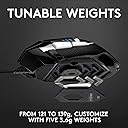
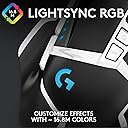
The Logitech G502 HERO SE is a high-performance wired gaming mouse featuring a next-generation HERO optical sensor with up to 16,000 DPI for pixel-perfect accuracy. It offers 11 programmable buttons, a dual-mode hyper-fast scroll wheel, and an adjustable weight system for personalized control. With LIGHTSYNC RGB lighting customizable across 16.8 million colors, it integrates seamlessly into any gaming setup. Built with durable mechanical switches rated for 50 million clicks, this mouse is engineered for longevity and pro-level responsiveness across Windows, Mac, and Chrome OS platforms.


| ASIN | B07W6JP8N2 |
| Antenna Location | Spielen |
| Are Batteries Included? | No |
| Are Batteries Required | No |
| Best Sellers Rank | 11,111 in PC & Video Games ( See Top 100 in PC & Video Games ) 69 in PlayStation Accessories 70 in PlayStation 2 Accessories 97 in Xbox Accessories |
| Brand | Logitech G |
| Brand Name | Logitech G |
| Button Quantity | 11 |
| Colour | Black & White |
| Compatible Devices | Chrome OS, Mac OS 10.11 or later, Windows 7 or later |
| Connectivity technology | USB |
| Customer Reviews | 4.6 out of 5 stars 7,818 Reviews |
| Embellishment Feature | LED |
| Enclosure Material | Metal |
| Global Trade Identification Number | 05099206085879 |
| Hand Orientation | Right |
| Hardware Platform | Mac, PC |
| Included Components | Tuning Weights and Cases, User documentation, gaming mouse |
| Item Dimensions L x W | 7.5L x 4W centimetres |
| Item Type Name | Gaming Mouse |
| Item Weight | 4.27 Ounces |
| Manufacturer | Logitech |
| Manufacturer Part Number | 910-005729 |
| Minimum Required Operating System Version | ChromeOs 134, Mac OS X 10.11 El Capitan, Windows 7 |
| Model Name | G502 SE HERO Gaming Mouse |
| Model Number | 910-005729 |
| Mouse Maximum Sensitivity | 16000 Dots per Inch |
| Movement Detection | Optical |
| Movement detection technology | Optical |
| Network Connectivity Technology | USB |
| Number of Batteries | 1 Lithium Ion batteries required. |
| Number of buttons | 11 |
| Operating System | Chrome OS, Windows 7 or later, mac OS 10.11 or later |
| Pattern | G502 Hero Wired (White Version) |
| Power Source | USB |
| Product Features | Compatible with Mac. |
| Product Finish Type | Matte |
| Product Warranty | 2 year manufacturer |
| Range | 10 meters |
| Special feature | Compatible with Mac. |
| Style Name | G502 Hero SE |
| Theme | Video Game |
| Unit Count | 1.0 count |
C**A
Very responsive
This mouse is the perfect addition to my son's gaming pc set up. He loves the mouse. It is very responsive, excellent quality and it really looks the part. My son says its the best mouse he's ever used, so much so he then bought one for his brother. Great all round mouse and perfect for gaming
R**Y
Great DPI.
There's alot of Mixed reviews for this mouse. So I thought I'd give my personal opinion on it. For starters the Big Pros of this is that the DPI can go upto 25.6k which is insane, You can literally move the mouse 1 inch and the mouse would easily fly across 5 monitors with ease. With the Logitech GHub App which is easily downloaded from Logitech Website. You can customize all the buttons to do different things, you can also set the DPI options to 4 different levels. I really like also the lights on it you can set them to be abit dimmer if that affects you, but personally I like it 100% as I usually game at night. The weight of the mouse without added weights feels very smooth and just about right for me. but if you need a heavier mouse there's extra weights to pop on. All in all a great mouse for the Price I got it on sale for £30.99 Very pleased with it. It definitely beats out my old mouse the Logitech G402 mouse.
D**L
Great mouse.
Bought to replace my old G502 SE. I use it for CAD with my main functions being assigned to the auxilliary buttons. I've not found more buttons to be needed and the hyper-scroll is handy for rapid zooming. Recommended.
M**C
You can feel the cheapness.
So my mouse wheel doesn't wobble and rattle like in other reviews luckily. The buttons and plastic feel quite average. The clicking mechanism for the mouse wheel function feels like it's going to break. Not sure if the incredibly thin cable is good or bad, less resistance but also feels like it's gona break too. Now I have yet to try the software to remap the buttons on the mouse which I heard is terrible but important to consider before purchase. Will see how that goes. But a lot of gaming software to remap buttons for mice seems to be terrible anyway.
B**B
Long lasting
I’m a bit late for reviewing this but I’ve had the mouse for around 2-3 years and it still works exactly the same as it did when I got it. It’s perfectly weighted due to getting small weights that can be inserted into the bottom of the mouse so it can be really light or heavy it’s whatever you want it to be. Accuracy is great and glides across my mousepad with ease.
K**S
Comfortable.
So comfortable I have two of these (pc & laptop get one each). It has a nice ‘ledge’ to keep your thumb off the mat too, which I I find nice. It’s a decent price and can match your other RGB peripherals if you want it too. My only complaint is I keep adjusting the sensitivity when I first grab the thing, when I don’t want to change it, with the placement of those buttons. But then I’m clumsy so probably not a problem for most.
C**M
Weighted mouse
This mouse is an absolute gem. It’s precise, comfortable, and packed with great features. The adjustable weights are a real highlight
N**B
What an amazing mouse
I do not like wireless mice for gaming as I am yet to find one that lasts so went for the wired mouse - great fit ergo wise and with the ability to adjust the weights it is perfect - great software that comes with it means I can adjust buttons and features based on the apps I am running - AWESOME
M**K
Il re dei mouse è tornato, più HEROico di prima.
INTRO Il Logitech G502 per me è il mouse definitivo, si da il caso che io lo stia usando dalla sua prima release (quella con il led blu, chiamato G502 Proteus Core), poi ho preso il refresh con il led RGB (grande miglioramento di cui sentivo veramente il bisogno, per questo l'ho preso. A parte gli scherzi l'ho preso dopo qualche anno per usarlo anche al lavoro visto che mi piaceva). E ora ho preso questo per sostituire il primo (che oramai ha 7 anni) visto che mi piaceva con i dettagli in bianco, anche perché l'ho trovato ad un buon prezzo usato. Quindi sono 10 anni che utilizzo due G502, uno a casa e uno al lavoro, e questo è il terzo. Per me questo mouse è il migliore sul mercato, e ne ho provati tanti, ma visto che lo stanno tenendo invariato da quasi un decennio con cambiamenti minimi ogni volta, vuol dire che anche in Logitech sono consapevoli di aver creato un prodotto eccellente. TECNICA E QUALITA COSTRUTTIVA Il mouse presenta UNDICI bottoni programmabili (tre taterali, due vicino al tasto destro, click centrale più tilt a destra e sinistra, il tastino del cambio profilo e ovviamente il click destro e sinistro che in totale fa 11), che poi è il motivo per il quale l'ho preso ormai un decennio fa per la prima volta. Io adoro i tastini programmabili, e non posso farne a meno, non solo per il gaming ma anche nell'uso generale del computer e nei programmi che utilizzo. Il mouse ha un sensore credo sviluppato direttamente da Logitech chiamato semplicemente "HERO 25K" (che sta per High Efficiency Rated Optical), che arriva a 25600 dpi. Inutile dire che non lo utilizzerete mai a questa sensibilità perché sennò con uno spostamento del mouse di un millimetro si muove da un lato all'altro dello schermo. Io uso sempre la stessa configurazione con questo mouse, 3 step: 6400, 3200, 2400. La rotella del mouse utilizza il brevetto Logitech, quindi ha funzionalità che non si trovano su mouse di altre marche, ovvero il tilt a destra e a sinistra, e lo sblocco della rotellina per lo scrolling infinito senza step, il che è utile per scrollare pagine molto lunghe. Gli switch del mouse non sono specificati da Logitech, ma secondo me durano parecchio, come dicevo il mio ha dato problemi solo dopo 7 anni. Per quanto riguarda i materiali, il mouse è fatto di un'ottima plastica opaca che offre un buon grip alla mano. Il cosiddetto thumb-rest è gommato così come la parte sinistra del mouse per migliorare ancora di più il grip. Alla lunga questa plastica comincia a fondersi, sul mio primo G502 si sta cominciando a screpolare ma l'ho usato e strausato davvero per tanto tempo, quindi è normale. Leggevo nelle recensioni di certi geniacci che pensano che il mouse dovrebbe essere fatto in metallo, e a questi signori chiedo innanzitutto dove comprano la droga perché sicuramente è roba buona e ne vorrei un po', e secondariamente chiedo, ma un mouse in metallo si è mai visto dico io? No non si è mai visto e per ottime ragioni a meno di non farlo in titanio qualsiasi altro metallo provocherebbe allergie, si ossiderebbe, renderebbe il mouse 10 volte più pesante e 100 volte più costoso, eccetera eccetera, quindi per favore dateci un taglio con la droga che poi scrivete queste cose. A proposito di metallo, il mouse ha i pesettini per renderlo più pesante o più bilanciato, io onestamente non ho mai capito il senso di questa cosa specialmente ora che sembrano andare per la maggiore i mouse "leggeri" bucherellati, ma per motivi di effetto placebo mi piace mettere due pesettini sul retro del mouse così mi sembra più bilanciato come peso, ma in realtà sono solo pippe mentali. ERGONOMIA E UTILIZZO Io ho delle mani piuttosto piccole ma comunque con questo mi trovo bene anche se è un mouse un po' grosso. Utilizzo una presa di tipo palm-grip e riesco a raggiungere senza problemi tutti i tasti, ma sono al limite. Il Corsair NightSword che è giusto pochi millimetri più grande di questo per me è inutilizzabile. Per il resto ci vuole qualche mese per abituarsi ai tastini laterali, ma poi io personalmente non ho più potuto farne a meno. DIFFERENZE CON I VECCHI G502 Il modello "Hero" è l'ultima variante del G502. Le differenze con il vecchio "Proteus Core\Spectrum" sono sostanzialmente solo sul sensore, l'Hero appunto usa il sensore HERO di cui ho parlato prima, che arriva a 25000Dpi. Il cavo inoltre è leggermente diverso e un po' più flessibile, e sul mouse c'è il nuovo logo di Logitech squadrato. Per il resto sono identici quindi se avete il modello vecchio che va ancora è inutile aggiornare. Il modello SE è anche lui identico se non per le plastiche bianche che sinceramente in foto sembravano molto estetiche ma nella realtà meh, non mi sembra tutto sto gran che, avrei preferito prenderlo di nuovo nero. SOFTWARE, RGB E VARIE Il mouse è customizzabile con il programmino nuovo della Logitech, chiamato Logitech G Hub. È piuttosto intuitivo da usare e non occupa tanta memoria (al contrario per esempio del Corsair iCue che occupa 1.5Gb sull'hard disk). Questo software sostituisce il vecchio Logitech Gaming Software e secondo me funziona bene. Il mouse ha 11 tasti programmabili e l'RGB sul logo e sull'indicatore dpi. Il mouse ha la memoria interna per salvare 3 profili quindi lo potete programmare una volta e poi disinstallare il software, il che è molto positivo. CONCLUSIONE Che dire, io adoro questo mouse, e lo uso da tanti anni. Non posso fare a meno dei tastini programmabili, inoltre essendo un Logitech ha le funzionalità esclusive di questo brand come la rotella a scroll infinito e il tilt. Il nuovo modello "Hero" è pressoché identico ai precedenti quindi mi sono trovato subito bene, e il nuovo sensore mi sembra un po' più preciso rispetto al precedente. È un ottimo mouse, l'unico che si avvicina ma senza superarlo è il Nightsword della Corsair ma per le mie mani è troppo grosso. Quindi lo consiglio al 100% senza riserve, specialmente se lo trovate ad un prezzo ridotto.
B**2
Najlepsza myszka jaką miałem
Bardzo ergonomiczna i wygdona mysz. Świetny klik bez żadnego luzu. Wysoka precyzja wykonania. Do wad mogę zaliczyć (moim zdaniem) gumowane boki. Ręce się strasznie pocą, po czym są śliskie. Wolałbym jakiś chropowaty plastik. Drugą wadą jest brak białego podświetlenia. Kolor jest delikatnie czerwony i słabo świeci.
R**Z
Souris performante et durable, un excellent investissement
𝐋𝐈𝐕𝐑𝐀𝐈𝐒𝐎𝐍 : Livraison arrivée sans problèmes. 𝐀𝐕𝐈𝐒 𝐆𝐋𝐎𝐁𝐀𝐋 : Après plus de deux ans d'utilisation, cette souris est devenue ma préférée. Elle est incroyablement performante et très robuste. La seule chose qui montre son âge est la saleté possible due à la condensation des mains, mais cela est normal et facilement résolu avec un peu d'entretien. Les clics sont rapides et solides, et aucun bouton ne s'est cassé, contrairement à mes précédentes souris Corsair qui avaient de sérieux problèmes de conception. Cette souris a duré deux fois plus longtemps que la durée cumulée de mes deux anciennes souris, ce qui est impressionnant. Le logiciel est simple à utiliser, et la fonctionnalité unique de déverrouillage de la molette pour un défilement fluide est un vrai plus. C'est une souris superbe qui justifie pleinement son prix. 𝐀𝐕𝐀𝐍𝐓𝐀𝐆𝐄𝐒 : - ✅ Performante et robuste, même après deux ans d'utilisation - ✅ Clics rapides et durables - ✅ Logiciel simple d'utilisation - ✅ Molette déverrouillable pour un défilement sans cran 𝐈𝐍𝐂𝐎𝐍𝐕𝐄𝐍𝐈𝐄𝐍𝐓𝐒 : - ⛔ La saleté peut s'accumuler avec le temps, mais facilement nettoyable 𝐍𝐎𝐓𝐄𝐒 : Livraison : 🌟🌟🌟🌟🌟 5.0/5.0 Qualité : 🌟🌟🌟🌟🌟 5.0/5.0 Entretien : 🌟🌟🌟🌟🌟 5.0/5.0 Prix : 🌟🌟🌟🌟⭐ 4.5/5.0 Rapport Q/P : 🌟🌟🌟🌟🌟 5.0/5.0 Recommandation : 🌟🌟🌟🌟⭐ 4.5/5.0 𝐂𝐎𝐍𝐂𝐋𝐔𝐒𝐈𝐎𝐍 : La Logitech G502 HERO est une souris gamer d'une performance et d'une durabilité exceptionnelles. Avec des fonctionnalités uniques et une conception robuste, elle justifie amplement son prix. Je recommande cette souris à 1000% !
M**P
Toppie
Snelle levering werkt perfect
Y**W
Tolles Upgrade von der bereits guten G500
Ich habe die Logitech G502 Hero SE (weiße Variante, unterscheidet sich ansonsten nicht von der G502 Hero) als Upgrade zu meiner alten Logitech G500 gekauft. Einige Punkte, die ich in meiner Rezension ansprechen möchte sind: - Mausfunktionalität (Buttons) - Ergonomie im Vergleich zur G500 - Software (GHub) und RGB - Sensor Mausfunktionalität (Buttons) Die Logitech G502 besitzt die üblichen Links- und Rechtsklick-Buttons. Diese haben einen sehr angenehmen Druckpunkt und fühlen sich im Vergleich zur G500 hochwertiger an. Man merkt den Klick deutlich, was mir persönlich sehr wichtig ist. Die Buttons sind separiert von den üblichen Bestandteilen der Maus, was bei anderen Produkten nicht immer der Fall ist (z.B. Mausoberfläche aus einem Guss gefertigt). Dies empfinde ich als äußerst positiv. Das Mausrad ist für mich der Hauptgrund, warum ich wieder auf eine Maus von Logitech setze. Mit der G500 habe ich das Feature lieben gelernt, das Mausrad freischalten zu können (unlimitiertes Drehen nach einmaligen Anstoßen). Auch hier ist das wieder gegeben und funktioniert tadellos. Das normale Scrollen empfinde ich ebenfalls als äußerst angenehm und präzise. Ebenso ist das Mausrad wieder gut klickbar, sowohl vertikal als auch horizontal für das Scrollen nach links und rechts. Persönlich benötige ich diese Features kaum und daher habe ich diese umkonfiguriert mithilfe der Software. Die Maus bietet zusätzlich zwei Buttons auf der linken Seite der linken Taste. Diese werden, wie schon bei der G500, zum schnellen Anpassen des DPI Settings genutzt. Bei normaler Handauflage sind diese Buttons keineswegs störend und können auch nicht ungewollt gedrückt werden. Auf der linken Außenseite der Maus befinden sich drei Daumentasten. Zwei sind individuell zu konfigurieren und mit der Vor- und Zurückfunktion vorbelegt (Browser vor und zurück beispielsweise). Der andere Button dient zum temporären umstellen der DPI auf die niedrigste Stufe. Persönlich habe ich diese Funktion bisher nie gebraucht, aber die Funktionsweise habe ich getestet. Diese Taste kann man ebenfalls umkonfigurieren, falls gewünscht. Aus Versehen geklickt habe ich keine der Tasten trotz recht großer Hände. Eine letzte Taste für das Cyclen durch die On-Board-Memory Profile habe ich noch nicht angeprochen. Diese befindet sich hinter der Unlock-Taste für das Scrollwheel. Bisher genutzt habe ich diese Taste aber nicht. Sie ist auch niedriger als die Unlock-Taste, wodurch sie nicht als störend wahrgenommen wird. Ergonomie im Vergleich zur G500 Die G502 ist etwas schmaler als die G500 und passt sich gut der Hand an. Man kann also sehr angenehm den Handballen auflegen und die übrigen Finger finden sich natürlich an der passenden Stelle ein. Die Daumenauflage ist ausgeprägter als beim Vorgängermodell, wodurch man nicht konstant Druck mit dem Daumen ausüben muss, damit dieser in Position bleibt. Bei mehrstündiger Verwendung lernt man, diese Eigenschaft zu schätzen. Beim älteren Modell habe ich persönlich immer Probleme gehabt den richtigen Platz für den kleinen Finger zu finden. Beim schieben der Maus nach rechts hat mich dadurch ab und zu der kleine Finger gestört durch zusätzliche Reibung auf dem Mauspad. Bei der G502 ist dies bei mir nicht mehr der Fall. Die Maus selbst hat ein recht stattliches Gewicht, aber ist insgesamt leichter als die G500. Als jemand, der vom Vorgängermodell umstellt, ist dies positiv zu empfinden. Ich kann leider keine Auskunft über die Umstellung von einer leichteren Maus geben. Zusätzlich liegen der Maus, wie bereits bei der G500, Beschwerungsgewichte bei, welche man individuell an der Maus anbringen kann. Dies habe ich aber bisher nicht wirklich als nötig empfunden. Software (GHub) und RGB Mit dem Upgrade auf die G502 kommt auch die neue Software GHub von Logitech ins Spiel. (Zuvor hat man die Logitech Gaming Software LGS verwendet). Insgesamt freut mich die Umstellung, da alle Logitech Produkte auf Dauer zentral über eine einzige Software verwaltet werden können. Da ich auch ältere Produkte von Logitech besitze, musste ich zuvor drei verschiedene Treiber Softwaren verwenden. Häufig liest man im Internet über Probleme bei der Erkennung und Einrichtung von Geräten mittels der GHub Software. Ich kann einige Erkennungsprobleme bestätigen, aber durch kurze Suche im Internet finden sich zahlreiche Troubleshooting Anweisungen, welche eventuell helfen können. Bisher musste ich kein Produkt austauschen lassen, da immer eine Neuinstallation von GHub, Ein- und Ausstecken des Geräts oder andere Tipps im Internet geholfen haben. Funktioniert das Gerät einmal und wird erkannt, so treten fast immer keine weiteren Probleme auf und man kann die Software ungestört verwenden. An dieser Stelle möchte ich kurz auf ein spezifisches Problem mit der G502 Hero eingehen. Nach dem erstmaligen Einrichten in Windows habe ich gleich die GHub Software gestartet, welche mich auf ein Firmware Update für die Maus hingewiesen hat. Daraufhin habe ich die Installation gestartet, aber auch nach zehn Minuten hat sich nichts getan. Eine kurze Suche im Net hat ergeben, dass bei nicht mehr funktionierender Maus ein Ein- und Ausstecken helfen sollte, um die Installation abzuschließen. Meine Maus hat aber noch funktioniert, weshalb dieser Schritt nicht geholfen hat. Die weitere Suche hat ergeben, dass man vor dem Update die On-Board-Memory der Maus einschalten sollte (Settings der Maus oben in links in GHub, On-Board-Memory Slider auf An). Folglich habe ich die GHub Software beendet und damit das Update abgebrochen und zuvor genannte Schritte durchgeführt. Letztlich konnte das Update problemlos abgeschlossen werden. Den Umfang der GHub Konfigurationsoptionen hier duchzugehen würde den Rahmen meiner Rezension sprengen. Man kann jegliche Tasten umbelegen, Makros aufnehmen und zuweisen, DPI Einstellungen ändern, persönliche Profile für bestimmte Spiele/Software erstellen und festlegen, RGB Effekte einstellen und RGB Effekte synchronisieren mit anderen Logitech Komponenten. Bisher habe ich noch keinen Anwendungsfall gehabt, welcher nicht mittels der Software gelöst werden konnte. Demnach bin ich sehr zufrieden mit dem Funktionsumfang. Bezüglich RGB - Das DPI Setting und das Logitech Logo kann in unterschiedlichen Farben beleuchtet werden (also DPI auch in anderer Farbe als das Logo). Es gibt verscheidene Effekte, besonders angetan bin ich vom Screensampler, welcher eine bestimmte Farbe eines Bereichs auf dem Bildschirm wiedergibt. Die Konfigurationsoptionen sind zahlreich und der Farbton recht kräftig. Sensor Zuletzt möchte ich noch den Sensor der Logitech G502 Hero ansprechen. Die Maus bietet einen 16000 DPI ohne Hardware Acceleration. Wenn Sie nicht genau wissen, was Hardware Acceleration ist, so reicht es aus zu wissen, dass ein "Nicht-Vorhanden-Sein" eine positive Eigenschaft ist, um eine bessere Präzision in Spielen zu haben. Unter Windows gibt es zusätzlich die Software-Acceleration, welche ich ebenfalls empfehle bei einer hochwertigen Maus, wie dieser, abzuschalten. Der Sensor funktioniert problemlos auf zahlreichen Oberflächen, getestet habe ich ein recht raues Gaming-Mauspad eines anderen Herstellers als Logitech, eine gummierte etwas rutschfestere Oberfläche und einen Holztisch. Auf allen Oberflächen funktionierte der Sensor stets problemlos und präzise. Beim Anheben der Maus wird schon nach kurzer Distanz kein Input mehr wahrgenommen. Werten kann ich dies nicht, da ich meine Maus bei normaler Benutzung und beim Spielen nie anhebe. Die 16000 DPI, welche die Maus zur Verfügung stellt, sind mehr als ausreichend für auch äußerst große Monitore. Es ist alles einstellbar von 100 bis 16000. Persönlich reicht mir aber die Voreinstellung von 2400 als default (nach dem Start von Windows) bereits aus, um auf einer recht kleinen Oberfläche operieren zu können. Mit der Software lassen sich hier alle möglichen Stufen festlegen. Ebenfalls ist die default-Belegung der Report-Rate (Maus Updates pro Sekunde) auf 1000 voreingestellt. Mehr als das habe ich bisher bei keiner Maus gehabt und es ist auch vollkommen ausreichend. Zusammenfassung / TL:DR Nach langen Dienstjahren meiner G500 ist die G502 Hero ein würdiger Nachfolger, welcher mir hoffentlich ebenfalls jahrelang treu bleiben wird. Meine ersten Eindrücke sind durchwegs positiv. Diese Maus kann auch mit deutlich teureren Konkurrenzprodukten mithalten und übertrifft diese sogar nach meinem persönlichen Empfinden.
Trustpilot
4 days ago
2 weeks ago