We remain fully operational. Our teams are working around the clock to ensure your deliveries continue safely.

DOWNLOAD THE APP


Copyright © 2025 Desertcart Holdings Limited
DOWNLOAD THE APP
Buy anything from 5,000+ international stores. One checkout price. No surprise fees. Join 2M+ shoppers on Desertcart.
Desertcart purchases this item on your behalf and handles shipping, customs, and support to Vietnam.
💼 Secure your digital empire with style and speed.
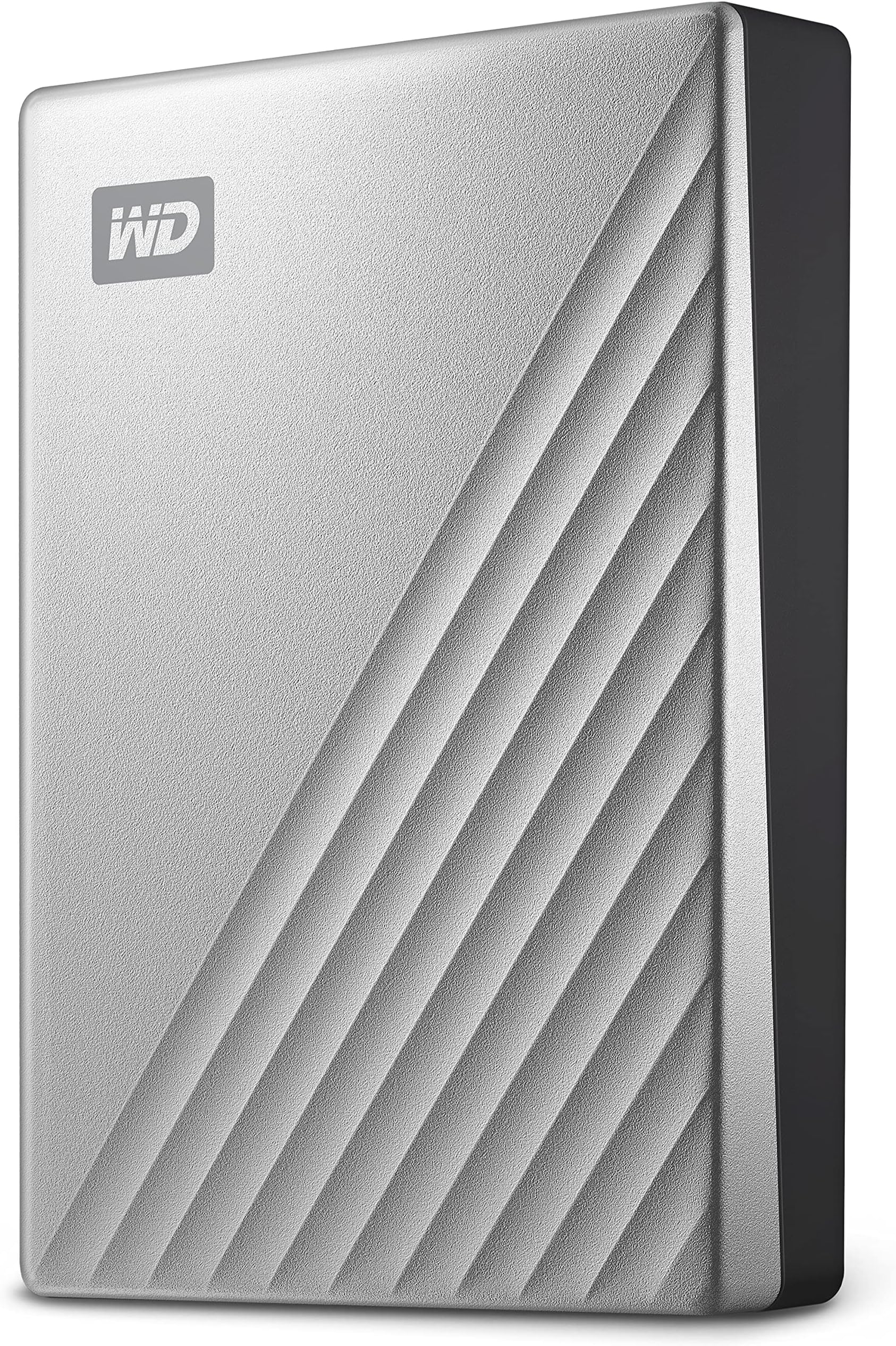
The WD 5TB My Passport Ultra for Mac is a premium portable external hard drive featuring a sleek anodized metal design, USB-C connectivity with backward compatibility, and a massive 5TB capacity. It offers robust 256-bit AES hardware encryption with password protection to safeguard your data against ransomware. Designed for seamless plug-and-play use across Mac and Windows platforms, it includes backup software and a 3-year limited warranty, making it the ultimate secure storage solution for professionals on the go.


| ASIN | B07WZYM7RQ |
| Best Sellers Rank | 311 in Computers & Accessories ( See Top 100 in Computers & Accessories ) 7 in External Hard Drives |
| Box Contents | Internet activation required, My Passport Ultra for Mac portable storage, Quick Start Guide, USB-C™ cable with USB 3.1 adapter, WD Discovery™* software for WD Security™ and WD Drive Utilities™ |
| Brand Name | WD |
| Cache Memory Installed Size | 5 |
| Color | Silver |
| Compatible Devices | Laptop, Smartphone, Game console |
| Customer Package Type | Standard Packaging |
| Customer Reviews | 4.2 4.2 out of 5 stars (4,449) |
| Data Transfer Rate | 2.5 Megabytes Per Second |
| Digital Storage Capacity | 5 TB |
| Enclosure Material | Metal |
| Form Factor | 2.5-inch |
| Global Trade Identification Number | 00718037871561 |
| Hard Disk Description | Mechanical Hard Disk |
| Hard Disk Form Factor | 2.5 Inches |
| Hard Disk Interface | USB-C |
| Hard Disk Rotational Speed | 5400 RPM |
| Hard-Drive Size | 5 TB |
| Hardware Connectivity | USB 3.0, USB Type C |
| Installation Type | External Hard Drive |
| Item Dimensions L x W x Thickness | 27.9L x 20.7W x 5.4Th centimetres |
| Item Weight | 8.1 Ounces |
| Manufacturer | Western Digital |
| Media Speed | Environ 300-500 MB/s |
| Model Name | WDBPMV0050BSL-WESN |
| Model Number | WDBPMV0050BSL-WESN |
| Network Connectivity Technology | USB |
| Number of Items | 1 |
| Product Features | Portable |
| Product Warranty | 3 year manufacturer |
| Specific Uses For Product | Personal |
| UPC | 718037871561 |
| Unit Count | 1.0 Count |
A**H
Great quality
This drive is very high quality, has a large capacity as well. Price is unbeatable. Very easy to use; no software to install
A**R
Simple installation
No fuss set up - simply plug and play. Does the job as expected. Looks neat and blends well with Apple Mac.
A**A
Value for money
It is great for mac (I have used it on my macbook pro) and the password protection is easy to set up. Although not major, but I have seen tiny glitches while copying data into it. I have not used it for long (bought it 3 months back) and hence I would recommend this to be your 2nd back-up drive :) I hope you will like my review, if you found it useful please hit ‘Helpful’. It will make my day :)
T**N
Buy with confidence
Value for money, good speed and portable
D**T
Well Made
It looks well made, easy to set up out of the box. You can't go wrong with Western Digital Drives, have bought them before and never had any issues with them at all. You get what you pay for they say, and I'm a true believer in that.
A**C
Manual drag & drop incompatible with Time Machine
Having installed the HD Ultra for Mac (on an iMac M3, OSX15), I set the format to APFS (case sensitive encrypted) with a password. But it is "read only" not write, meaning I can't drag & drop files to it. Only Time Machine works. It's 7.30pm, Friday. I set up a support account at WD around lunchtime but, at 3pm and within their office hours, the message said they were closed. So no support. WD chat bot couldn't help either. Persevering, I decided to start from scratch, using Disk Utility to erase, careful to click on the top level. Starting over again, I formatted it as APFS & GUID partition map. When done, it had used AFPS (case-sensitive) and not the basic APFS as selected. Time Machine works but no drag & drop. Info says Read Only again Started over again, I formatted it as Mac OS Extended Journaled & GUID. Drag and Drop worked this time but Time Machine needed the new volume deleted. Did this & lost the drag & drop. Whatever is done, unlike my older HDs and SSDs, Time Machine is incompatible with manual storage on this WD My Passport. They want you to install Paragon, third party and NTFS, but neglect to tell you this beforehand, which is underhand. The fact that the drive uses AFPS and not NTFS is glossed over. Macs can read NTFS by default, but they can't write to them without extra software. So the choice is either using it as Time Machine storage only, or manually transferring files as backup. You cannot have both.
B**J
WD 4TB
Arrived on time and in good order, fast and easy to use, small and so very transportable, just plug and play with Time Machine. I would buy again.
V**H
Light weight, User friendly, Very fast data transfer.
Light weight, User friendly, Very fast data transfer.
A**E
Very good deal, working fine
H**D
Utilisé pour sauvegarde par Time Machine sur Mac Studio 64 Go et disque dur de 2To de APPLE et aucun problème . Je ne peux que recommander vivement les yeux fermés...
K**A
بالنسبة لي هذه تقنية جديده لم استخدمها من قبل.. هو بالفعل جيد جدا ويستحق الشراء
パ**ル
最近のHDDはいいね。比較的安くて、早くて、耐久性もそこそこで、USB-CタイプもあるからノートパソコンとHDDだけで歩ける。 1番はサイズ感。思ったよりも小さい。厚みこそUSB-Aの幅くらいあれど、表面積はスマホと同じくらいだから邪魔にならないし、持ち運びやすい。つまり片付けやすい。据え置きでどっしり構えるのも良いが、普段は机の引き出しにしまって机を少しでも広く使えるのが嬉しいね。 もしかしてHDDって今が買い時?
D**O
Fiable, duradera y compacta: ¿qué más querrías?
Trustpilot
3 weeks ago
4 days ago