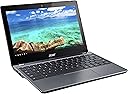
🚀 Power up your day with speed, style, and stamina!
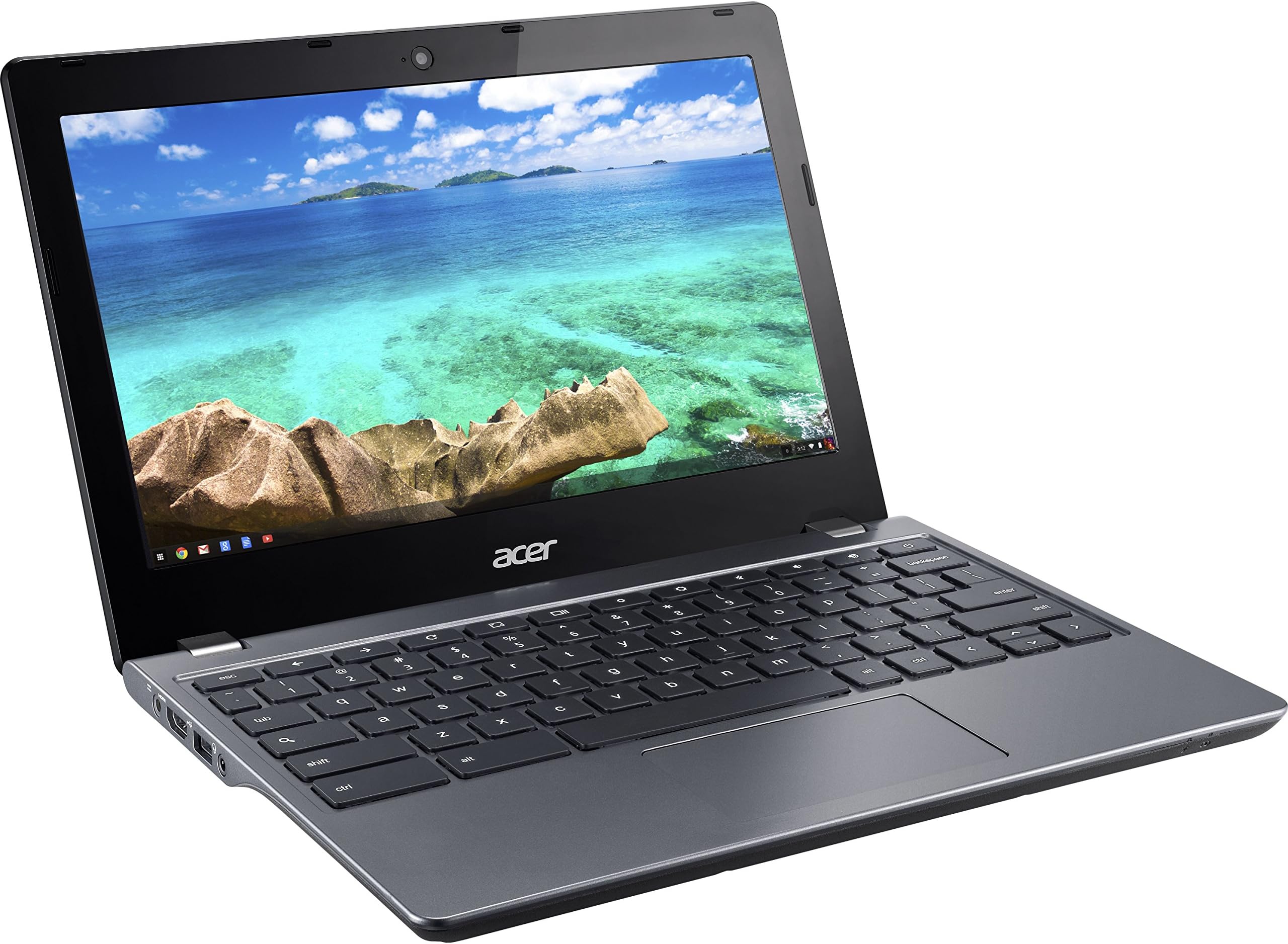
The Acer Chromebook 11 C740-C4PE is a lightweight, durable laptop featuring an 11.6-inch HD display, 4GB DDR3 RAM, and a speedy Intel Broadwell processor. Designed for professionals on the move, it boots in 7 seconds and offers up to 9 hours of battery life, making it ideal for all-day productivity. Its reinforced build ensures resilience, while Chrome OS delivers a fast, secure, and seamless user experience.
| ASIN | B00SQG3MQE |
| Average Battery Life (in hours) | 9 Hours |
| Batteries | 1 Lithium Polymer batteries required. (included) |
| Best Sellers Rank | #70,716 in Computers & Accessories ( See Top 100 in Computers & Accessories ) #11,581 in Traditional Laptop Computers |
| Brand | acer |
| Card Description | Integrated |
| Chipset Brand | Intel |
| Color | Gray |
| Computer Memory Type | DDR3 SDRAM |
| Customer Reviews | 3.7 3.7 out of 5 stars (269) |
| Date First Available | January 22, 2015 |
| Flash Memory Size | 16 |
| Graphics Coprocessor | HD Graphics |
| Hard Drive | SSD |
| Hard Drive Interface | Serial ATA |
| Hard Drive Rotational Speed | 1 RPM |
| Hardware Platform | PC |
| Item Dimensions LxWxH | 8 x 11.3 x 0.8 inches |
| Item Weight | 3.09 pounds |
| Item model number | NX.EF2AA.002 |
| Max Screen Resolution | 1366x768 Pixels |
| Number of Processors | 2 |
| Number of USB 2.0 Ports | 1 |
| Operating System | Chrome OS |
| Optical Drive Type | No optical drive |
| Power Source | Battery Powered |
| Processor | 1.5 GHz celeron_3205u |
| Processor Brand | Intel |
| Product Dimensions | 8 x 11.3 x 0.8 inches |
| RAM | 4 GB DDR3L SDRAM |
| Screen Resolution | 1366 x 768 pixels |
| Series | Chromebook |
| Standing screen display size | 11.6 Inches |
| Voltage | 220 Volts (AC) |
| Wireless Type | 802.11abg |
J**S
A fantastic secondary computer
I'm going to explain this with a metaphor that might not work well for everyone, but bear with me. I'll also be talking more about Chromebooks in general, with details about this specific device further down, just as advance warning. Chromebooks in general - and this one, being the one I've used - are like bicycles. Fast, zippy, simple means to get around town, run simple errands, and meet up socially. There are a lot of people who can get by with just a bicycle, if that's all they need, and a lot of people who will want a car - or a pickup, or van, or SUV - instead. There are also a lot of us who can really use both. I have the good fortune to have a PC that does all of the heavy lifting I could need it to. It takes care of all the Adobe software for video, photo, and sound editing, and any computer games I care to play work just fine on it. ...but there are a lot of use cases in which a big desktop PC isn't very helpful. Coffee shops, classrooms, study sessions or work outside of your home. And there are lot of people - myself included - who don't actually need all that power outside of the home. I don't need to edit video on the road, and I don't need a lot of hard drive space or graphics-heavy programs either. Owning this is like having a bicycle as well as a car. It's fast, it's zippy, it's light. It doesn't have a limitless battery, but I rarely spend more than 7-9 hours away from outlets during which time I'd need to be using a computer. ...and among affordable Chromebooks, the C740 is pretty spectacular, with a few key things to know to see if it fits your preferences. The screen is nice but not stellar, with acceptable but still fairly narrow viewing angles. Text is crisp and photos look decent, which is really all I need, but there are Chromebooks with 1080p screens if that's something you need. 1366 x 768 on an 11'' screen looks good to me, but I won't be arguing that it's great for everyone. The keyboard is a wonderful chiclet-style keyboard with great feel and a nice layout, even though I occasionally wish that the up and down arrows could have been squeezed in at full size, and the lack of a dedicated caps lock key might conceivably bother you. I'm at my fastest typing speed on chiclet keyboards, and the first thing I did upon starting this one up was check an online typing test, where I matched my usual speed of 80 WPM. It's not so much that the keyboard makes things faster, it just doesn't get in the way of rapid typing - but preferences do differ, so look for what you know! I am a particular fan of the 11'' form factor for a laptop. I love the small size and low weight, and my small hands are quite happy with the C740. I found through looking at various devices that 4GB of RAM is what you really want in a Chromebook, and, coupled with a good extension to kill or pause unused tabs, I have yet to have any problems with too many open tabs - and I am a fiend for having far too many open at any given time (24 right as I write this (it is a Problem)). The trackpad is perfectly serviceable and has good options for speed to match your preferences. It's decently sized and comfortable to use. I love the available ports, and loading up a USB thumb drive or hard drive with music or movies, depending on what you like, is a perfectly fine way to carry music around. Something I wish I had known is that the SD card slot is not very deep, so at least half of any card you slip in is going to be sticking out - needless to say, carrying it around with an SD card in is a recipe for disaster. I can see some potential for previewing photos from a point-and-shoot camera on here, but otherwise I'm not so sure that the SD card reader is all that helpful. Still! Who knows what others might need? Battery life is, as I mentioned, more than adequate. Best of all, the device starts up in a flash and is always zippy and responsive. For a portable device, as a student or worker or anyone getting stuff done on the go, it's simply heavenly not to have to wait long for your computer to wake up, turn on, or restart. You can get right to business immediately. ...and, naturally, nearly everything positive about the computer is expressed through ChromeOS, which is something you either already know you want, by looking at reviews, or something that you ought to learn more about, if you're looking through laptops in general. I don't think I could get by with the Acer 11 C740 as my only computer, but as a supplement to my PC, it is the nicest thing I've ever owned. I've made due with a hand-me-down Macbook from 2006 before, a Nexus 7, a Dell Inspiron, an HP Pavilion tablet, and, far back, a mostly nonfunctional Sony Vaio from 2003 or so. Short of a Macbook Air I briefly had time with, this Chromebook has given me the best portable computing experience I've ever had, and I absolutely recommend it to anyone for whom a Chromebook matches their desired use case.
P**D
Stopped working after a few months...
This was a great laptop for the $56 dollars I paid for it. The screen was not crystal clear, but it was fine for what I paid for. It held battery well and was fast. I talk about it in the past tense, because after a few months, it became unusable. The screen stopped working completely, despite the power still turning on. After further investigation, I found the cable that connects the screen to the rest of the computer is damaged. The computer will now only work when connected to a monitor using a HDMI cable. I tried to contact customer service when it happened (less than 6 months after buying it), but was told the product is not refundable. I wasn't even able to connect with a live person to explain my issue, rather, I was stuck with a robotic messaging bot. I was so excited to have an affordable laptop and am very upset at how quickly it broke. I'm even more upset by the lack of customer service for this product.
_**Y
Good price
The price was right. The chromebook functioned out of the box with minimal setup. Screen needs to be tilted just right for optimal viewing. But, at this price, I can definitely tilt the screen. Solid computer that works in a pinch. Battery life is acceptably long. Weight is perfect. Easy to haul around. The keyboard is big enough for my fingers.
J**L
Seriously, I love this machine!!!
Seriously, I love this machine!!! Fantastic performance especially given the low price (my primary reason for purchasing this particular Chromebook). Very thin, which makes it convenient to take pretty much everywhere. Battery life is awesome. Perfect size for what it's used it for (browsing the web on the couch etc, watching videos from youtube or netflix, working on google spreadsheets etc). I also can't speak highly enough of ChromeOS. The joy of having a laptop that keeps itself updated, doesn't get viruses/malware and is literally maintenance free (aside from occasionally having to plug into power to charge the aforementioned battery) keeps my life simple. I know that every time I open the screen on this guy, it will instantly boot up and be ready to go... No "windows is restarting for updates, 30% complete... check back in 10 minutes", no viruses, no slowness from 3rd party apps that have accumulated over the years needless consuming resources. Just open and go! Pros: *Excellent* performance, esp given low price Great build quality Dead silent Loud speakers Awesome battery life Good low light sensitivity on the webcam USB 3.0 flash drives support SD card reader HDMI out Cons: Power adapter connection seems like it could be fragile if someone tripped on the cord while plugged in Wouldn't mind if the screen was a little larger / better image quality (i've been spoiled by the Retina Display on a mac book pro).
J**K
Big thumbs up!
Love this Chromebook! Big upgrade over my old Samsung 300 Series. Got this refurbished and everything is still working as new. Looked new when arrived. Much faster than my old Chromebook and very good battery life. I can have next to me at work all day long and still have 3 hours left at the end of the day. I could probably go a full day without recharge. Build quality is very good. Feels very solid. Not as light as my old Samsung but not noticeably heavier in actual use. I'll take the more solid feel over super light weight anytime. Keyboard is nice and comfortable even with my XL sized hands. I have found that sometimes if I get too far to the left on the track pad to click that I have to hit with more force than towards the center. No biggie. Scrolls nice. I don't think the screen quality is that bad unless you have next to an IPS. I use mine outside often and prefer the matte screen over a glossy IPS. Viewing angles are pretty decent and colors true. Good power and efficiency in a small yet very capable machine.. what more could you ask for?? Overall big thumbs up!
D**.
Works great
D**L
Satisfait de mon achat.
Trustpilot
3 days ago
3 weeks ago