🔧 Recharge your iPhone 7 like a pro—DIY power, zero compromises!
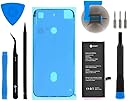
The iFixit Battery Compatible with iPhone 7 Repair Kit offers a high-capacity lithium-ion battery (95%+ capacity) designed specifically for iPhone 7 models A1660, A1778, A1779, and A1780. This kit includes all necessary tools and adhesive for a complete DIY replacement, supported by detailed online tutorials and a 1-year warranty, empowering users to extend their phone’s lifespan and avoid expensive repairs.


| ASIN | B07TVVPZ8V |
| Batteries | 1 Lithium Ion batteries required. |
| Best Sellers Rank | #53,403 in Cell Phones & Accessories ( See Top 100 in Cell Phones & Accessories ) #213 in Cell Phone Repair Kits |
| Customer Reviews | 4.3 4.3 out of 5 stars (134) |
| Date First Available | July 5, 2019 |
| Item Weight | 8.1 ounces |
| Manufacturer | iFixit |
| Package Dimensions | 9.21 x 4.76 x 1.93 inches |
S**E
Great kit, especially if you're comfortable with DIY projects.
The kit contained all of the tools needed to replace my iphone battery. Online videos were also very helpful (and necessary) as well. There are a few steps in the process that are more difficult than they appear, including opening the case itself, and reinserting very tiny screws when reassembling the iphone. The entire process is straightforward but perhaps not for someone who isn't used to doing DIY projects. Overall I'm very happy with this purchase.
P**R
Tools, gasket material and battery
Installation took time but went smoothly, the tools and gasket were very useful and worth the extra cost imo. Update: The phone must have been on and not in airplane mode without me realizing it. To test that I left it three days in a cradle unplugged in airplane mode and it’s only lost 7% of charge. Rating 5 stars Original: The phone is no longer used daily, it’s a backup so I fully charged it and then shut it off and put it in a drawer. A week later got it out and the battery was down at 1%. It’s possible this is not unusual and it needs to be charge-cycled but it was surprising and I will modify this review once I know one way or the other if this behavior is permanent. Rating 3 stars
D**G
Initial impression - long-term review will have to wait
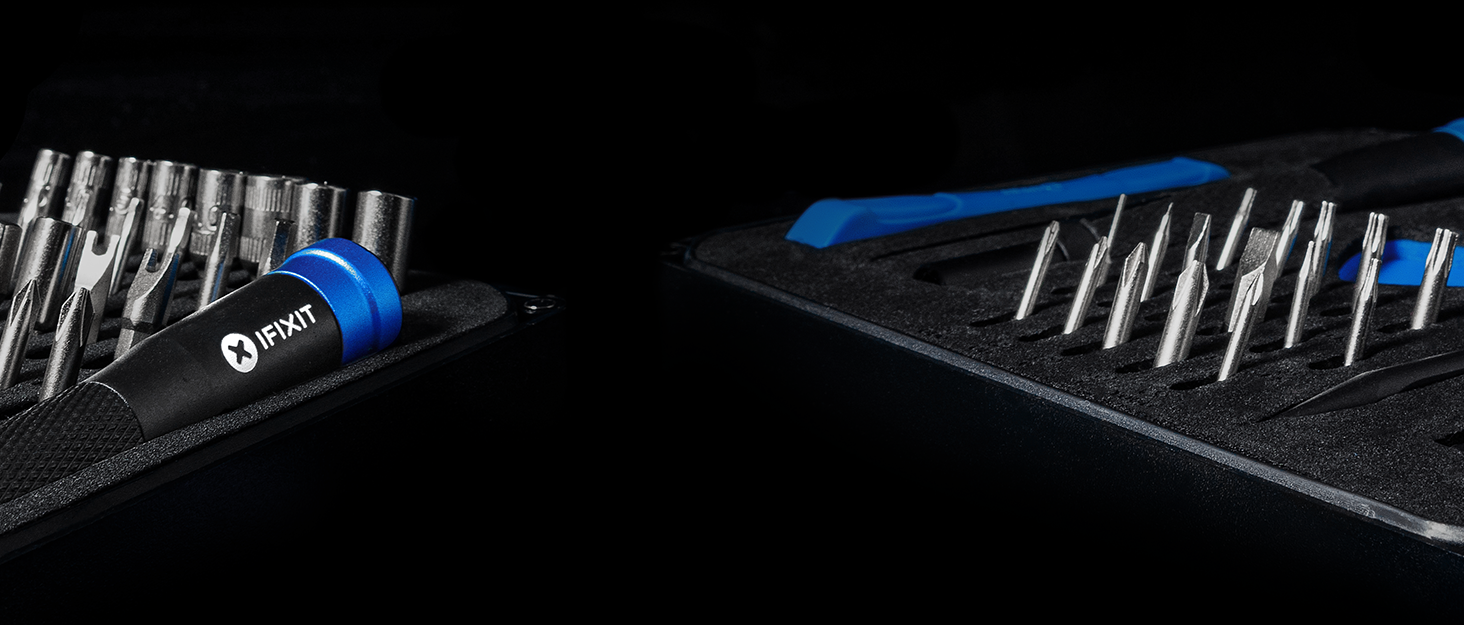
Just received the battery and tool kit. Reviewed the videos online on how to replace and the most difficult and time-consuming step was breaking the seal at the base of the phone. Once open it went fairly smooth. However, none of the three driver bits seemed to work to remove the screws for the battery connector hold-down. Good thing I was replacing the rear camera and it came with tools so I used one of them. The battery fit perfectly and the plug snapped right in. The phone powered up and showed 61% but is currently going through the recommended calibration process. Battery health is back up to 100%. The driver handle is nice as it has a top cap that can remain stationary against your palm as you spin the driver. The bits as mentioned are stamped with the size, but again the one necessary for the battery plug hold-down wouldn't work. The other two were perfect. The suction cup held very well and the tray it fits in is molded so that it will not lose its shape. I debated between getting just the battery or spending $5 more and getting the battery, tools and seal and glad I got the tools as well. They aren't Mac or Snap-on but definitely not what you'd find at the Dollar Store. IMHO a very good value and will keep for future phone repairs.
J**N
Its really nice
Its a good battery kit and comes with more adhesive, works for me, and instructions on website were easy to follow!!! Fixed a iphone 7
M**E
Works, but do your homework and prep.
When using iFixit website guidance, be certain to open comment to each step. Those comments are from previous performers of the replacement. Those comments are crucial, as are review those YT videos, for successful completion. Know that cotton swabs, lint free cleaning clothe, and alcohol are required to adequately clean off old seal. PLEASE make sure battery placement is aligned with cable connector before making battery permanently adhered. Repair Kit tools are most beneficial.
D**A
Be sure to take your time, read instructions carefully, and use magnifying lens/good glasses
I received the iFixit battery and repair kit for my regular size iPhone7 smartphone. All tools and battery came in a nice box labelled with the expression 'You can do this!' And I would say many folks could indeed do it BUT it takes some patience, strong focus on the instructions, and a good magnifying set of glasses or lens as the screws that need to be removed are tiny. Pay special attention to the type of screw head that is being removed as you have 3 different types of them and, accordingly, 3 different types of screwdriver heads are included in the repair kit. The toughest part of the process for me was the initial action of removing the screen. I did apply some bit of heat from a hand-held hair dryer to soften/loosen the adhesive for holding the screen in place. Also by using the small thin plastic wedge I finally coaxed the lower left side of the screen up and heated a little more and continued coaxing up along the screen's left side (the directions ask you to avoid opening up the right side). From there I wedged up both bottom and top edges of the screen and just a tiny bit at the top/bottom of the right side. There are 2 connections holding the top of the screen onto the phone's frame - so the directions ask that you use a little downward force to finally open screen like the cover of a book opening toward the right side. (I did not remove the one part which would allow me to remove the screen from the frame). After that process is complete, read the instructions and TAKE YOUR TIME in removing key screws and parts in order to get the old battery out. For instance, there are 2 sticky tape tabs that need to be removed from under the old battery - take your time and pull them out slowly - the tape is very stretchy and will come out completely if you pull slowly and continuously. Beyond all this - KEEP TRACK OF THE SCREWS/PARTS THAT WERE REMOVED - as you replace everything in reverse order of removal. With my big fingers and 2 pairs of reader glasses, I was successful with the process. It took me 3.5 hours though as it was my first time at this rodeo and I took my time! You can do it!!
Y**N
It can be tougher than you think to get it done by using these tools ~ ~ ~
In general I like the product. All the parts are in good quality. However, 1.5 complaints I have at this point. First, it's very hard to open the front glass from the phone by using the given tools. It's fairly tight and the blue color chip can barely get in for me to open it (additional tool might need to get this done, or, it should be improved). The other 0.5 thing is, the glue underneath the old battery is hard to remove. In my case, it broke half way even though I tried to be very gentel. None of the given tools are helping on this issue. In the end, I still manage to get it done with quite some effort though.
T**D
battery
good product
Trustpilot
3 weeks ago
3 weeks ago