Buy anything from 5,000+ international stores. One checkout price. No surprise fees. Join 2M+ shoppers on Desertcart.
Desertcart purchases this item on your behalf and handles shipping, customs, and support to Vietnam.
๐พ Elevate your setup with storage that works as hard as you do
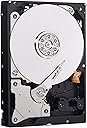
The WD Blue 2TB PC Hard Drive combines ample storage capacity with energy-efficient 5400 RPM speed and a fast SATA 6 Gb/s interface. Featuring No Touch Ramp Load technology, it minimizes wear for enhanced durability. Compatibility-tested across numerous platforms and backed by free migration software, this 3.5-inch drive is a reliable upgrade for professionals seeking dependable, hassle-free storage expansion.


| ASIN | B07JC1TQ7N |
| Best Sellers Rank | 132,118 in Computers & Accessories ( See Top 100 in Computers & Accessories ) 474 in Internal Hard Drives |
| Box Contents | HDD |
| Brand Name | Western Digital |
| Cache Memory Installed Size | 256 |
| Color | Black |
| Compatible Devices | Desktop |
| Customer Package Type | Standard Packaging |
| Customer Reviews | 4.5 4.5 out of 5 stars (7,101) |
| Data Transfer Rate | 180 Megabits Per Second |
| Digital Storage Capacity | 2 TB |
| EU Spare Part Availability Duration | 2 Years |
| Enclosure Material | Aluminium or glass |
| Form Factor | 3.5-inch |
| Global Trade Identification Number | 00718037856254 |
| Hard Disk Description | Mechanical Hard Disk |
| Hard Disk Form Factor | 3.5 Inches |
| Hard Disk Interface | Serial ATA-600 |
| Hard Disk Rotational Speed | 5400 RPM |
| Hard-Drive Size | 2 TB |
| Hardware Connectivity | SATA 6.0 Gb/s |
| Installation Type | Internal Hard Drive |
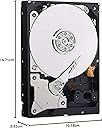
| Item Dimensions L x W x Thickness | 14.7L x 10.2W x 2.6Th centimetres |
| Item Type Name | Hard Disk Drive |
| Item Weight | 450 Grams |
| Manufacturer | Western Digital |
| Media Speed | 6.0 |
| Model Name | WD Blue |
| Model Number | WD20EZAZ |
| Network Connectivity Technology | SATA |
| Number of Items | 1 |
| Product Features | Portable |
| Product Warranty | 2 year manufacturer |
| Read Speed | 6 Gigabytes Per Second |
| Specific Uses For Product | Gaming, Personal |
| UPC | 718037856254 |
| Unit Count | 1.0 count |
G**J
No problems
Reliable, easily installed. I am now on my fourth, and will buy more
A**.
Great Drive
excellent value drive for that price point
N**N
Must have been a hard drive
I drove home in a terrible storm and nearly crashed.
J**F
A nightmare but who to blame?
The device came well packaged in a well padded box (unlike previous HDD purchases!). I bought it for data storage in a Lenovo Erazer swapable disc unit running Windows 10. The Lenovo manual said buy a 3.5 inch SATA disc and insert with helpful diagrams to show how. The disc came without any instructions but I didn't think I needed them, Windows 10 does claim 'Plug and Play' facility and HDDs are pretty basic. I inserted the disc and pushed the tray into the unit and ... nothing! I assumed that it wasn't inserted properly but after several attempts and serious investigations I was sure that it was. Next thought was that the HDD was faulty but I decided to investigate further and found many similar stories on the internet, many with no happy conclusion. Several people claimed that Microsoft and Western Digital were blaming each other and leaving the customer frustrated. Windows was not very helpful but using Device Manager I spotted that the disc had been recognised but rejected. I tried to re-install the drivers but Windows just said I had the best ones available. I downloaded the WD drivers and tried again but Windows would not change its mind. I then spent several hours following suggestions on the internet and, by accident, looked at Disk Manager. I tried to reformat the disc but to no avail. In desperation I tried all of the remaining, limited options that Windows allowed me and found that changing the disc status in Disk Manager from Base to Dynamic unlocked the whole thing. I was then helped to allocate a device label and all worked a treat. A totally frustrating experience but who was to blame? Me for not knowing enough about what I was doing? Lenovo for their total lack of support for a basic part of their computer? Microsoft for the incompetence of Windows 10? Western Digital for no support at all? You choose. It is now working well but obviously hasn't been operating for long yet.
C**E
Perfect for the job
Really easy to install, recognised instantly by my PC, super quiet and haven't had any issue with it since I've been using it. The transfer speed and read time is also very quick in my experience and I use this drive to store my games on with no delays to loading times or world gen. Was worth the money spent.
S**O
Good name in Hard Drives. Fingers crossed.
Bought this solely as a backup device, so it will not ever be overused. It simply gets slotted into my hard drive caddy on the desktop and assessed as and when needed. As with all hard drives you're never quite sure about what you're getting and identical drives from the same batch can vary wildly in longevity and performance. You can only go by name really and that's what I did.
G**N
Worked for a week
Was impressed with Hard drive gave plenty of storage then after a week started clicking. Now won't work.
S**S
Well packaged
Arrived on time, well packaged, works well
A**C
Habe die Festplatte in einem externen Gehรคuse, mit passiver Kรผhlung montiert und mittels einem externen SATA Anschluss (3 GB/s) von meinen Mainboard angeschlossen. Sie bleibt dabei sehr kรผhl um die 30 Grad im IDLE, max 35 Grad wรคhrend eines lรคngeren Backups. Eigentlich genauso kรผhl, wie die intern verbauten Festplatten. Sie ist erstaunlich schnell, kaum zu hรถren (5400 RPM), ist neu (0 Betriebsstunden) und hat keine fehlerhaften Sektoren (Lieferzustand). Genau das, was ich gesucht habe. Empfehlung von mir ! WD WD20EZAZ Festplatte (2 TB, 5400 U/min, SATA, 6 GB/s, 256 MB Cache, 8,9 cm (3,5 Zoll), Blau Betriebssystem: Windows 10.
J**D
na eerder negatieve berichten gelezen te hebben was ik bezorgd omtrent de verzendverpakking. ik kan met een gerust hart zeggen dat de harde schijf bijzonder goed was verpakt zodat schade aan de schijf zo goed als onmogelijk is
****
What I'm about to tell you will potentially save you from future catastrophic failures including loss of data. Nothing beats having multiple good backup copies.; however, the following information will instruct you on how to test your new drive to make sure it's free from defects. Imagine, you have a spinning disk rotating thousands of times per minute separated by its recording/reading head by less thickness of a human hair. Just one wrong thing and .. "click..click..click". You don't want that. Generally speaking a bad hard drive will make itself known sooner vs later when it's tested fully. Not always. What YOU can do is put the hard drive through its paces to really give it a good solid work out and make sure every space designated by the drive as available/writeable space, is in fact GOOD. Its magnetic/electrical properties strong. This test is a LONG test. What it does is write all 01010101s,10101010s,11111111s,and 00000000s, binary, to the disk.--filling it. It does this in 4 passes (i.e. writes the disk fully) 4 times. After each write it will read what was just written beginning to end to ensure all bits were written exactly right. If they wern't, the drive's detection mechanism for errors (SMART) will notice (i.e. a bit was not written to a sector correctly) and flag the SMART COUNTER. For example, uncorrectable or reallocated sector count would show a non-0 value. During operation, if the drive encounters a fault with a sector it will swap that sector with another known good sector the drive has in reserve and will log it via SMART. A PERFECTLY WORKING HARD DRIVE WILL SHOW '0' for 'Reallocated Sector Count','Reported Uncorrectable Errors','Current Pending Sector Count','Uncorrectable Sector Count'.IF ANY OF THESE VALUES SHOWS ANYTHING OTHER THAN A 0 (zero), THEN YOU HAVE A FAILING HDD AND SHOULD REPLACE IT ASAP. DO NOT TRUST YOUR DATA ON IT. This command will erase everything on the disk if there is data already on there when you run this test. For this 2TB it would have taken about 30 hours, but I stopped it at the start of the final pass since I was confident--4 passes are better but do at least 2. But I am confident the data will be safe because it worked out the drive hard and pictures above show good numbers. Boot up your computer using a linux distribution boot usb/cd. Debian Ubuntu, any one will do--it doesn't matter. In a terminal type: sudo fdisk -l *Identiy which /dev is your HDD you wish to test. Also note if it says 512 or 4096 where it says "Sector size (logical/physical)". For example, if it's /dev/sde and says 4096 Sector Size (such as this 2tb drive) then type the following command: sudo badblocks -wsv -b 4096 -c 131072 /dev/sde This will 0101,1010,1111,and 0000 write and read/verify the drive back-to-back in 4 passes. On my slow computer this took around 24-30 hours to complete or 2tb. The ' -b ' option is the Block Size. This should match the drive. 512 or 4096. The '-c' option tells badblocks how many blocks to test at time. Changing this number will alter the speed and will either make the process go along faster or slower (dependant on Drive Interface, Ram/Cpu speed, etc.). Instead of '-c 131072' ,try '-c 65536 if it seems the test is taking too long to increment the %'s. In fact try it with '-c 65536' option. Let it run or 30 sec then CTRL-C to cancel it. Then run the command again but with '-c 131072' instead. Run it for 30 sec then CTRL-C to cancel. Compare the 2 and whichever command that had the higher % when you CTRL-C'd would be the number you would choose since that one ran a little bit faster. Google or man page 'badblocks' for more information. Whenever you buy a new hard drive get into the mindset/habit that you will NOT use them for awhile because you have to test them out first. Trust me on this and it's totally worth it. I'd like to think I avoid catastrophic failures because I did this test and it would have presented itself (or at least more likelihood) then vs months/years down the road. That's not a given--any drive can fail anytime or any reason but this is just an additional layer. Like a "shakedown cruise' if you will. Regarding this drive: Western Digital 2TB WD Blue PC Internal Hard Drive HDD - 5400 RPM, SATA 6 Gb/s, 256 MB Cache,, I can say that I am pleased it tested clean and I look forward to using this drive.And I'm confident it will keep my data intact. You are welcome!
M**N
Very Nice Product, Quick Delivery, working Great...i will buy more
D**Y
SALIO MUY BIEN EL DISCO DURA NO TIENE PROBLEMAS MI HIJO DESDE QUE SE COMPRO, RECOMENDABLE
Trustpilot
1 day ago
2 months ago